Update an existing SHIP-HATS subscription
Only Subscription Admins (SAs) can update a SHIP-HATS subscription.
You can update a subscription to:
- Add tools.
- Remove tools.
- Increase or decrease licences or units.
- Adjust capacity for capacity-based tools.
Then follow the steps in the corresponding tab below.
Before you begin
- Ensure you understand the billing implications before making changes. See Billing use cases
Steps
Log in to Console.
Go to the required subscription account.
For detailed steps, see View subscription accounts.In the SUBSCRIBED PRODUCTS tab, click the ⋯ (More options) menu and select Manage Subscription.
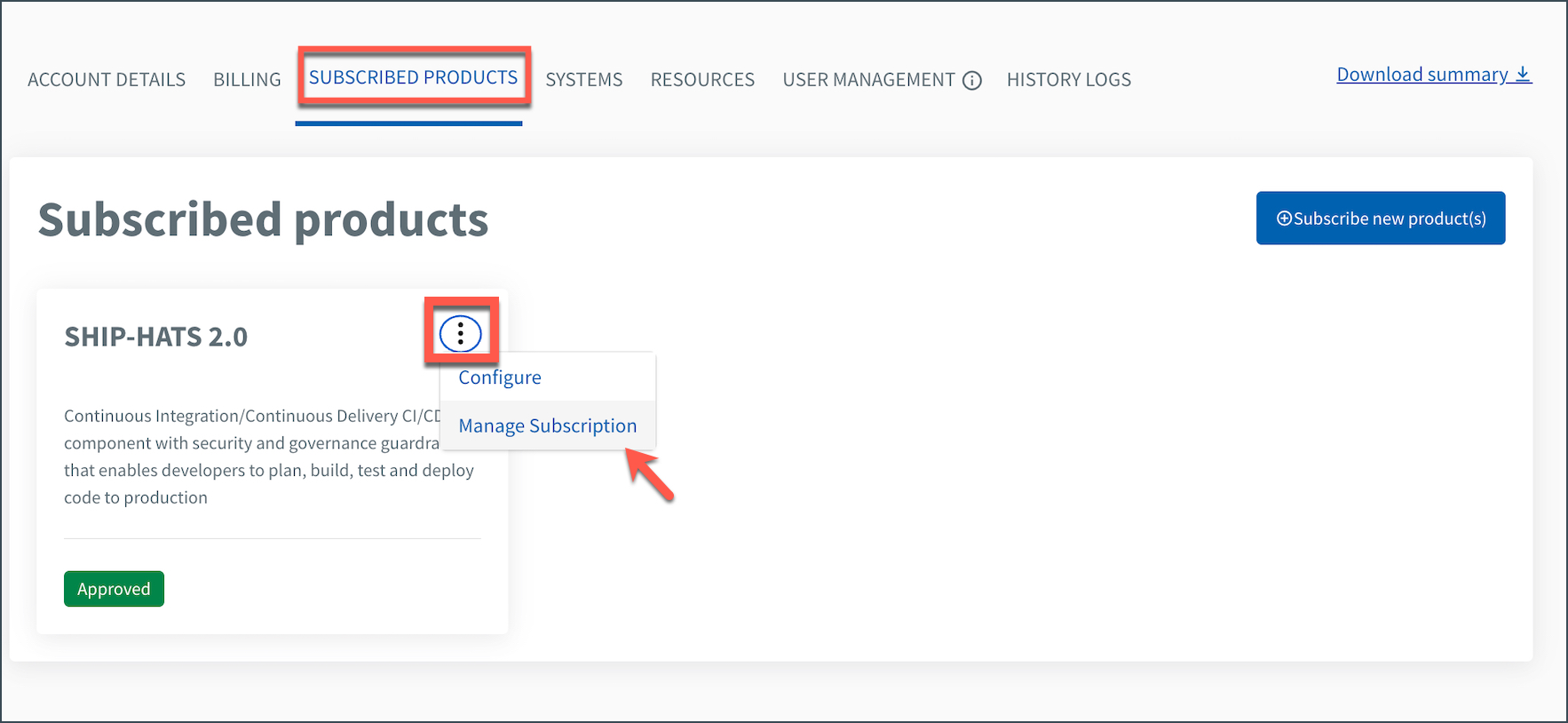
Select the required action:
- Add tools → Include new tools
- Remove tools → Remove existing tools
- Update licences or units → Adjust licence quantity or capacity
Then follow the steps in the corresponding tab.
Click Edit subscription.
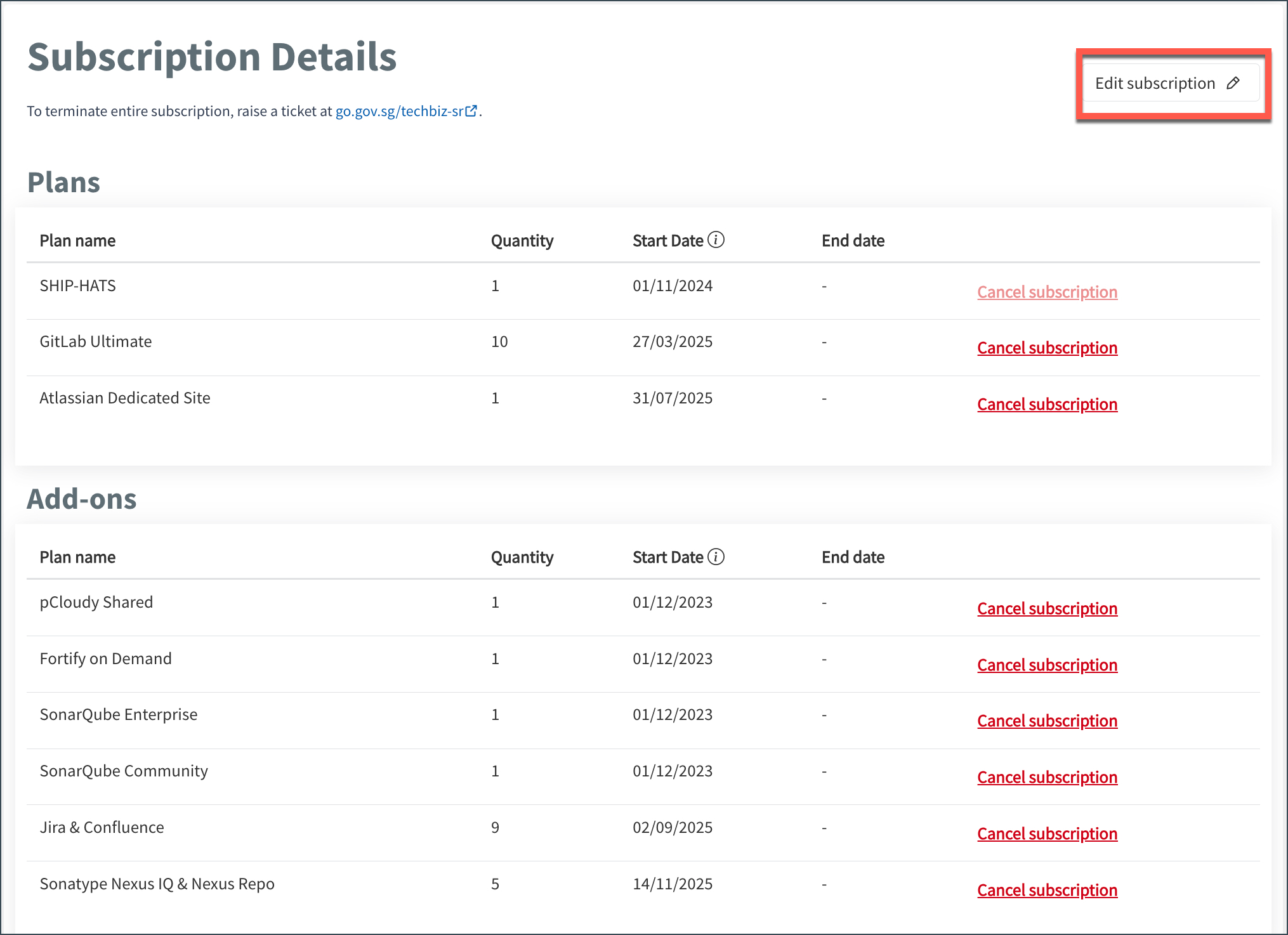
Select the required tool(s).
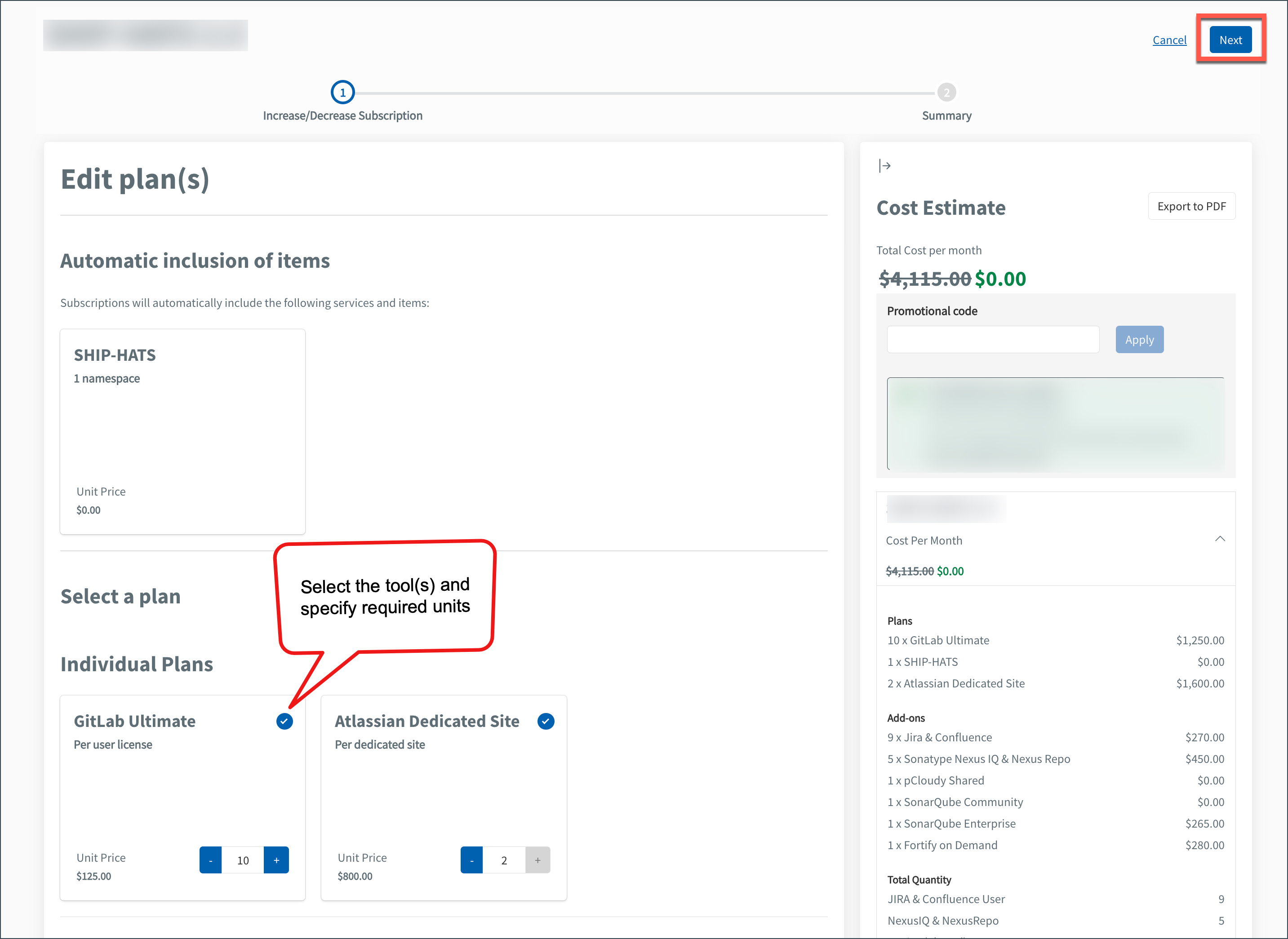
If applicable, specify the required units (for example, licences).
Click Next → Submit.
💡 Tip
The Cost Estimate pane updates automatically as you add or remove tools or change units. Review the estimated cost before submitting.
Click Cancel subscription for the tool you want to remove.
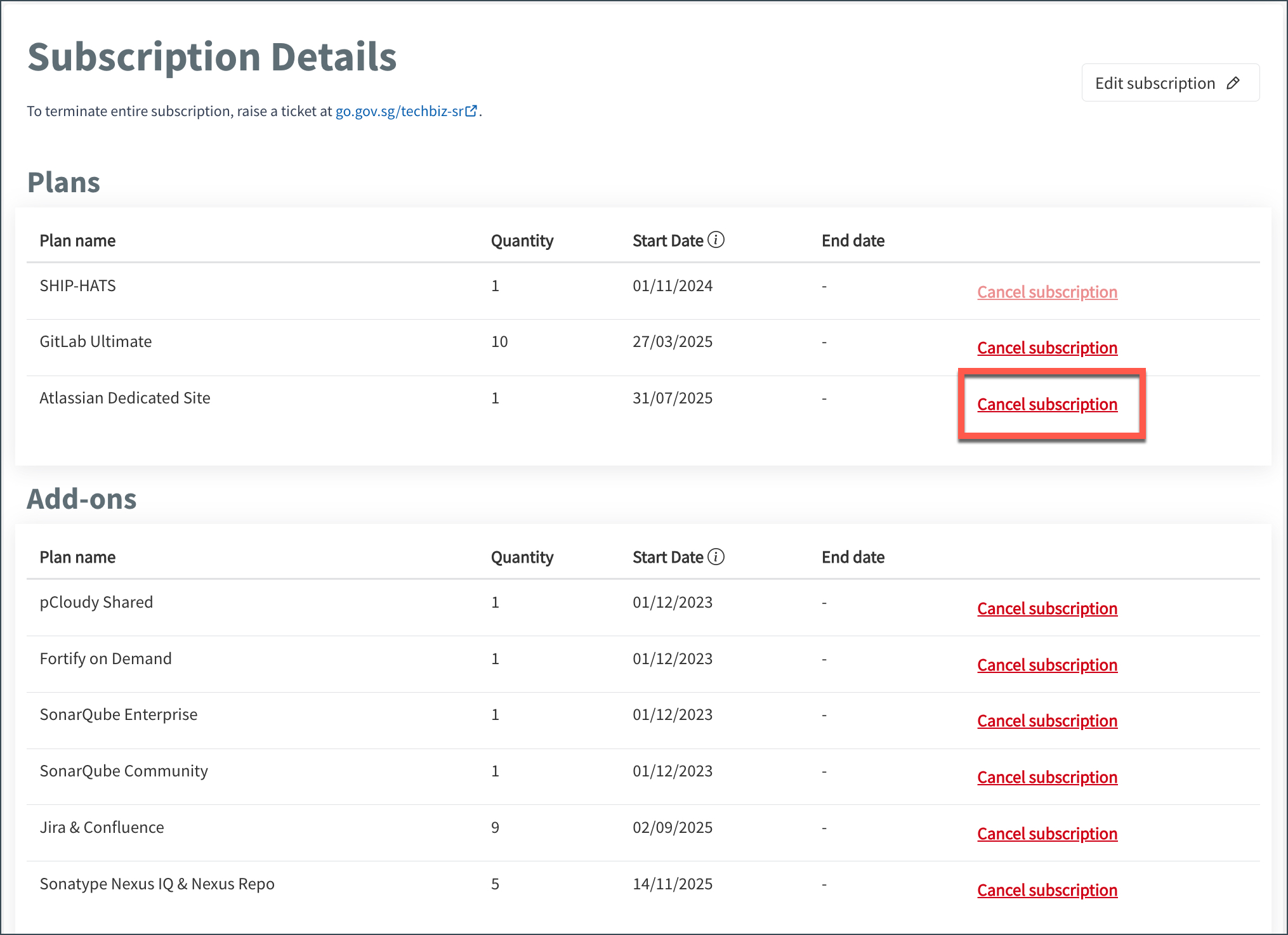
Click Confirm.
Removing a tool does not cancel the entire subscription.
Click Edit subscription.
Go to the required tool.
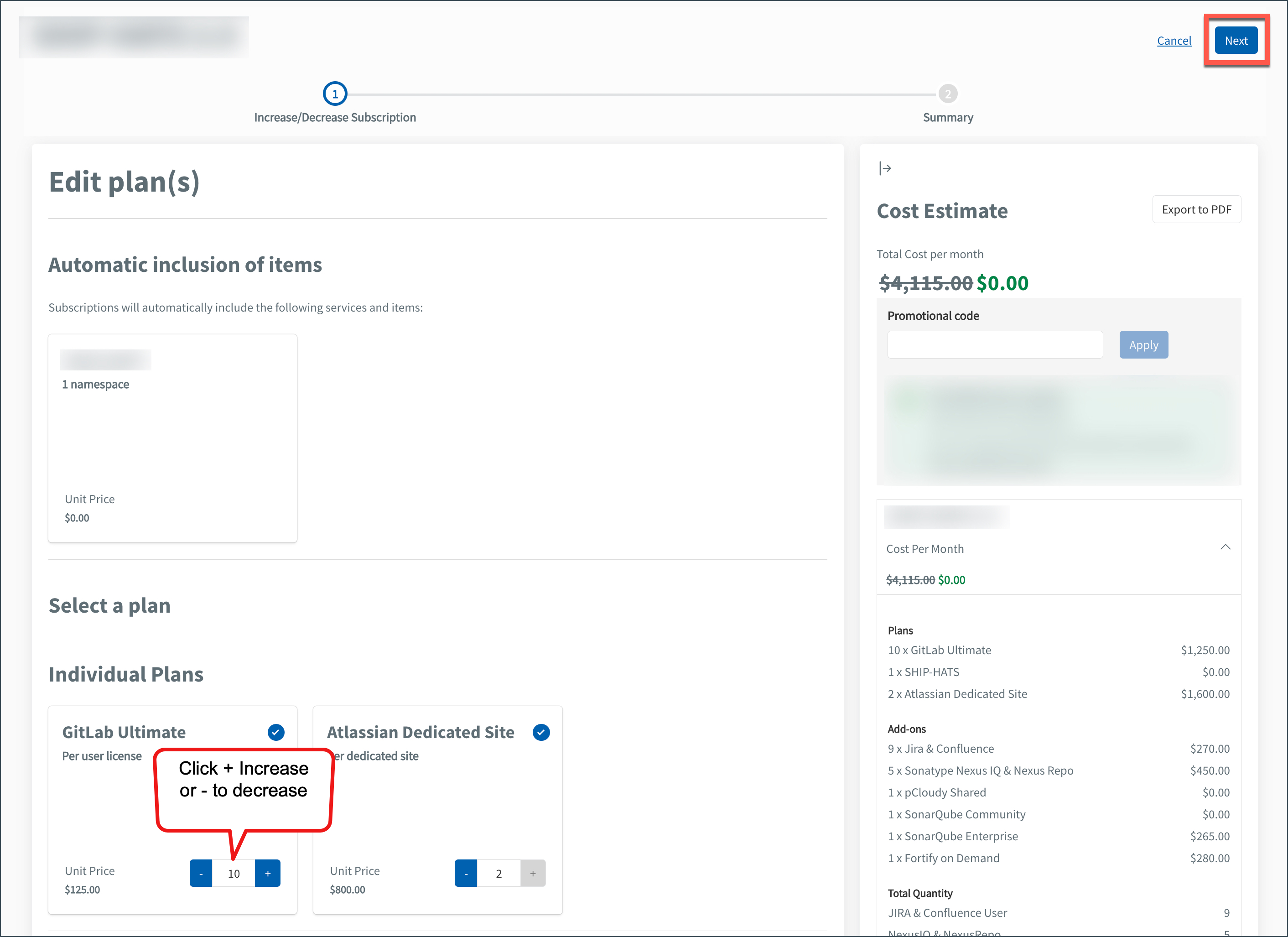
Click + to increase or – to decrease units.
Click Next → Submit.
💡 Tip
The Cost Estimate pane updates automatically based on your changes.
- Changes are applied after the update request is processed.
- Updated tools, units, and configurations are reflected in your subscription.
Things to know
- Removed tools are no longer accessible.
- Changes impact billing according to the SHIP-HATS billing policy.
- For tool-specific limits or entitlements, refer to the relevant tool documentation.
Next steps
For licence-based tools:
For capacity-based tools:
