Edit systems
Subscription Admins (SAs) and Technical Admins (TAs) assigned to a system can update system details.
You can edit the following:
- System description
- Digital Governance Platform (DGP) ID(s)
- Assigned Technical Admins
Before you begin
- You must be a Subscription Admin (SA) or a Technical Admin (TA) assigned to the system
- Have the organisational email addresses of users to assign as Technical Admins (TAs)
- A Digital Governance Platform (DGP) ID is required when updating DGP details for production systems. See Digital Governance Platform (DGP) ID
Steps
Log in to Console.
Go to the required subscription account.
For detailed steps, see View subscription accounts.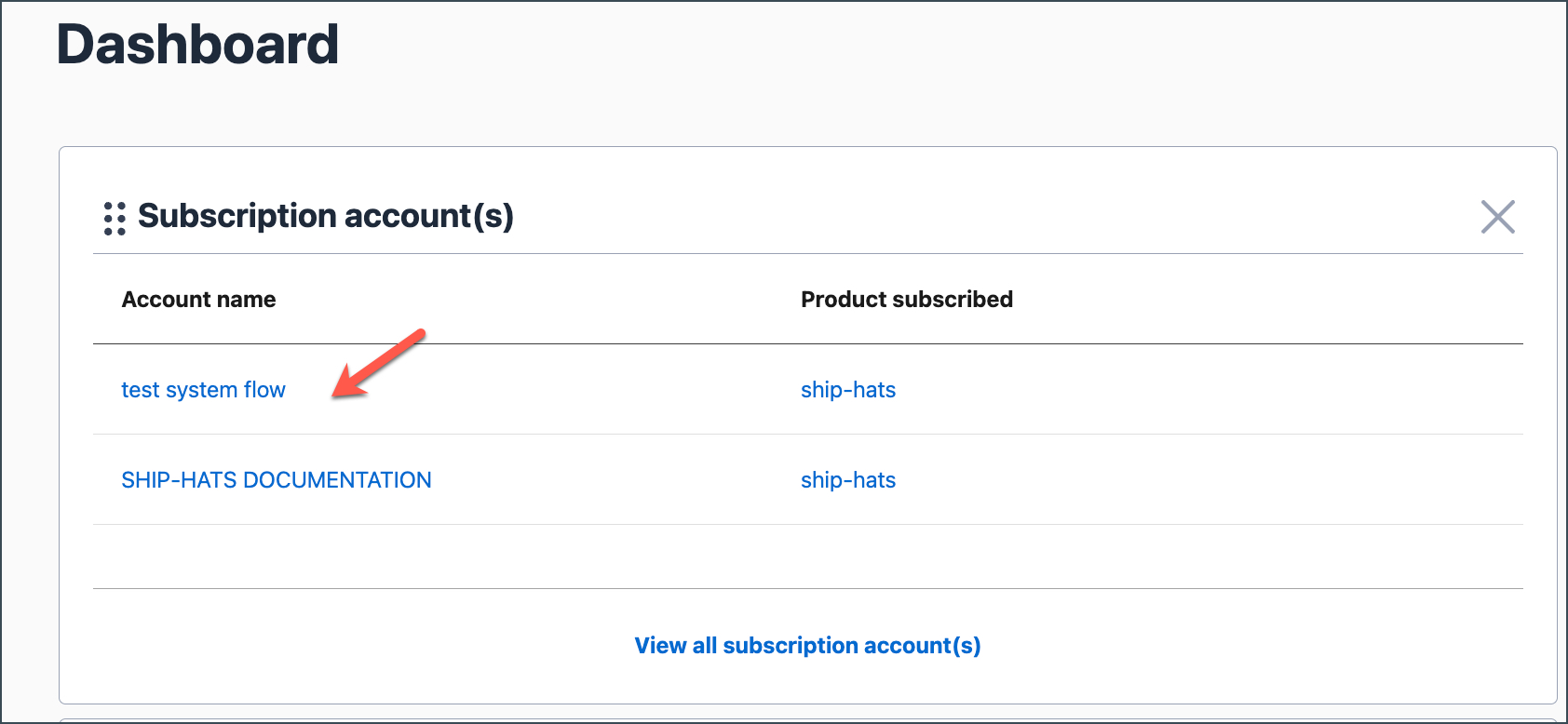
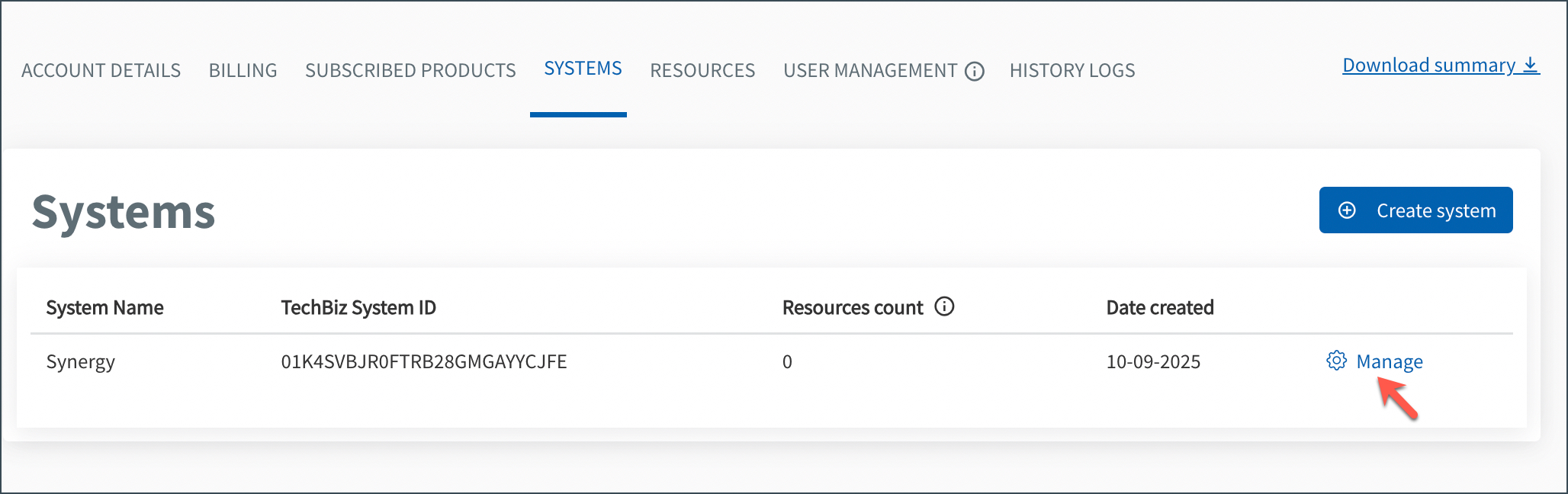
Go to the SYSTEMS tab.
Locate the required system and click Manage.
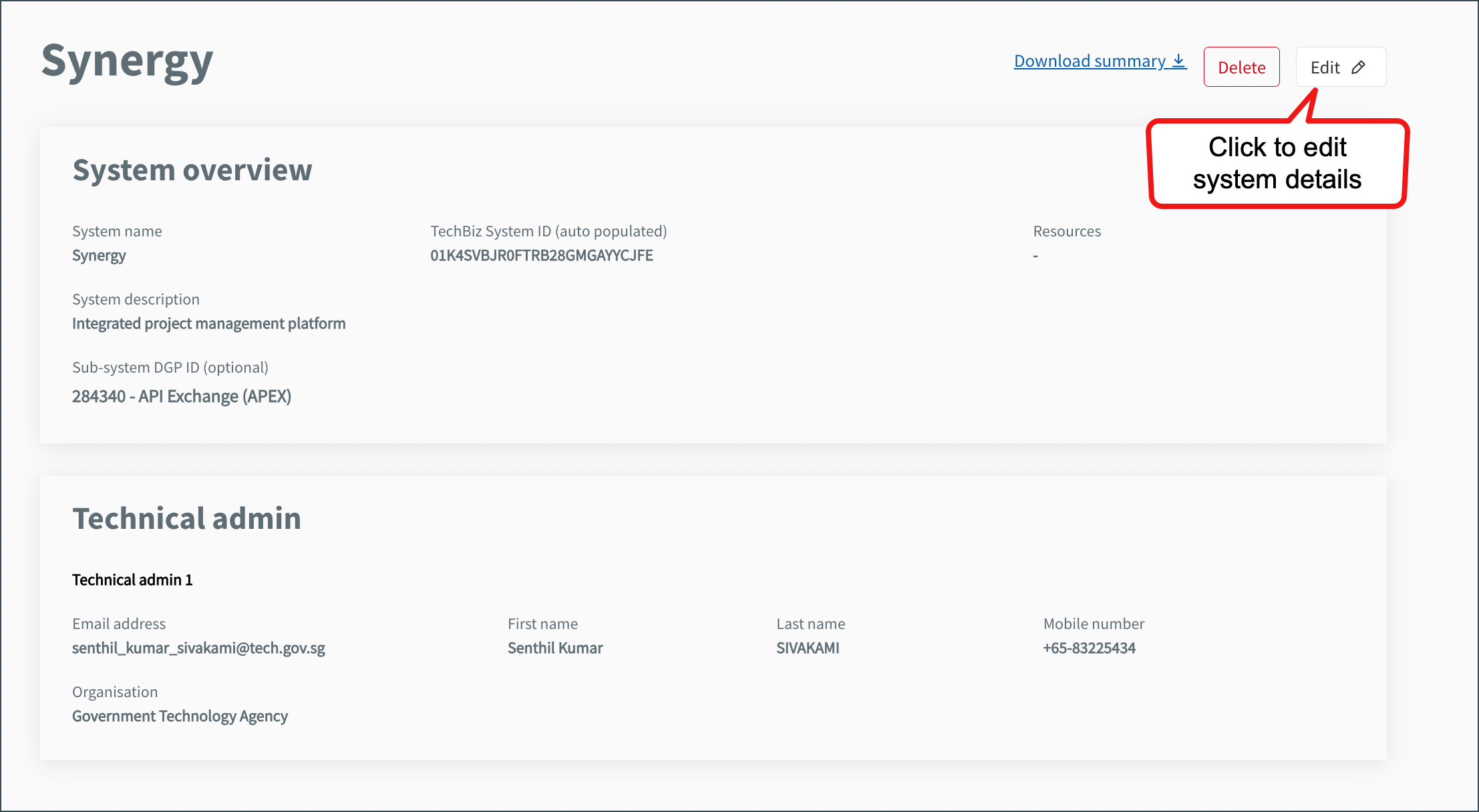
Click Edit.
You cannot edit the System ID.
Update the required details:
Field Description System description Update the description of the system. DGP ID(s) Add or remove DGP IDs as needed. Technical Admins Add or remove Technical Admins using their organisational email addresses. Click Submit.
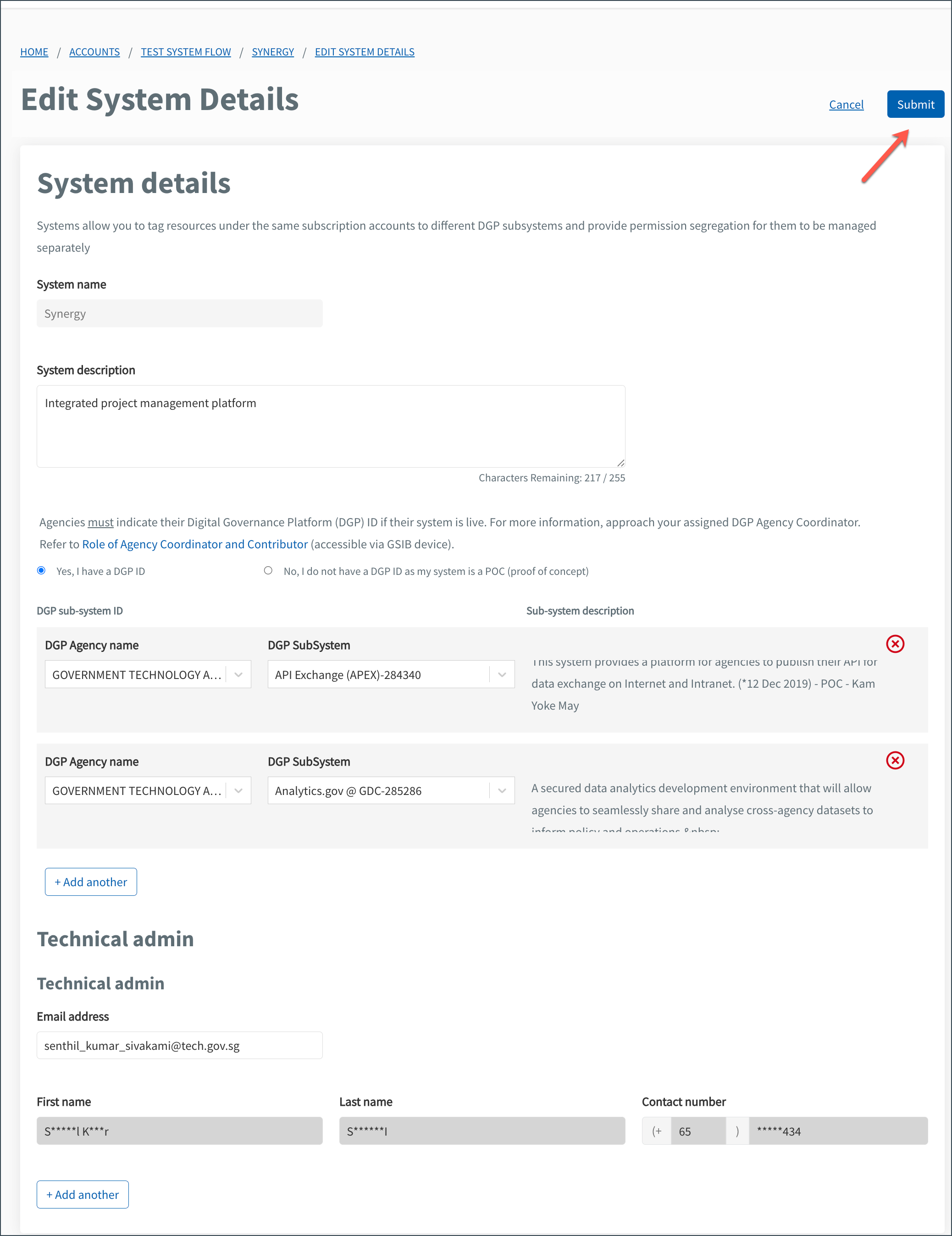
- The system details are updated successfully and displayed under the SYSTEMS tab.
