Manage billing details
Subscription Admins (SAs) and Billing Admins (BAs) can manage billing information for a SHIP-HATS subscription.
You can:
- Change the Billing Admin
- Update billing information used for invoicing
Before you begin
- You must be a Subscription Admin (SA) or Billing Admin (BA)
- The subscription must exist
Steps
Log in to Console.
Go to the required subscription account.
For detailed steps, see View subscription accounts.Go to the BILLING tab and click Edit.
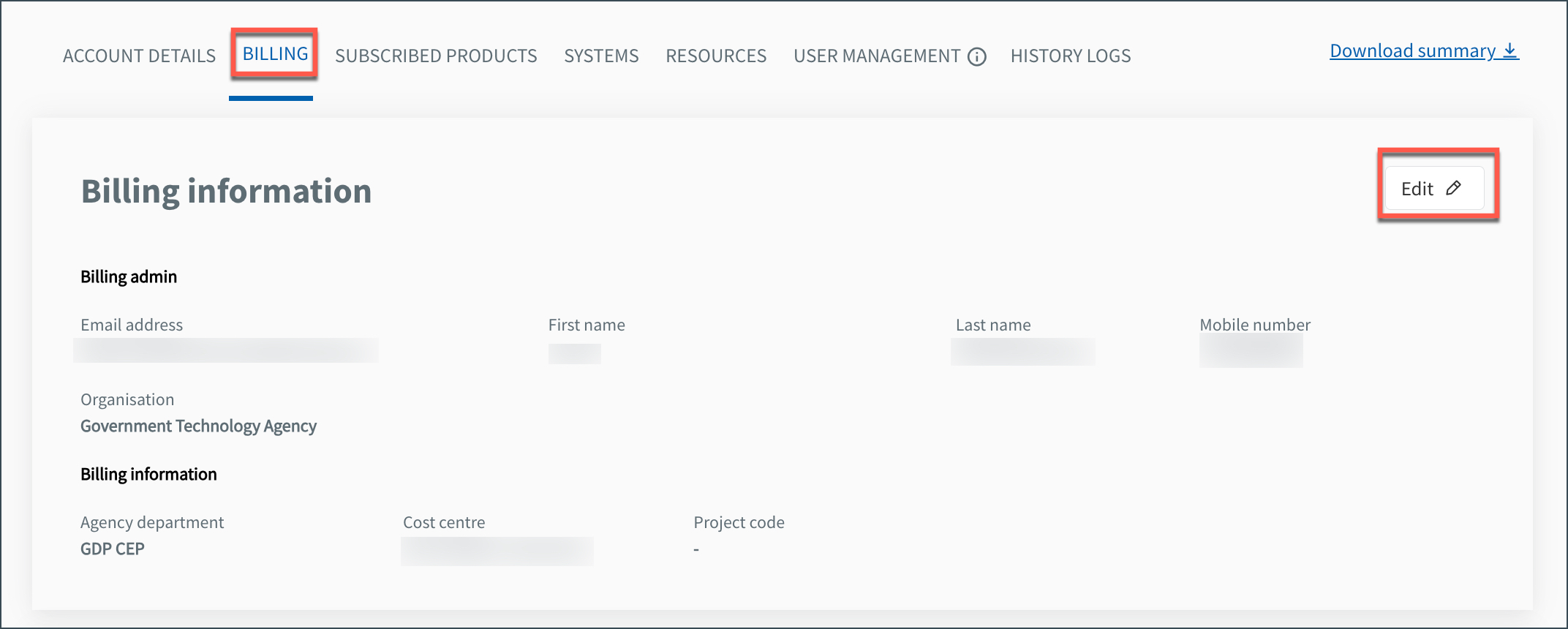
Perform the required action.
Enter the organisational email address of the required public officer.
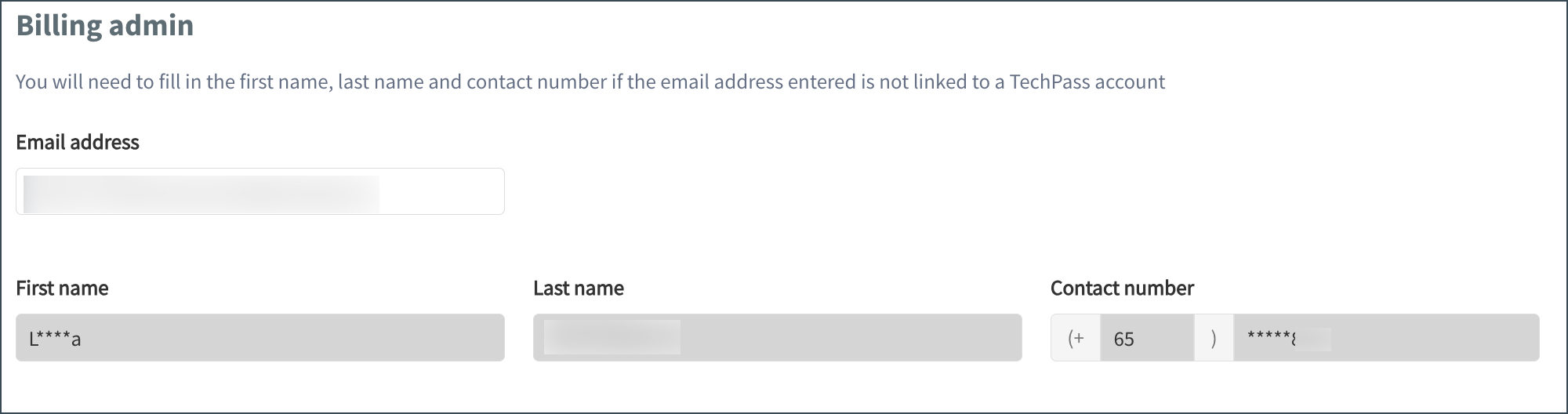
If valid, the user’s name and contact details are auto-populated.
Update the required billing details, such as:
- Agency department
- Cost centre
- SBU code (not applicable for GovTech subscriptions)
- Project code (applicable only for GovTech subscriptions)
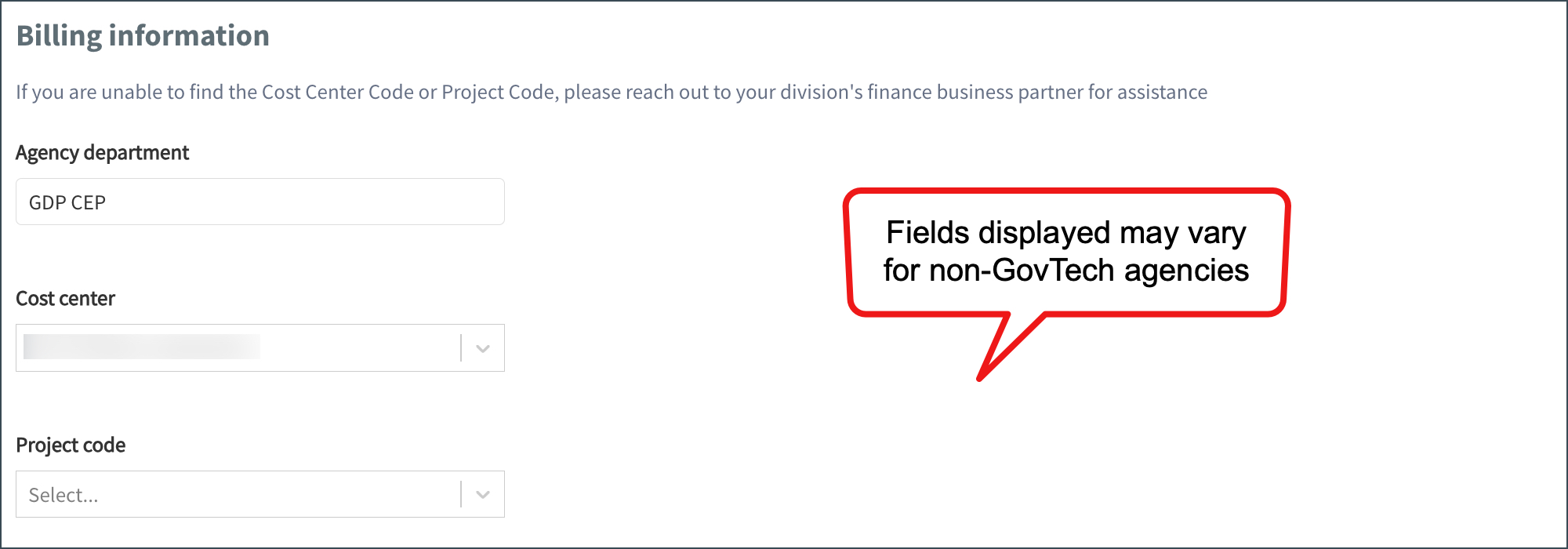
⚠️ The fields displayed may vary depending on your agency.
Click Submit.
The billing details are updated successfully.
