View user groups
Subscription Admins (SAs) and Project Admins (PAs) can view user groups in a SHIP-HATS subscription to understand how users are grouped and what access can be managed through those groups.
From the User groups page, you can:
- View all user groups created for the subscription
- View group details, such as group name, description, and members
- Identify the users assigned to each group
- Navigate to manage group membership or tool assignments
Your available actions depend on your assigned role.
For details, see SHIP-HATS roles and responsibilities and Manage user groups.
Prerequisites
Ensure the following:
- You are a Subscription Admin (SA) for the subscription, or a Project Admin (PA) for a SHIP-HATS project within the subscription.
Steps
In Console, go to Products > SHIP-HATS.
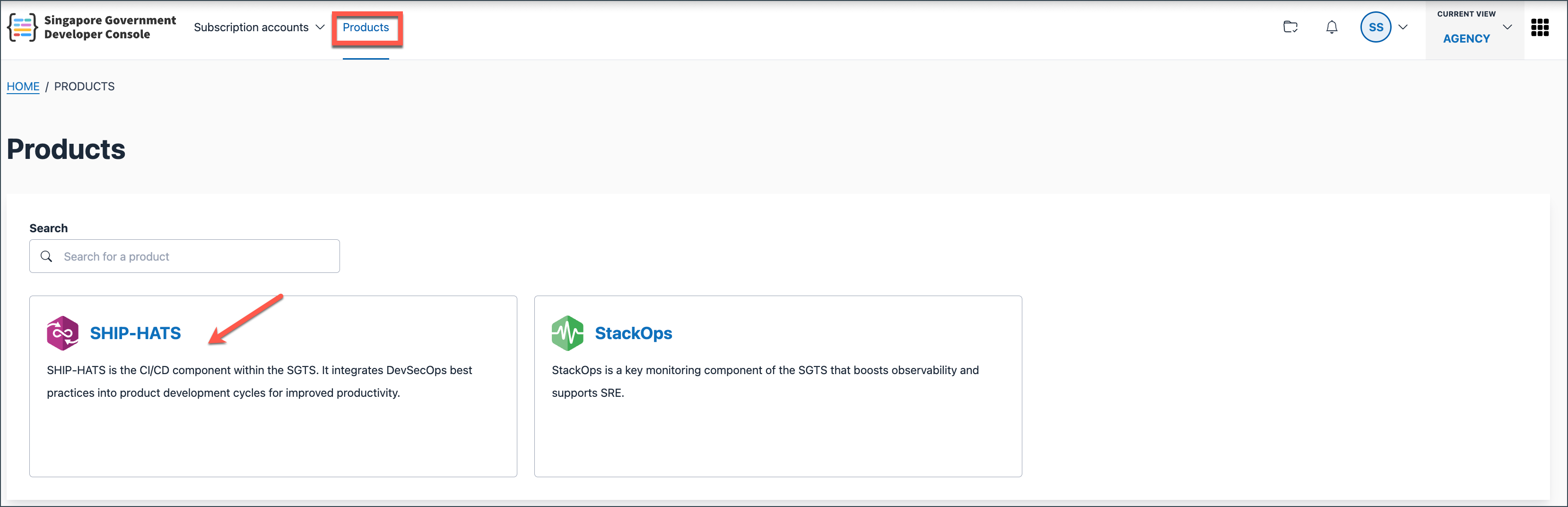
Select the required subscription.

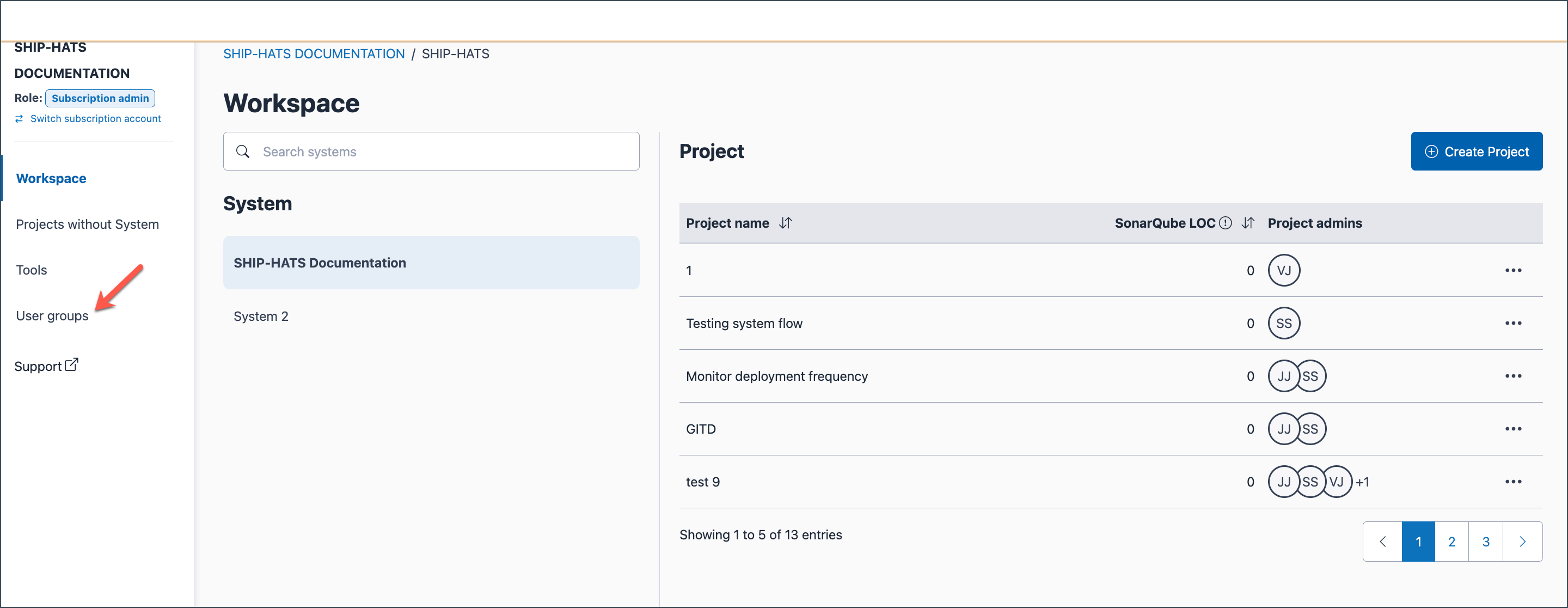
You will be directed to your Workspace.
In the left navigation, click User groups.
The User groups page displays all existing user groups for the subscription.
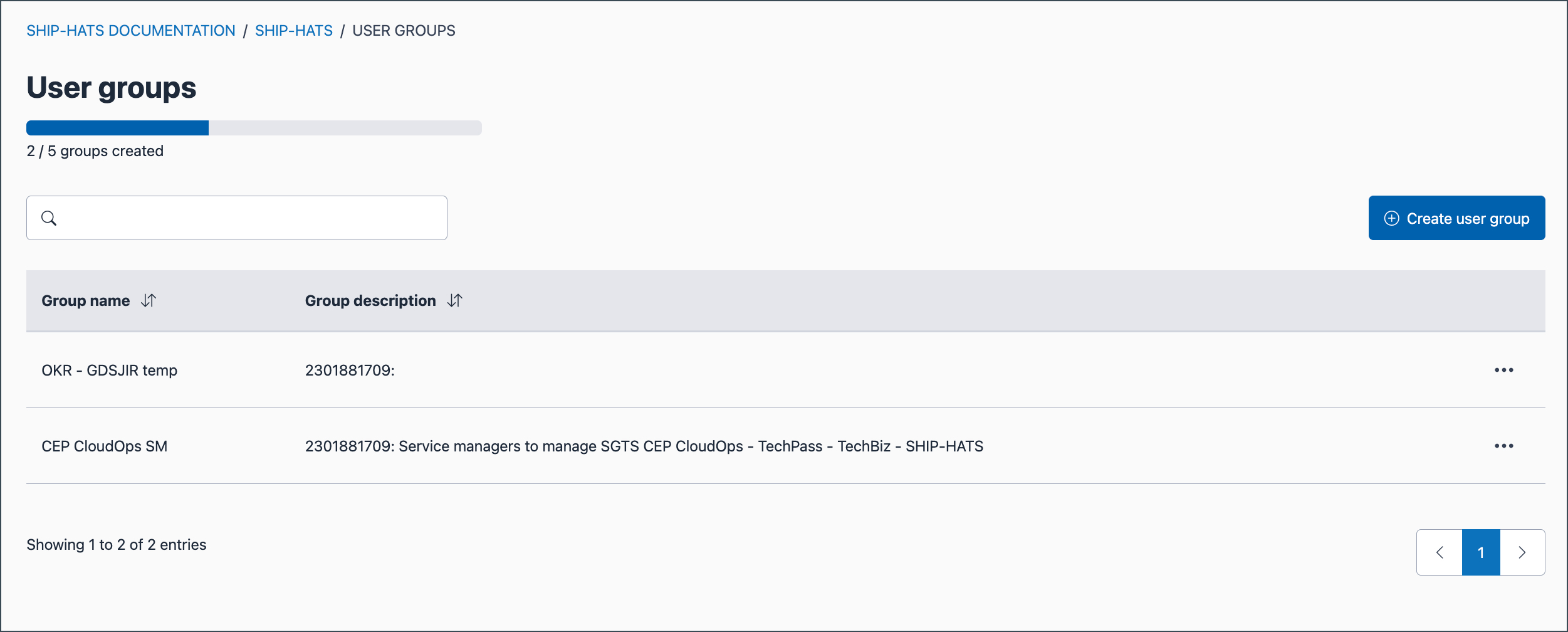
Select the required user group.
The user group details page is displayed.
From this page, you can view:
- Group name and description
- Group members
- Tools and resources where the group is assigned
