View tools included in a SHIP-HATS subscription
Subscription Admins (SAs) and Project Admins (PAs) can use the Tools page in Console to view all tools available in a SHIP-HATS subscription and understand their current usage status.
When to use this page
Use this page to:
- Confirm which tools are available before configuration.
- Check whether tools are in use or unused.
- Troubleshoot missing or inaccessible tools.
- Review tool usage for subscription management.
Steps
Log in to Console.
Go to Products > SHIP-HATS, then select the required subscription.
The Workspace opens.
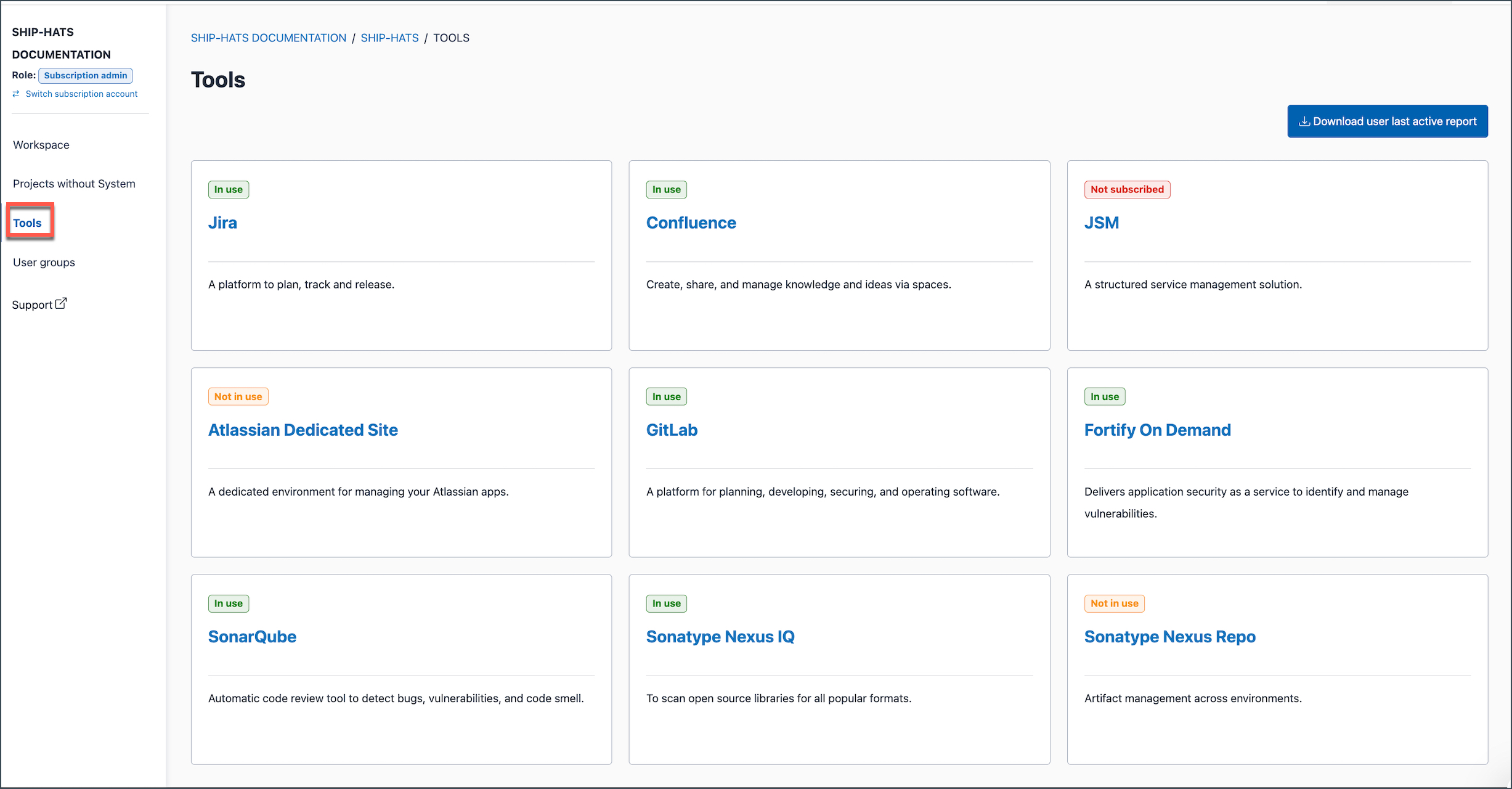
In the left navigation, select Tools.
The Tools page displays all tools available for the subscription as cards.
Each tool shows its current status:
- In use
- Not in use
- Not subscribed
Understand tool status
| Status | What it means | What you can do |
|---|---|---|
| In use | The tool is included in the subscription and already configured (at least one tool resource exists) | Access or manage existing tool resources |
| Not in use | The tool is included in the subscription but not yet configured | Create tool resources (for example, GitLab group or Jira project) |
| Not subscribed | The tool is not included in the subscription | Request to include the tool in your subscription |
