Delete user groups
Subscription Admins (SAs) and Project Admins (PAs) can delete user groups from a SHIP-HATS subscription. When a user group is deleted, all users in that group lose the permissions assigned to this group.
Prerequisites
Ensure the following:
- You are an SA for the subscription or a PA for a SHIP-HATS project within the subscription.
- The group is not assigned to any projects, applications, repositories and spaces.
Deleting a group may affect access to other resources to which the group is assigned to.
Steps
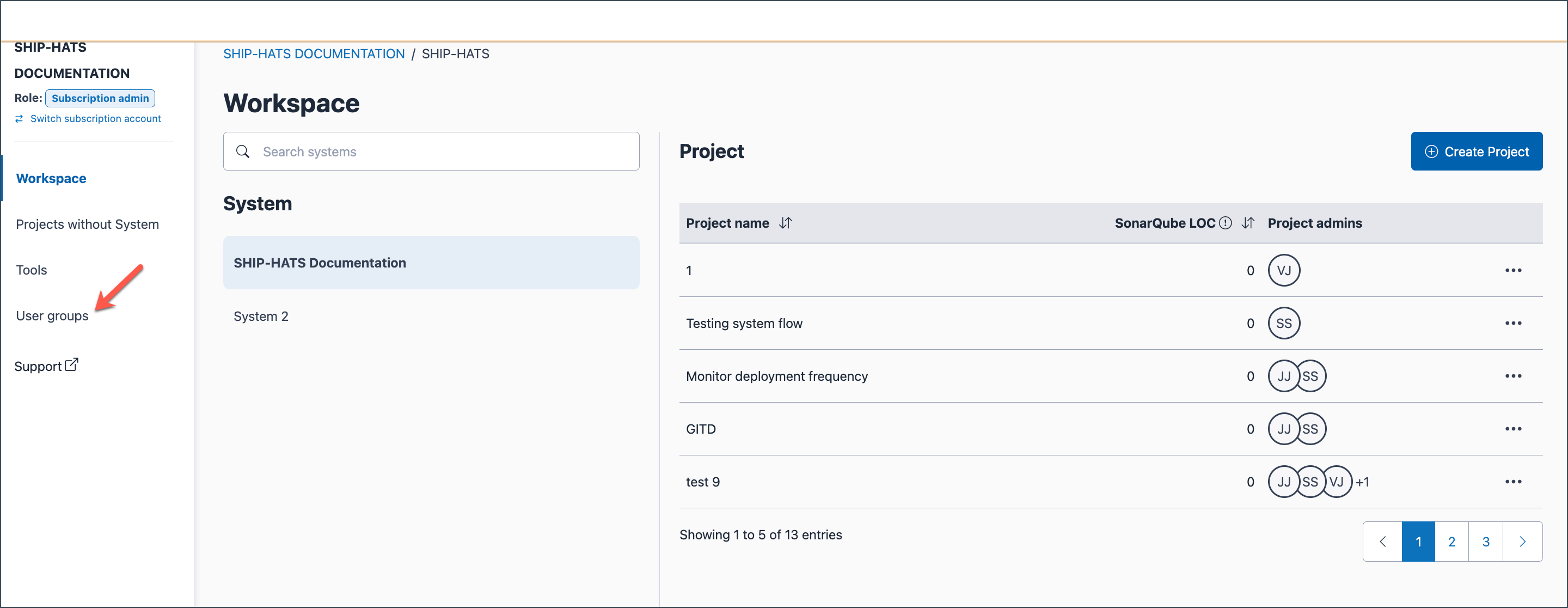
In the subscription Workspace, click User groups in the left navigation.
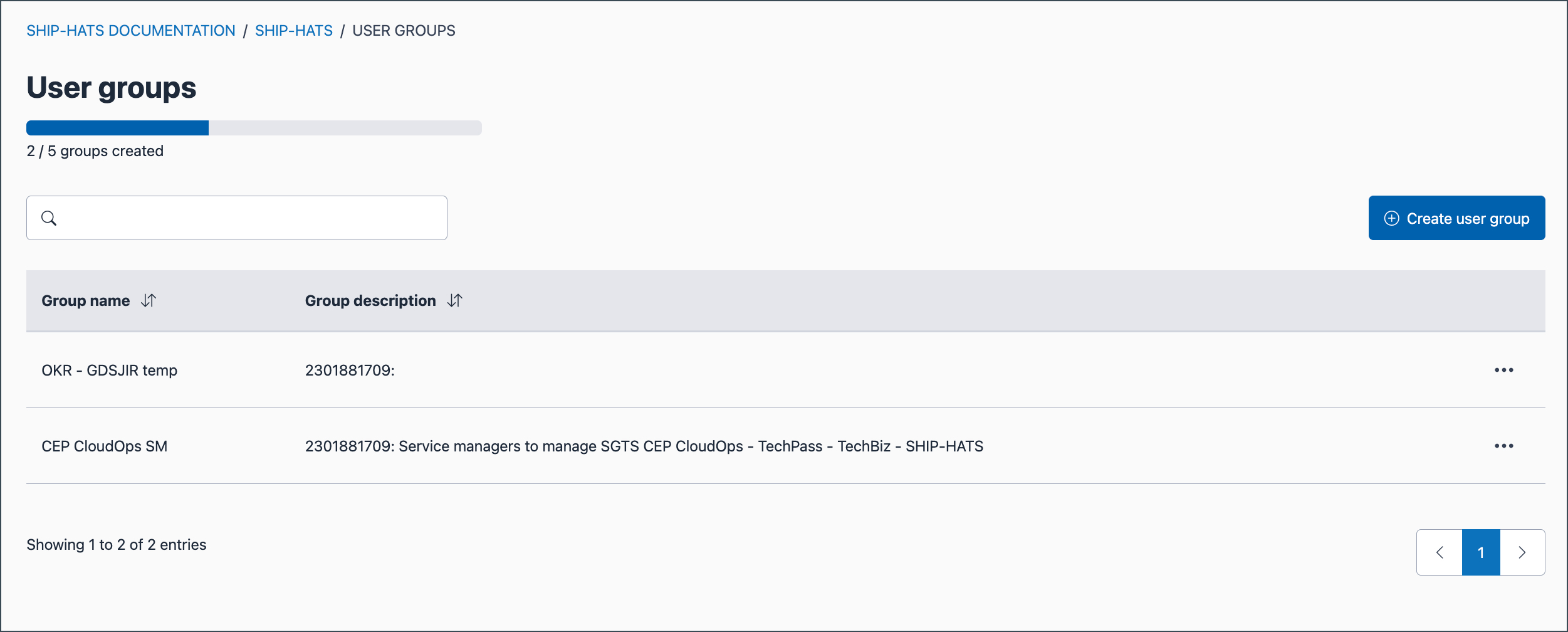
Existing user groups are listed.
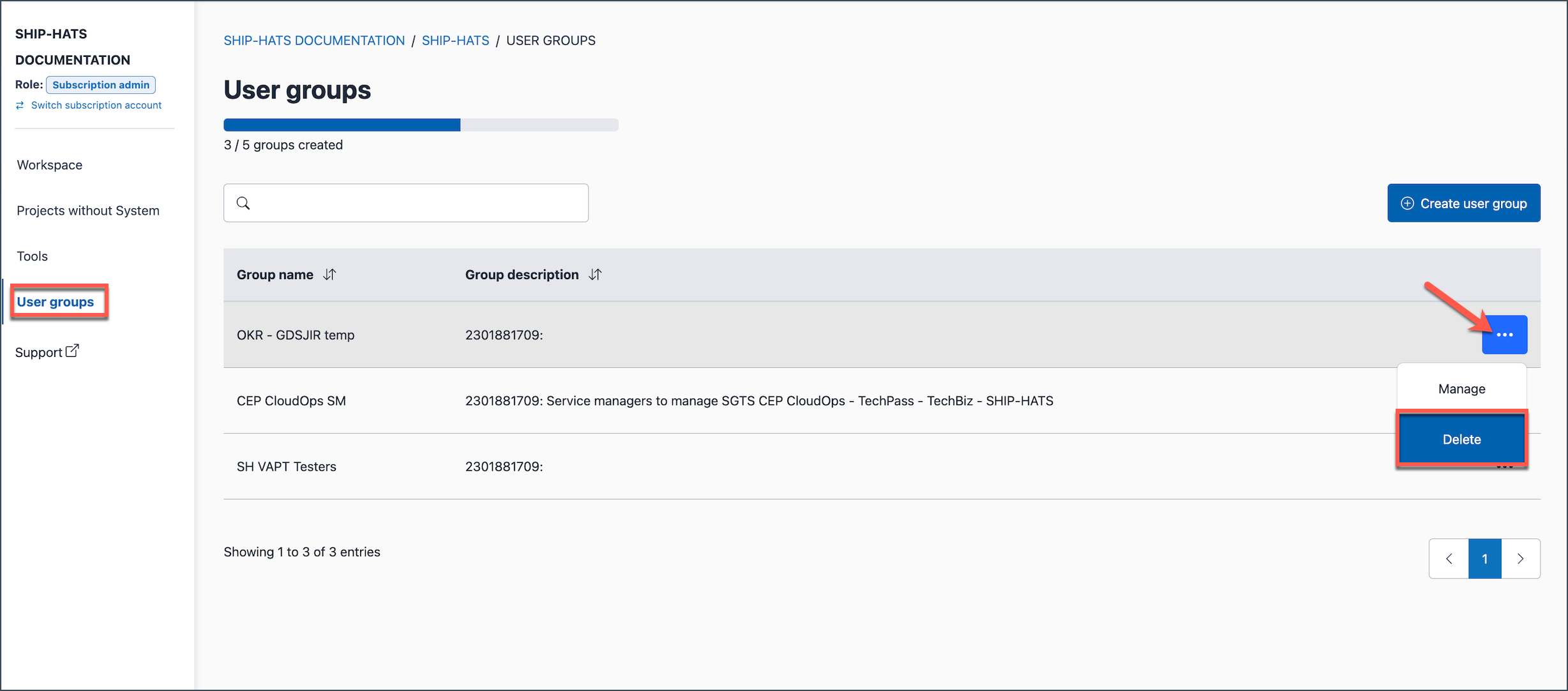
Locate the required group. Select the ellipsis (…) next to the Group name and then select Delete.
Click Confirm to confirm the deletion.
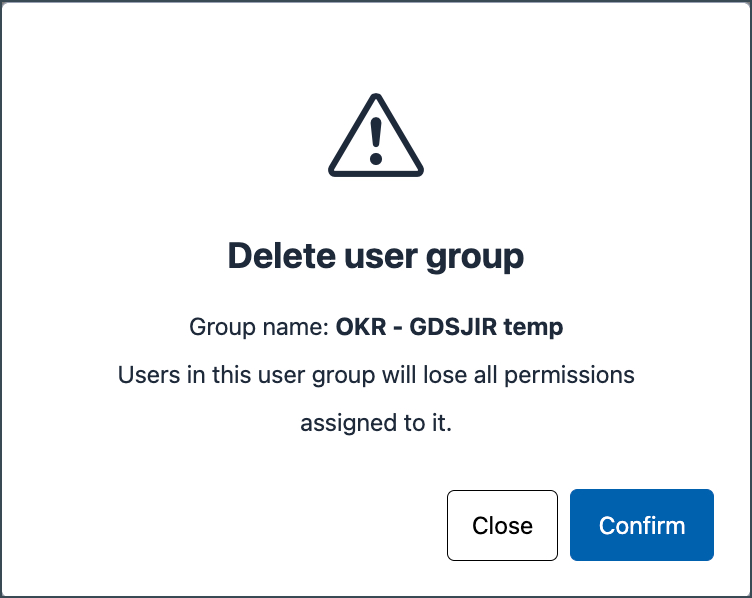
All permissions assigned through that group are revoked for its users.
