Delete systems
Only Subscription Admins (SAs) can delete systems that are no longer required.
⚠️ Important
Deleting a system is permanent. All associated SHIP-HATS projects and tool-specific projects under the system will no longer be accessible.
Before you begin
- You must be a Primary or Secondary Subscription Admin (SA)
- Ensure the system is no longer required and does not contain active SHIP-HATS projects or tool-specific projects
Steps
Log in to Console.
Go to the required subscription account.
For detailed steps, see View subscription accounts.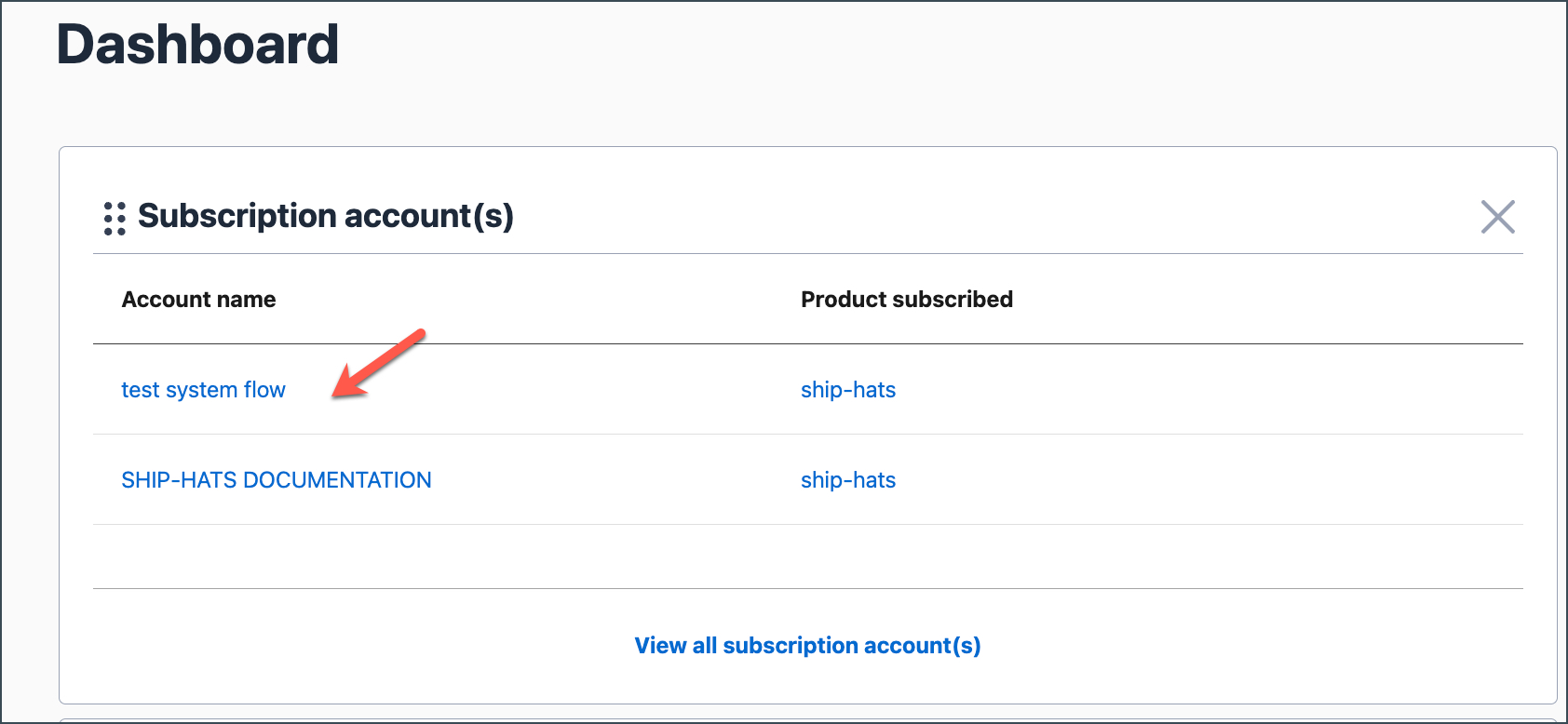
Go to the SYSTEMS tab and locate the system you want to delete.
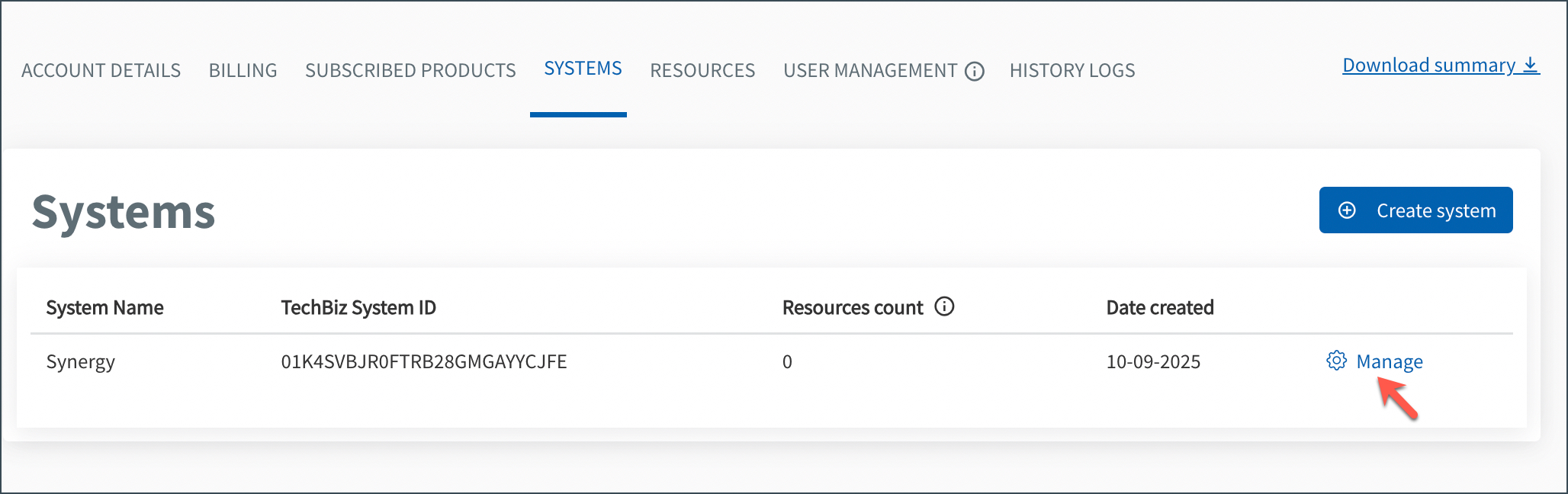
Click Manage.
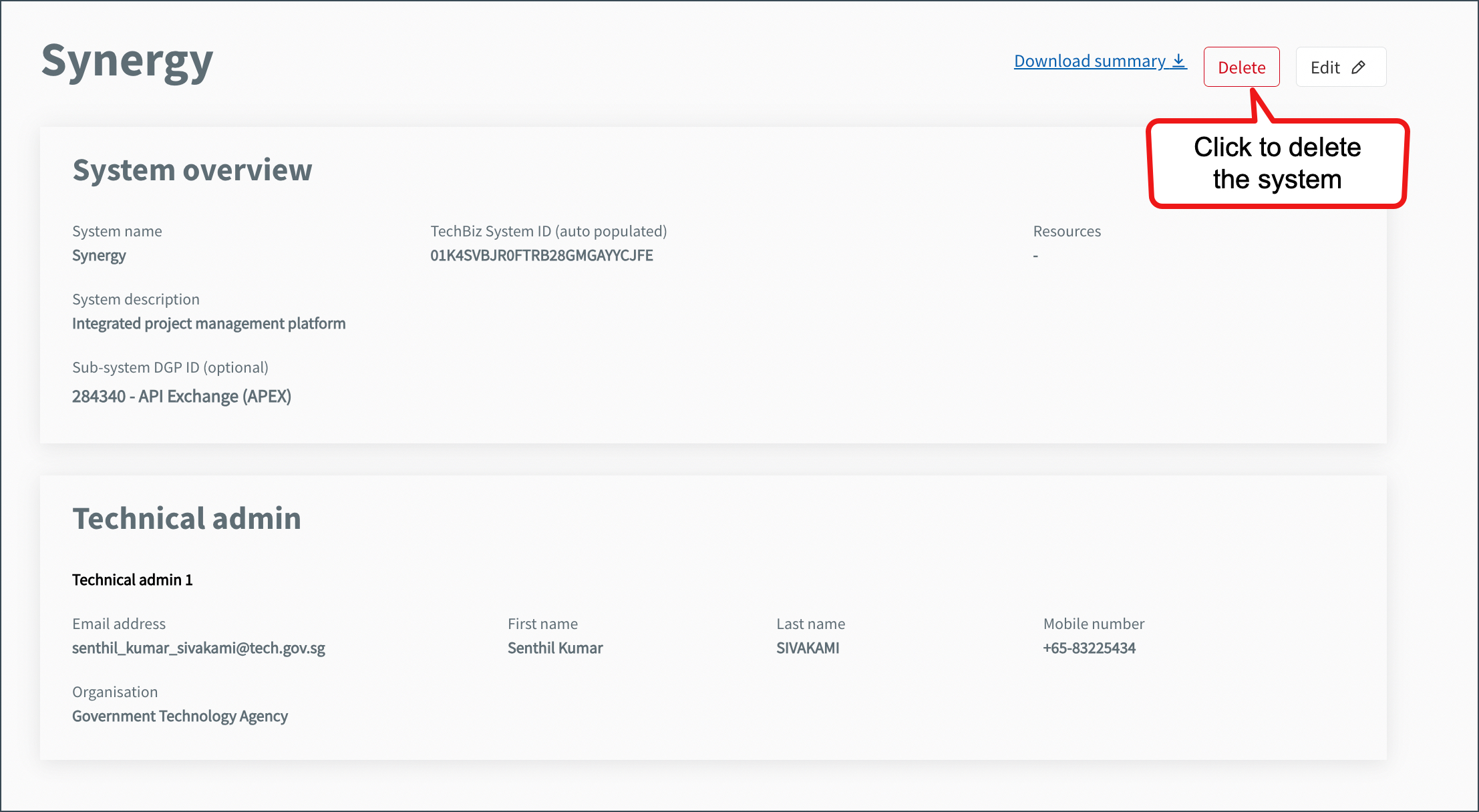
Click Delete.
Confirm the deletion.
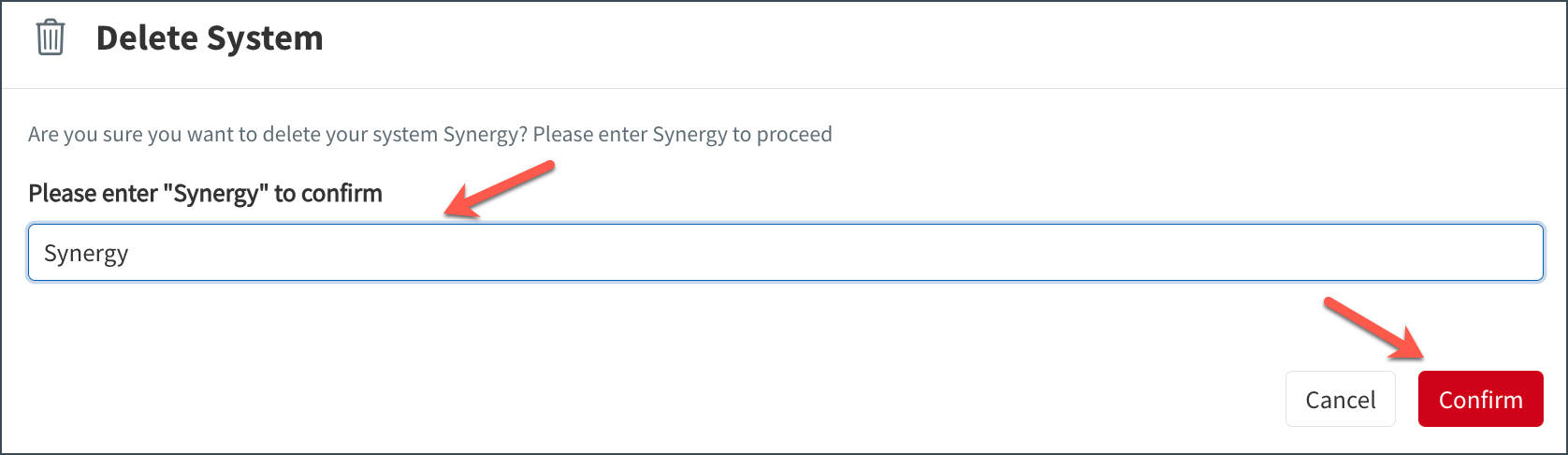
The system is permanently deleted and no longer listed under the SYSTEMS tab.
