Access SHIP-HATS Runner Insights
For an overview of what this dashboard shows and how to use the insights, see SHIP-HATS Runner Insights.
Prerequisites
You must be a SHIP-HATS’s GitLab user whose projects use shared runners.
Steps
On Console, select Products > SHIP-HATS.
Select any SHIP-HATS subscription that includes GitLab.
Select Tools > GitLab.
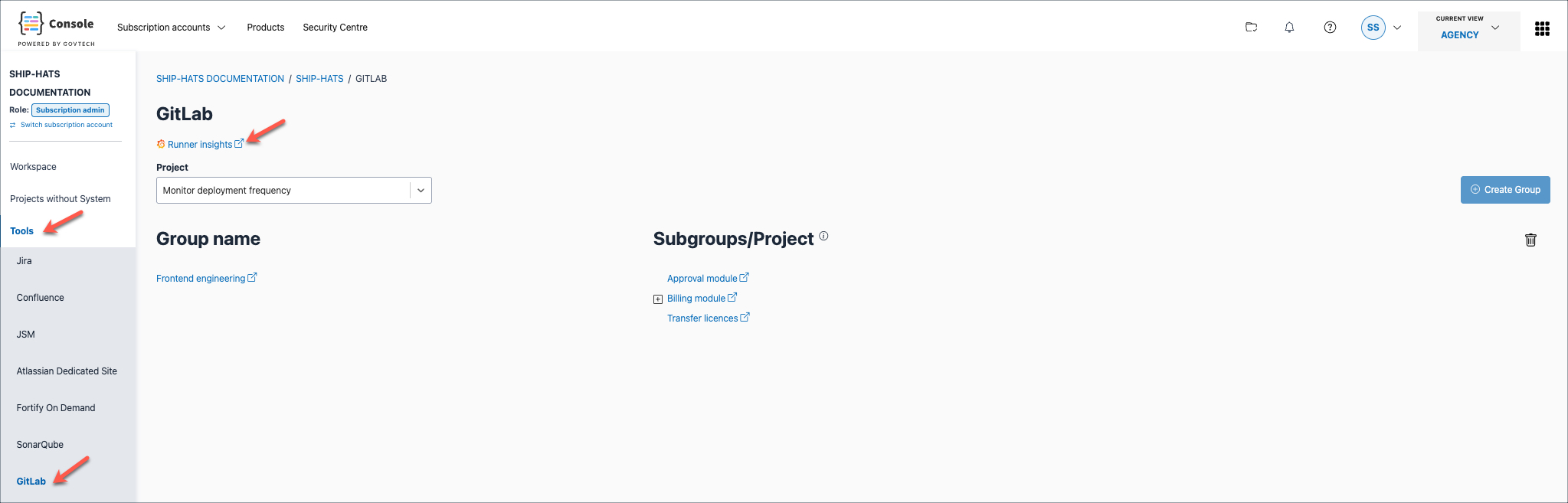
Click Runner insights link to access the SHIP-HATS Runner Insights dashboard.
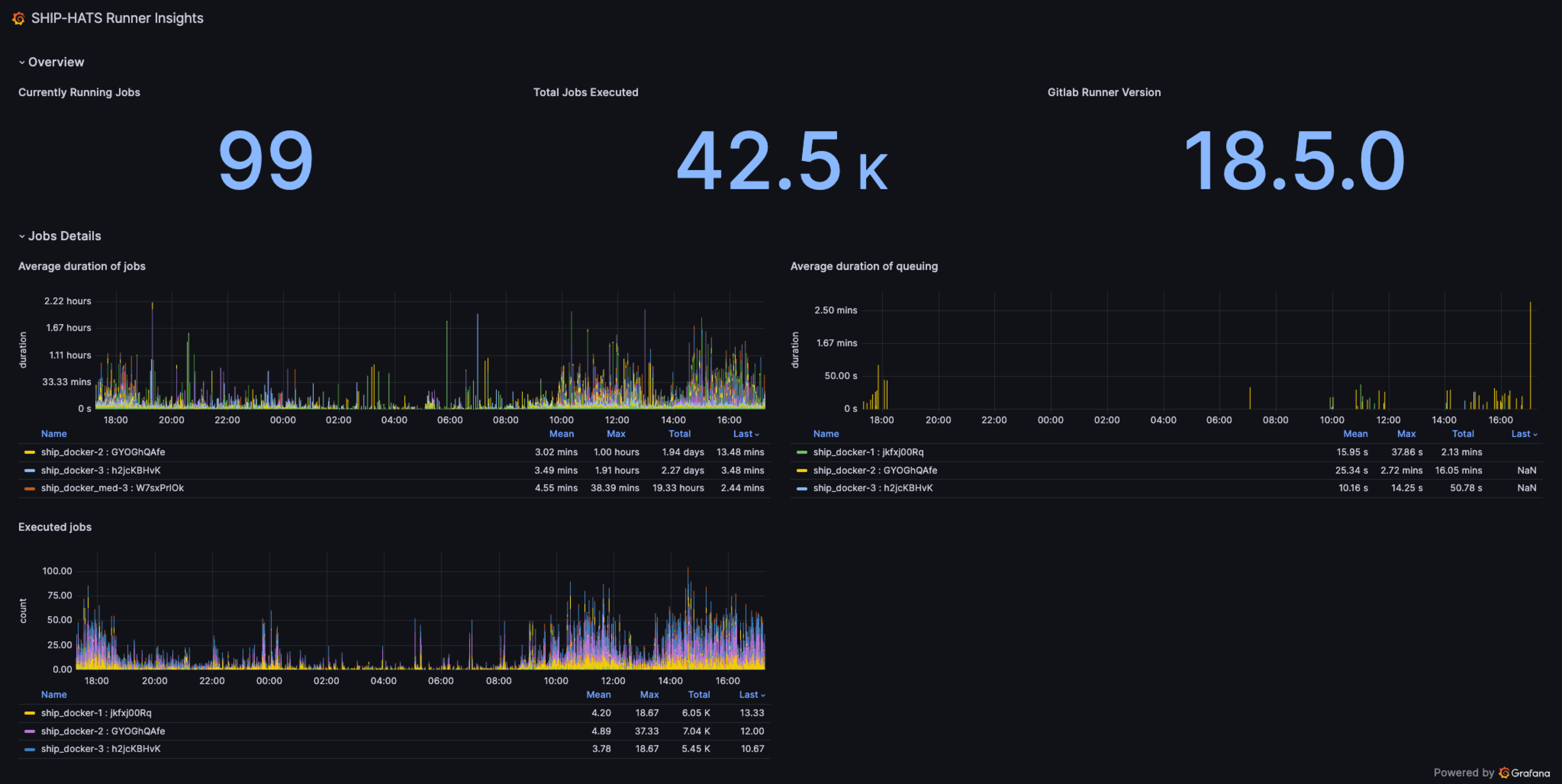
Alternatively, for direct access use the SHIP-HATS Runner Insights Dashboard link using your GSIB or GMD (internet device onboarded to SEED).
Result
The SHIP-HATS Runner Insights dashboard opens, showing near real-time information about shared runner job activity and resource usage.
