GitLab groups, subgroups, and projects
GitLab organises work using a three-level hierarchy: groups, subgroups, and projects. This structure helps you organise repositories and manage access in SHIP-HATS.
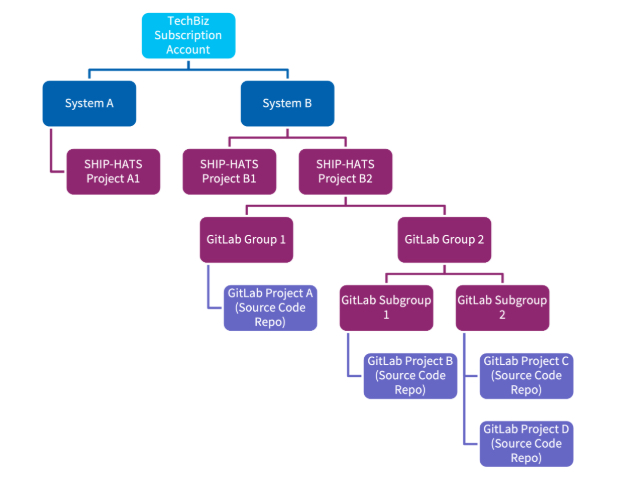
In this topic, project refers to a GitLab project (repository).
Group
A group is the top-level container for organising projects and managing access. In SHIP-HATS, each project is associated with one GitLab group. Members added to the group can access its projects based on their assigned role.
Subgroup
A subgroup is a group nested within another group. Use subgroups to organise repositories into logical areas such as teams, services, applications, or environments.
Subgroups inherit permissions from their parent group but can also have additional members assigned.
Project
A project is the repository where development work happens. It contains source code, branches, merge requests, CI/CD pipelines, issues, and releases.
GitLab hierarchy in SHIP-HATS
In SHIP-HATS, part of the GitLab hierarchy is managed to support organisation-wide structure and access control.
The first three levels of groups are managed by SHIP-HATS:
- Organisation
- Agency
- Subscription (for example, department or initiative)
When you create a GitLab group from Console, it is created within this hierarchy for your SHIP-HATS project.
You can then create and manage subgroups and projects within this group directly in GitLab.
The diagram below shows how a SHIP-HATS project group fits within this hierarchy.
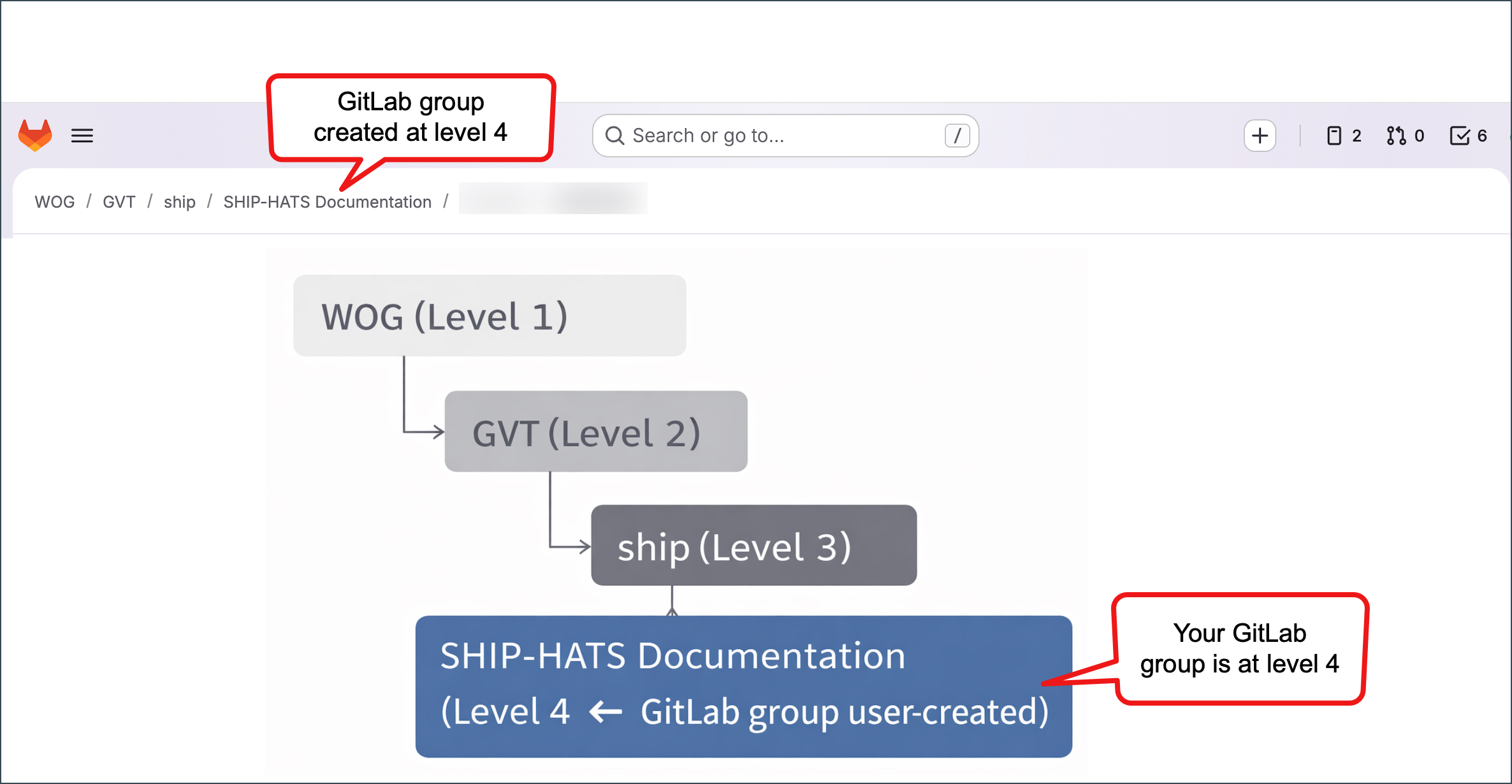
Where your GitLab group sits in the SHIP-HATS hierarchy
Additional resources
For detailed explanations, refer to the GitLab documentation:
- https://docs.gitlab.com/user/group/
- https://docs.gitlab.com/user/group/subgroups/
- https://docs.gitlab.com/user/project/
