View SHIP-HATS projects
Subscription Admins (SAs), Project Admins (PAs), and authorised users can view SHIP-HATS projects in a subscription.
Use this topic to view existing projects and their details, such as the associated system and assigned Project Admins.
Steps
Log in to Console.
Go to Products > SHIP-HATS.
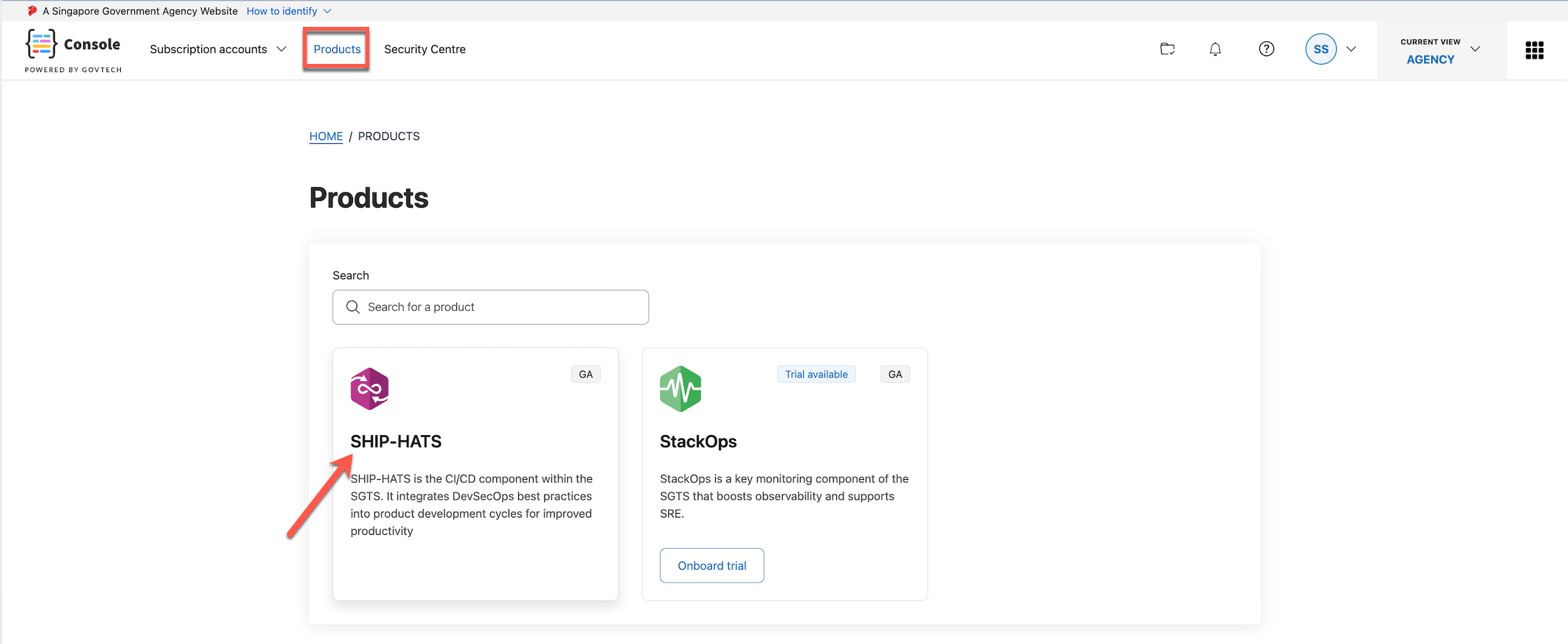
Select the required subscription.
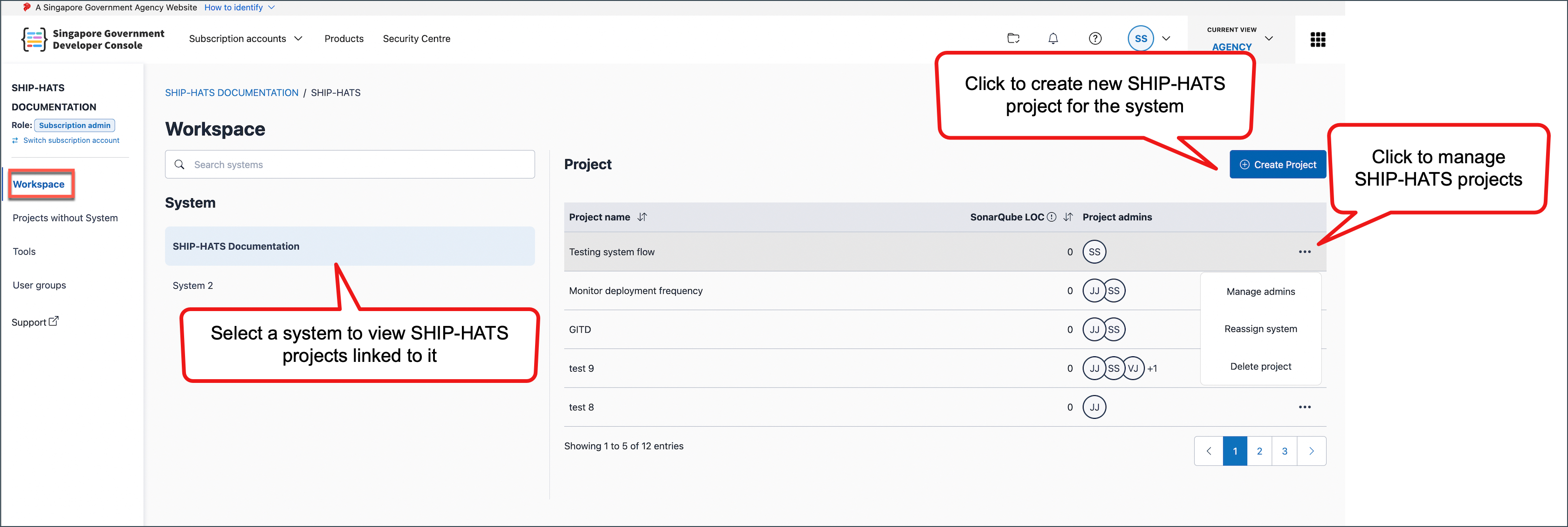
Your Workspace opens.

If multiple systems are available, select the required System.
SHIP-HATS projects linked to the system are displayed.
If a SHIP-HATS project is not visible
- Ensure you are in the correct subscription account. If required, Switch subscription account.
- Ensure you have selected the correct System.
- Confirm with your Subscription Admin that you have access to the project.
