Manage SHIP-HATS project admins
Subscription Admins (SAs) can add or remove Project Admins (PAs) for a SHIP-HATS project.
Use this topic to manage who can administer a project.
Prerequisites
- You are a Primary or Secondary Subscription Admin (SA) for the subscription
⚠️ You can only manage Project Admins for projects within subscriptions you administer
- Users assigned as Project Admins must have an active TechPass account
Steps
Log in to Console.
Go to Products > SHIP-HATS.
Select the required subscription.
Select the required System to view SHIP-HATS projects.
For detailed steps, see View SHIP-HATS projects.
💡 If you cannot find the project, ensure you are in the correct subscription and system.
Locate the required project, click the ellipsis (⋯), and select Manage admins.
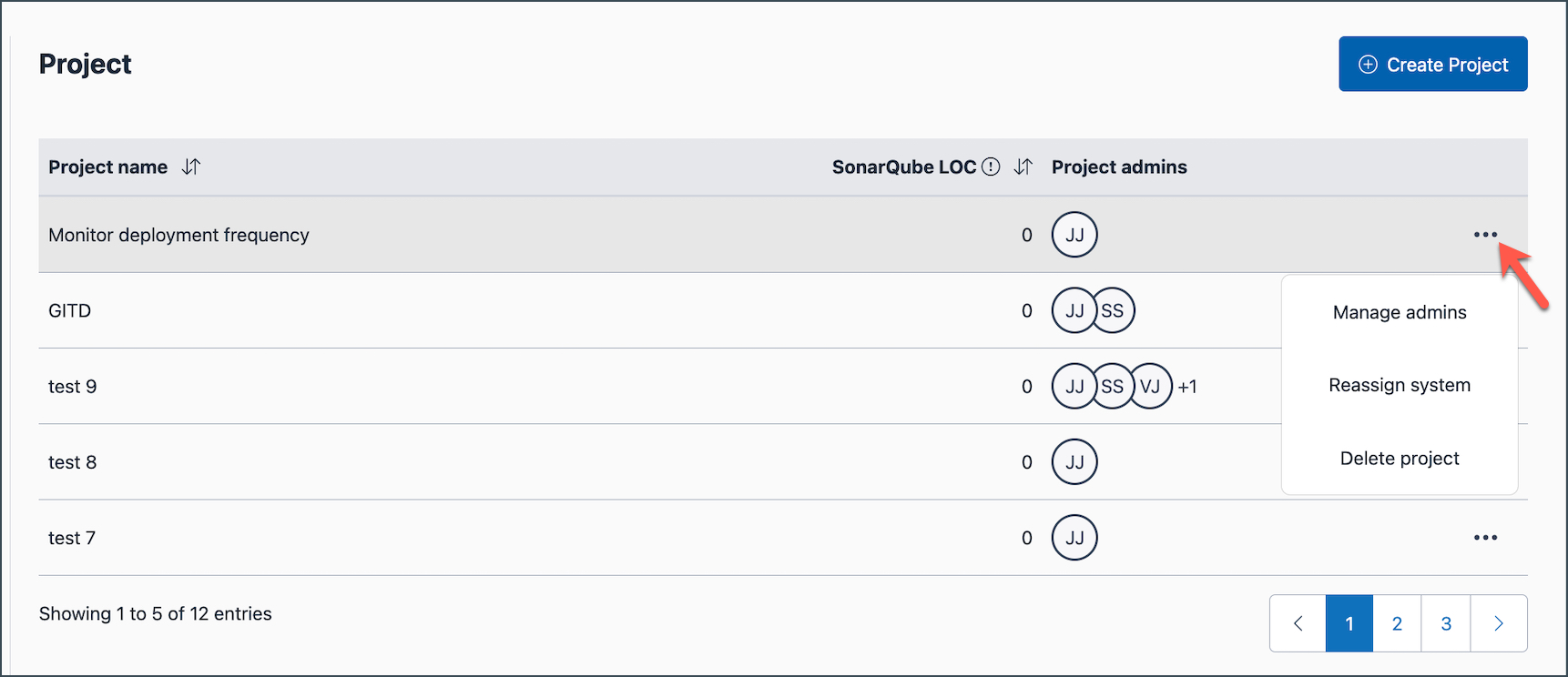
After opening Manage admins, you can add or remove Project Admins.
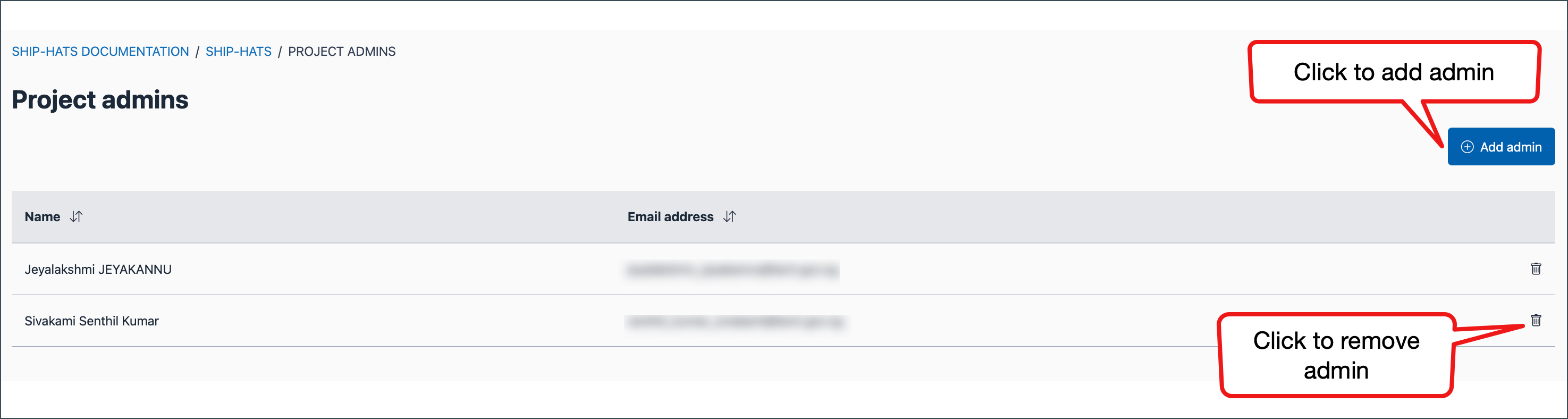
To add a Project Admin
Click Add admin.
Enter the user’s name or organisational email.
Click Submit.
The user is added as a Project Admin.
Remove a Project Admin
- Locate the Project Admin.
- Click the delete icon.
The user no longer has Project Admin access.
⚠️ If a SHIP-HATS project has only one project admin, you cannot remove that project admin.
