Switch between subscription accounts
SAs and PAs with access to multiple SHIP-HATS subscriptions can switch between accounts in Console to view or manage subscription information and projects.
Use this topic to
| Goal | Who can perform |
|---|---|
| Switch between multiple SHIP-HATS subscriptions in Console | SAs and PAs |
| View or manage subscription details, such as users and billing information | SAs |
| Access systems and SHIP-HATS projects under another subscription | SAs and PAs |
Prerequisites
- You must be logged in to Console.
- You must have access to more than one SHIP-HATS subscription.
Steps
Option 1: From the Dashboard
- On the Dashboard page, locate the Subscription account(s) widget.
- Select the required subscription account from the list.
Option 2: From the Workspace
On the Workspace page, click Switch subscription account.
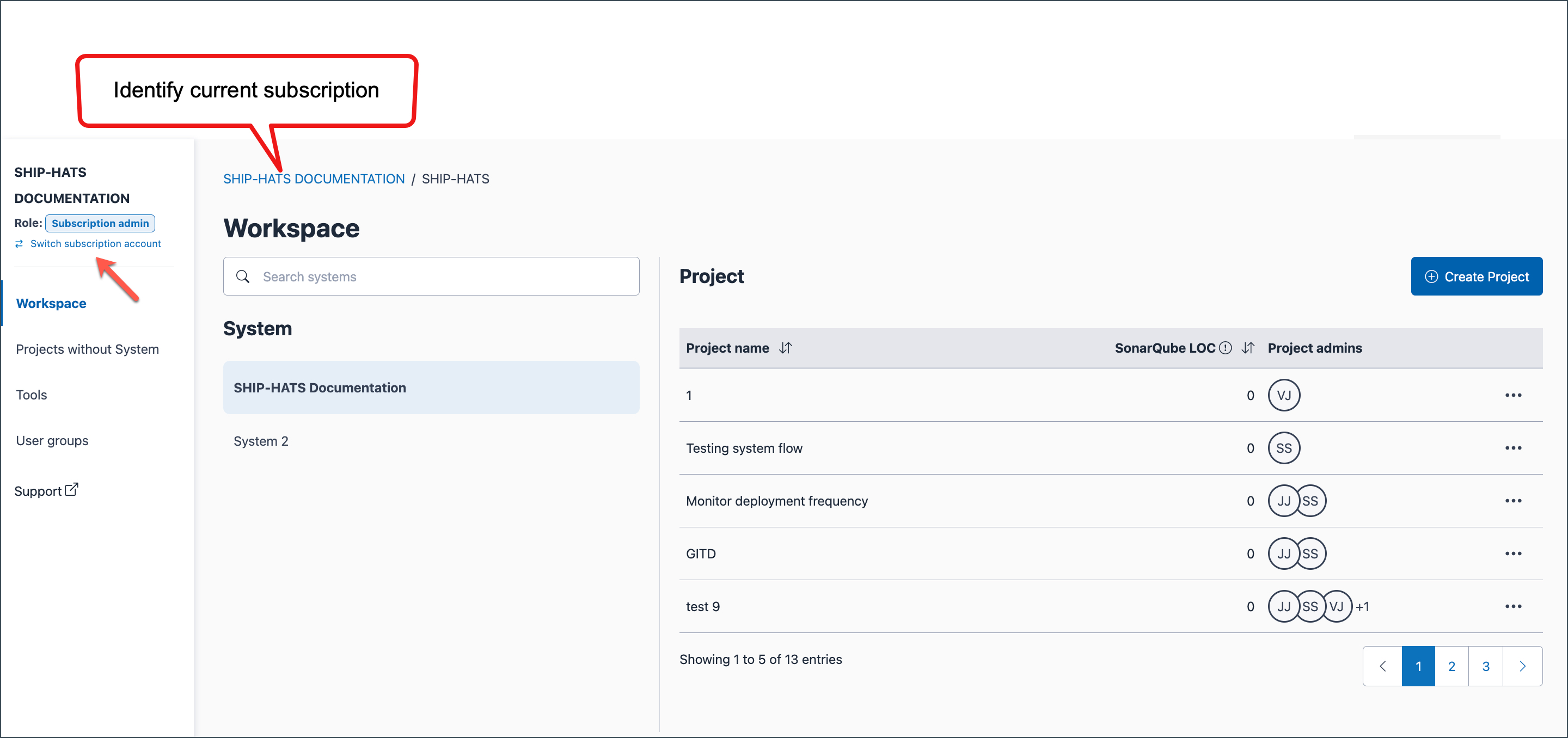
From the list of available subscriptions, select the required account.
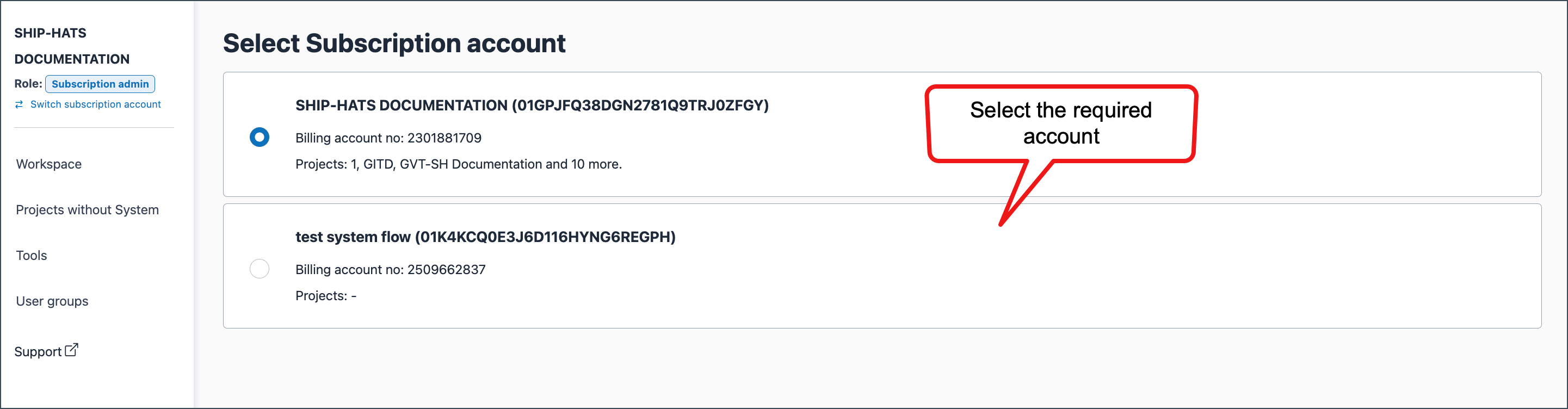
The workspace refreshes to display systems and projects for the selected subscription.
