View subscription accounts
Primary and Secondary Subscription Admins (SAs) and Technical Admins (TAs) can access subscription accounts in Console to view subscription details, products, and systems.
From a subscription account, you can:
- View subscribed products
- View subscription details
- View systems under the subscription
- Manage licences (based on your role)
- Navigate to subscription management tasks
Your available actions depend on your assigned role.
For details, see SHIP-HATS roles and responsibilities and Manage subscriptions.
Prerequisites
Ensure the following:
- Your agency has at least one subscription account.
- You are using a non-SE GSIB, COMET, or GMD (SEED) device.
- You are assigned one of the following roles:
- Primary Subscription Admin (SA)
- Secondary Subscription Admin (SA)
- Technical Admin (TA).
Steps
You can access subscription accounts using either of the following methods.
Log in to Console.
By default, you are redirected to Dashboard > Main.
If you are on another page, click the Console logo to return to the dashboard.
Locate the Subscription account(s) widget.
The widget lists all subscription accounts you can access.
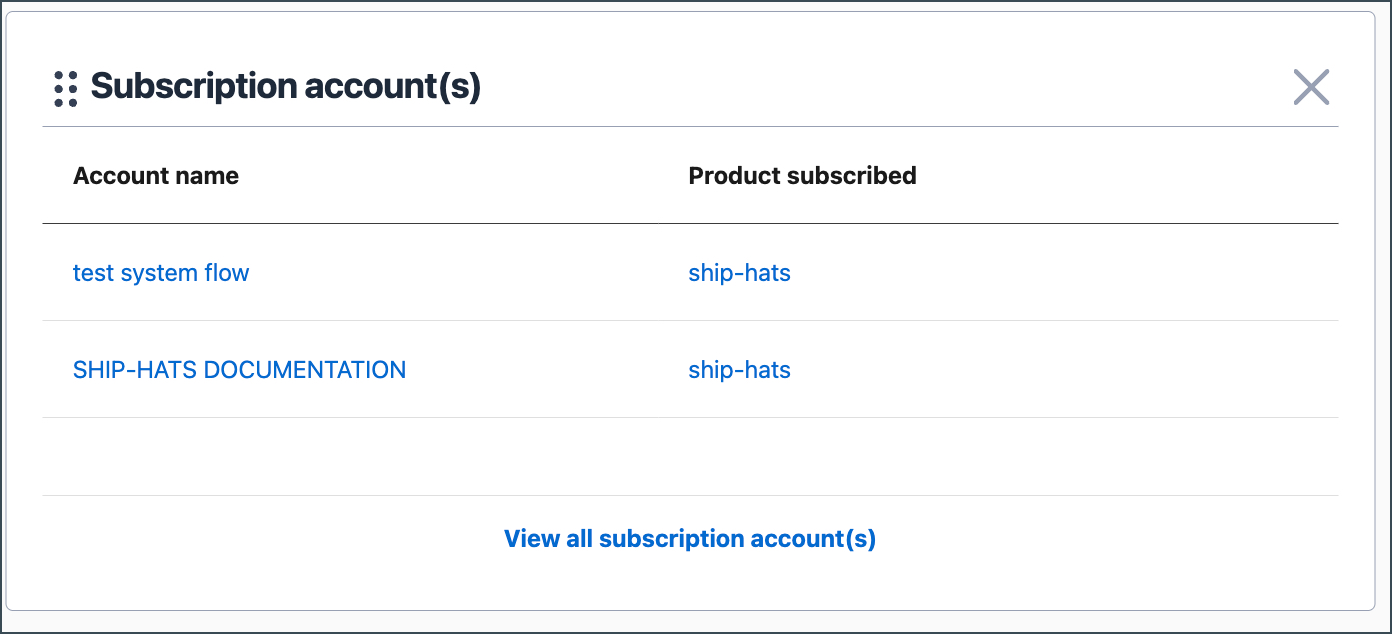
Select the required subscription account.
The subscription details page is displayed.
Log in to Console.
Click Subscription accounts > View subscription accounts in the main navigation.
Select the required subscription account.
The subscription details page is displayed.
