Download invoices
Subscription Admins (SAs) and Billing Admins (BAs) can download invoices for a subscription.
You can:
- Download invoices for audit, reconciliation, or finance reporting.
- Reference an invoice when raising a billing query or dispute.
Steps
In Console, go to the required subscription account using the Subscription account(s) widget.
For detailed steps, see View subscription accounts.
Select the BILLING tab.
In the table, do one of the following:
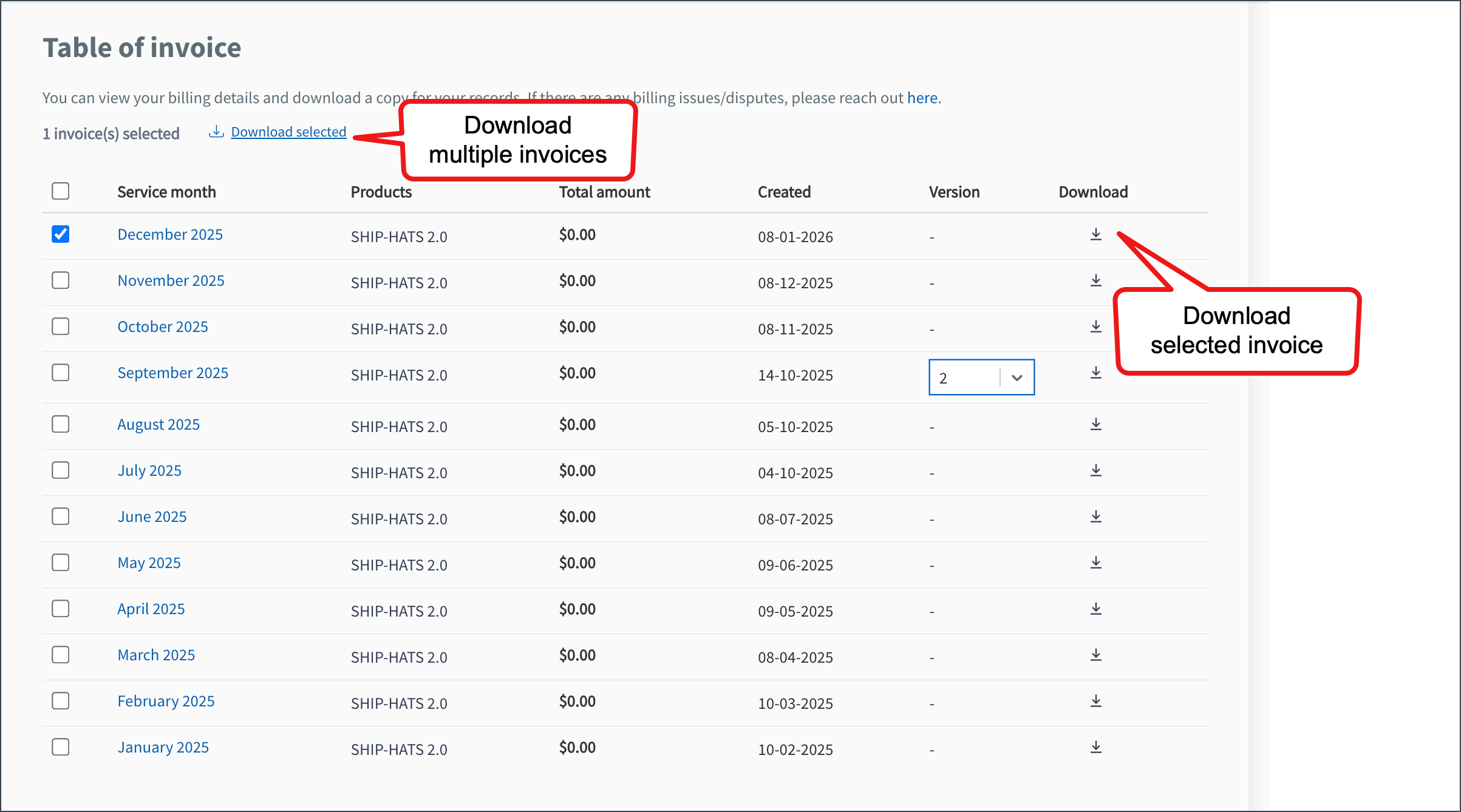
To download an invoice for a specific month, select the download icon for that month.
To download invoices for multiple months:
a. Select the required month(s).
b. Click Download selected at the top of the table.
To download all invoices listed:
a. Select the checkbox at the top of the table.
b. Click Download selected.
Each invoice is downloaded as a PDF. Multiple invoices are downloaded as a ZIP file.
