Delete SHIP-HATS projects
Only Subscription Admins (SAs) can delete SHIP-HATS projects that are no longer required.
⚠️ Important
Deleting a SHIP-HATS project is permanent. All associated data and configurations will be removed and cannot be recovered.
Before you begin
- Ensure all required project data has been backed up.
- Delete all applications, tool projects, and dedicated sites within the project.
Steps
In Console, go to Products and select SHIP-HATS.
Select the required subscription account.
Select required System to view the SHIP-HATS projects linked to it.
For detailed steps, see View your SHIP-HATS projects.
Click the horizontal three dots (⋯) and select Delete project.
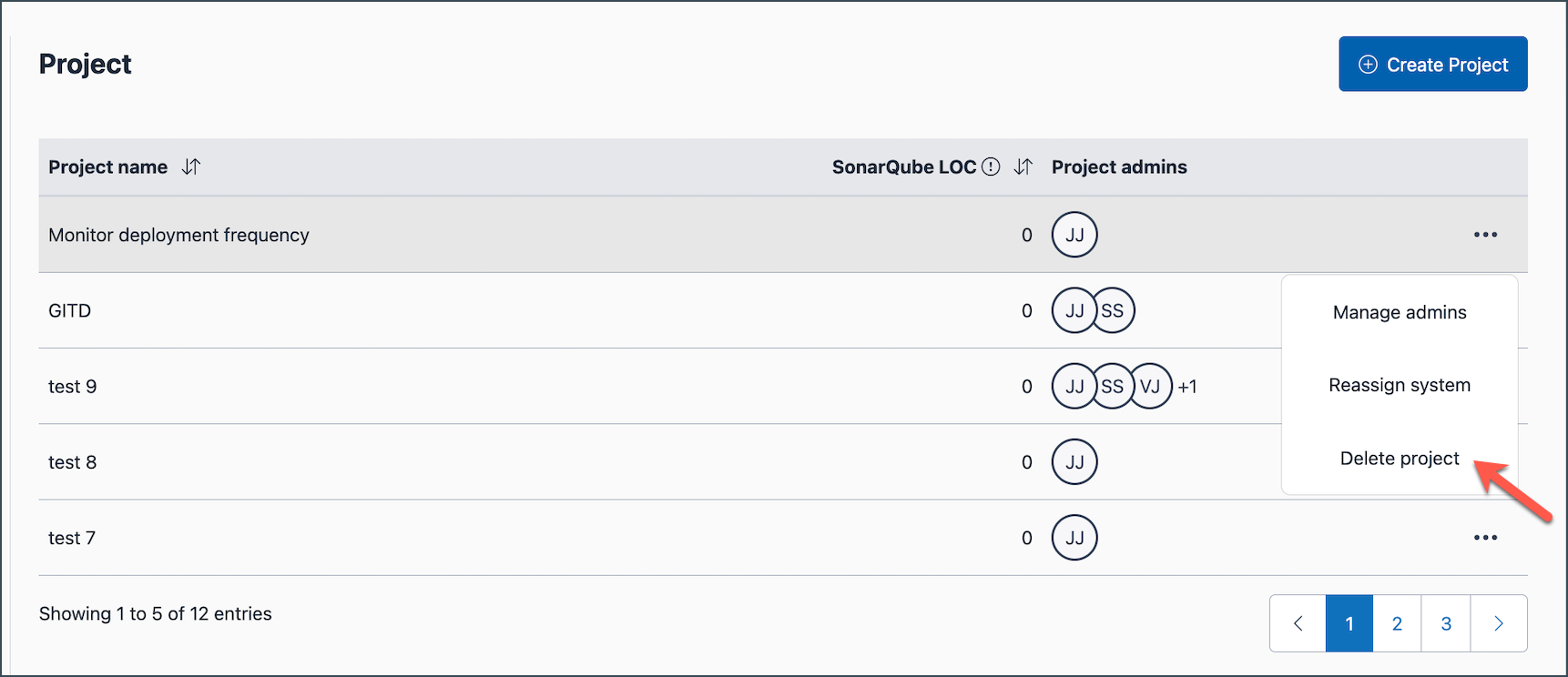
Confirm deletion by selecting, I acknowledge that I have done all the necessary backup for the project, and then click Confirm.
The SHIP-HATS project is permanently deleted and the deleted project no longer appears in your project list.
