Check SHIP-HATS subscription status
Subscription Admins (SAs) can check their SHIP-HATS subscription status in Console — including approval status and whether SHIP-HATS is included.
Steps
Log in to Console.
On the Dashboard, go to the Subscription account(s) widget.
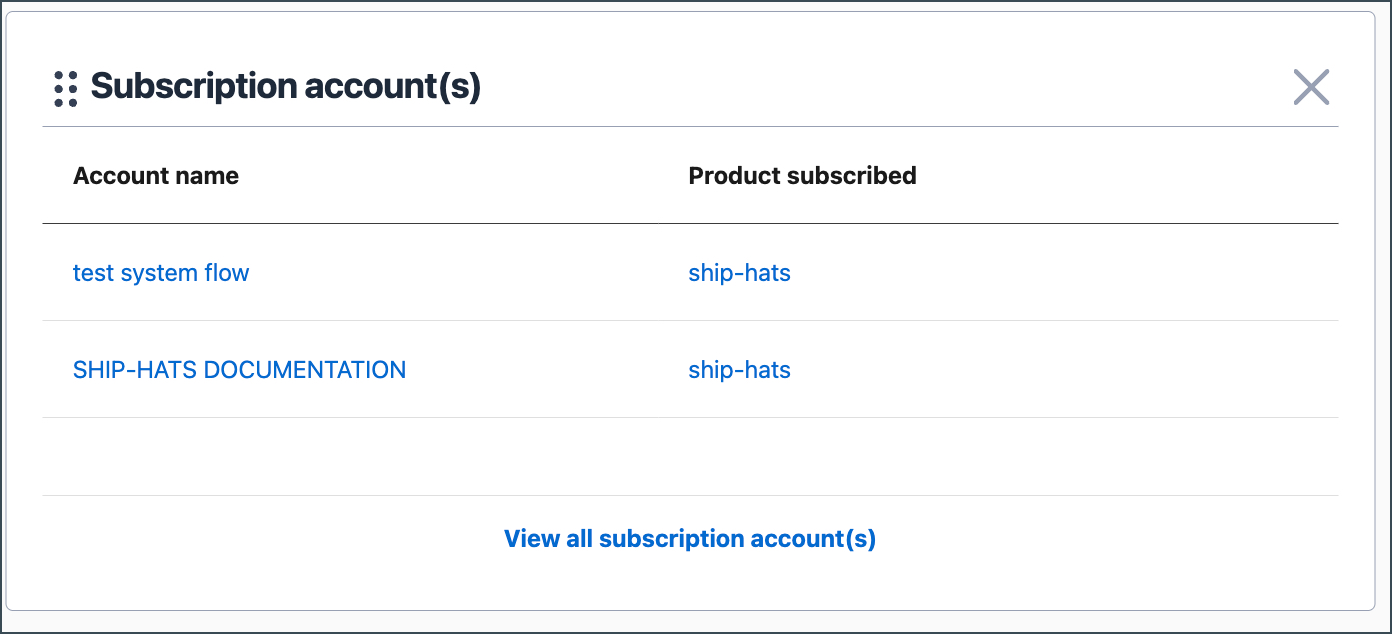
If the widget is not visible, see Manage widgets on Console.
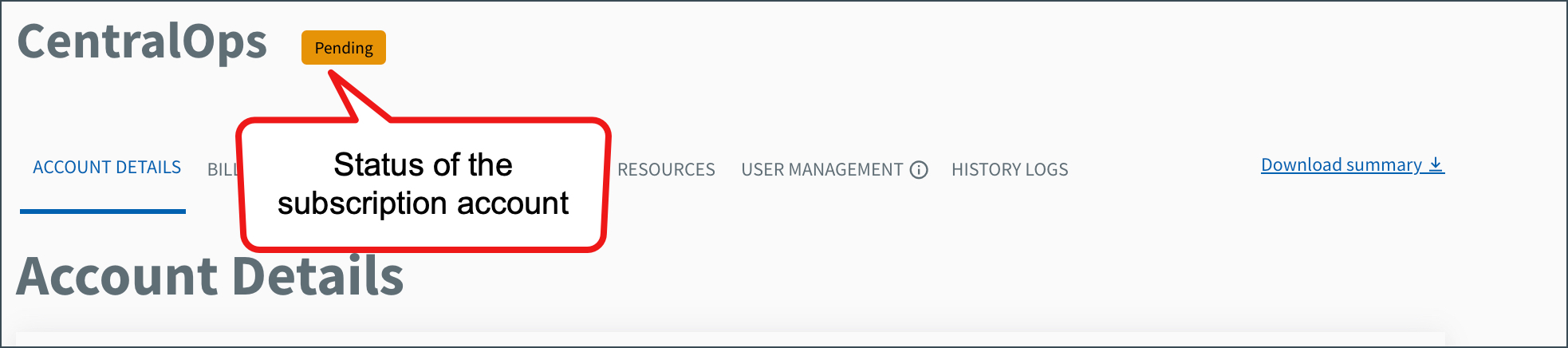
Click the required Account name. The subscription status appears beside the account name.
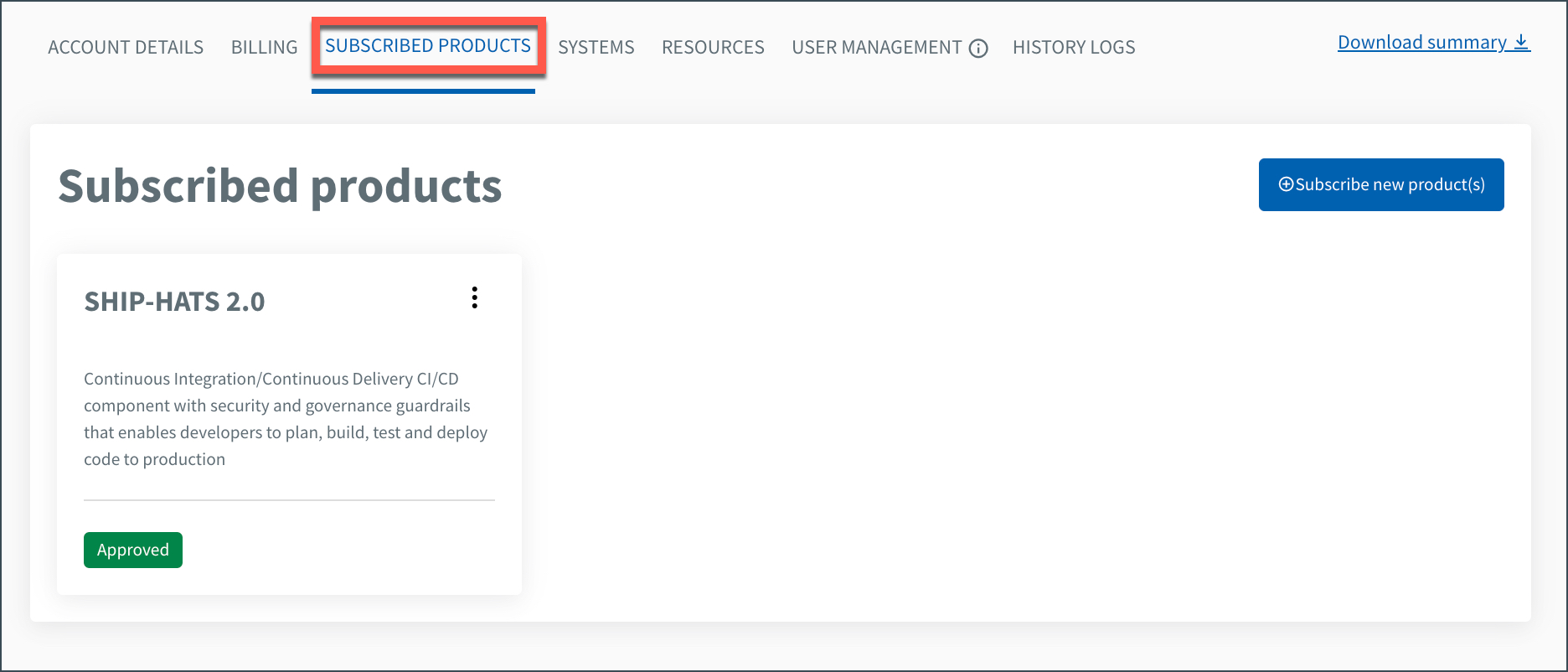
Go to SUBSCRIBED PRODUCTS. If SHIP-HATS 2.0 is listed, your subscription includes SHIP-HATS.
Log in to Console using a non-SE GSIB, COMET, or GMD (SEED) device.
Select Subscription accounts > View subscription accounts. All accounts are listed with their status.
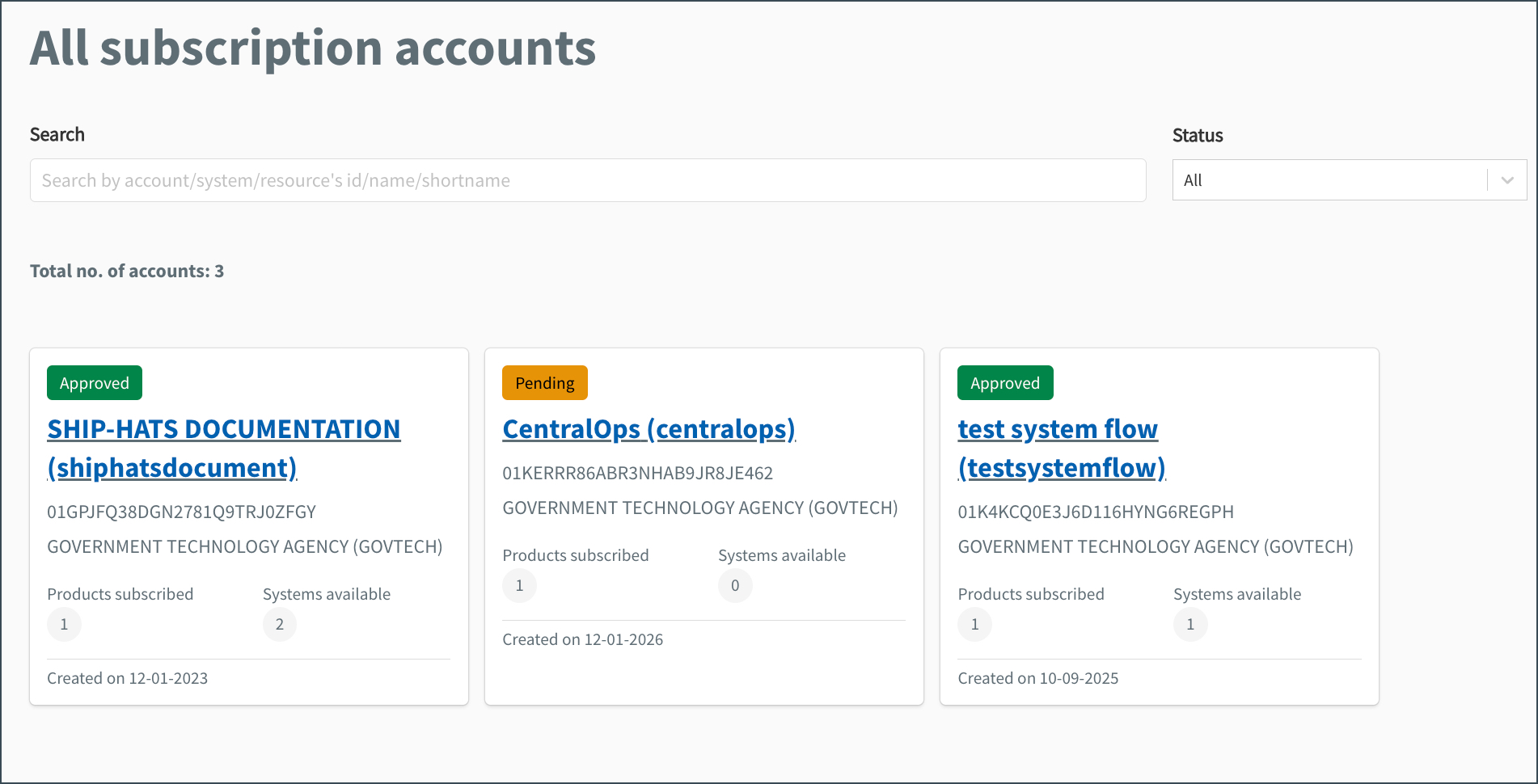
Click the required subscription account. The subscription status appears beside the account name.
Go to SUBSCRIBED PRODUCTS. If SHIP-HATS 2.0 is listed, your subscription includes SHIP-HATS.
