Access Unified Quality Dashboard (UQD)
The Unified Quality Dashboard (UQD) is generally available to all public officers with SHIP-HATS access.
By default, users can view UQD data for systems belonging to their own agency.
Cross-agency access is not enabled and requires an approved access exception.
If your agency needs to grant UQD access to external users (for example, vendors who require visibility into UQD data, contact us to request an access exception.
Prerequisites
You must be a public officer of an agency which has system(s) in their SHIP-HATS subscription(s) or an authorised user (including vendor) to view the dashboard.
Steps
- Log in to Console.
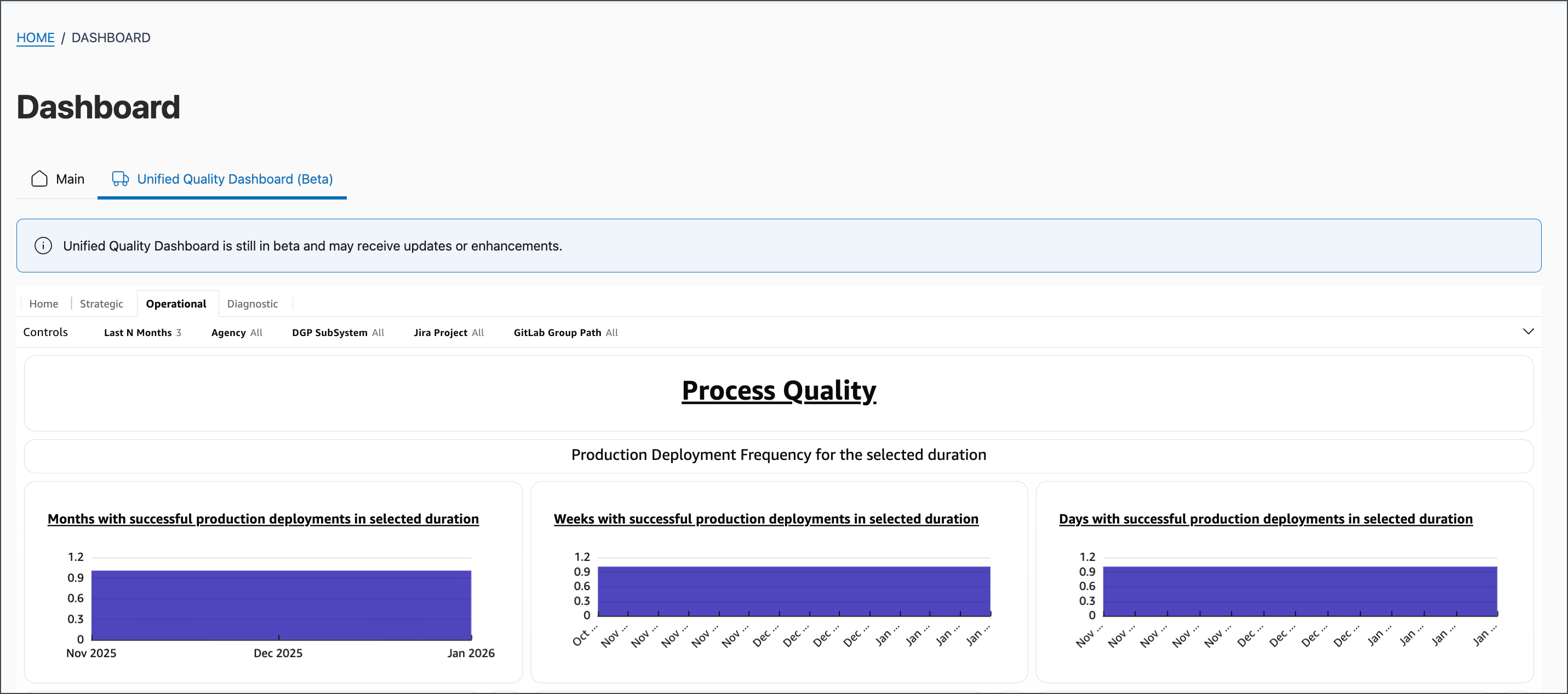
- On the Dashboard page, click Unified Quality Dashboard.
- Depending on your role and the insights you need, choose one of the following tabs:
| Tab name | Purpose / Insights Provided |
|---|---|
| Strategic | View high-level insights and KPIs for leadership. |
| Operational | View operational metrics and performance data. |
| Diagnostic | View detailed diagnostic metrics and system performance data. |
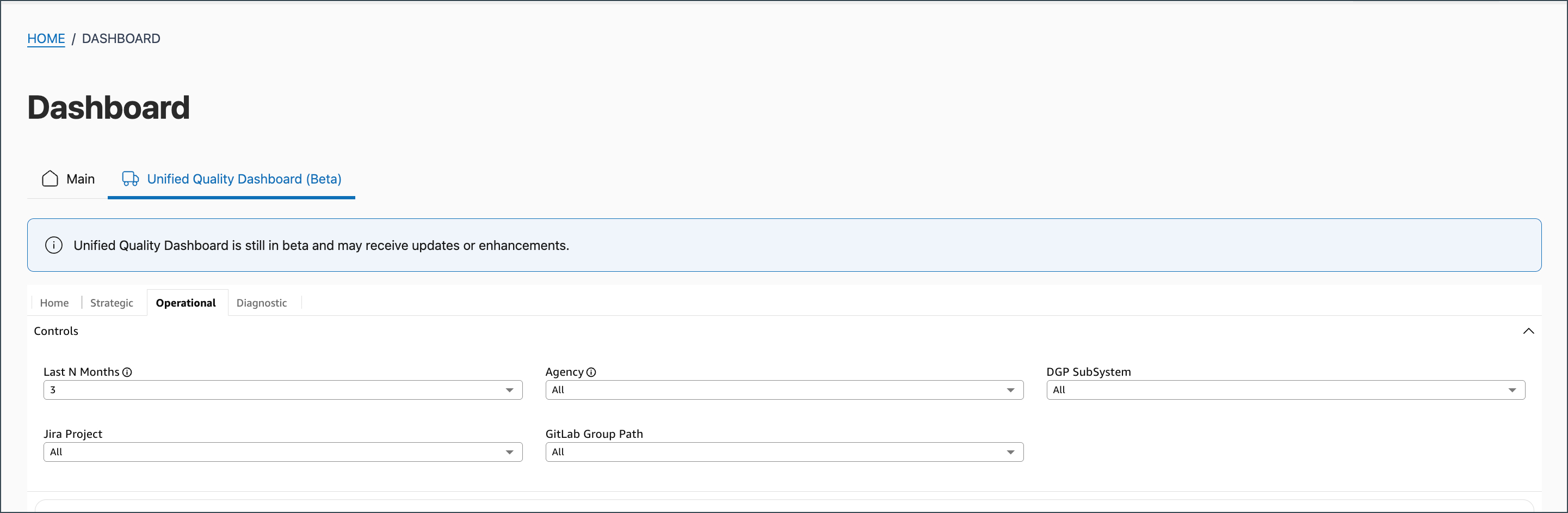
If you are in Operational or Diagnostic tab, click Controls to access respective filtering options. Use the following Controls to filter the data:
| Control name | Action / Description |
|---|---|
| Last N Months | Select to adjust the time period for displayed data. |
| Agency | Select Agency and select the desired agency from the dropdown. |
| DGP Subsystem | Use the Search field to filter and select specific DGP subsystems for analysis. |
| Jira Project | Select the required Jira project. |
| GitLab Group Path | Select the required GitLab Group Path. |
Result
When you apply desired filters, the dashboard updates to show only the relevant metrics and insights.
