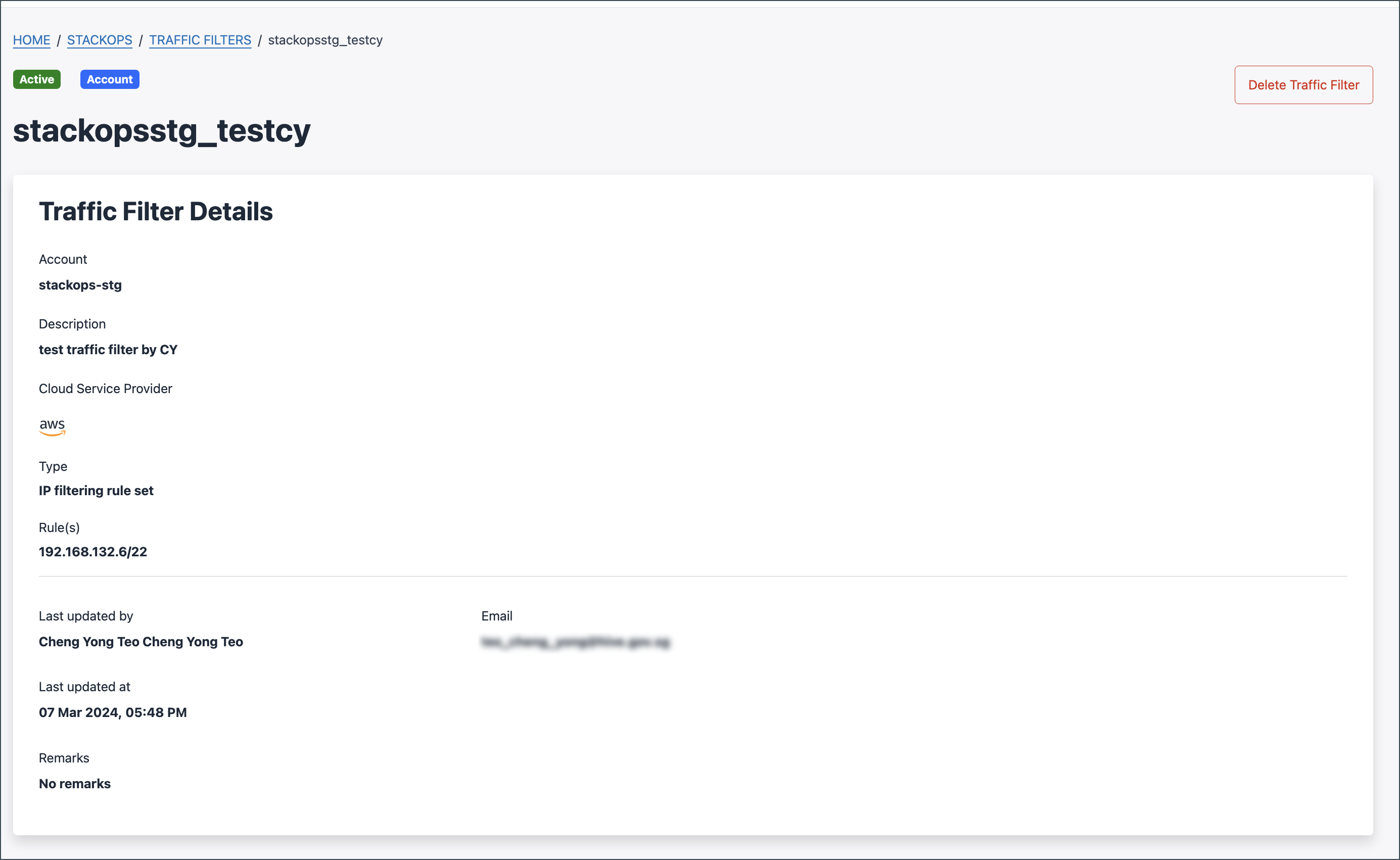
View traffic filters
Who can do this?
- Technical Admins / Tenant Admins
- Subscription Admins / Tenant Managers
Use Console to view the list of approved traffic filters and their details in your subscription account. If you are the requester, you can also view traffic filters that are pending approval.
To view traffic filter details:
Log in to Console using TechPass.
Go to Products and select StackOps.
Go to Traffic Filters.
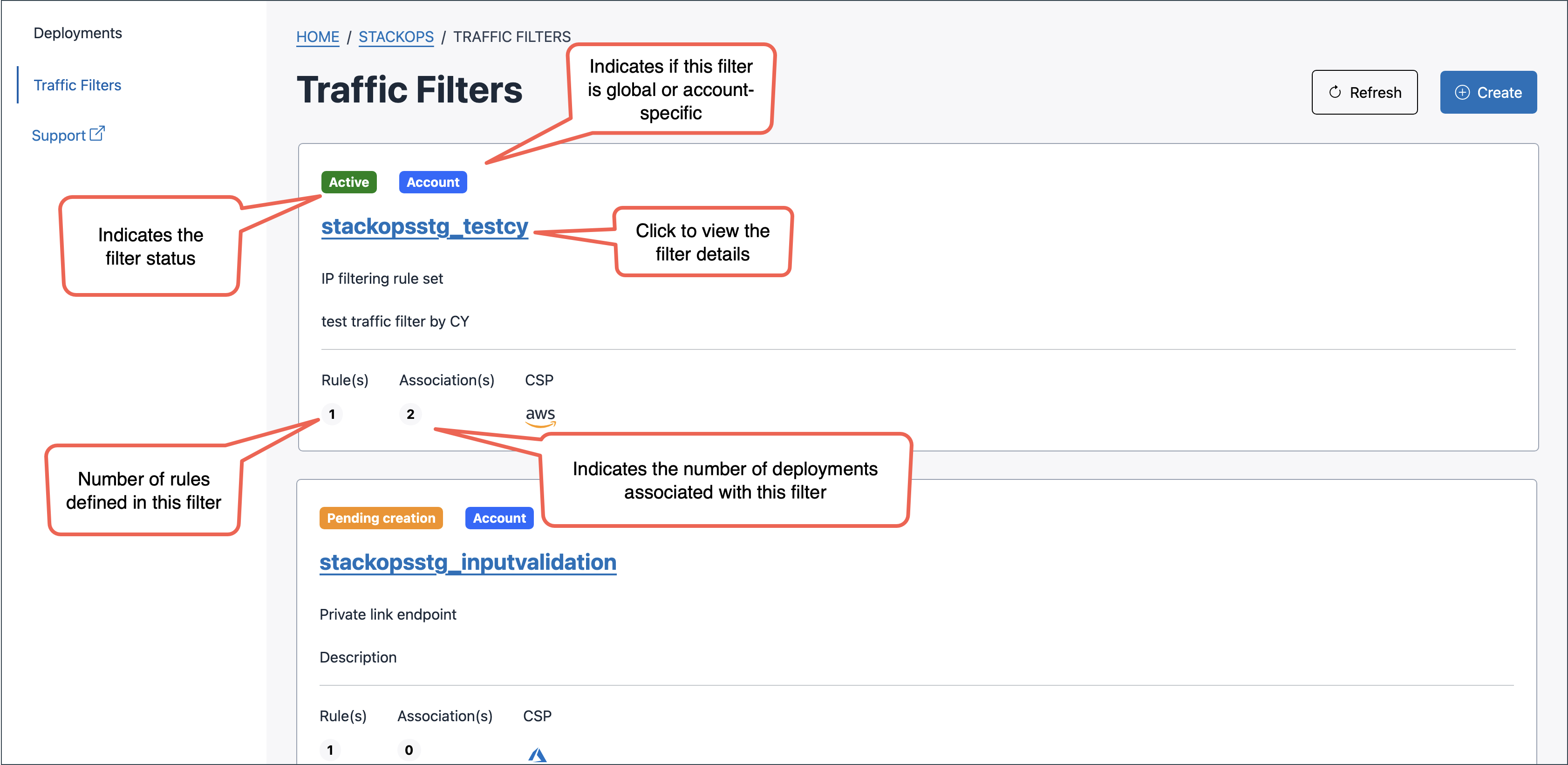
Select the traffic filter to view its details.