Elastic Agent
Elastic Agent is a single, unified agent that simplifies the collection of logs, metrics, and security data across your entire infrastructure for monitoring. It supports out-of-the-box integrations to simplify data collection from multiple components/sources.
To get started with Elastic Agent, refer to Install Elastic Agent.
Benefits of Elastic Agent
Here are the benefits of using Elastic Agent for monitoring, compared to other methods:
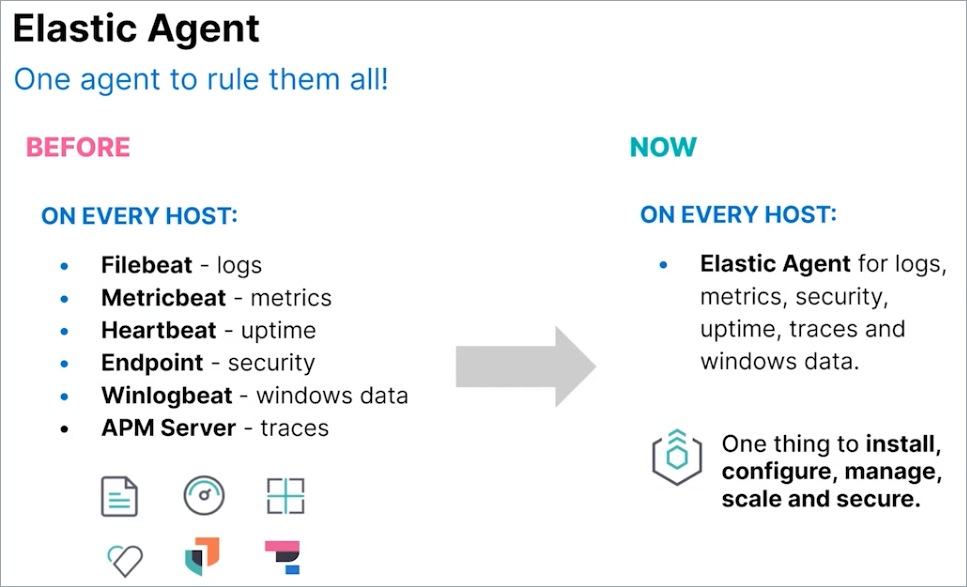
- Streamlined monitoring—Compared to Beats, Elastic Agent streamlines monitoring by unifying all capabilities into a single agent. This simplifies installation, configuration, and management of tools as well.
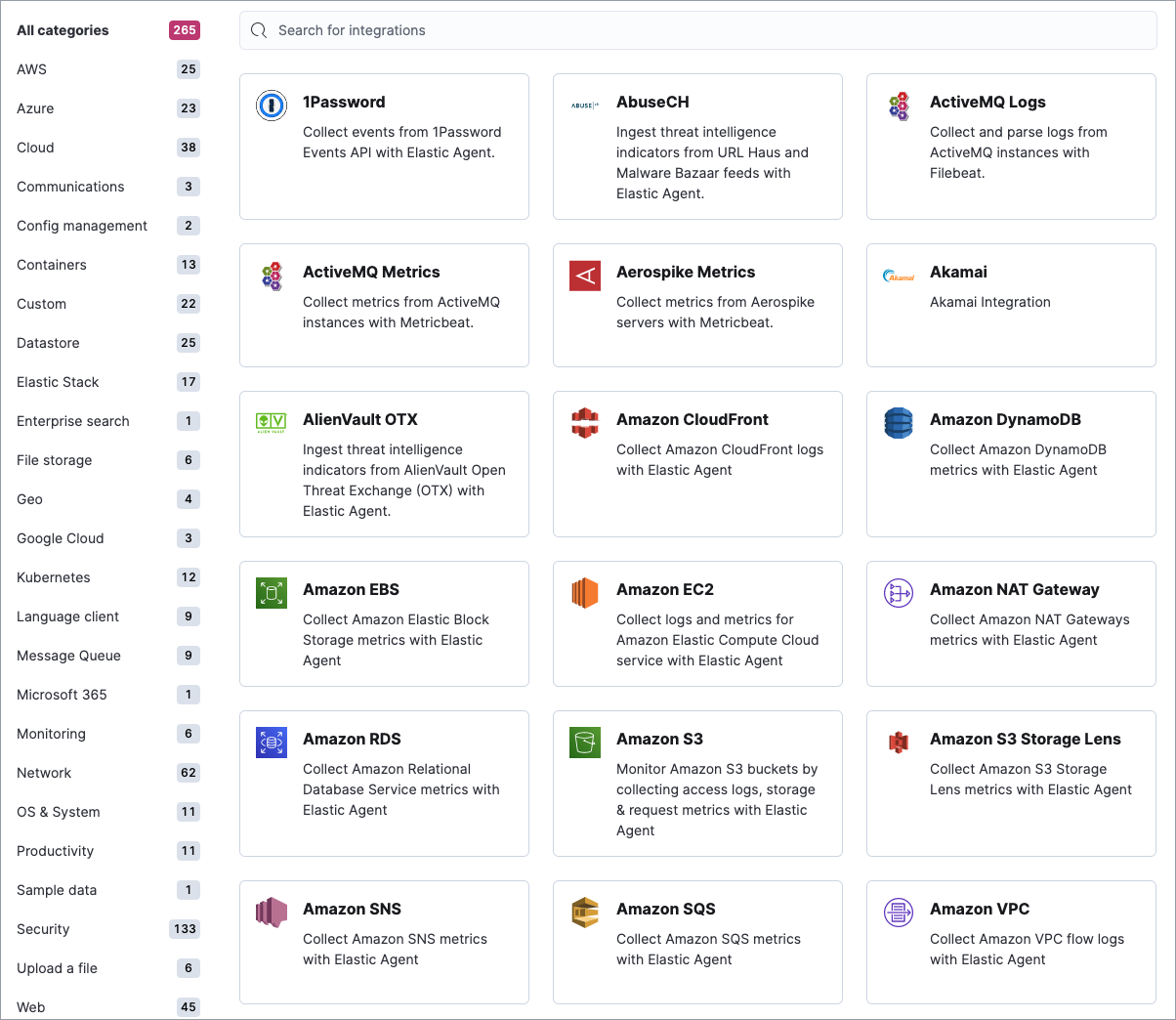
- Out-of-the-box integrations—Elastic provides a hundreds of integrations that collects various types of metrics other than just system metrics. Using the Kibana UI, these integrations can be applied to the Elastic Agent within a few steps, eliminating the need for code modifications.
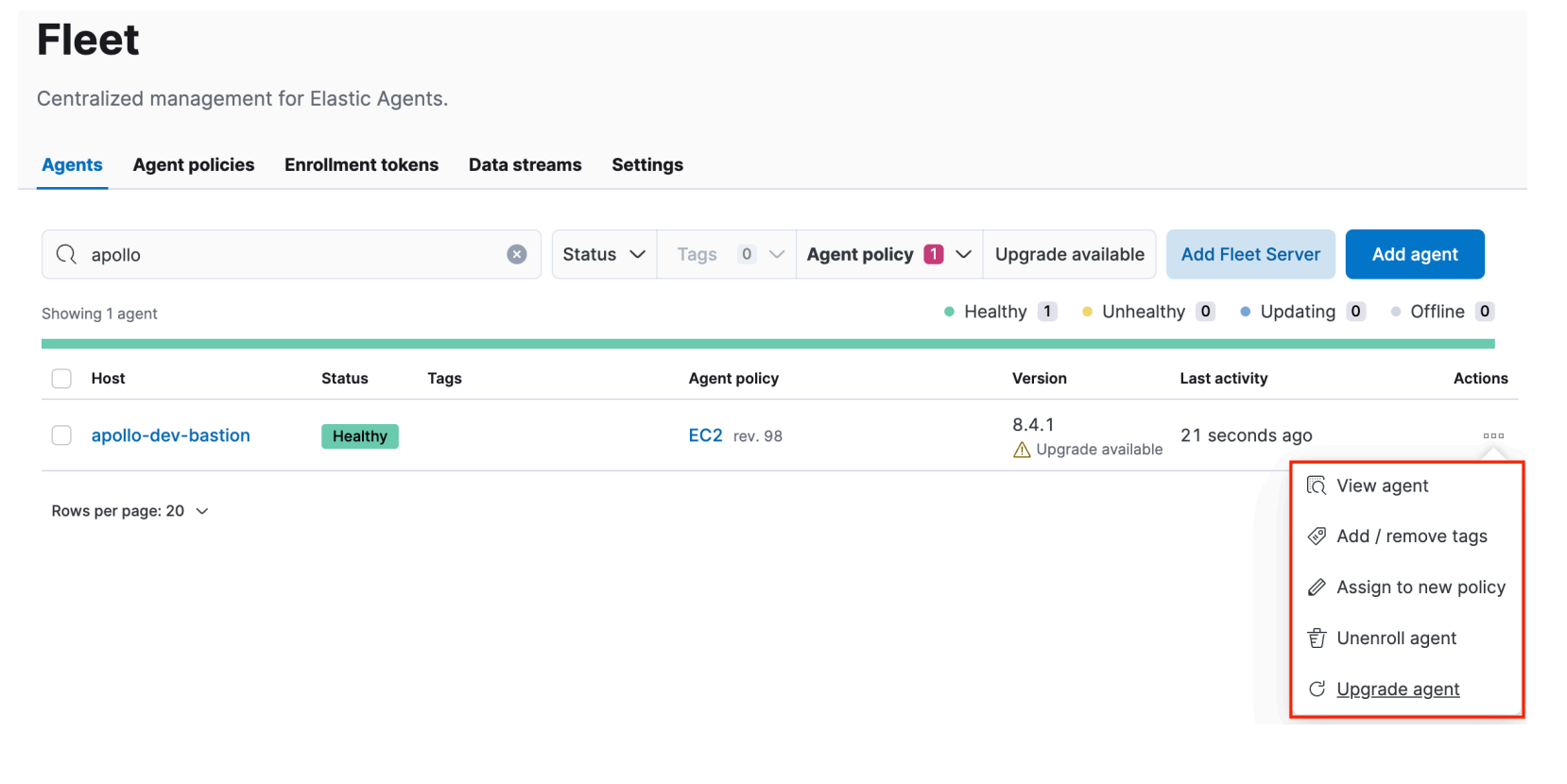
- Easy setup—Installation and upgrades are user-friendly and straightforward processes in the KIbana UI. It makes metrics and log exporting much easier to set up compared to Prometheus and its exporter.
- Standardised data—Official integrations automatically map data to Elastic Common Schema (ECS), standardising field names across different sources, making it easy to ingest data from a variety of sources and correlate it for analysis.
Tip: We recommend adopting Elastic Common Schema (ECS) when using StackOps Elastic. It ensures that your data is compatible with built-in Elastic features, such as Machine Learning (ML) jobs, and other StackOps enhancements, such as SIEM correlation rules.
Agent management in Fleet
Elastic Agents are deployed on a host, such as your cloud environment, virtual machines, containers, or nodes. However, all your Elastic Agents can be managed centrally through Fleet. A single Fleet Server can support many Elastic Agent connections and serves as a control plane for remote configuration, updates, and scaling.
Elastic Agent configuration
Elastic Agents can be configured and managed centrally through the Kibana UI (Management > Fleet). You can use Kibana to manage agent policies, gather status information, and coordinate actions across Elastic Agents.
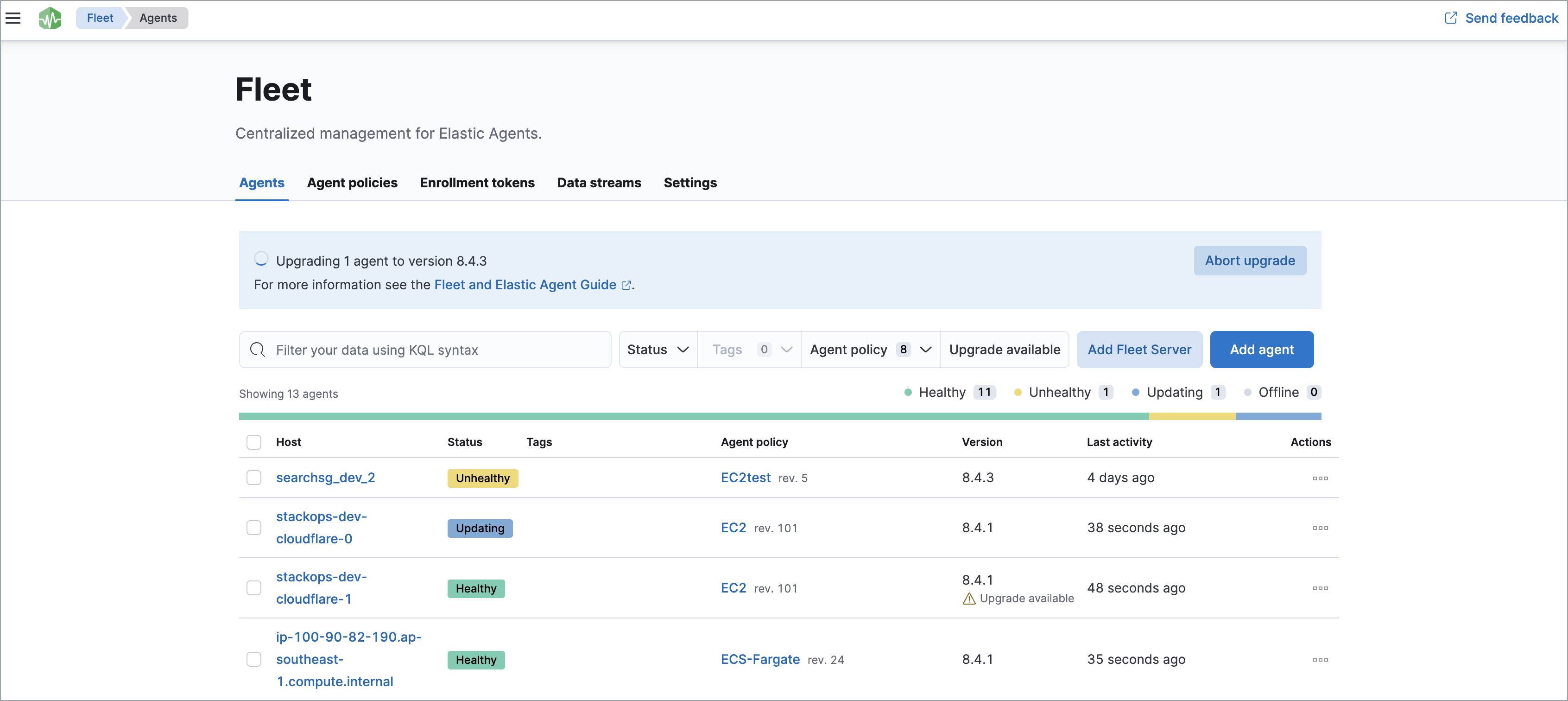
When Fleet-enrolled Elastic Agents are modified in Kibana, their configurations are automatically pushed to the Elastic Agents deployed on the host. This eliminates the need to change the YAML file configurations manually using Beats or Prometheus Node Exporter.
All Elastic Agents are configured with an agent policy, which specifies the integrations you want to run and on which hosts. A policy can be applied to multiple agents for easy management.
Example policy:
A sample policy is provided below for reference:
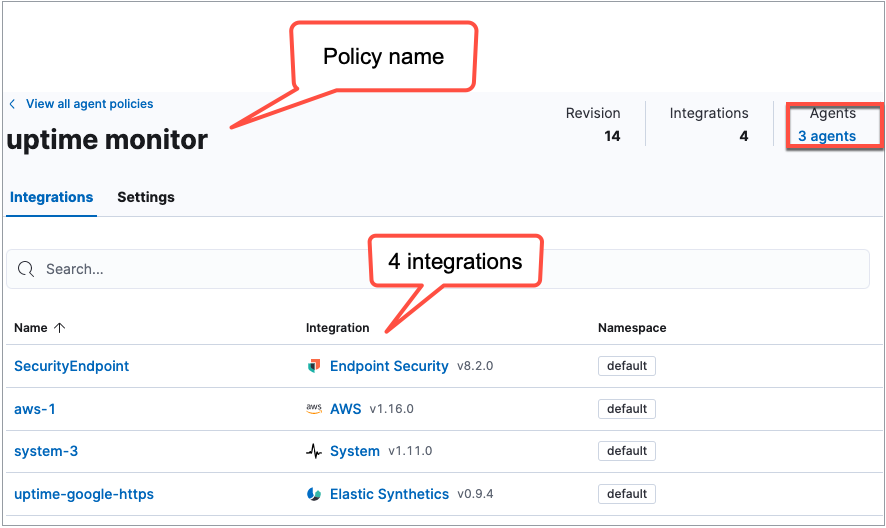
The agent policy, named uptime monitor, has 4 integrations associated with it. It has 3 Elastic Agents enrolled under this policy.
Communication between Elastic Agents and Fleet Server
Here is the overall flow for how the Fleet Server communicates with enrolled Elastic Agents.
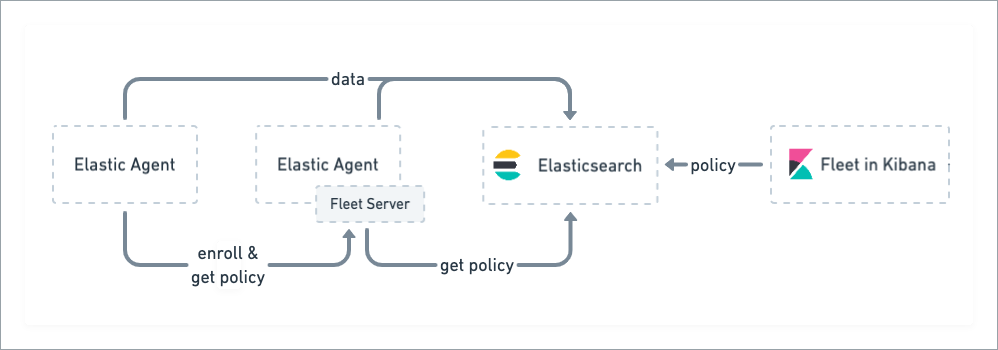
- When an agent policy is created in Kibana, it is saved to Elasticsearch.
- If an Elastic Agent wants to enrol into a policy, it sends a request and undergoes authentication with the Fleet Server using the enrolment key generated for the policy.
- After authentication, the Fleet Server retrieves the agent’s policy from Elasticsearch and sends the policy to the Elastic Agent.
- The Elastic Agent uses the configuration information in the policy to gather and send data back to Elasticsearch.
- The Fleet Server periodically checks on the Elastic Agents it manages for status information.
- When a policy gets updated, Fleet Server retrieves the updated policy from Elasticsearch and sends it to the Elastic Agents enrolled under the policy.
Learn more about Elastic Agent and Fleet in Elastic documentation.
