Elastic Jira connector
The Elastic Jira connector integrates Jira with the Elastic Stack (e.g. Elasticsearch, Kibana), making it easier for you to visualise Jira data on Elastic. This helps you get insights into Jira issues from your Elastic environment.
The key features of the Elastic Jira connector include:
- Jira issue insights in Elastic: Collects data on created Jira issues for detected alerts, providing insights on understanding the source and flow of issues.
- Custom mapping: Filters and transform Jira data, mapping Elastic alert fields (e.g., severity, timestamp, details) to Jira issue fields like summary, description, priority, etc.
- Data synchronisation: Trigger incremental or complete data syncs from Jira to Elastic, reflecting the latest updates from Jira and ensuring consistent status tracking.
Prerequisites
To set up an Elastic Jira connector, you will need:
- A Jira server URL and the relevant credentials (API token for Jira Cloud and Jira Project Key)
- Enterprise Search enabled permissions in both Elastic and Jira
Important: Elastic automatically disables Enterprise Search resources if they meet the following conditions:
- Instance remains at 2GB size
- No usage (queries, indexing, or configured resources) in the 14 days after creation.
Solution: You must scale to at least 4GB to ensure that your Enterprise Search resources remain active.
Set up an Elastic Jira connector
From Kibana, go to Search > Content.
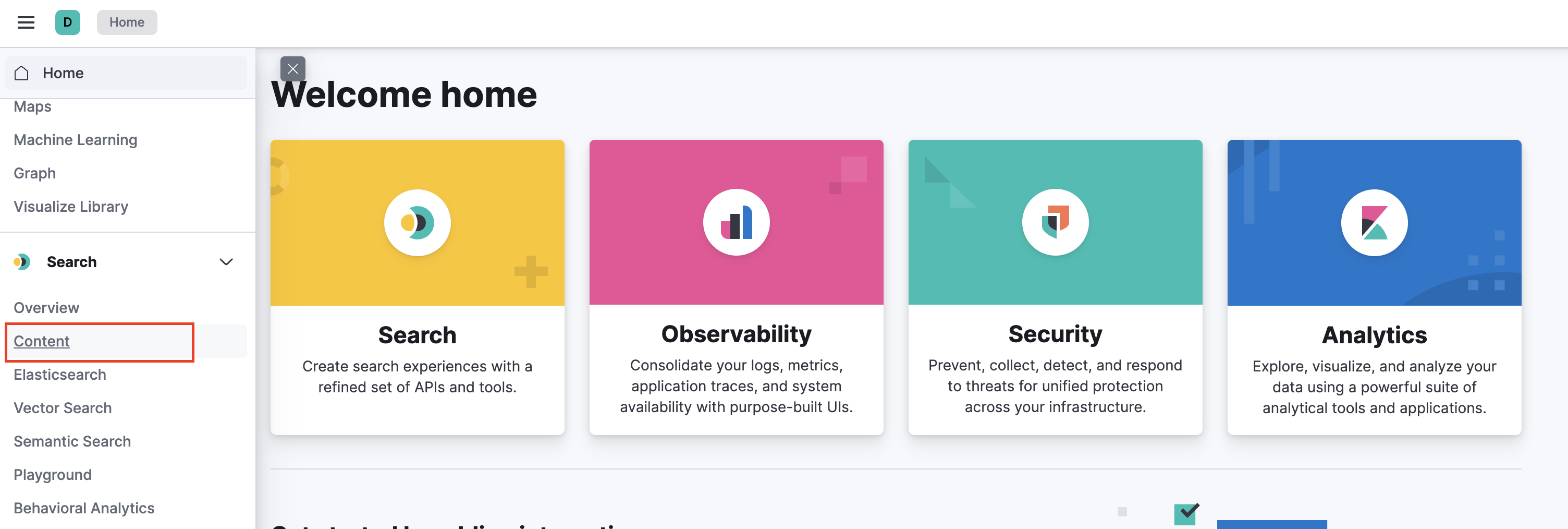
Under Content, select Connectors.
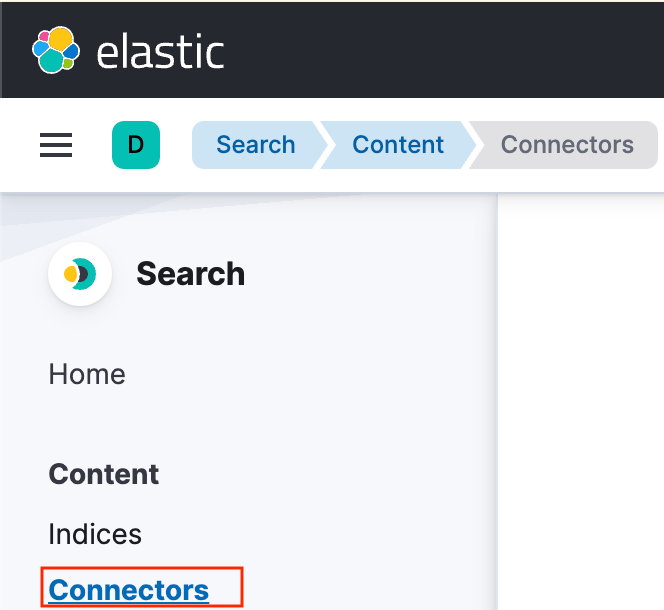
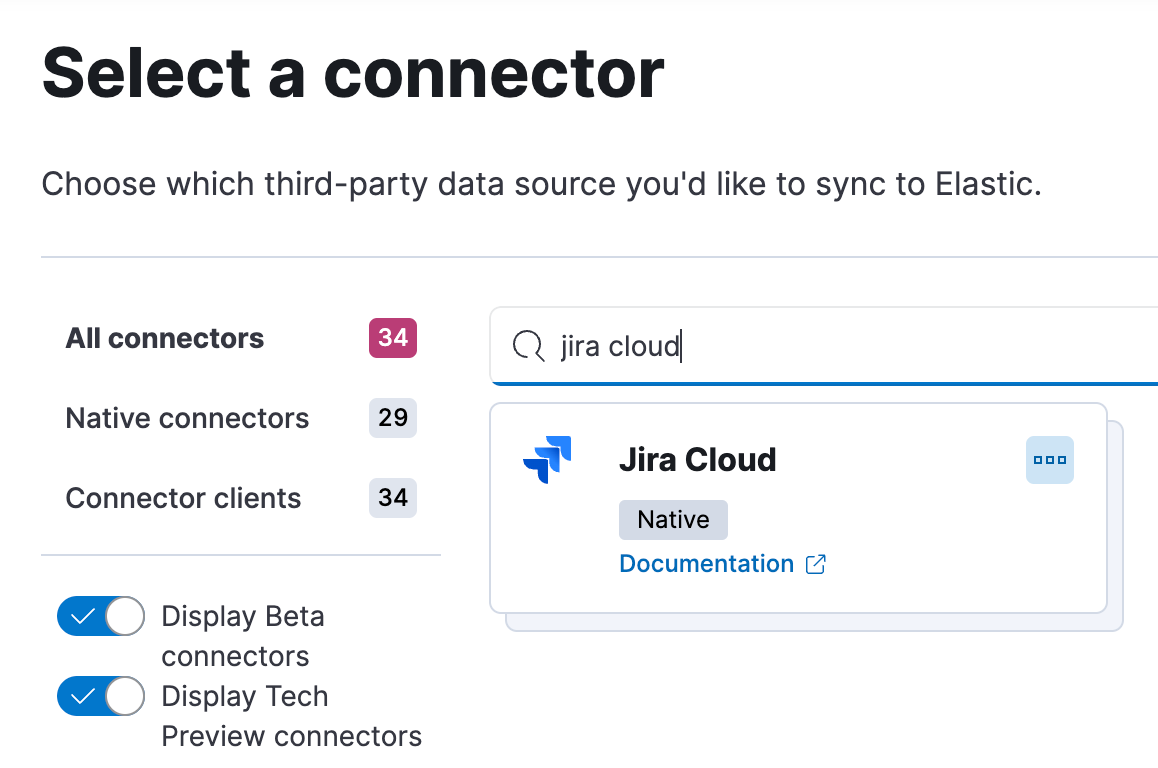
Select New connector.

Search and select Jira Cloud.
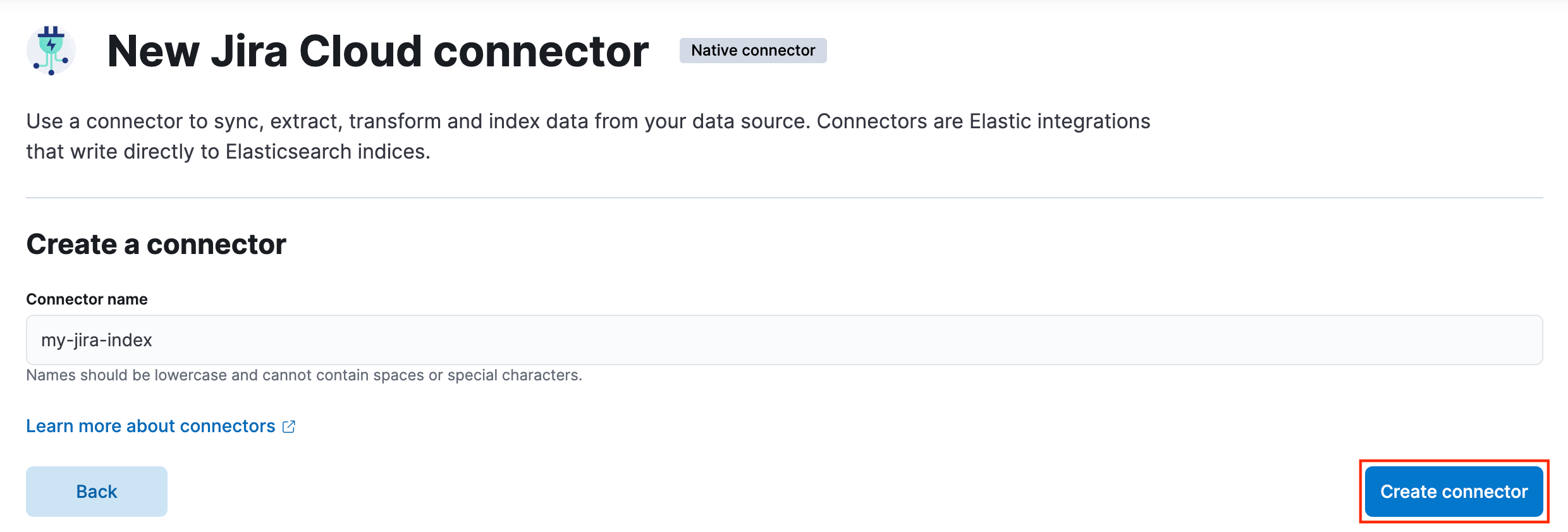
Provide a unique connector name in lowercase letters, without spaces or special characters. Select Create connector.
From the Configuration tab, select Create and attach an index named <preferred-index-name>.
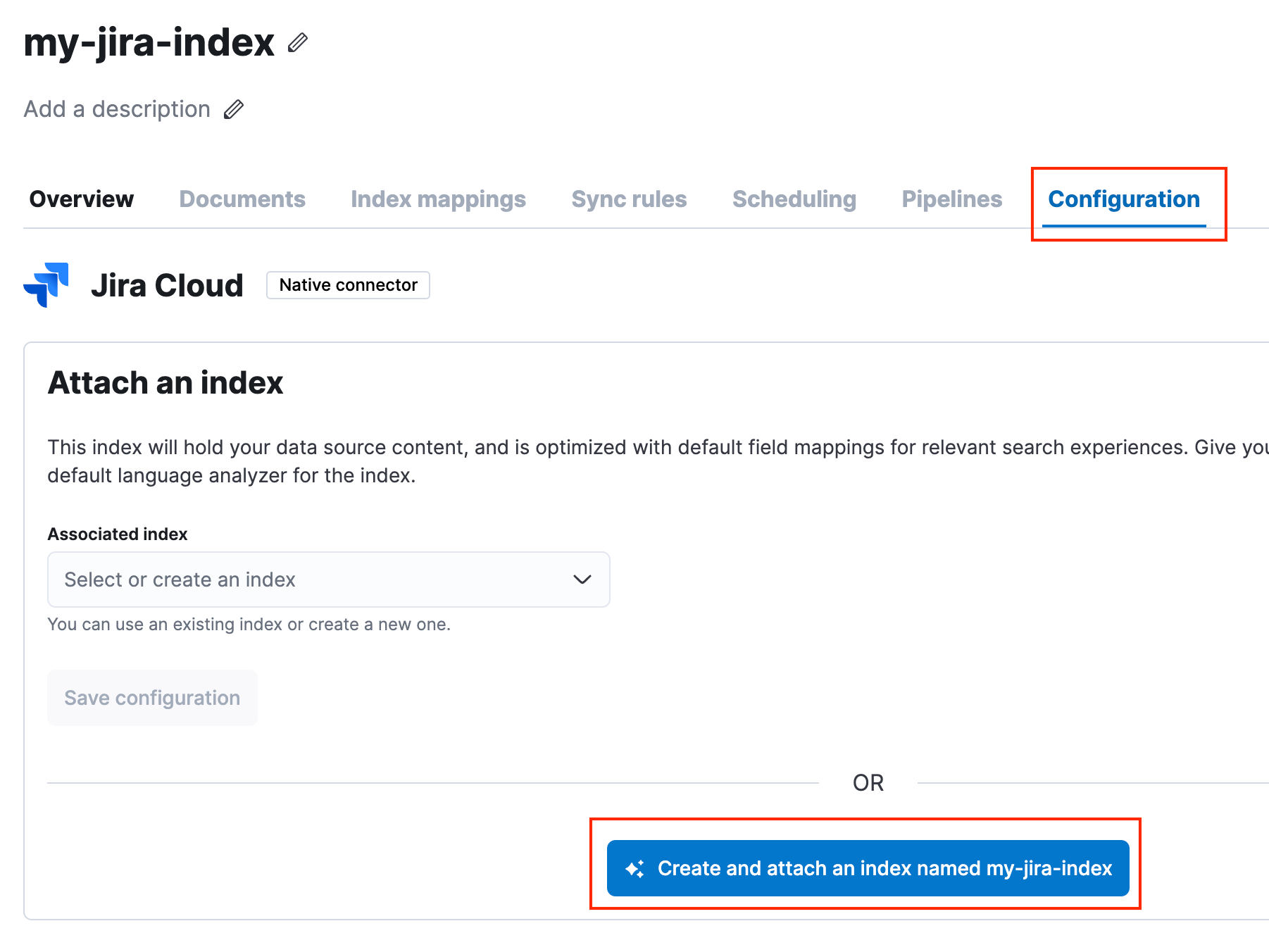
We recommend using the same name for the connector name and associated Jira index.
Under Configuration, select Edit configuration and provide the following details:
Jira URL
Authentication credentials (API key)
Jira project key
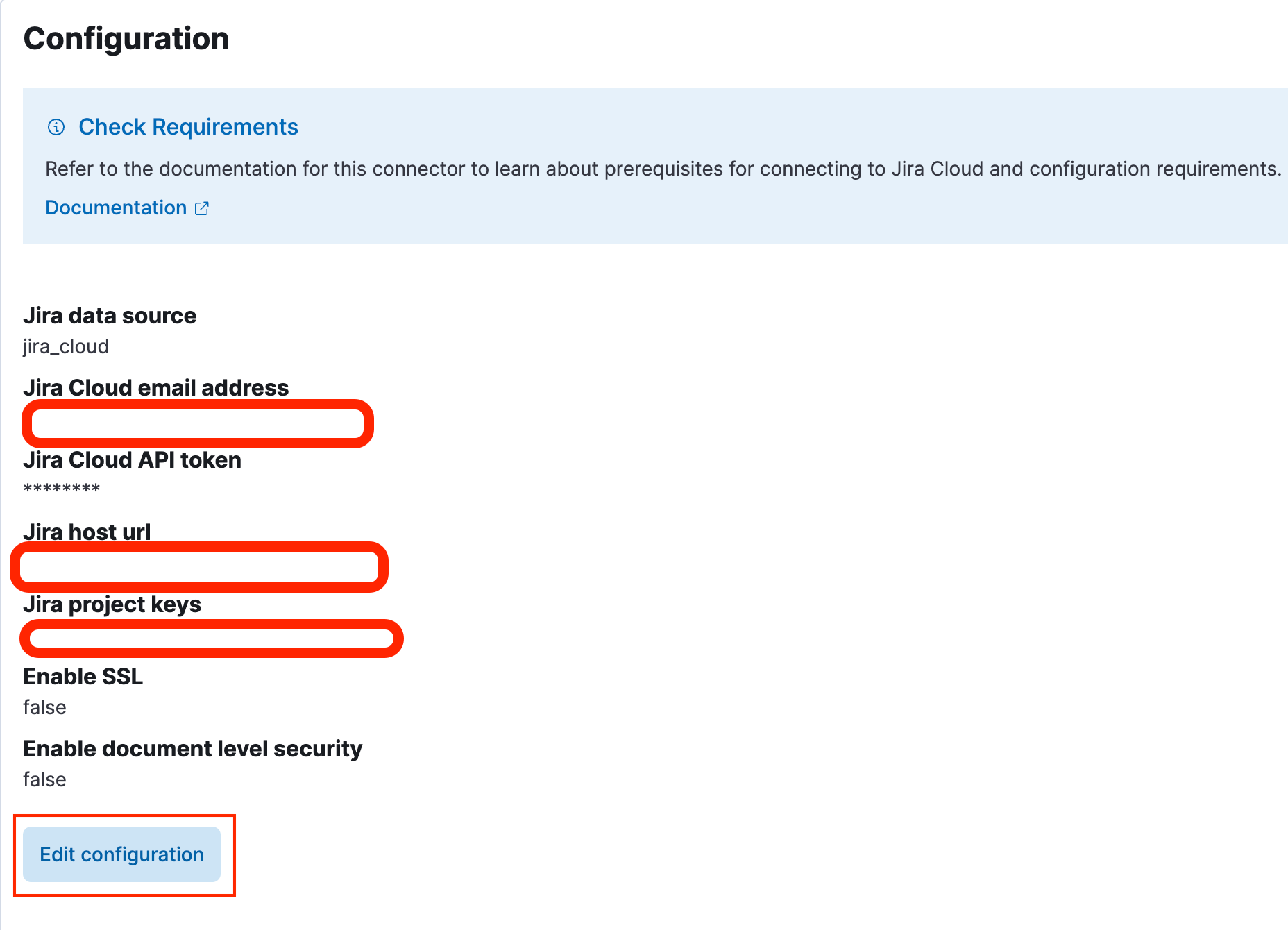 How to create an API key
Log in to Jira. Go to Manage Account > Security.
Under API Tokens, select Create API token.
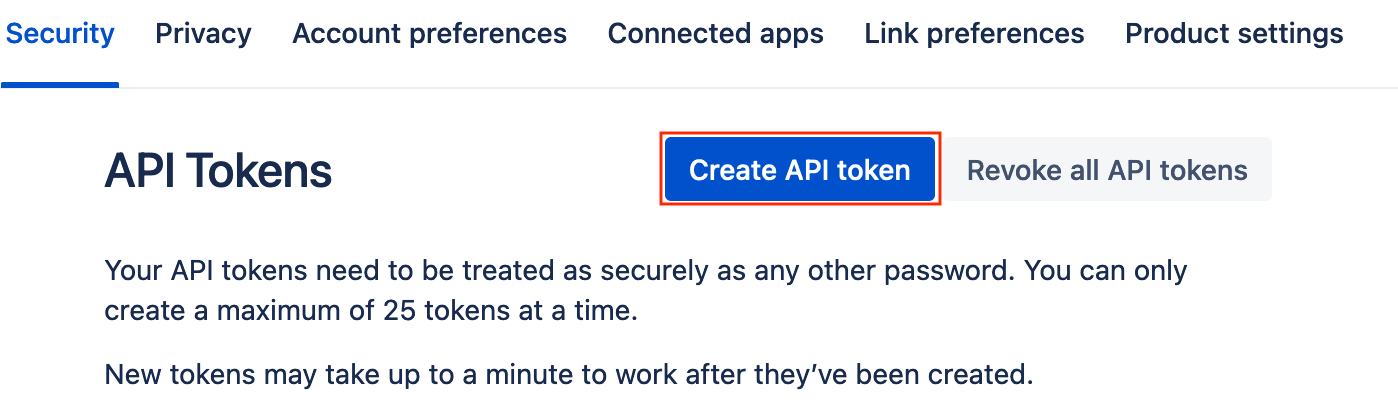
Remember to save the API key. You will need this information when creating connectors.
How to find your Jira project keyFrom Jira, select the project to sync.
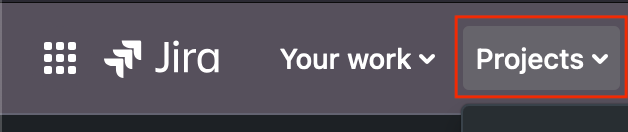
Select Project settings > Details > Project keys. If project settings are not available, reach out to the project administrator.
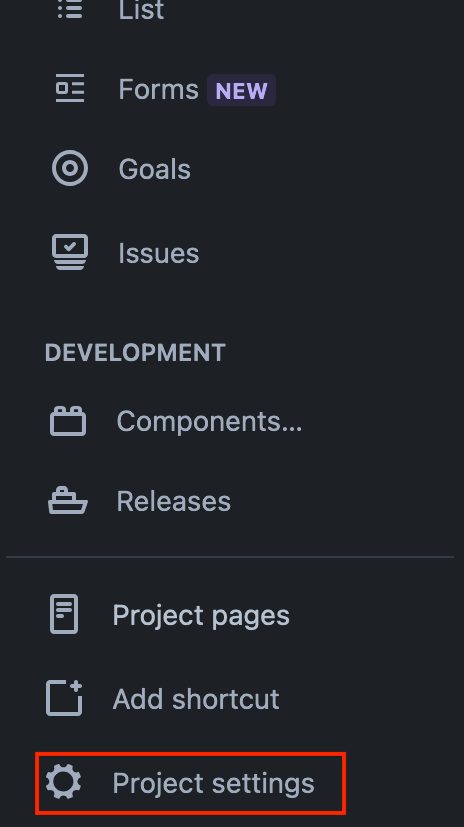
Refer to the Atlassian documentation for more information.
Navigate to the API Key section and select Generate API Key.

Once you’ve set up the connector configuration, you need to trigger a Full content sync and wait for it to complete.
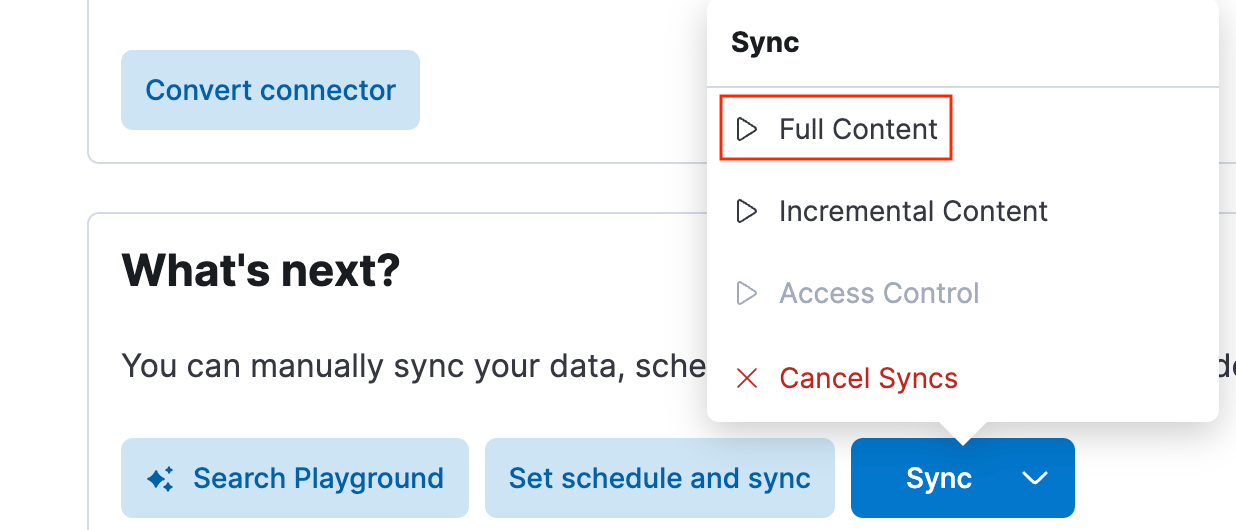
Subsequent syncs can be scheduled to sync incremental or full content, depending on your requirements.
Verify that your Jira connector is connected.
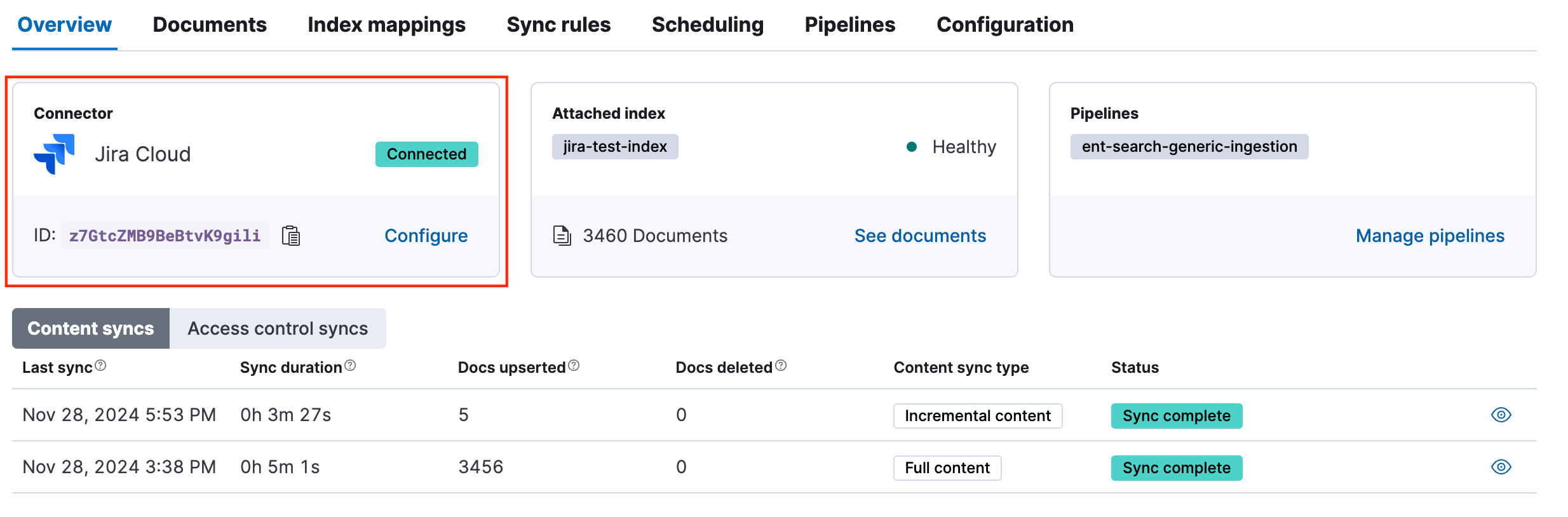
View logs in Elastic
- Log in to your Elastic deployment and go to Analytics > Discover.
- From the logs-* dropdown, select Create data view.
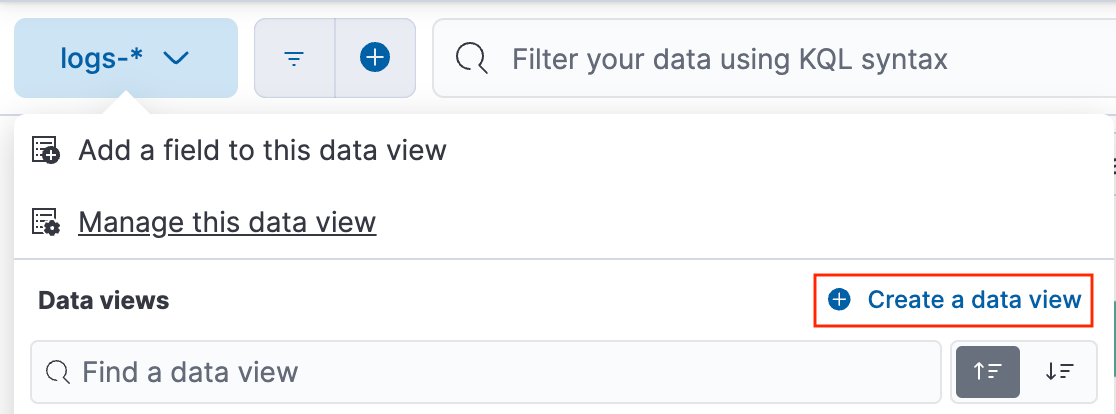
- Indicate *jira-* as the index pattern and select Save data view to Kibana.
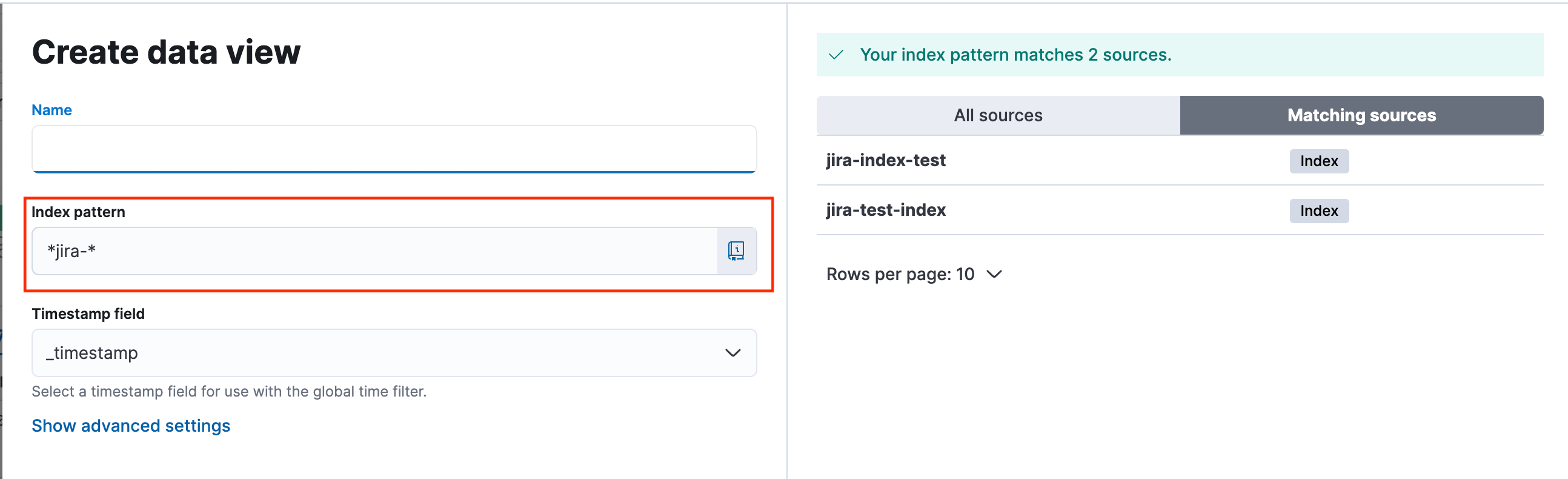
- You should see Jira ticket details being pushed to Elastic through your configured connector.
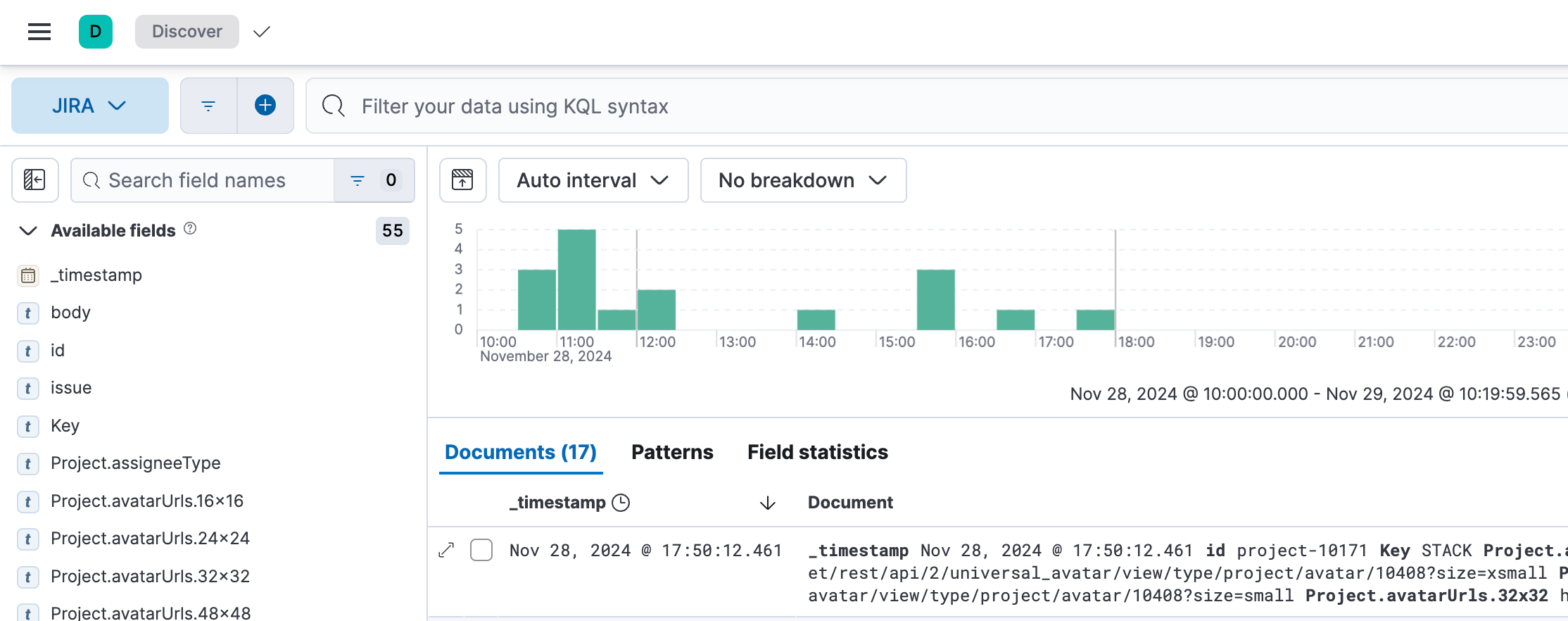
- With this integration, you can:
- Visualise Jira data easily.
- Enhance overall search experience with Enterprise Search features like App Search and Web Crawler to index and search across content in your services.
- Leverage Elastic AI assistant for activities like constructing queries, indexing data, and troubleshooting.
