Forecasting future behaviour
After using an MLAD job to establish a data baseline, you can create an ML forecast to extrapolate future behaviour. You can use the forecast to estimate a time series value at a specific future date for trend analysis. For example, you might want to determine how many website visitors to expect next Sunday. Or you might want to find out how likely it is for your disk utilisation to reach 100% before the end of next week.
Certainty of ML forecasts
An ML forecast projects expected future values based on historical trends and seasonality, with confidence bounds indicating the range of likely outcomes. Uncertainty increases over time, and sudden changes such as deployments or outages are not reflected in the forecast, so it should be used for trend analysis rather than anomaly detection.
Here are some factors that affect the confidence or reliability of an ML forecast:
- Duration—When creating a forecast, you must define its duration to specify how far it extends past the last processed data point. By default, this is set to 1 day. As you forecast further into the future, confidence levels typically decrease, resulting in wider prediction bounds. If the confidence level drops too low, the forecast will automatically stop.
- Historical data—ML forecasting requires sufficient historical data to learn baseline behaviour and identify trends. In general, forecasts that are created early in the learning phase of the data analysis are less accurate. An initial learning period is needed before the model can generate reliable predictions. During this phase, forecast results may be preliminary and should be interpreted with care. Prediction accuracy improves over time as additional data is analysed.
Creating an ML forecast in Elastic
Note: Elastic ML forecasting is available only for jobs that model stable numeric time-series data. It is disabled for population, rare, and categorisation jobs, which cannot be reliably extrapolated into the future because their models are relative, event-based, or dynamically structured.
In StackOps Elastic, you can create ML forecasts in one of the following ways:
- In Kibana
- Using the forecast anomaly detection jobs API
Because ML forecasts and jobs both consume memory, forecasts can run concurrently with realtime ML analysis only if the model memory status is acceptable.
To create a forecast in Kibana:
In Kibana, go to Analytics > Machine Learning.
Under Anomaly Detection, select Single Metric Viewer.
Select your desired ML job and select Apply.
Select the metric you want to forecast.
In the upper right corner, select Forecast and configure the forecast options:
Duration—Length of forecast, up to a maximum of 3650 days. Use s for seconds, m for minutes, h for hours, d for days, w for weeks.
Never expire—(Optional) Whether the forecast results will expire. If disabled, the forecast will be retained for 14 days and thereafter automatically deleted.
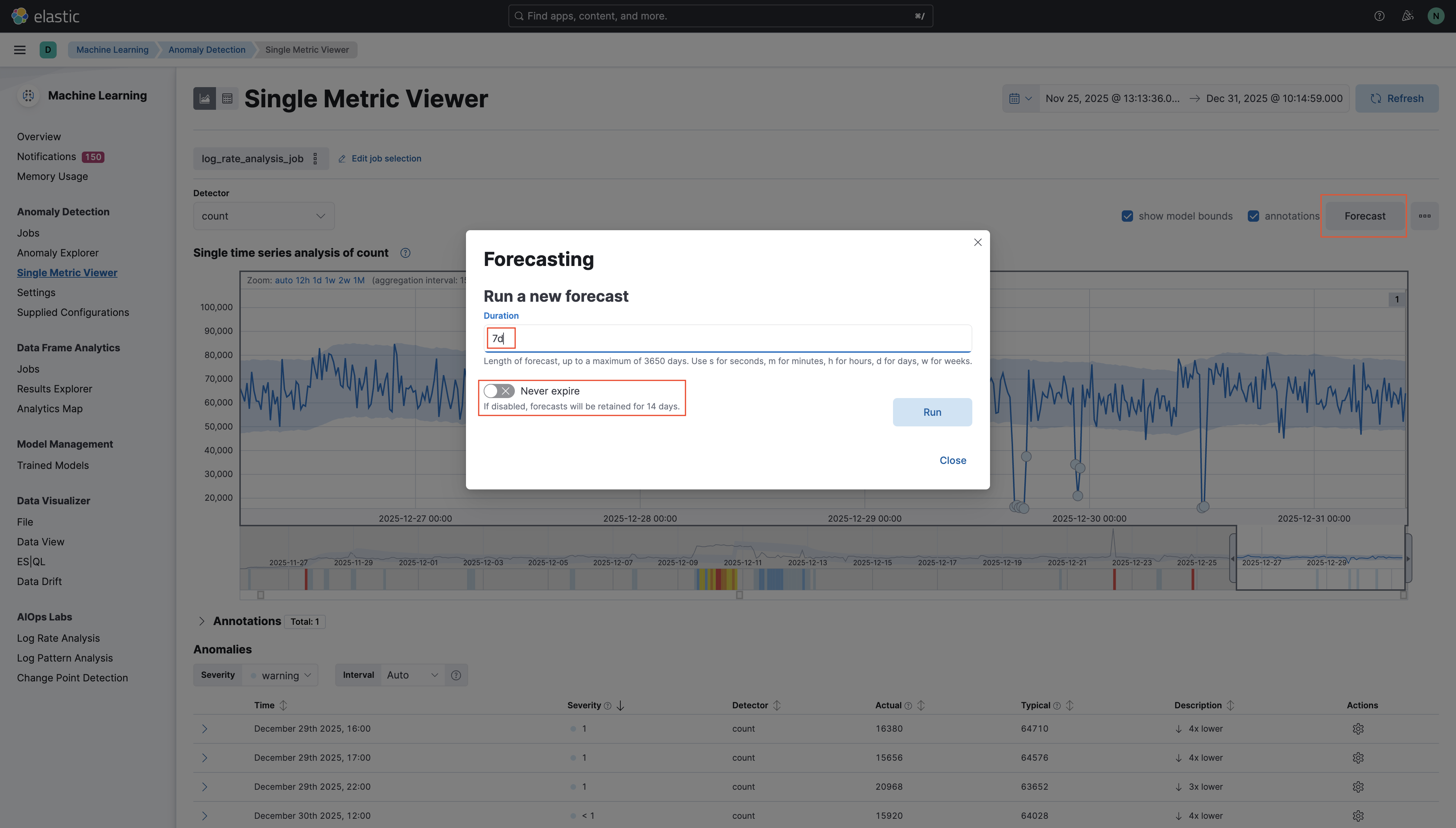
Select Run.
Once the forecast is processed, the chart in the Single Metric Viewer extends beyond the last observed data point to display projected values in yellow. The forecasted line shows the predicted trend, while shaded regions above and below represent the upper and lower confidence bounds, indicating the expected range of future values. These visual cues help you compare predicted behaviour with historical patterns and assess the reliability of the forecast over time.
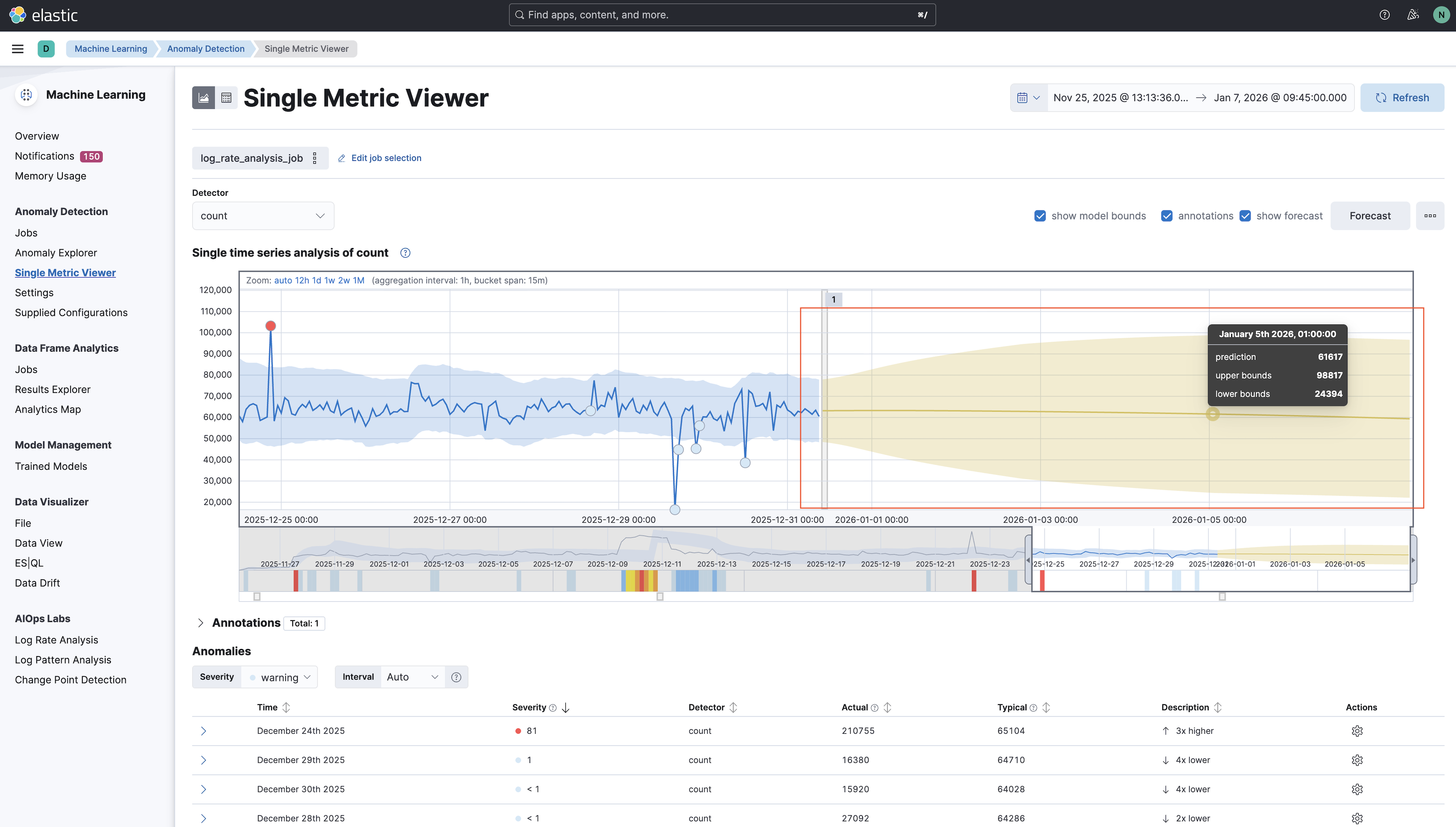
Example ML forecast
In this example, ML forecasting is used for proactive detection of transaction latency risks.
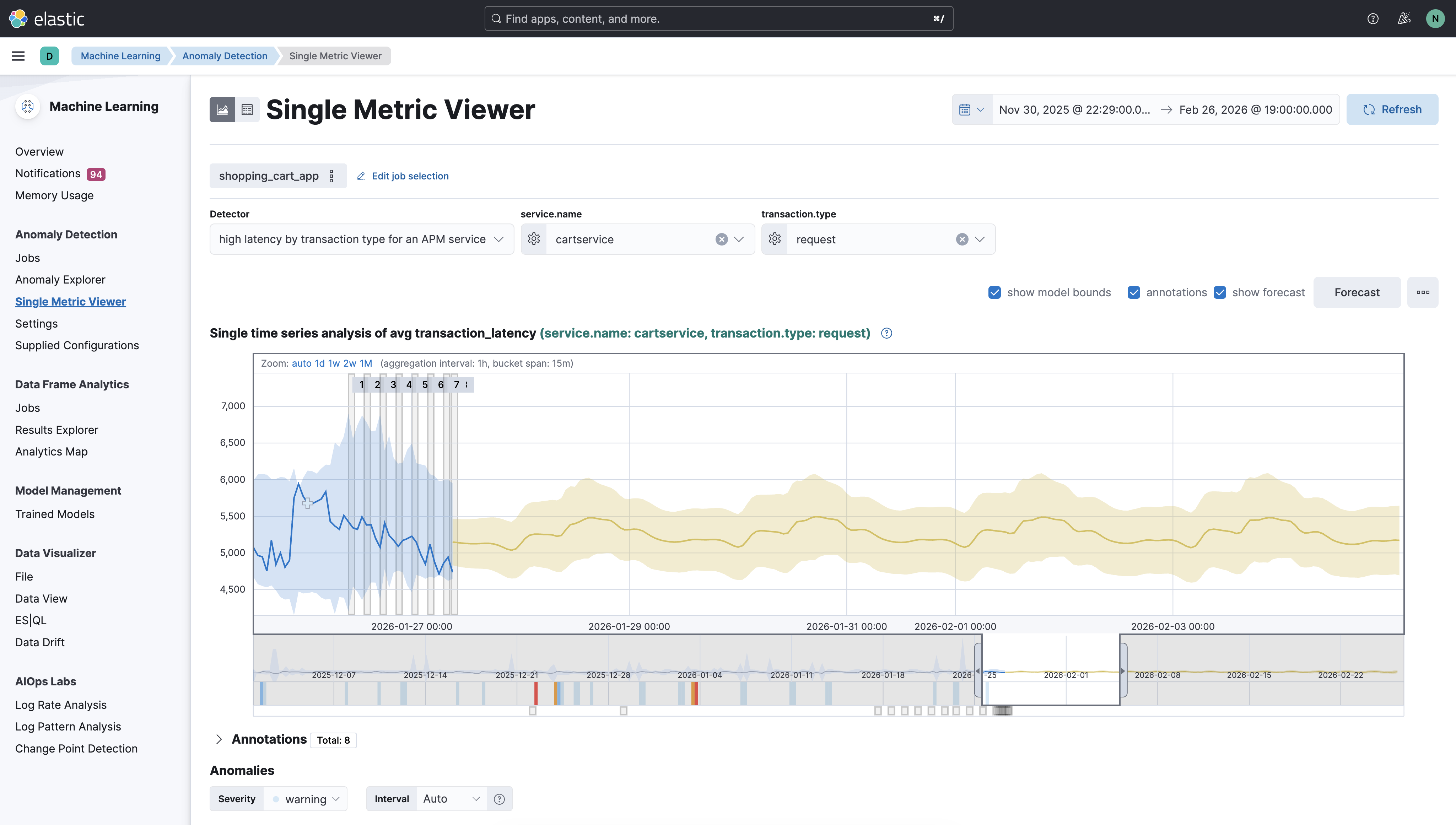
In this example, the ML model analyses historical APM data from the Shopping Cart application to forecast the average request latency for the cartservice. The forecast highlights the expected latency behaviour and its confidence bounds, enabling teams to anticipate potential threshold breaches, plan capacity adjustments, and distinguish normal seasonal patterns from emerging performance risks.
By using ML forecasting their APM data, teams can predict future transaction latency trends before they impact users, thus moving from reactive incident response to proactive performance management.
