Manage service accounts
Use Console to create, update, or delete deployment-level service accounts.
Create service accounts
Use Console to a create deployment-level service account with StackOps-defined role. These roles define the permissions for the service account. Refer to Available role types for details on role types.
To create a service account:
Log in to Console with TechPass.
Go to Products > StackOps Portal.
Select the deployment to which you want to add a service account.
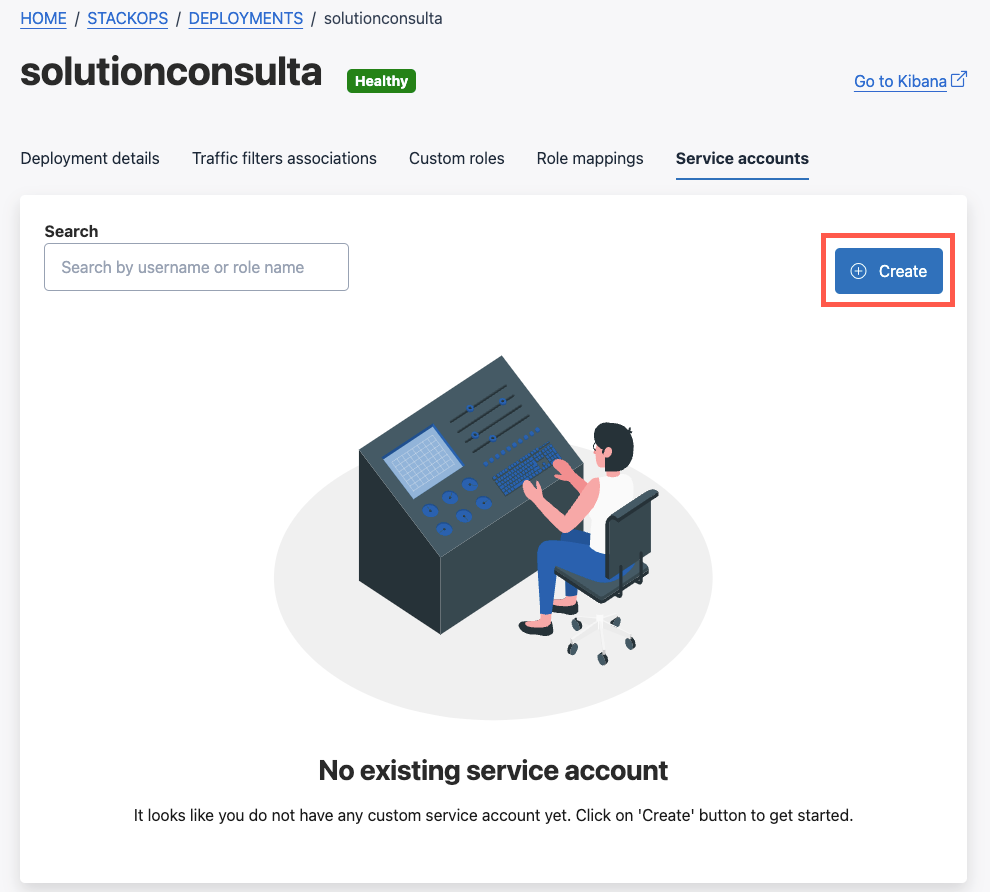
Go to the Service accounts tab and select Create.
Enter a unique username, which will be prefixed with
sosa_. The username cannot be edited after creation.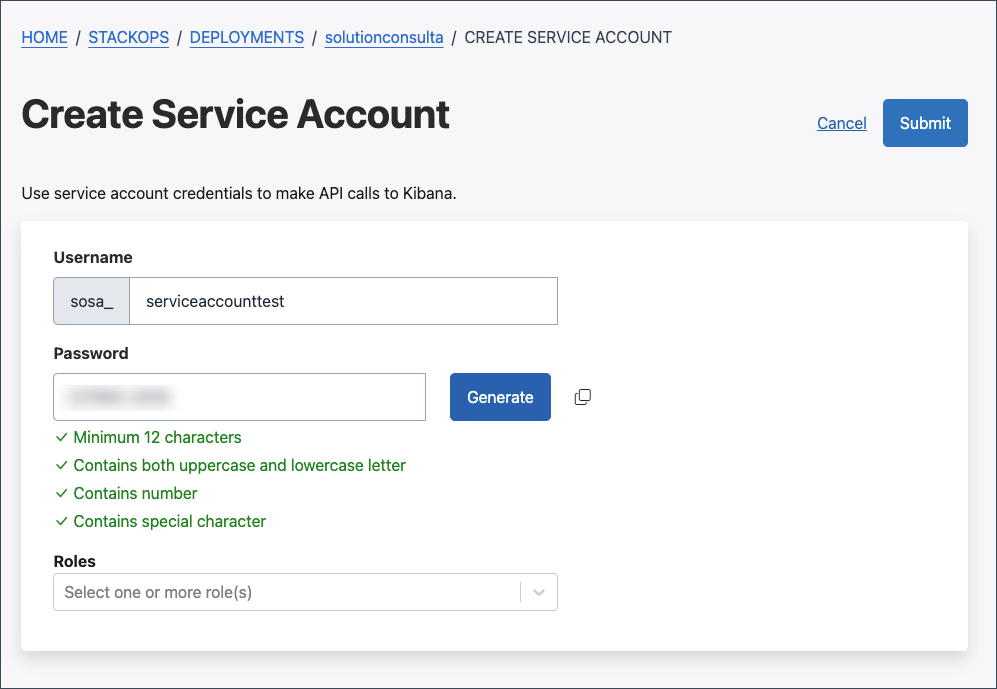
Generate a password and store it in a secure location.
Select one or more roles for the service account. Refer to Available role types for details on role types.
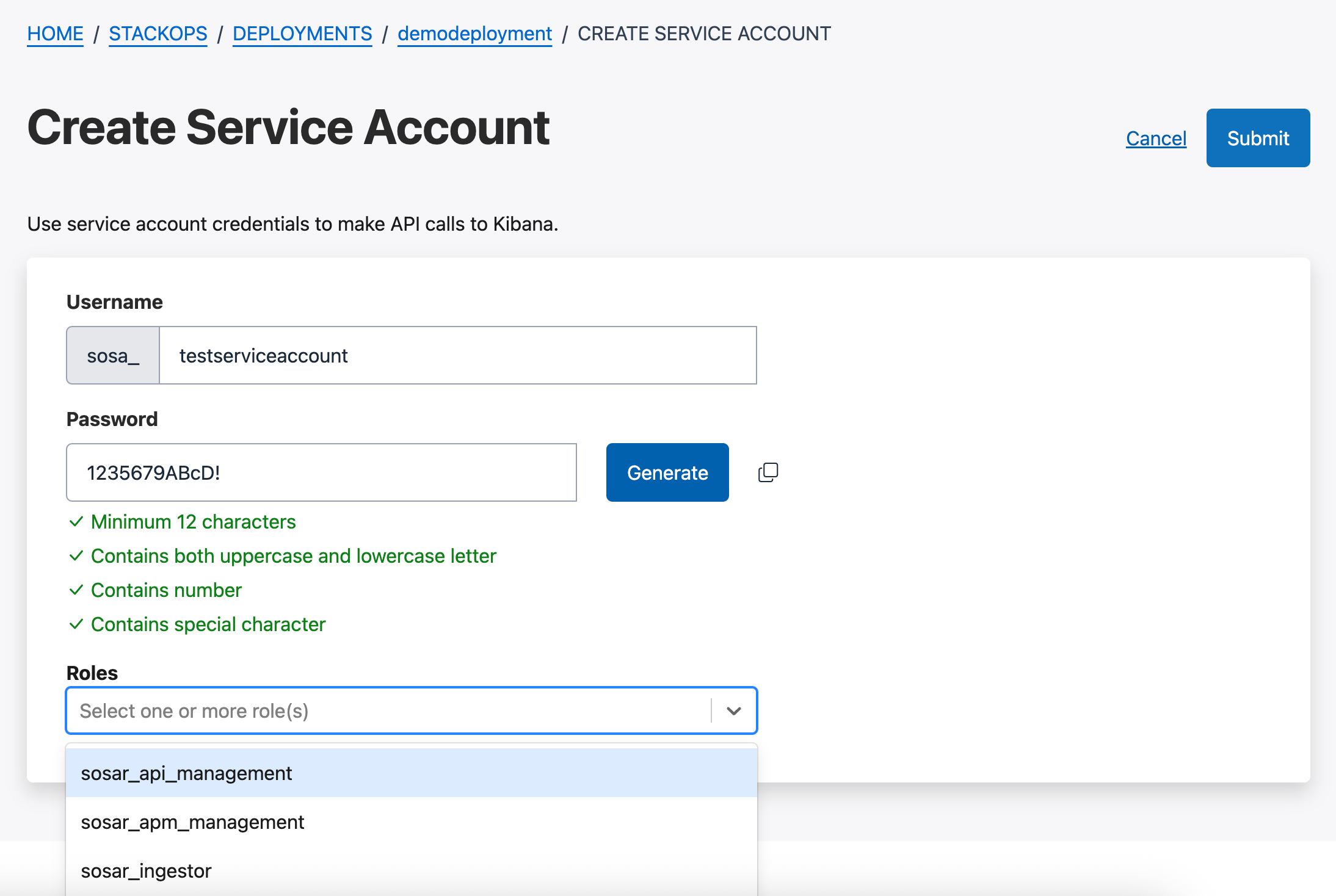
Select Submit > Confirm. You will be redirected to the Deployment details tab.
Return to the Service accounts tab to view your newly created account.
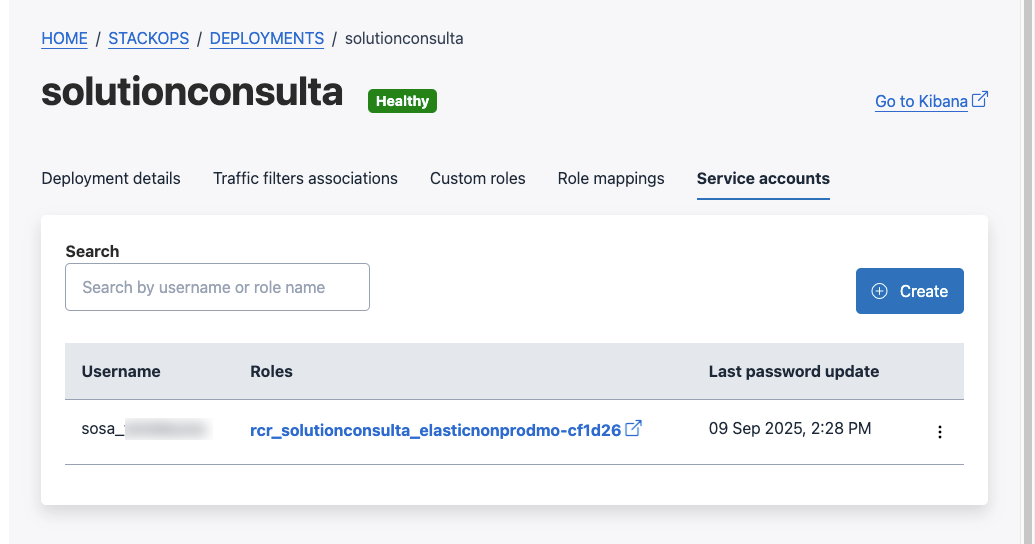
Clicking the assigned role link opens the deployment’s Kibana and shows role permission details. Login via TechPass is required.
Next step:
Once a service account is created, its credentials can be used to generate API keys. Refer to Manage API keys for the detailed steps.
Update service accounts
You can update the following details for service accounts:
- Roles
- Password
To update a service account:
Log in to Console with TechPass.
Go to Products > StackOps Portal.
Select the deployment to which you want to add a service account.
Go to the Service accounts tab.
For the service account you want to update, select the ⋮ icon > Update.
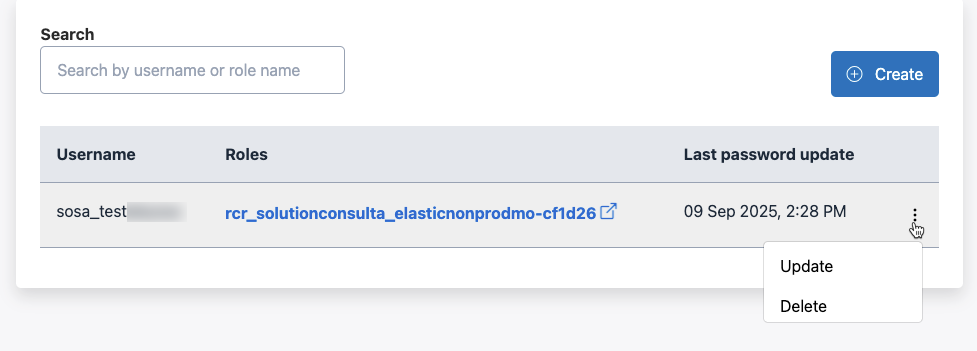
Update the Roles or Password as you need. If the password is updated, make sure to copy and store it in a secure location.
Select Submit > Confirm.
Delete service accounts
To delete a service account:
Log in to Console with TechPass.
Go to Products > StackOps Portal.
Select the deployment to which you want to add a service account.
Go to the Service accounts tab.
For the service account you want to update, select the ⋮ icon > Delete.
To confirm deletion, enter the service account name to be deleted.
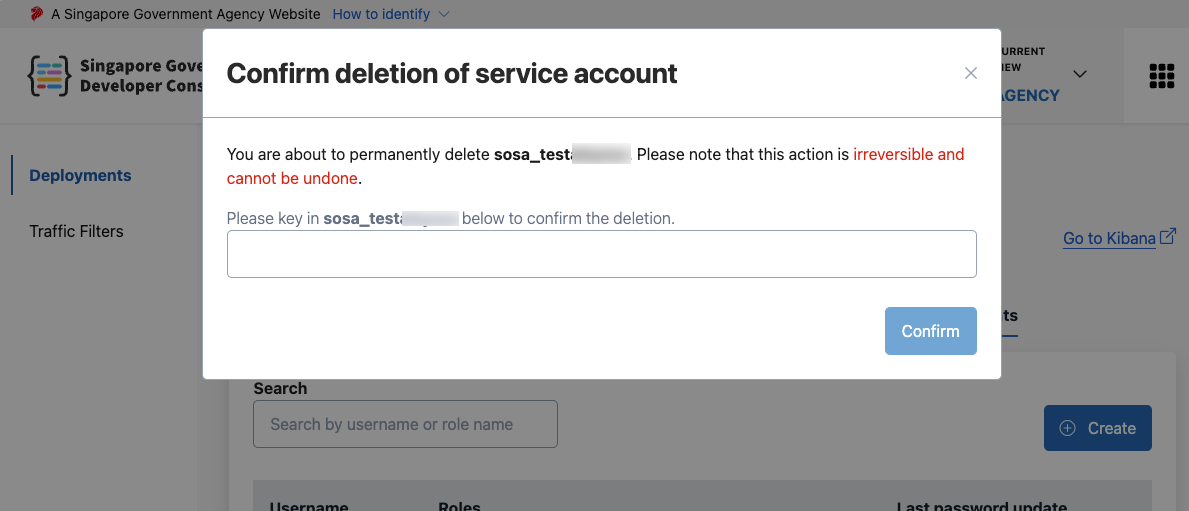
Click Confirm. The service account will be removed.
