Auditing SIEM actions in StackOps Elastic
Regular log reviews and SIEM alerts reviews help you ensure that SIEM rules are updated, correctly configured, and meet security requirements. StackOps periodically checks the SIEM rules (pre-built or custom rules) and pushes updates downstream. When this happens, there is usually an alert prompting an action from the user.
However, it was difficult to pinpoint which users have acknowledged or simply closed the alerts, especially in remote clusters with CCS. This resulted in issues as StackOps tenants were not able to determine if all users have acknowledged the alert.
To enable StackOps tenants to derive accurate insights on user actions, StackOps has implemented the security user schema.
Security user schema
Leveraging Elastic’s security user processor feature, the security user schema enriches security event data with details about the authenticated user like username, roles and realm (how the user is authenticated). This allows StackOps tenants to derive insights on user actions, i.e. which user closed or acknowledged the alert.
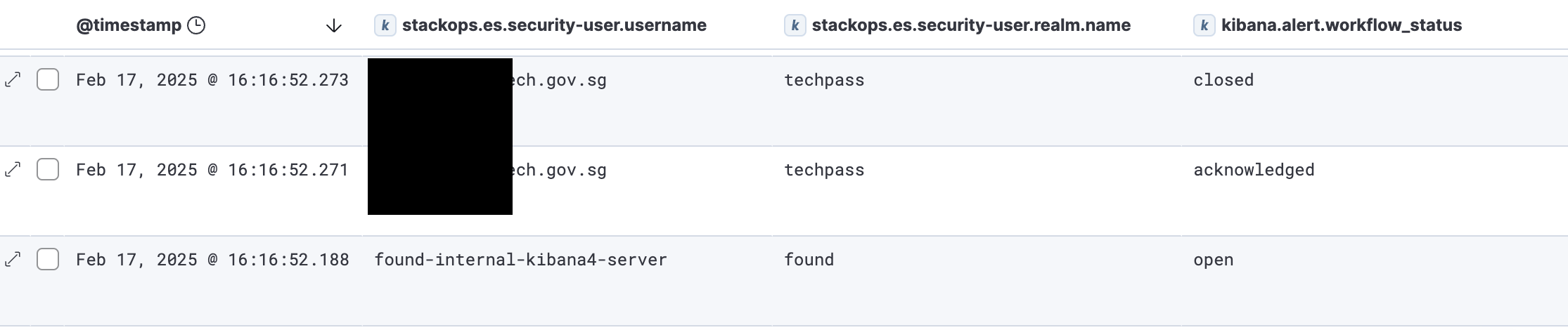
With the security user schema, you have:
- Targeted user-based threat detection: You can filter or query events using specific user attributes to pinpoint anomalies related to a particular user and conduct a more focused investigation into potential insider threats.
- Better insights on user actions: When analysing user actions, the additional user data provides more context into understanding the user’s possible intentions, enabling faster investigations.
Schema mapping
The security user schema is implemented when data is ingested through the global@custom pipeline. The data attributes in the following table will be automatically added.
| Field | Type | Description |
|---|---|---|
stackops.es.security-user.full_name |
keyword | Full name of the user. |
stackops.es.security-user.roles |
keyword | Role(s) the user is associated with. |
stackops.es.security-user.realm.name |
keyword | The method by which the user is authenticated, i.e. native, ldap. |
stackops.es.security-user.realm.type |
keyword | Specifies the type of authentication realm - internal or external. |
stackops.es.security-user.authentication_type |
keyword | States the type of authentication, i.e. REALM, API_KEY, TOKEN and ANONYMOUS. |
stackops.es.security-user.email |
keyword | Email address of the user. |
stackops.es.security-user.username |
keyword | Short name or login of the user. |
Refer to the Elastic documentation for more information on user fields and realms.
