Security information and event management (SIEM) monitoring
Security Information and Event Management (SIEM) collects logs and events, normalising the data for real-time threat detection, incident response management, forensic investigation on past security incidents, and compliance audit reports. For more information, refer to Elastic documentation.
SIEM rules
SIEM rules are predefined logic sets that help identify suspicious activities and security breaches. These rules check system, infrastructure, and cloud changes regularly to prevent unauthorised creation, modification, or deletion of resources. In StackOps, SIEM rules are provided from the following sources:
- Elastic’s prebuilt rules (GitHub repository)
- StackOps Innersource rules (Gitlab repository)
- Base rules
- Exception rules
- Optional rules
- Custom rules — Create your own rules
Except for the StackOps optional rules, all Elastic and StackOps Innersource rules are pushed to each StackOps Elastic deployment by default. To enable the optional rules, you can raise a service request (SR).
What you can do
SIEM FAQs
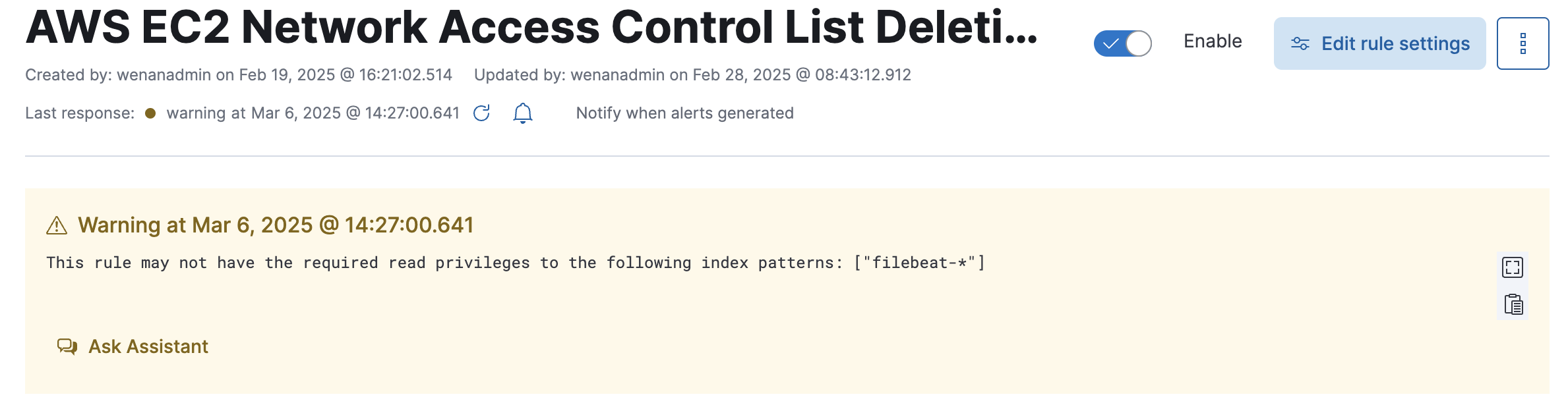
Some default SIEM rules may target a superset of index pattern e.g. filebeat-*. However, as part of StackOps Elastic’ design architecture, we are restricting the following subset of indices for data segregation purposes:
- filebeat-ess-.*
- .monitoring-*
- metricbeat-*
- elastic-cloud-*
This warning appears when the index pattern matches and is misleading as it implies that every one of them is restricted, i.e. only filebeat-ess-.* is blocked, not every filebeat index. We are working with Elastic on this.
Note that this does not impede or block the functionality of your indices.