Delete deployment
Who can do this?
- Subscription Admins / Tenant Managers
- Technical Admins / Tenant Admins
Delete unneeded StackOps Elastic deployments from your subscription account. Here is the overall flow for deleting deployments:
- Submit a request—Users must use Console to create a delete deployment request.
- Review and approve—The assigned approver reviews and approves the request on Console. Once approved, the traffic filter will be created.
All data will be deleted upon resource termination. If required, you need to back up your data before deleting the deployment. For more details on what happens when a deployment is deleted, refer to Elastic documentation.
Request and approval authorisation
The table below shows who can request and approve requests. The requester and approver cannot be the same person.
| Role | Requester | Approver | Notes |
|---|---|---|---|
| Technical Admins (also known as Tenant Admins) | ✓ | ✗ | NA. |
| Subscription Admins (also known as Tenant Managers) | ✓ | ✓ | Subscription Admins cannot approve their own requests. |
Submitting a deletion request
To delete a deployment:
Log in to Console using TechPass.
Select Subscription accounts > View subscription accounts > your subscription account.
From your subscription account, select Resources.
Next to your StackOps resource, select Manage.
Select Terminate.
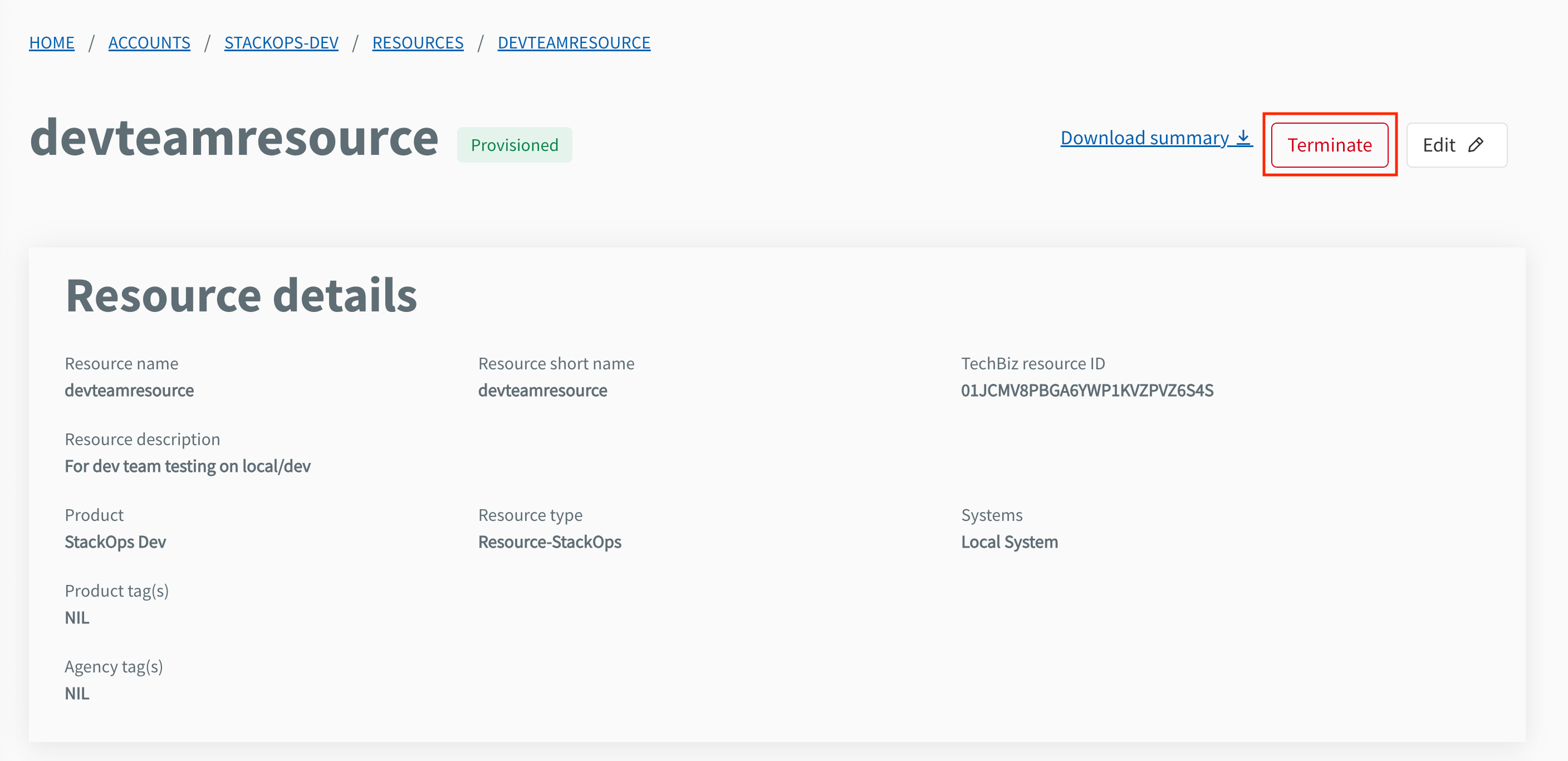
Enter the resource name and select Confirm to proceed.
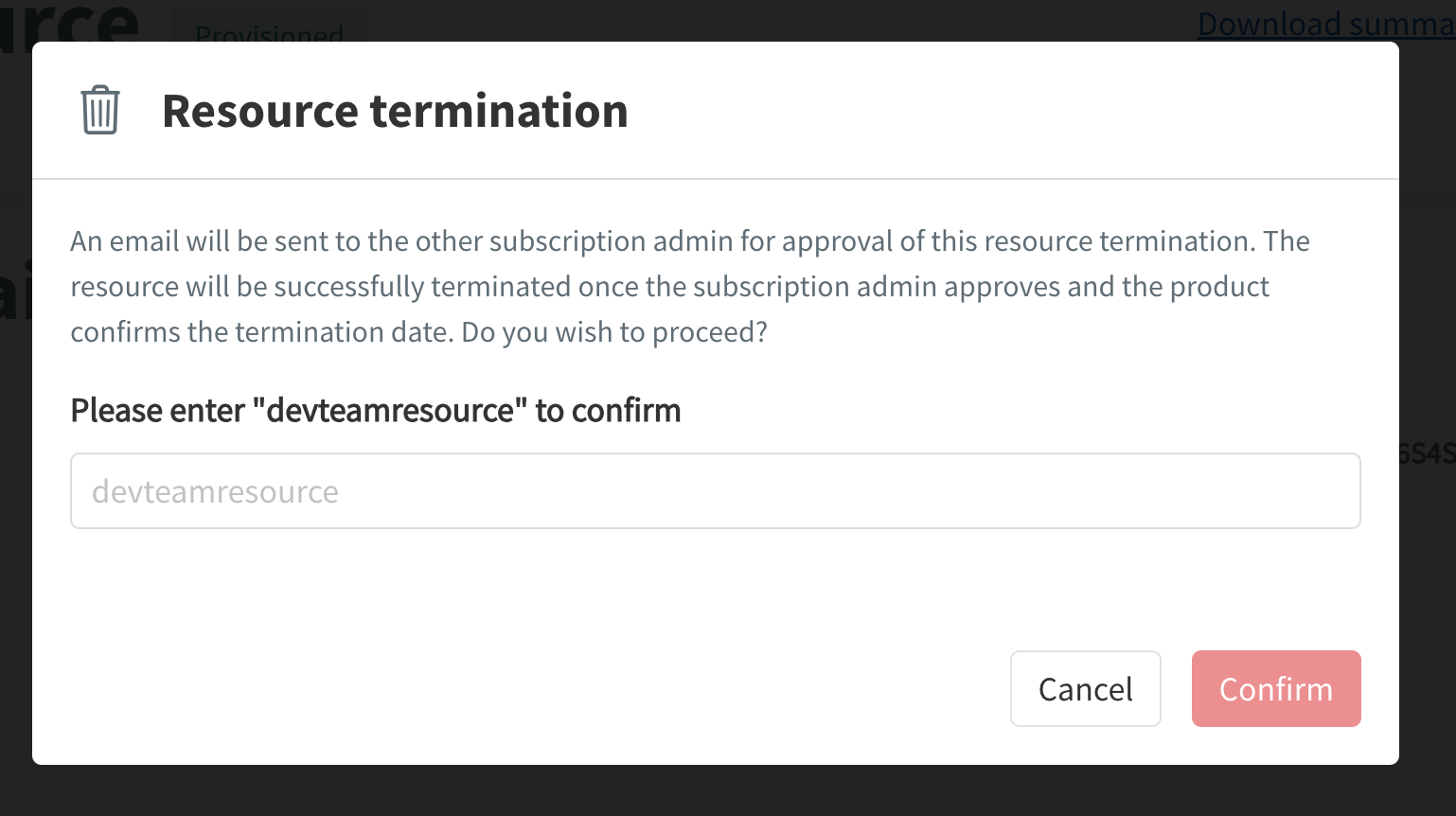
A notification email will be sent to the Subscription Admins for approval. Once approved and the termination date is confirmed, the resource will be deleted.
Managing deployment requests
Use Console to approve / reject or cancel requests.
Approve / reject requests
Who can do this?
- Appointed Subscription Admins / Tenant Managers
Appointed approvers can log in to Console to approve or reject requests. The requester will be notified via email once the request is approved or rejected. Refer to Console documentation for more information about approvals.
Cancel requests
The requester can cancel a pending request in Console if needed. Approved/rejected requests cannot be cancelled.
