Create private endpoints to Elastic Cloud
You must establish a secure, private connection between your cloud environment and StackOps Elastic using a private endpoint (AWS VPC Endpoint or Azure Private Endpoint). This ensures that your traffic never traverses the public internet, maintaining your security posture.
In StackOps, there are two ways to create a private endpoint:
- StackOps Observability Accelerator (SOA) — Use SOA to automate endpoint creation for AWS and Azure. Refer to SOA documentation for more information.
- Manually—Use the Amazon or Azure interfaces to create endpoints manually. Refer to the guide below for more information.
Creating endpoints manually
Create an AWS VPC Endpoint or an Azure Private Endpoint manually.
- The links to Elastic documentation may not match your Elastic deployment version. For accurate information, check and select the right documentation for your version.
- For other external documentation, always refer to the latest version provided to ensure up-to-date information.
To create a private endpoint:
Use the Amazon VPC console to create a VPC Endpoint with the following configuration:
Service name—
com.amazonaws.vpce.ap-southeast-1.vpce-svc-0cbc6cb9bdb683a95Region—Singapore
Ensure the security group for the endpoint allows bidirectional traffic to and from your instances’ CIDR range of VPC on ports 443 and 9243.
Refer to Step 1 in the Elastic documentation for the detailed configuration steps.
Create a Private Hosted Zone and attach it to your VPC Endpoint with the following configuration:
Domain name—
vpce.ap-southeast-1.aws.elastic-cloud.comRegion—Singapore
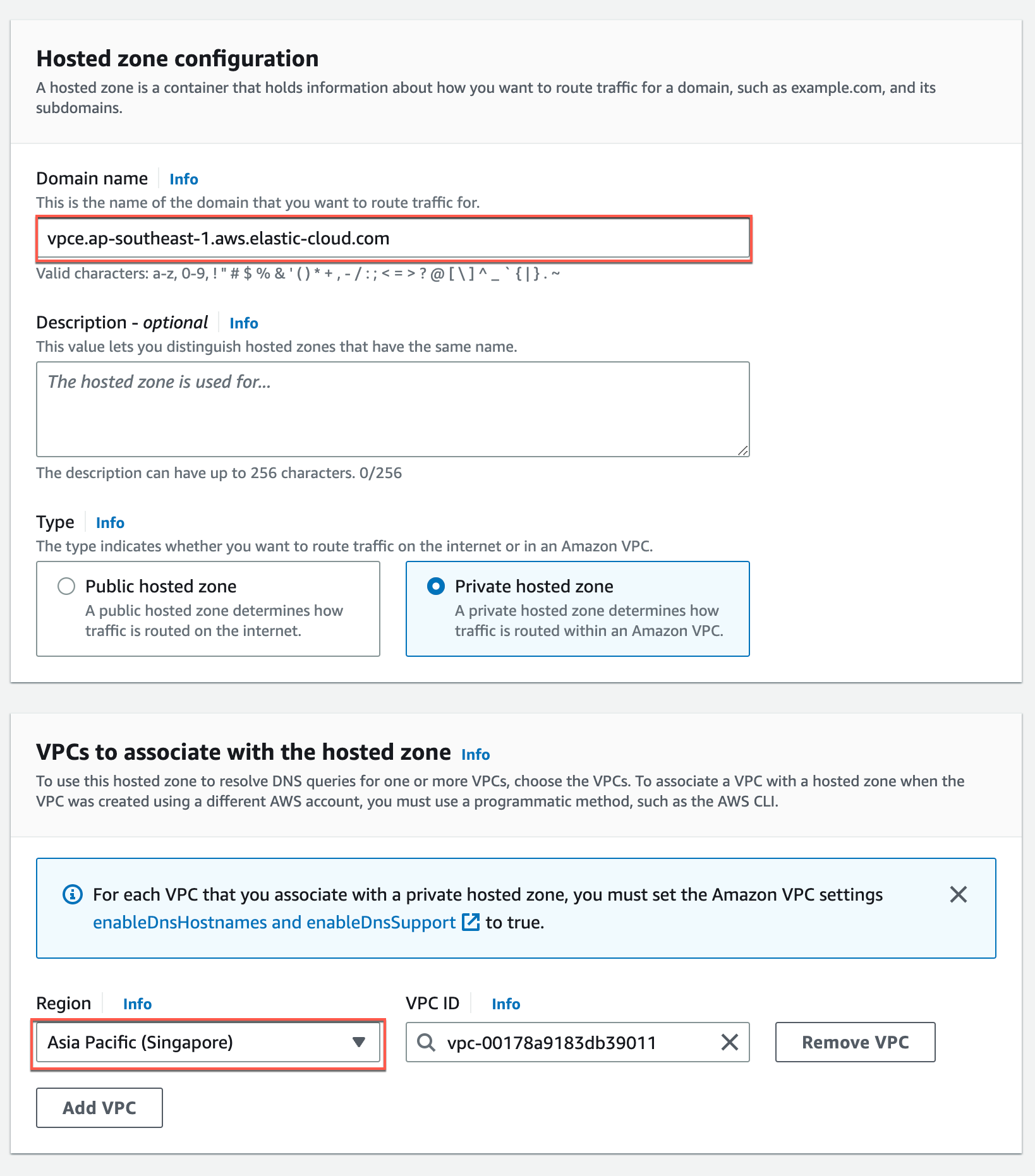
Refer to AWS documentation for the detailed configuration steps.
Create a DNS record to your VPC Endpoint’s DNS Name using the following configuration:
Record name—
*Record type—CNAME
TTL—300 seconds
Routing policy—Simple routing
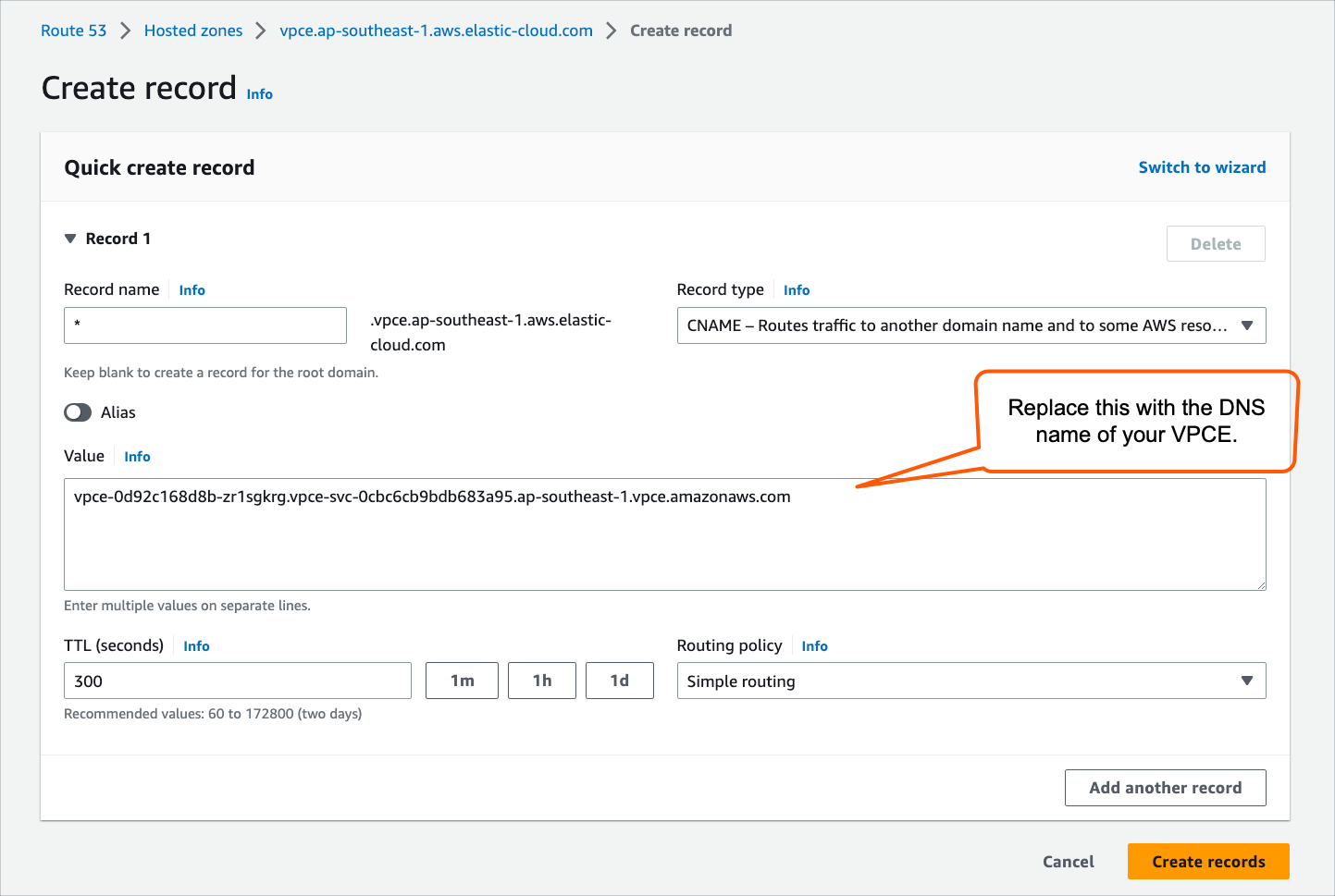
The Elastic service, including Kibana, can now be accessed from its private domain (
vpce.ap-southeast-1.aws.elastic-cloud.com).
Use the Azure portal to create a Private Endpoint. Refer to Step 1 in the Elastic documentation for the detailed configuration steps.
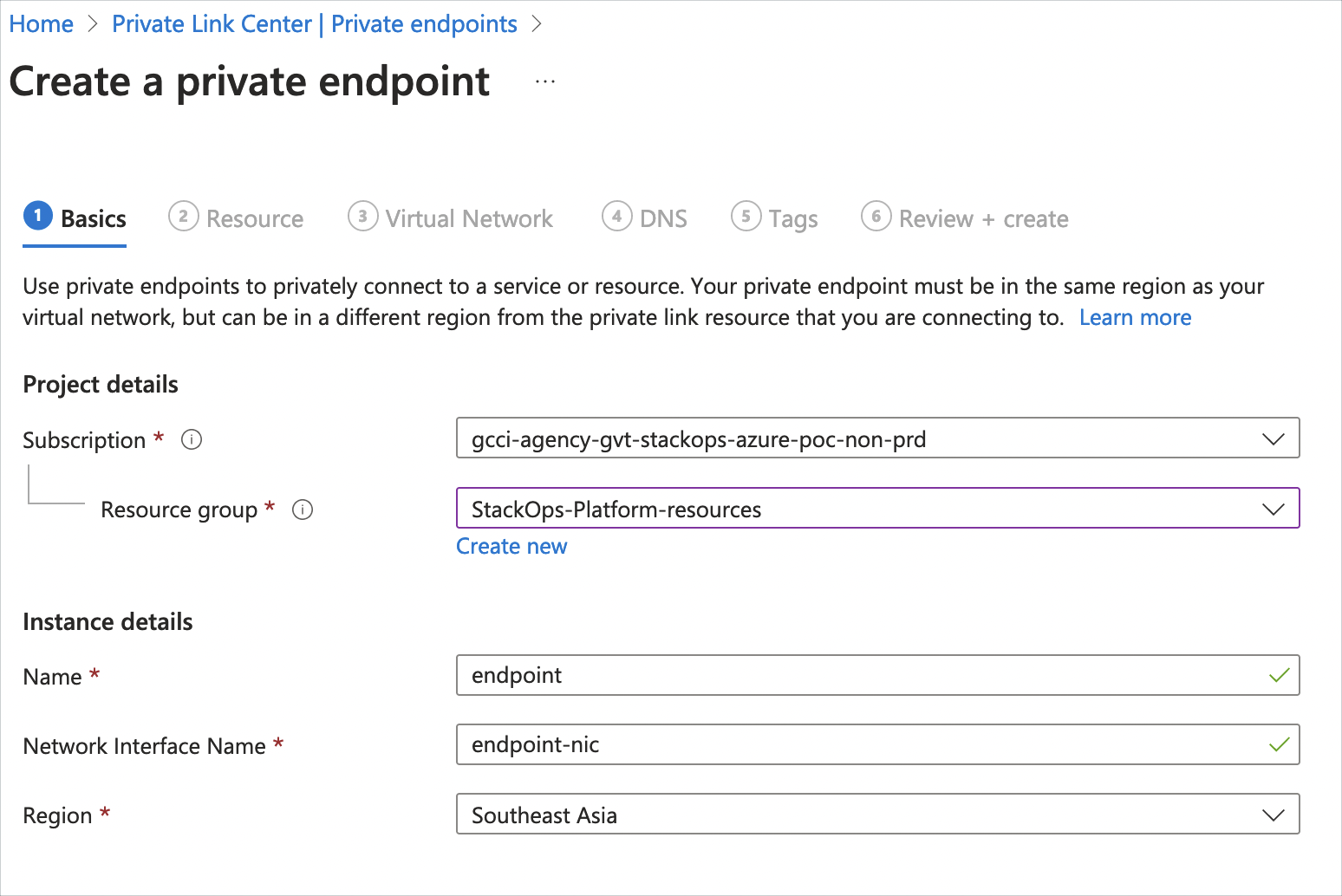
- Depending on the Region you selected, specify the value for Resource ID or alias, which can be found in Elastic documentation (Click to expand the Azure public regions section).
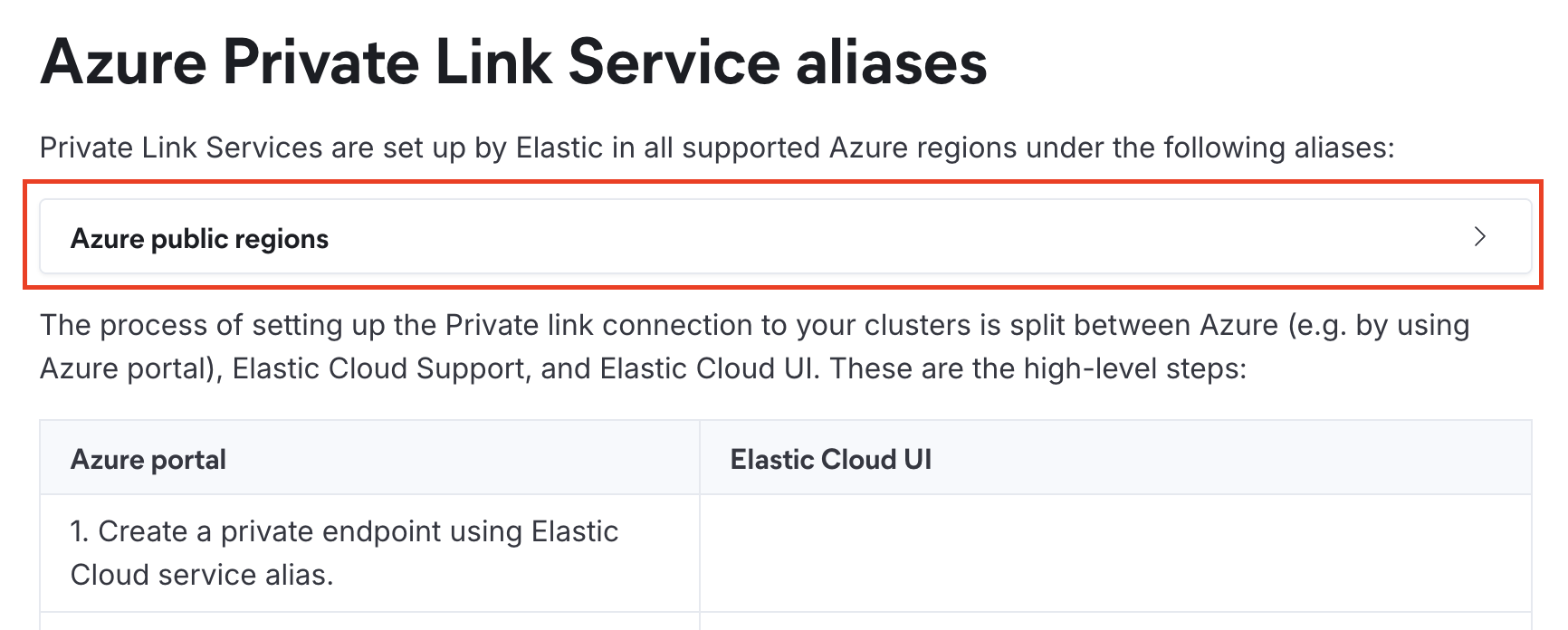
- Depending on the Region you selected, specify the value for Resource ID or alias, which can be found in Elastic documentation (Click to expand the Azure public regions section).
After the Private Endpoint is approved by Elastic, create a Private DNS Zone. Refer to Azure documentation for the detailed configuration steps.
Associate the Private DNS Zone with your Virtual Network (VNet) by creating a virtual network link. Refer to Azure documentation for the detailed configuration steps.
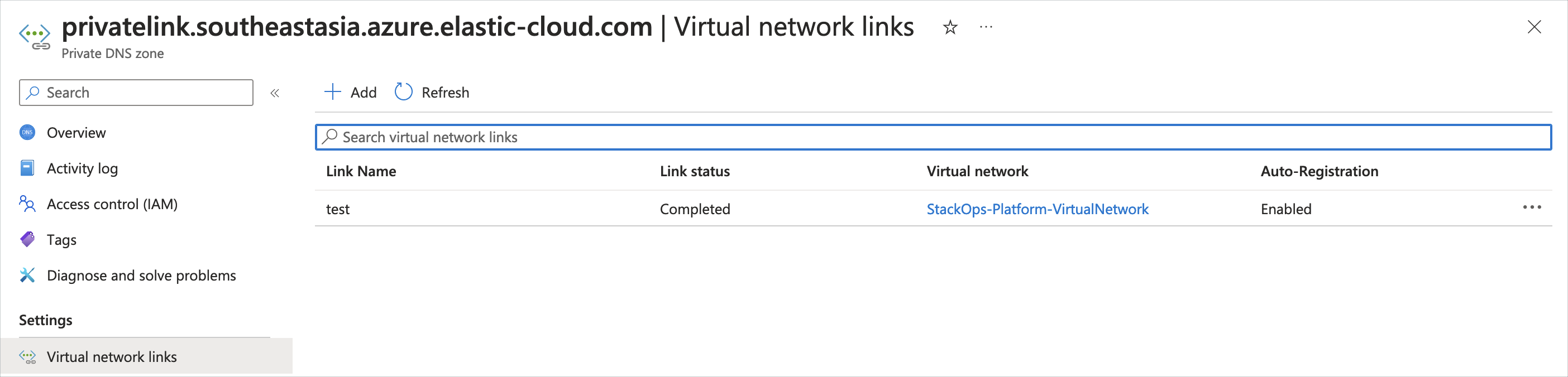
Create a DNS record with the following configuration:
Type—A
Name—
*Value—Use your Private Endpoint IP address.
Refer to Azure documentation for the detailed configuration steps.
Update the global Fleet settings in Kibana to point the Fleet Server and Elasticsearch output to your private deployment URLs.
Log in to Kibana and go to Management > Fleet > Settings.
Under Fleet Server hosts, click the edit icon next to your Baseline VPCE Fleet Server and update the URL by changing its alias to your deployment name.
Under Outputs, click the edit icon next to your Baseline VPCE Output and update the URL by changing its alias to your deployment name.
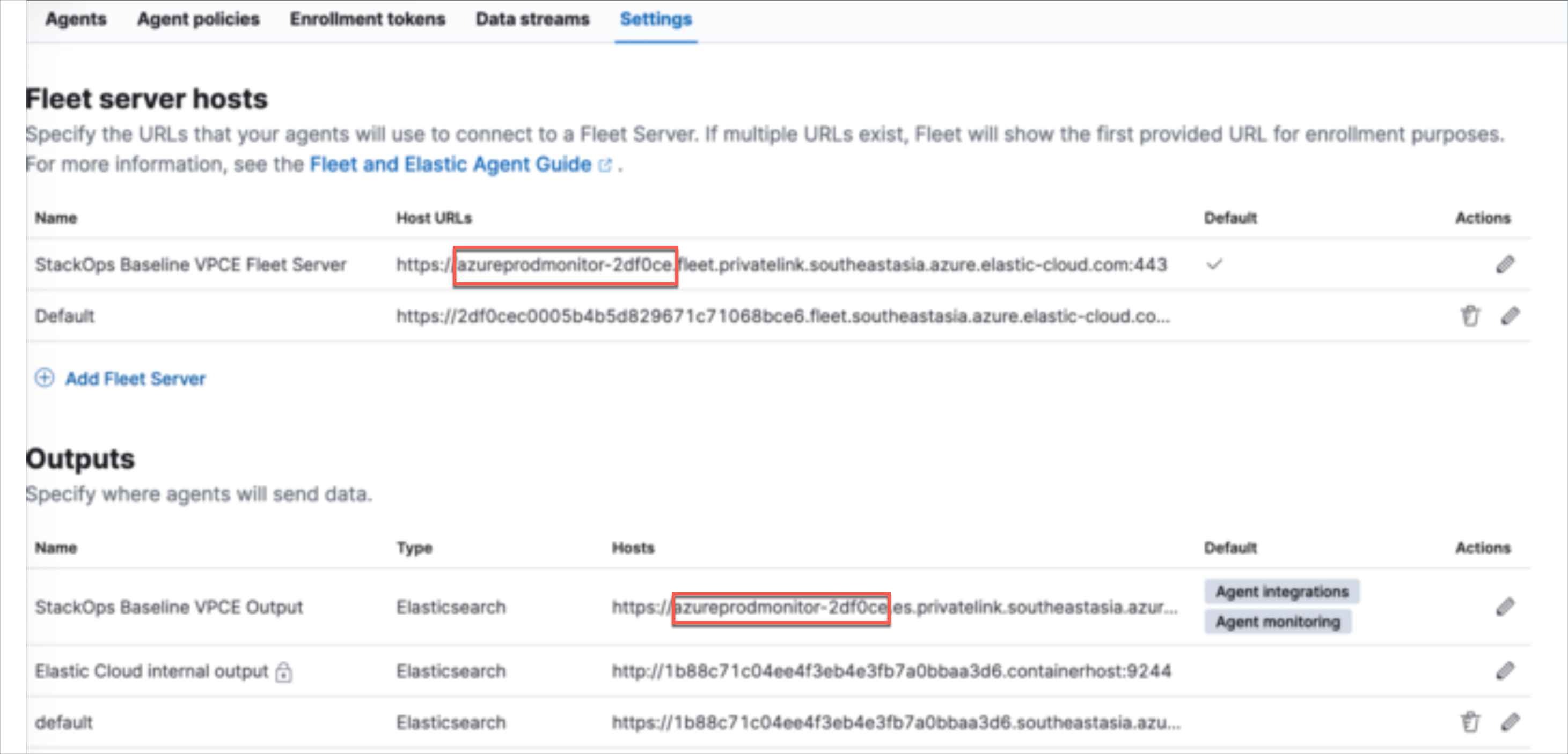
Note: The alias is the first part of the URL. For example:

Save and apply your settings.
The connection is established, and a valid certificate is provided to the client. The Elastic service, including Kibana, can now be accessed from its private domain (
southeastasia.azure.elastic-cloud.com).
Next steps
Once you have created the VPC Endpoint / Private Endpoint, you need to create a traffic filter to whitelist it.
