Telegram (Retired)
In line with GovTech’s advisory issued on 31 July 2025, the use of Telegram is discouraged.
The Telegram Node allows your workflow to automatically send messages to a Telegram chat or group. It is particularly useful for real-time alerts, operational updates, or broadcasting important messages to notification channels without manual intervention.
How Does It Work?
Prerequisites: You will need a Telegram Bot Token and Chat ID. See How to Get a Telegram Bot Token for detailed instructions.
Setup Steps:
- Build your workflow using Graph Edit Mode (minimum setup: input node → telegram node → output node, but you can add more nodes as needed)
- Click on the telegram node settings to open its configuration
- Configure the following data:
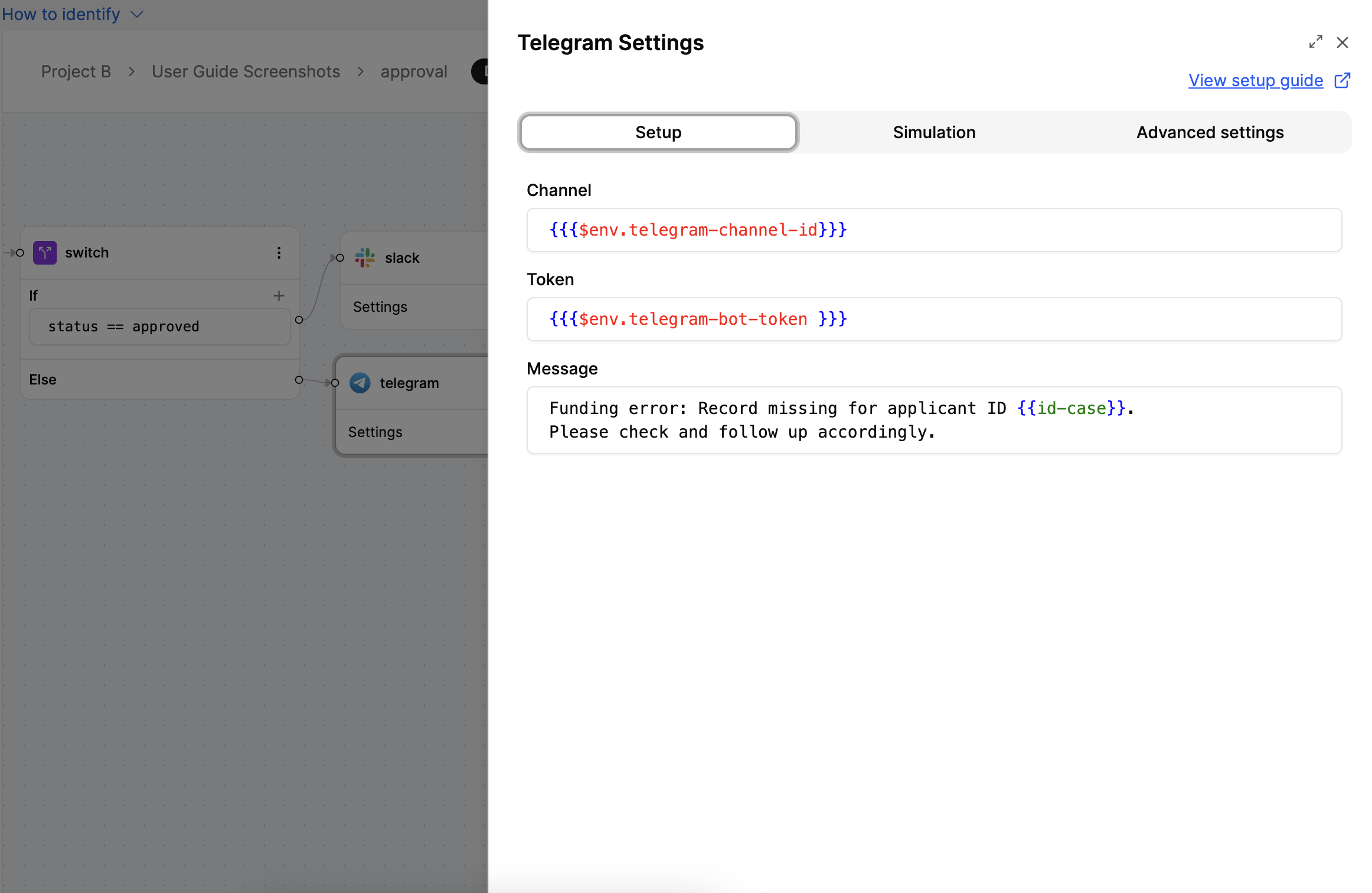
- Provide the Chat ID (specifies where the message should go)
- Enter the Bot Token to authorise the message
- Write the message content (you can include dynamic variables)

Output:
The Telegram Node sends the message to the specified Telegram chat and returns the response directly from the Telegram API without any manipulation. The output structure depends on the Telegram API response format. For more information on the response format, refer to the Telegram API documentation.
This output can be used by subsequent nodes to verify message delivery or for logging purposes.
How to Get a Telegram Bot Token
Follow these steps to create a Telegram Bot and obtain the Bot Token:
Get a Telegram Bot Token:
- Open @BotFather in Telegram and start a chat

- Send
/newbotand follow the instructions - Enter your name and username for the bot
- Copy the Bot Token (it looks like
123456789:ABCDEF...) - Your telegram bot is created
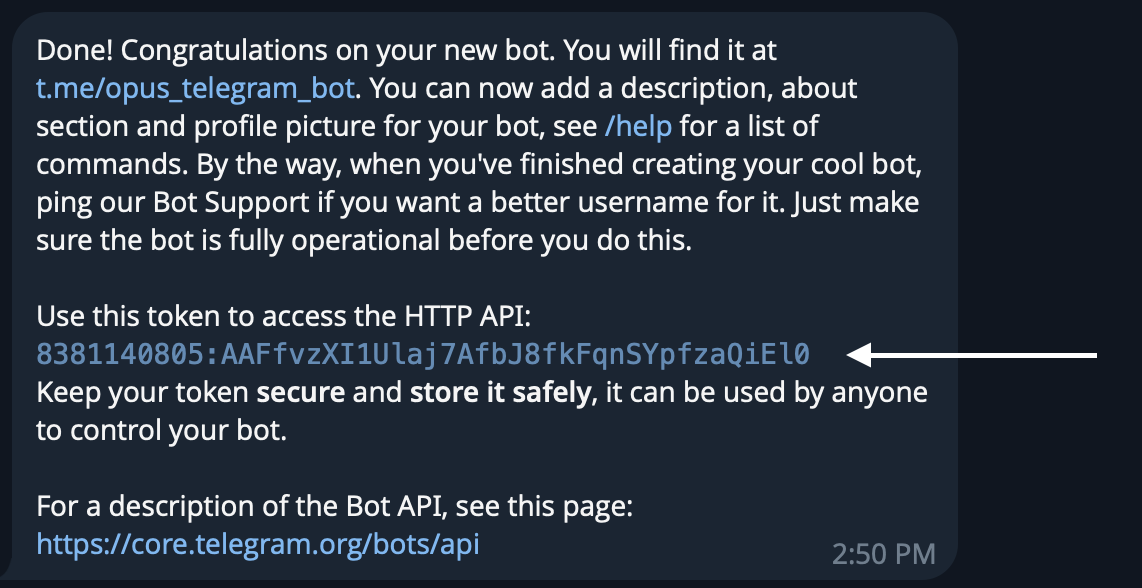
Get the Chat ID (for a group):
- Add your bot to the group
- Send a message in the group
- Go to: https://api.telegram.org/bot/getUpdates
- Look for “chat”:{“id”:-100xxxxxxxxxx} — that’s your Chat ID
Examples
Alerting the Ops Team on Funding Error
When to Use It?
Use Telegram Node when:
- You want to send real-time alerts to teams and groups.
- Your agency uses Telegram for communication.
- You want to notify users of workflow updates, errors, or key milestones.
Tip: Keep your bot private or restrict it to approved chats. Test the setup using a personal Telegram chat before rolling it out to production groups.
