Configure Workflow Trigger
Prerequisites:
- Create Workflow: You must create a workflow before configuring the input node. The workflow must exist in the editor before you can set up its starting point.
An Input Node defines the starting point of your workflow — it’s where instructions first start. The Input Node can receive data through API Usage for custom integrations via authenticated API calls, or through System-to-System Integration with platforms that are already integrated with OPUS.
API Usage:
- Default - Standard webhook endpoint for triggering workflows via authenticated API calls. Use this for custom integrations where external systems will call your workflow directly. External systems require whitelisting, refer to Network Requirements.
System-to-System Integration:
- ApplySG - Webhook integration for form submissions via ApplySG. See ApplySG (Trigger) for details.
- CFT - Webhook integration for Cloud File Transfer events. See CFT (Trigger) for details.
- FormSG - Webhook integration for secure form submissions from FormSG. See FormSG (Trigger) for details.
- Ownself Gather - Webhook integration for Ownself Gather customer relationship management system. See Ownself Gather (Trigger) for details.
- Email - Trigger workflows by sending emails to a generated email address. The workflow receives the email content, metadata, and attachments as input. See Email (Trigger) for details.
- GovRewards - Webhook integration for GovRewards event triggers and reward redemptions. See GovRewards (Trigger) for details.
Access Token Required: Triggering workflows via API (Default or Trigger Nodes) requires an access token for authentication. See Access Token Management for details on generating and using access tokens.
Setup
- Click on Select Input
- Choose your input trigger node (Input, ApplySG, CFT, Email, FormSG, Ownself Gather, or GovRewards)
- Open the Input Node settings
- Copy the webhook endpoint URL provided by the Input Node
- Configure any required settings (if applicable - see below)
Additional Configuration:
- Input: No additional configuration required in OPUS. Use this for API integrations.
- ApplySG, Ownself Gather, GovRewards: No additional configuration required in OPUS. Configure the webhook URL in the respective system.
- CFT: Requires webhook secret and environment selection. See CFT (Trigger) for detailed setup instructions and output format.
- Email: No additional configuration required. Copy the generated email address and configure your mailbox to forward emails to it. See Email (Trigger) for setup instructions.
Auto-Forward Inbox Rules: If you set up an auto-forward inbox rule (e.g. Exchange or Gmail) to forward emails to the generated email address, please ensure:
1. The provisioned email address is correct — an incorrect address will cause every forwarded email to fail, triggering error notifications back to your mailbox.
2. The rule has specific conditions (e.g. filter by sender, subject, or folder) — a rule without conditions will forward every email in your mailbox, including error notifications sent back by the system, which may cause unintended behaviour.
- FormSG: Requires form link and secret key configuration. See FormSG (Trigger) for detailed setup instructions and integration details.
Runtime URL
Trigger nodes provide runtime URLs for invoking your workflow in different environments:
- Staging URL: Used for testing in the staging environment
- Production URL: Used for live production workflows
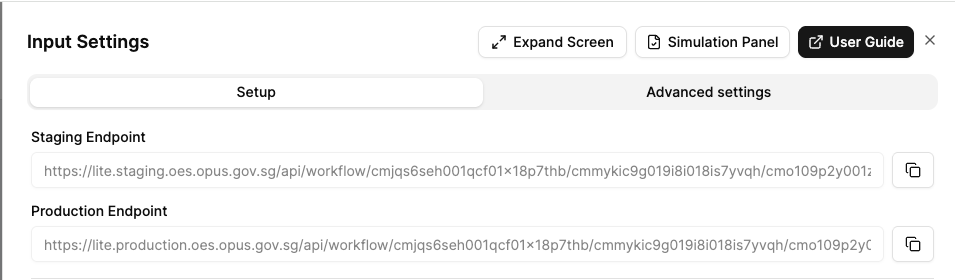
The URL format indicates the specific branch or release version:
mainbranch for development- Release versions (e.g.,
release/1.0.0) for production deployments
Advanced Settings
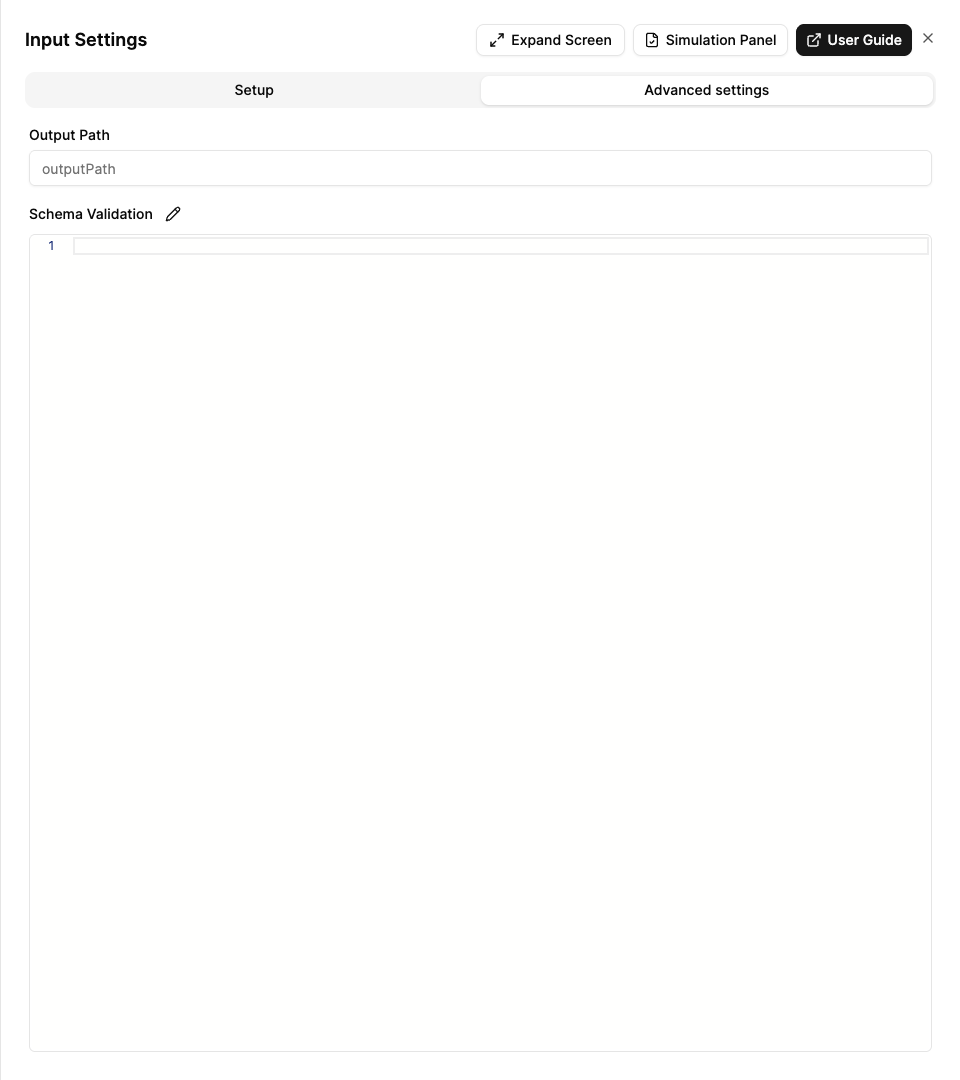
Trigger nodes (Input nodes) support the following advanced settings:
- Output Path: Customise where the trigger output is stored in the data context.
- Schema Validation: Define a JSON schema to validate the incoming trigger data.
For more details on advanced settings.
Next Steps
Once you’ve configured your Input Node:
Configure Nodes - Set up individual workflow steps by adding and configuring additional nodes. Learn about all available node types including API, Decision, Slack, and more to build your complete workflow automation.
