Output
The Output Node defines the endpoint of your workflow or decision. It receives data from the previous node and marks the completion of the flow. Every workflow and decision must have exactly one Output Node connected to complete the flow.
How Does It Work?
Setup Steps:
- The Output Node is automatically available in the editor
- Connect the Output Node to the final step of your workflow or decision
- The data flowing into the Output Node marks the completion of execution
Output:
The Output Node behaviour differs between Workflows and Decisions:
In Decisions
The Output Node returns the data it receives as the API response. When you call a Decision via API, the data flowing into the Output Node is returned directly to the caller.
For example, if the previous node outputs:
{
"eligible": true,
"tier": "standard",
"reason": "Meets all criteria"
}This exact data will be returned as the Decision API response.
In Workflows
The Output Node marks the completion of the workflow but does not return the data as an API response. Workflows are asynchronous - the API call returns immediately with a workflow execution ID, and the actual output data is available in the workflow execution trace for monitoring purposes.
Failure Handling Workflow
Availability: This feature is only available for Output Nodes in Workflows. It is not available in Decisions.
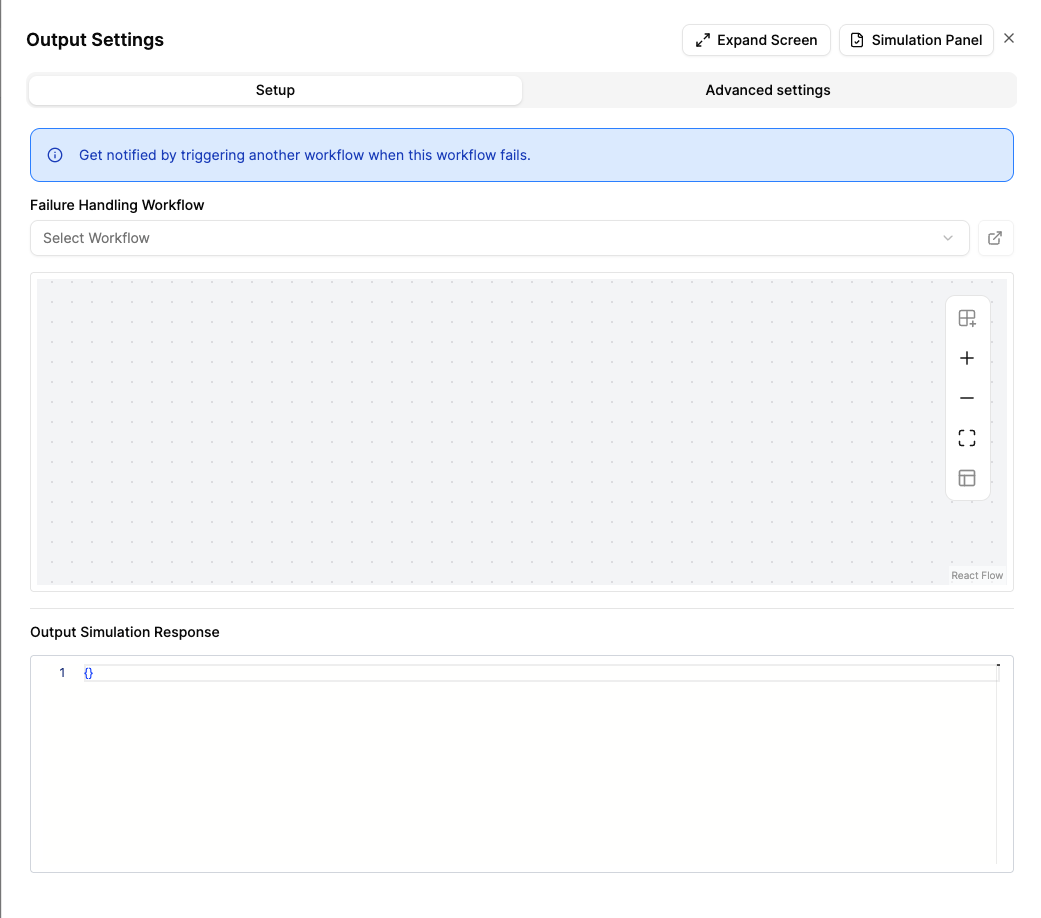
You can configure the Output Node to automatically trigger another workflow when the parent workflow fails. This allows you to set up failure notifications, alerting, or remediation actions without manual intervention.
How It Works
- Open the Output Node settings panel
- Under Failure Handling Workflow, select a workflow from the dropdown
- A read-only preview of the selected workflow’s graph is displayed below the dropdown
- When the parent workflow fails at any node, the selected workflow is automatically triggered with the following error context as input:
| Field | Description |
|---|---|
error |
The root cause error message |
failedNodeId |
The ID of the node that failed |
failedNodeName |
The display name of the failed node |
failedNodeType |
The type of the failed node (e.g., ApiNode, FunctionNode) |
failedNodeInput |
The input data passed to the failed node |
executionId |
The execution ID of the parent workflow |
correlationId |
The correlation ID of the parent workflow |
identifier |
The identifier of the parent workflow execution |
Key Behaviours
- Fire-and-forget: If the failure handling workflow itself encounters an error, it will not affect the original workflow’s failure behaviour. The error is logged but not propagated.
- Non-recursive: The failure handling workflow will not trigger its own failure handler, preventing infinite loops.
- Child workflows: Each workflow (including child workflows) resolves its own failure handling configuration independently.
- Optional: If no failure handling workflow is configured, the workflow operates as before.
To clear the selection, choose None from the dropdown.
When to Use It?
Use Output Node when:
- You need to define the endpoint of your workflow or decision.
- You want to return the final processed data to the caller.
- You are completing a workflow branch after all processing steps.
