Monitor Workflow
Prerequisite: Before you can monitor workflow executions, the workflow must first be executed in either the staging or production runtime.
See Run Workflow for instructions on executing your workflow in staging.
Workflow monitoring is the process of tracking the execution of workflows in real time. It allows users to follow the status of each step and identify where errors occur within a process. This ensures transparency, accountability, and faster troubleshooting.
Viewing Node Payloads
When you click a node in the trace view, its input and output data open in the node detail panel.
Large payloads are handled automatically. Rows carrying a large payload are marked “Large payload · click to preview” in the trace table — clicking opens the detail panel, which fetches and displays the full data inline as a JSON tree, with Copy and Download options. You no longer need to download large payloads just to inspect them.
Only payloads larger than 5 MB cannot be previewed inline. For these, the panel shows a “Payload too large for inline preview” notice with a Download payload button so you can still retrieve the full data.
How It Works
- Track Execution: Monitor workflows step by step to view progress and status.
- Identify Errors: Highlight the exact step or rule where failures occur.
- Review and Resolve: Use monitoring insights to correct errors and re-run processes.
Runs with Child Workflows
In the monitoring table, a run that has a child workflow shows an expand toggle (a triangle) at the start of its row. Click it to expand the run and reveal its child runs, which are drawn as an indented tree beneath the parent so you can trace how parent and child executions relate. Runs without child workflows have no toggle.
Example
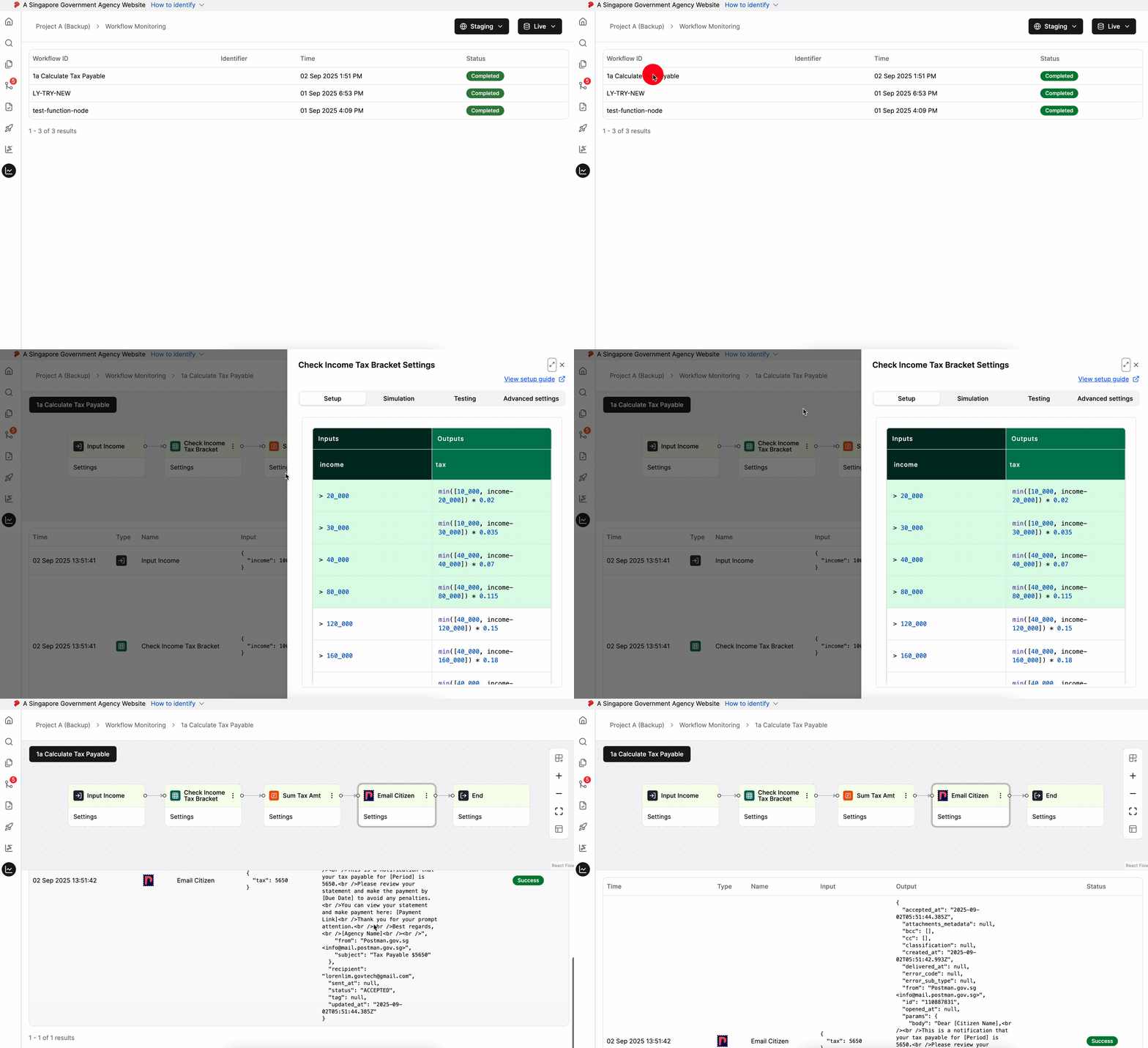
In the demo, users can view the entire workflow flow at a glance, seeing how each step progresses. When they want to investigate an issue, they can click on a specific node to jump directly to the specific node to review its execution details.
From there, users can open the node settings to drill down further, viewing the exact configuration and decision logic that was applied. This makes it easy to trace issues, understand errors, and validate how rules are executed in context.
Next Steps
Once you’ve monitored and verified your workflow executions in staging:
Perform Regression Testing - Before publishing changes, validate that your workflow modifications have not broke existing behaviours. Regression testing can help detect unintended issues, maintain quality, and build confidence before releasing changes to production.
