Audit Trail
Permissions: Only workspace administrators can access the Audit Trail.
The Audit Trail allows administrators to generate compliance reports of all user actions performed within their workspace. Reports are exported as CSV files containing a timestamped record of every action.
Accessing Audit Trail
Navigate to Dashboard → [Your Namespace] → Audit Trail from the top bar. The Audit Trail option is found under the Settings (⚙) menu in the top-right corner.
Generating a Report
- Select a Start Date using the date picker
- Select an End Date using the date picker
- Click Generate Report
- The CSV file will download automatically
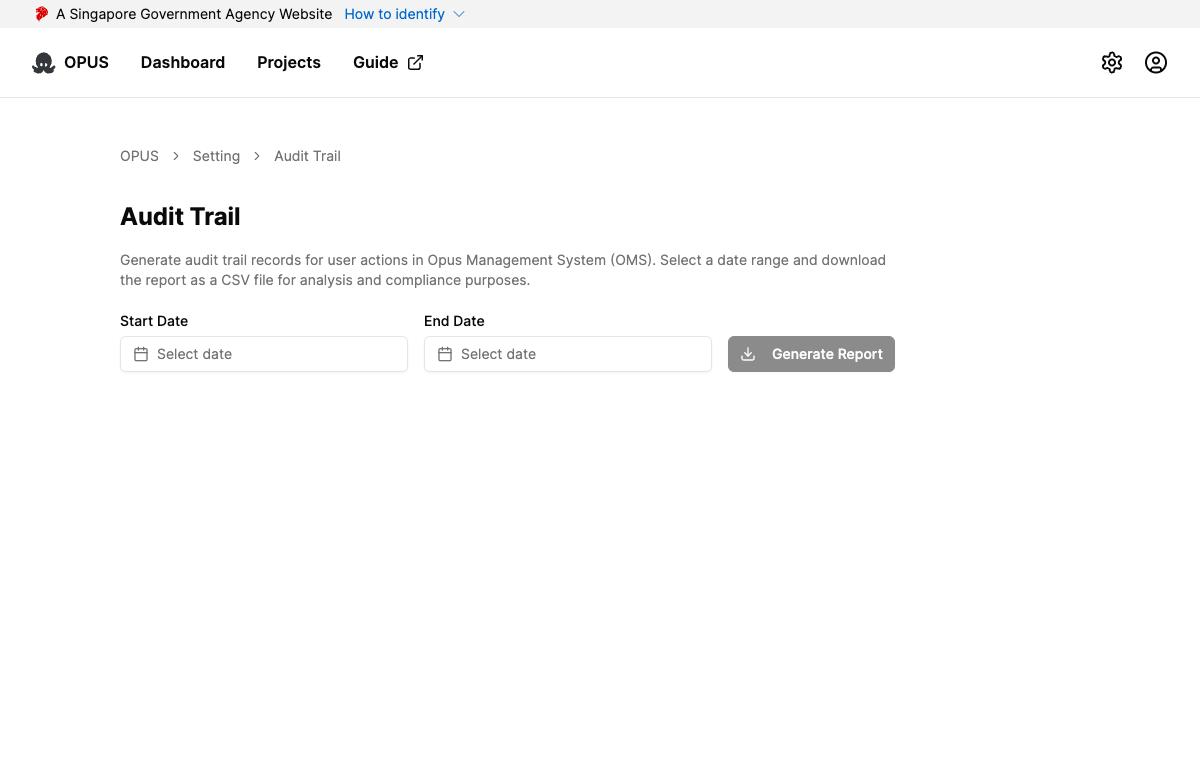
The end date cannot be earlier than the start date, and neither date can exceed today’s date.
Report Contents
The downloaded CSV file contains the following columns:
| Column | Description |
|---|---|
| CORRELATION_ID | Unique identifier for tracing related actions across the system |
| TIMESTAMP | Date and time the action occurred |
| USER | Email address of the user who performed the action |
| ACTION | Type of action performed (e.g., Create Entity, Login, Publish) |
| PROJECT | The project where the action took place |
| ENTITY | The specific workflow or decision affected |
| STATUS | Outcome of the action — OK or ERROR |
Use Cases
- Compliance audits — Demonstrate who made changes and when for regulatory requirements
- Security investigations — Track user activity when investigating potential issues
- Change management — Review what was modified in a project over a specific period
