Configure Decision Nodes
Prerequisites:
- Configure Decision Input: You must complete the decision input configuration before adding and configuring decision nodes. The input node serves as the entry point for your decision.
After configuring your decision input, build your decision by adding and connecting nodes on the canvas. Each node performs a specific action.
Available Nodes
- Decision - Reuse existing decision entity within the same project
- Decision Table - Rule-based decision tables
- Expression - Rule-based expressions and conditions
- Function - Write JavaScript code
- Switch - Conditional branching logic
Setup
Configure the node-specific fields. Refer to the individual node guides above for field descriptions.
Advanced Settings
The Advanced Settings section allows you to control how data is processed and output within the node. These settings are optional — you do not need to configure them for the node to function.
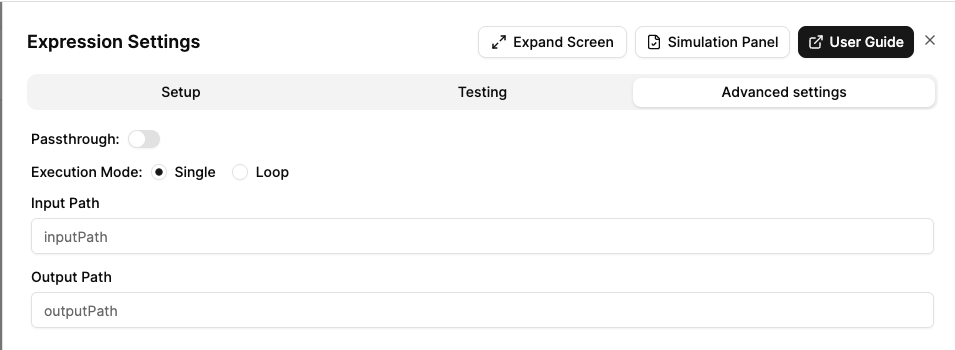
Passthrough
When enabled, the original input data is merged with the node’s output. This is useful when you want to preserve input fields while adding computed values. When disabled, only the node’s computed output is returned.
Execution Mode (Loop)
This setting only applies to nodes that support looping. You can choose between:
- Single (default): Execute the node once with the full input data.
- Loop: Execute the node multiple times, once for each item in an array.
When Loop mode is enabled:
- Input Path: Specify the path to the array in the input data.
- Output Path: Specify where to store the collected results.
Input Path
Specify a key from the input data to pass into the node. Instead of receiving the full input object, the node will only receive the value at the specified path.
- Define the path to extract from the input data (e.g.,
applicant). - The node will process only the value at that key, rather than the entire input.
Output Path
Customise where the output values are stored in the data context:
- Define the path where this node’s output should be placed eg.
results. - Useful for organising data structure when multiple nodes produce outputs.
- These can then be referenced by downstream nodes (e.g.,
{{{results.apiResponse}}}).
Next Steps
Once you’ve configured your decision nodes:
- Test Your Decision - Test your decision with sample data before deploying to the staging environment.
