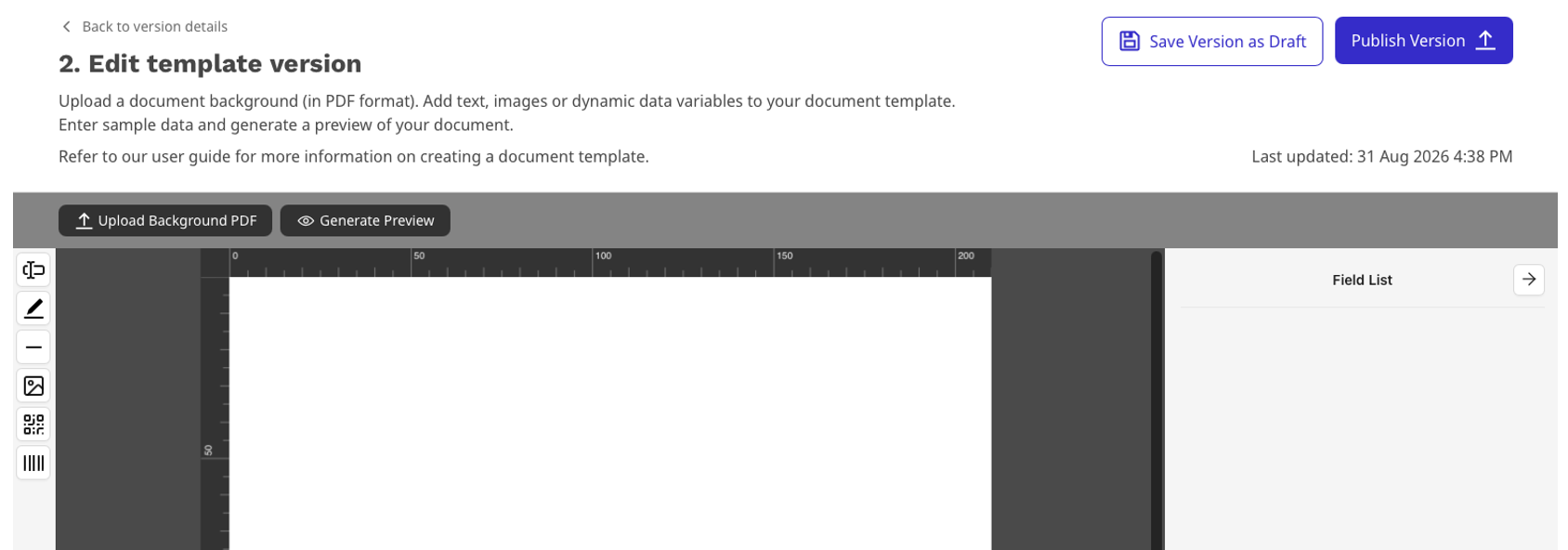
Accessing the PDF Designer.
Step 1
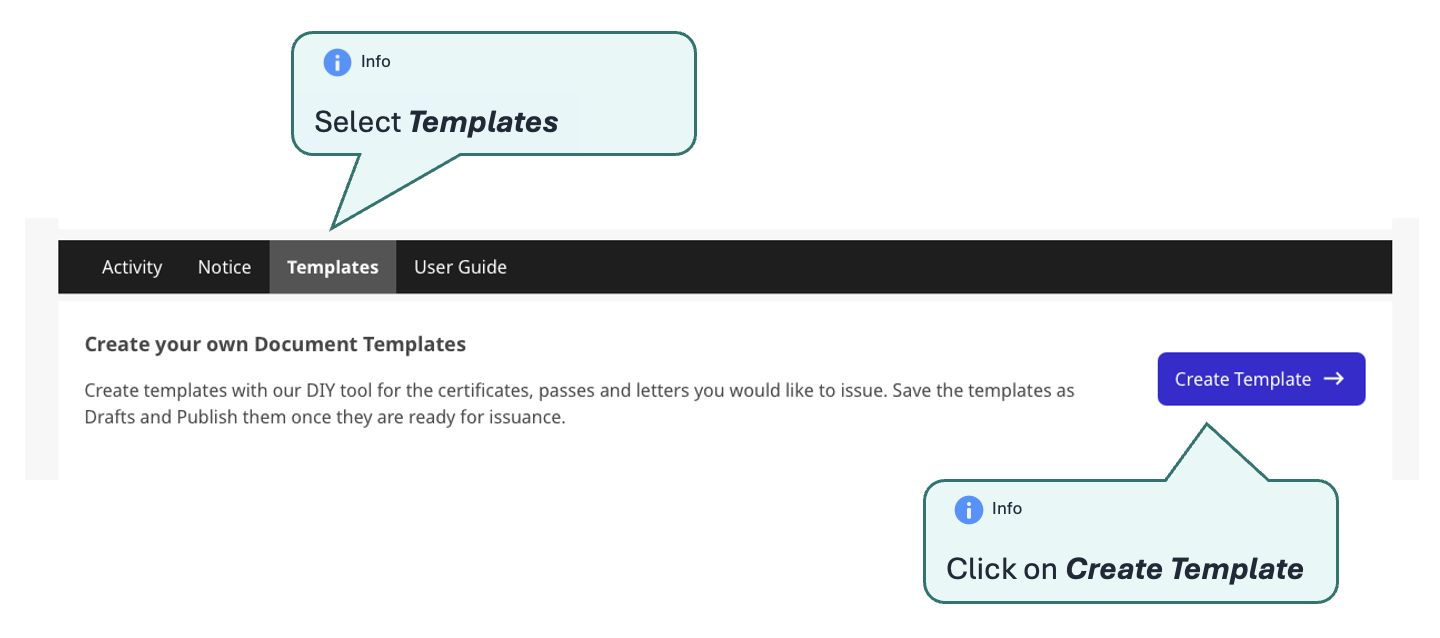
Upon successful access into the Agency Portal, select Templates from the sub-navigation bar and click on Create Template
Step 2
Provide a description Name and a Description for your template.
Step 3
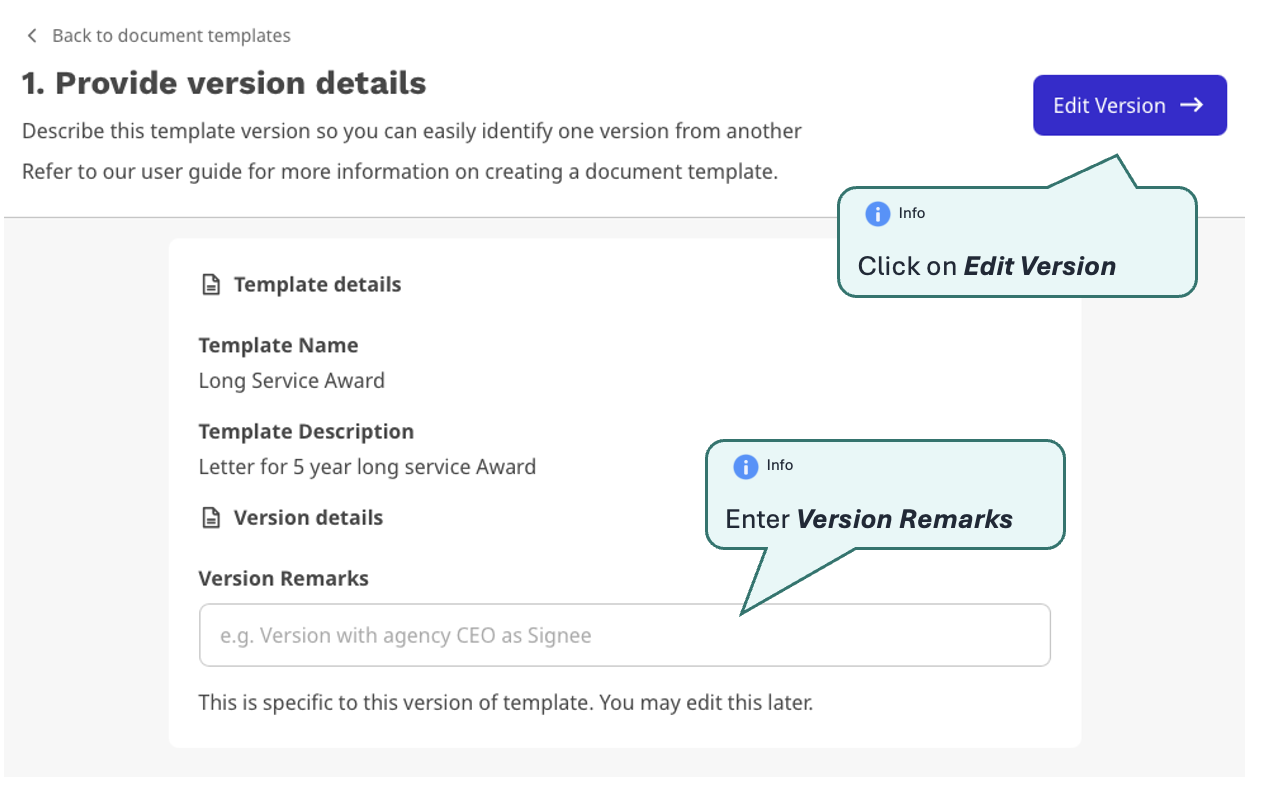
Provide a description for this initial template version in Version Remarks
Step 4
PDF Designer will be available for you to use!