How to Create the Zip file
To create the zip file for submission at FileSG’s Agency Portal, zip up the sidecr file (.csv) together wtih any files that you are going to issue (option).
Prerequisites
- You have created the sidecar file.
- You have all the documents that you intend to issue.
- You have access to FileSG’s Agency Portal
Steps
- Using the excel that is provided for your convenience, export it as a .csv file (ensure the name is filesg-sidecar-transactions.csv).
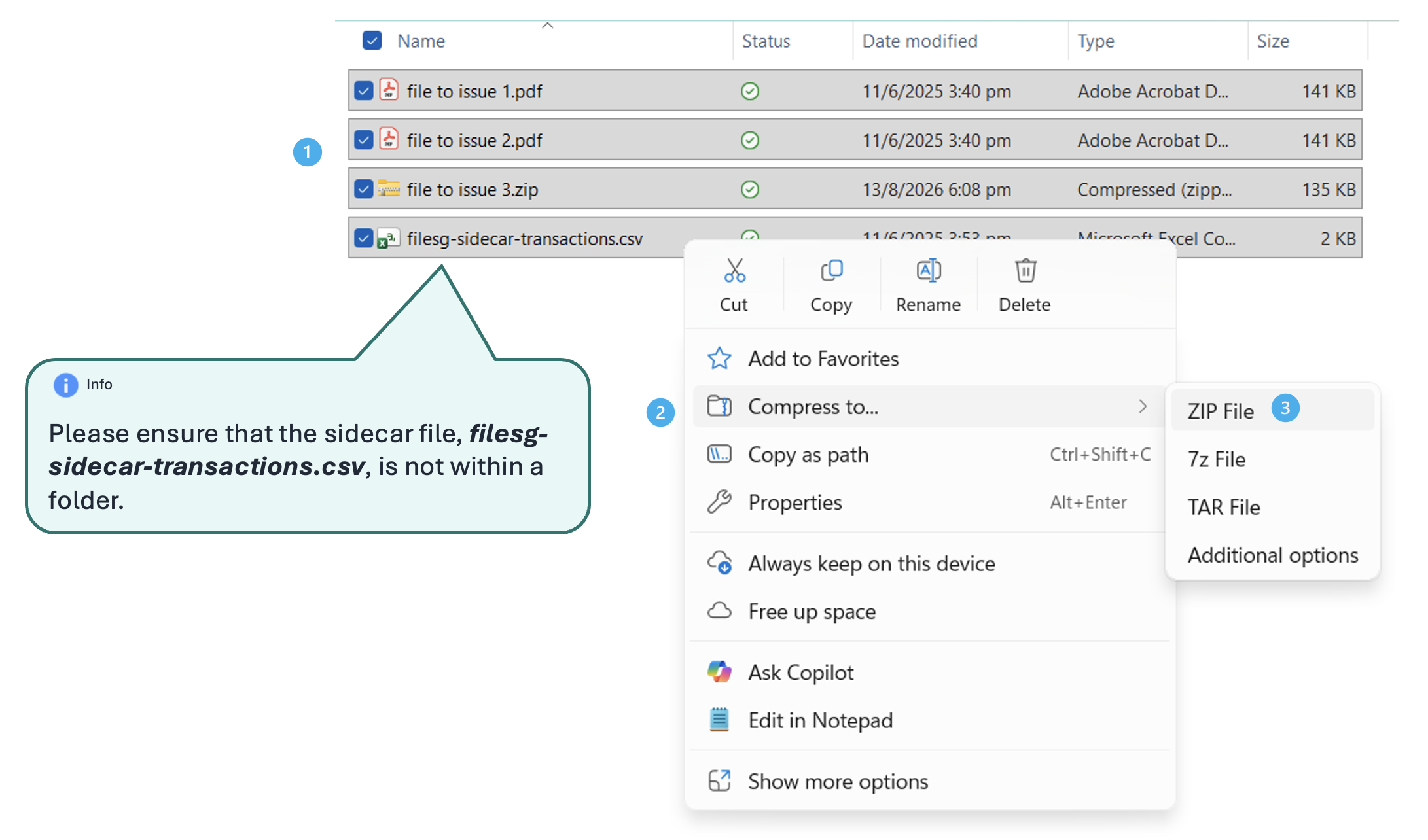
- If you have files that you intend to issue to the recipient(s), select the files, together with the sidecar file and zip them up. Name of the zip file does not matter.
- Common Mistakes during creation of the zip file
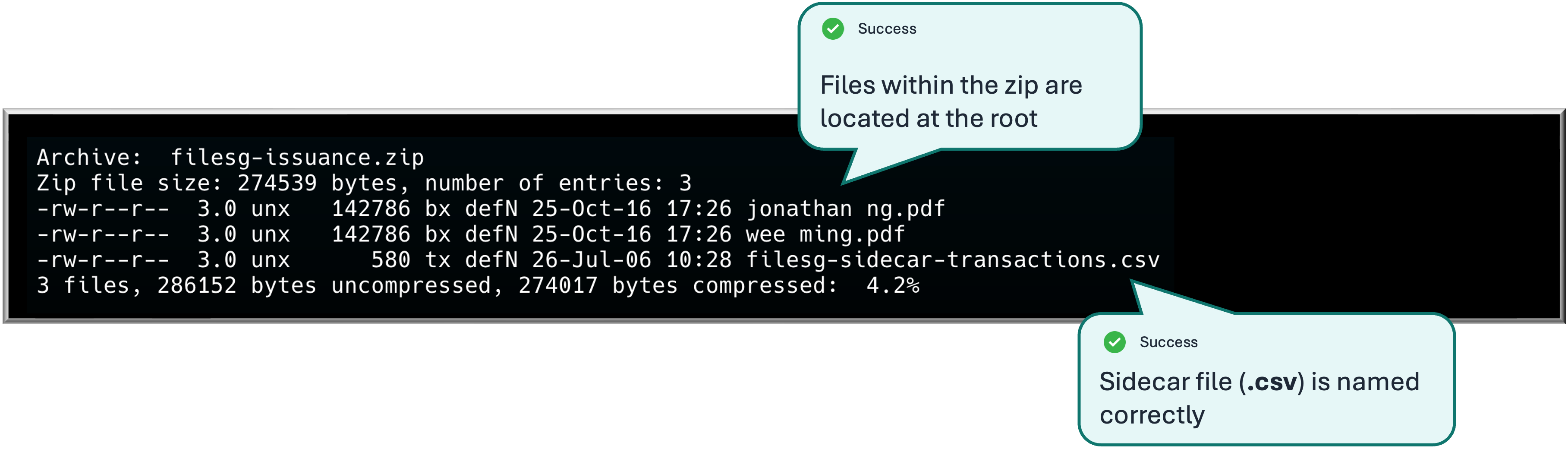
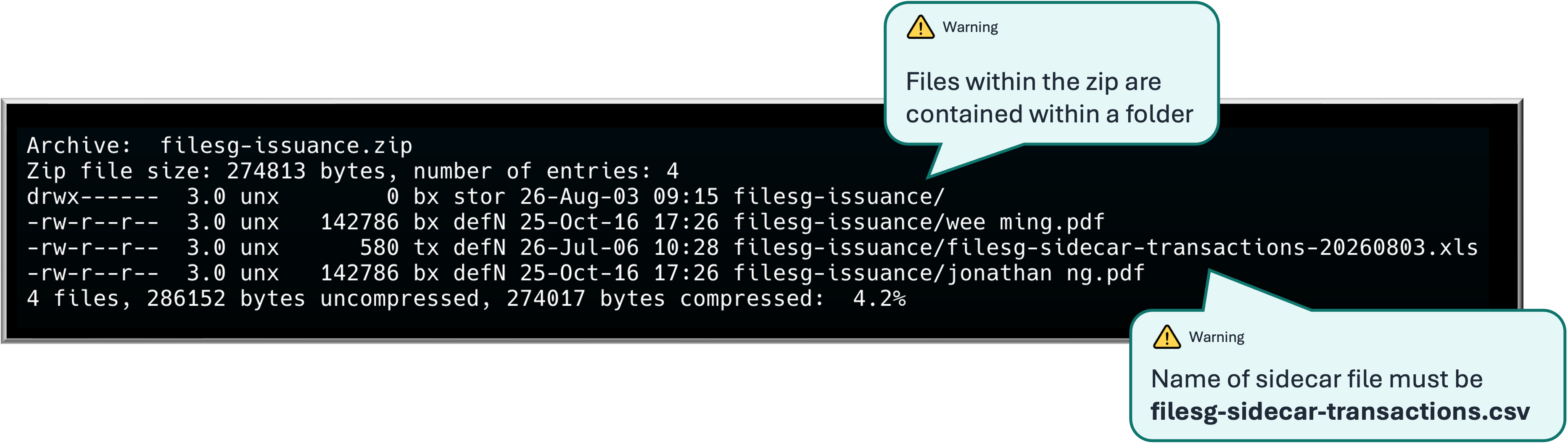
- sidecar file is not named as filesg-sidecar-transactions.csv.
- excel file is provided instead.
- files are not found at the root of the zip
- additional files are found in the zip (especially hidden files or folders)
Common Mistakes
How a correct zip file should look like