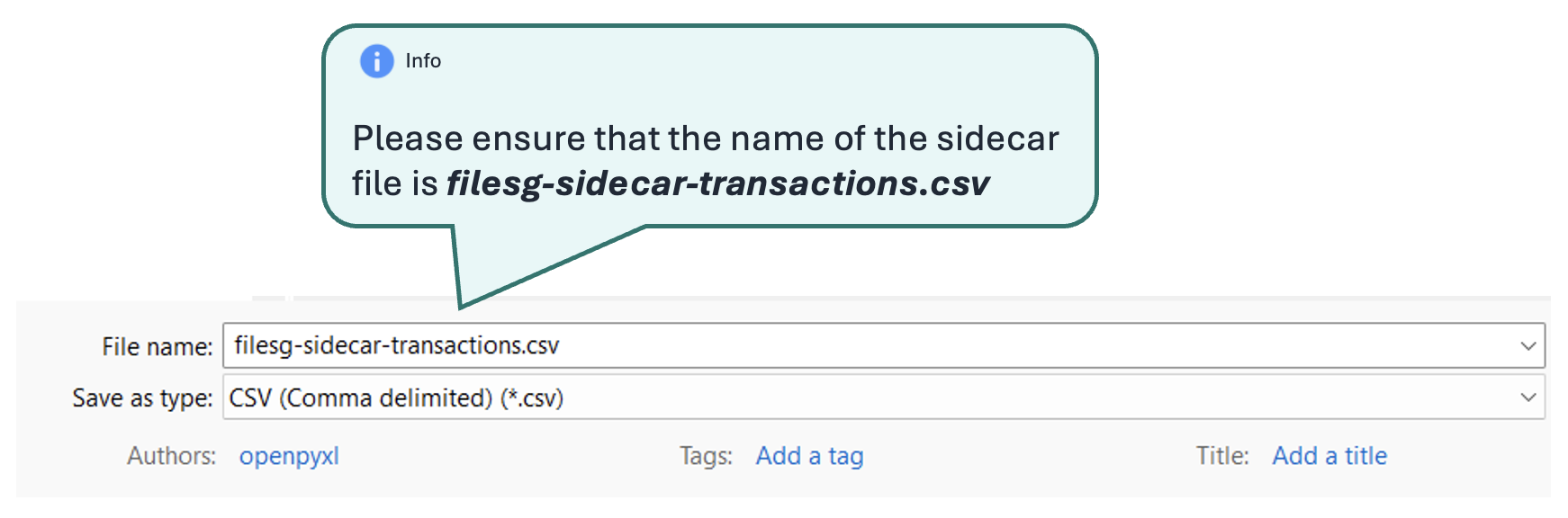
Preparing the Sidecar File for Manual Issuance
To create a sidecar file, we recommend updating the required information using the excel first (eg. filesg-sidecar-transactions-template-<agency>-<apptype>.xlsx before exporting to csv filesg-sidecar-transactions.csv).
Be careful when opening a .csv file directly in Excel, is it will change the date format!
You can find a basic excel template to start with at https://go.gov.sg/filesg-sidecar-template
If you are creating or updating your own excel template, please find some samples below for your reference:
Filling in the sidecar file
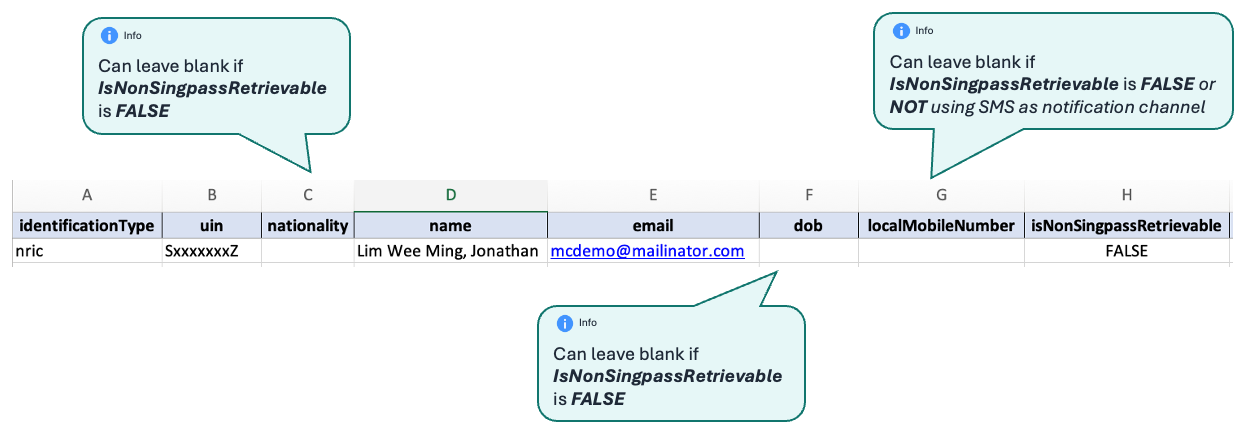
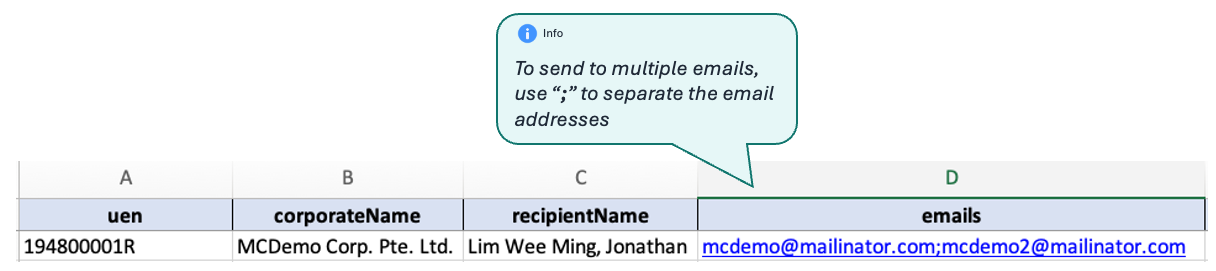
Step 1. Fill in the recipient’s details.
a. For individuals
b. For businesses
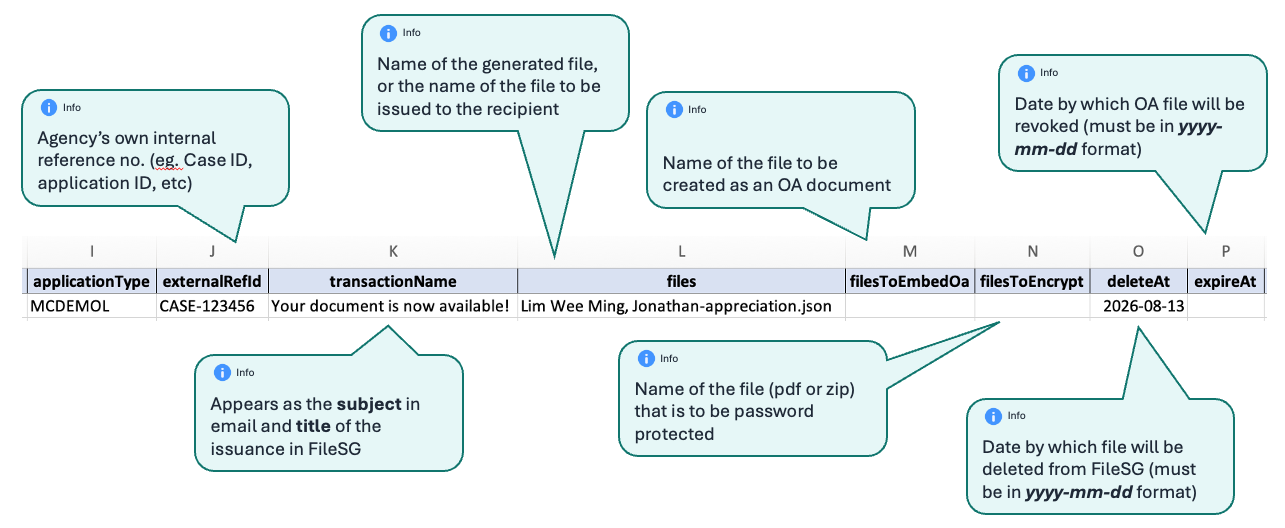
Step 2. Fill in the file details.
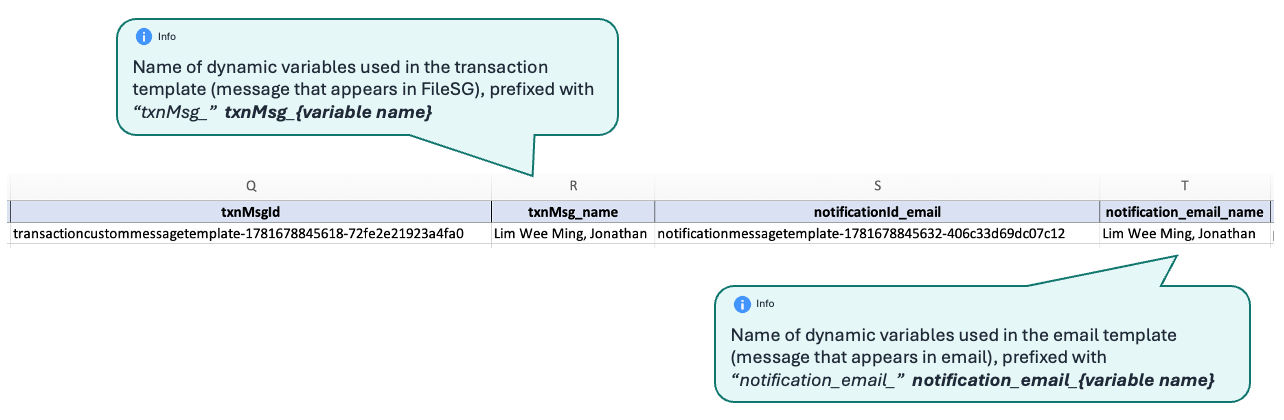
Step 3. Fill in the notification template details.
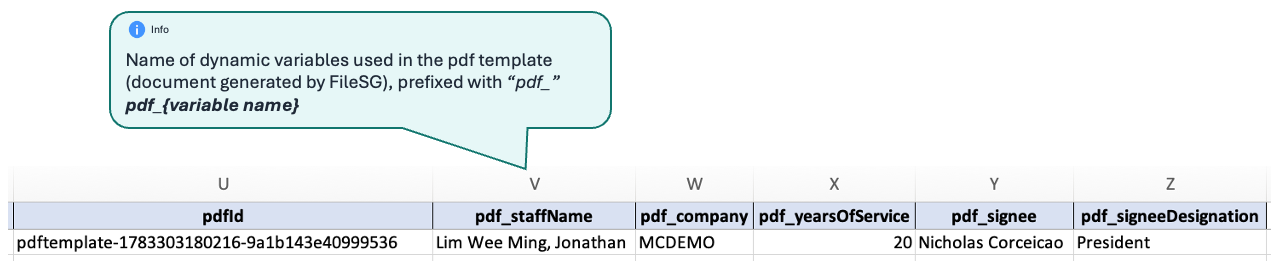
Step 4. Fill in the PDF template details (optional)
Step 5. Export from Excel (.xlsx) to CSV (.csv)
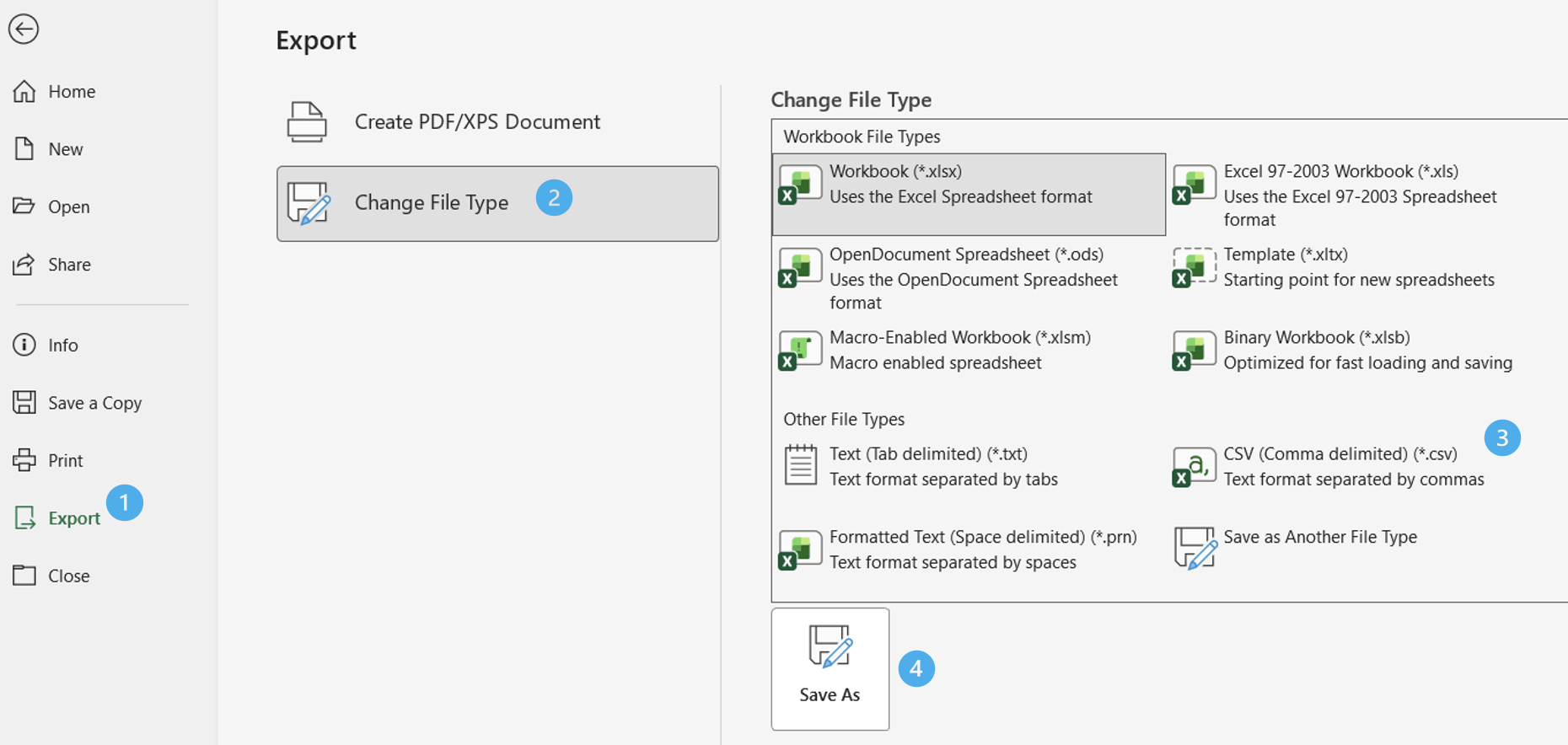
Export to csv (note: filename of csv MUST be filesg-sidecar-transactions.csv or filesg-sidecar-corporate-transactions.csv if issuing to uen)