Manage user groups for SonarQube applications
Subscription Admins (SAs) and Project Admins (PAs) can manage user access and permissions for SonarQube applications using User groups.
Unlike other tools, a user group can be assigned to multiple SonarQube applications in a single action.
Prerequisites
Ensure the following:
You are a Subscription Admin (SA) for the subscription, or a Project Admin (PA) for a SHIP-HATS project within the subscription.
You have identified the user groups to add or modify. See View user groups.
SonarQube does not require a dedicated licence. However, users in this group should have at least one Tools that require licence.
Steps
In Console, go to Products > SHIP-HATS, and select the required subscription to open the Workspace.
For detailed steps, see Access Workspace.
Click Tools > SonarQube.
Select the required SHIP-HATS project.
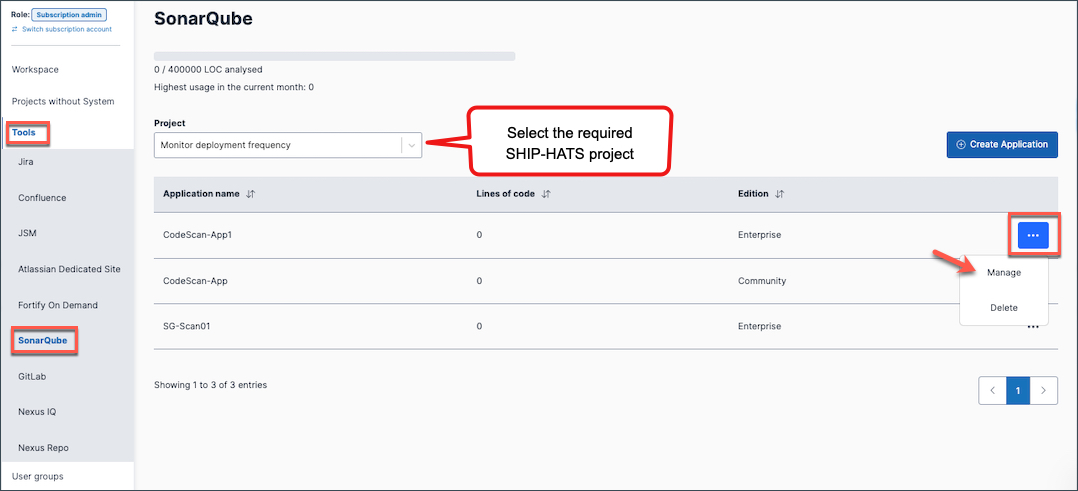
Existing SonarQube applications for the project are displayed.
Click the ellipsis (…) next to the Application name, then select Manage.
Go to the Manage groups tab to assign user groups, update permissions or remove user groups for SonarQube applications (projects).
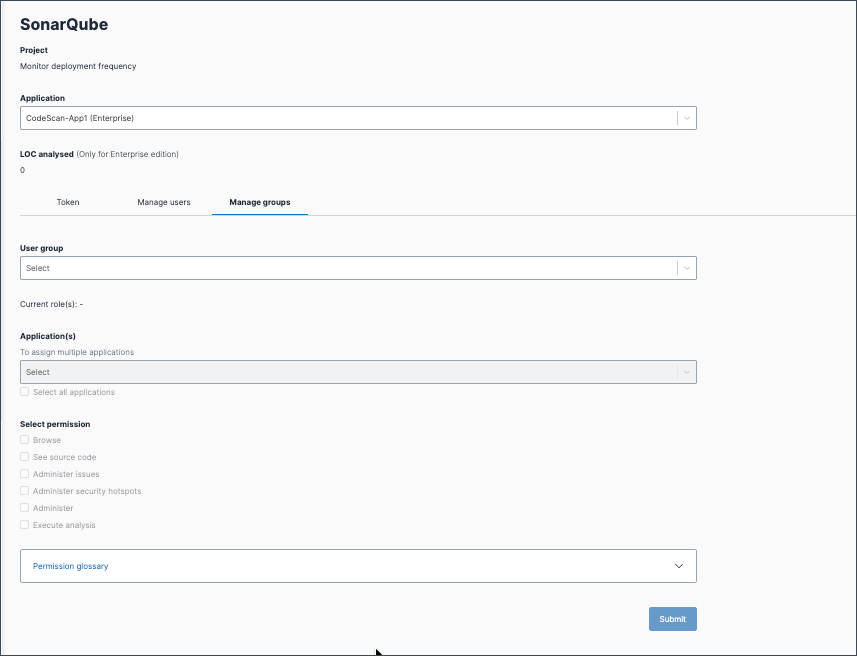
Select the User group you want to assign.
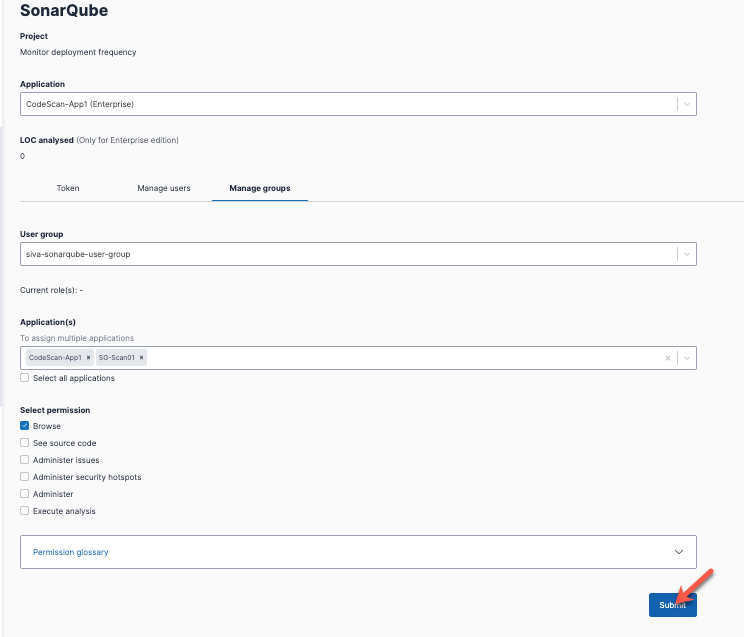
In Application(s), select one or more SonarQube applications.
- Select specific applications to grant access only to those applications.
- Select Select all applications to assign the group to all applications at once.
In Select permission, assign the required roles and permissions for this group.
Click Submit.
Select the User group assigned to one or more applications.
This displays the current roles and permissions provisioned to the group.
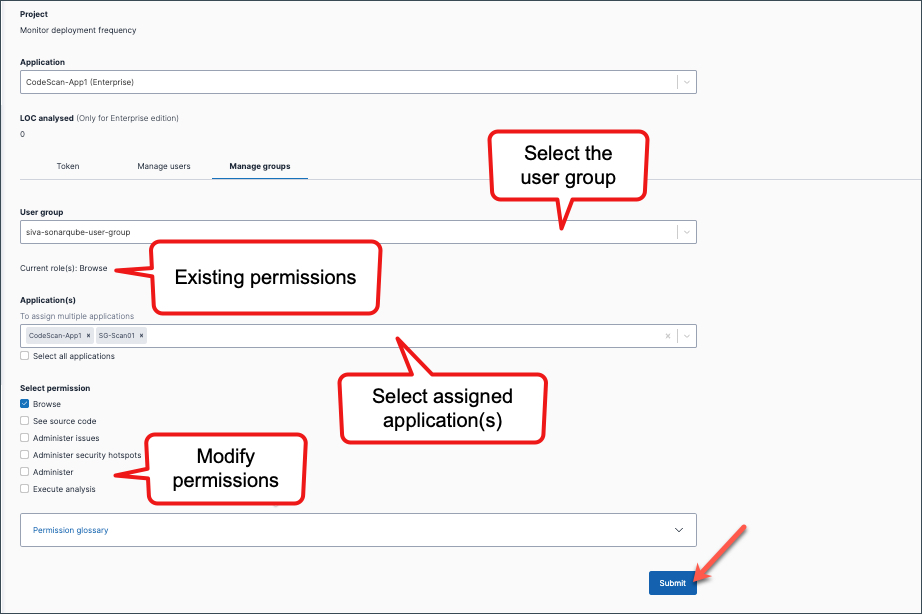
In Application(s), select the applications whose permissions you want to update.
In Select permission, update the required permissions.
Click Submit.
Remove a user group if it no longer requires access to selected SonarQube applications.
If the group may still be used elsewhere, remove its permissions only from specific applications.
Select the User group.
In Application(s), select the applications where access should be revoked.
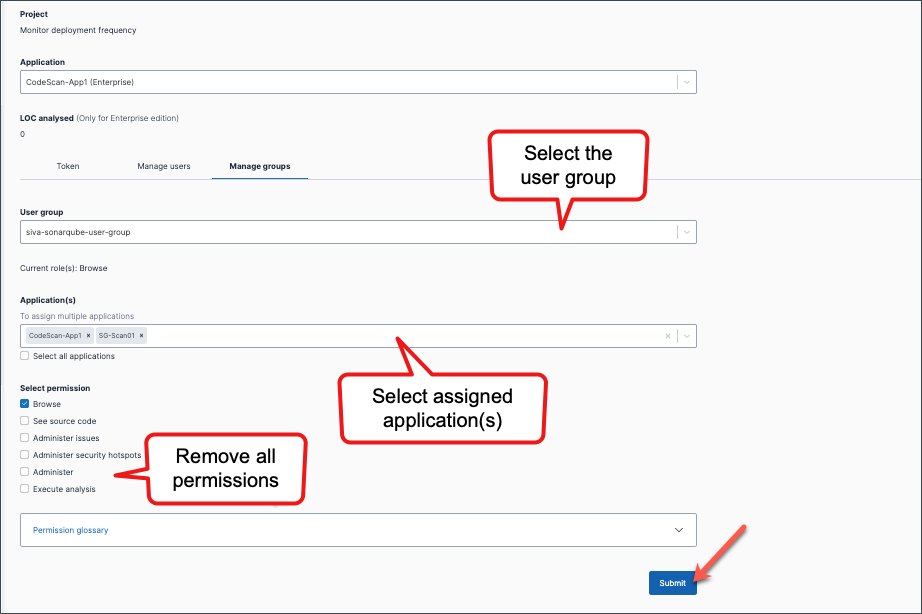
Remove all assigned permissions.
Click Submit.
If the group is no longer required anywhere, you can
Delete user groups.
Things to note
- All users in the group automatically inherit the roles and permissions assigned to the group for the selected SonarQube application(s).
- Assigning a group grants users access to the selected SonarQube application(s). It does not provision any licences.
- The Browse permission is automatically granted when other permissions are selected, as it is required to access the application.
- To revoke access, remove users from the group or update the group’s permissions.
- Applications created in Console appear as Projects in the SonarQube portal.
