Set up your Common Services API key
Before using any of Console’s Common Services, you will need to set up at least one API key for your product.
If you have not created a product, refer to the create a product guide first.
Step 1: Log in to the TechPass portal
Go to the TechPass portal.
Navigate to your product’s namespace.
Select Integrations from the sidebar, then click Create under the API key section.
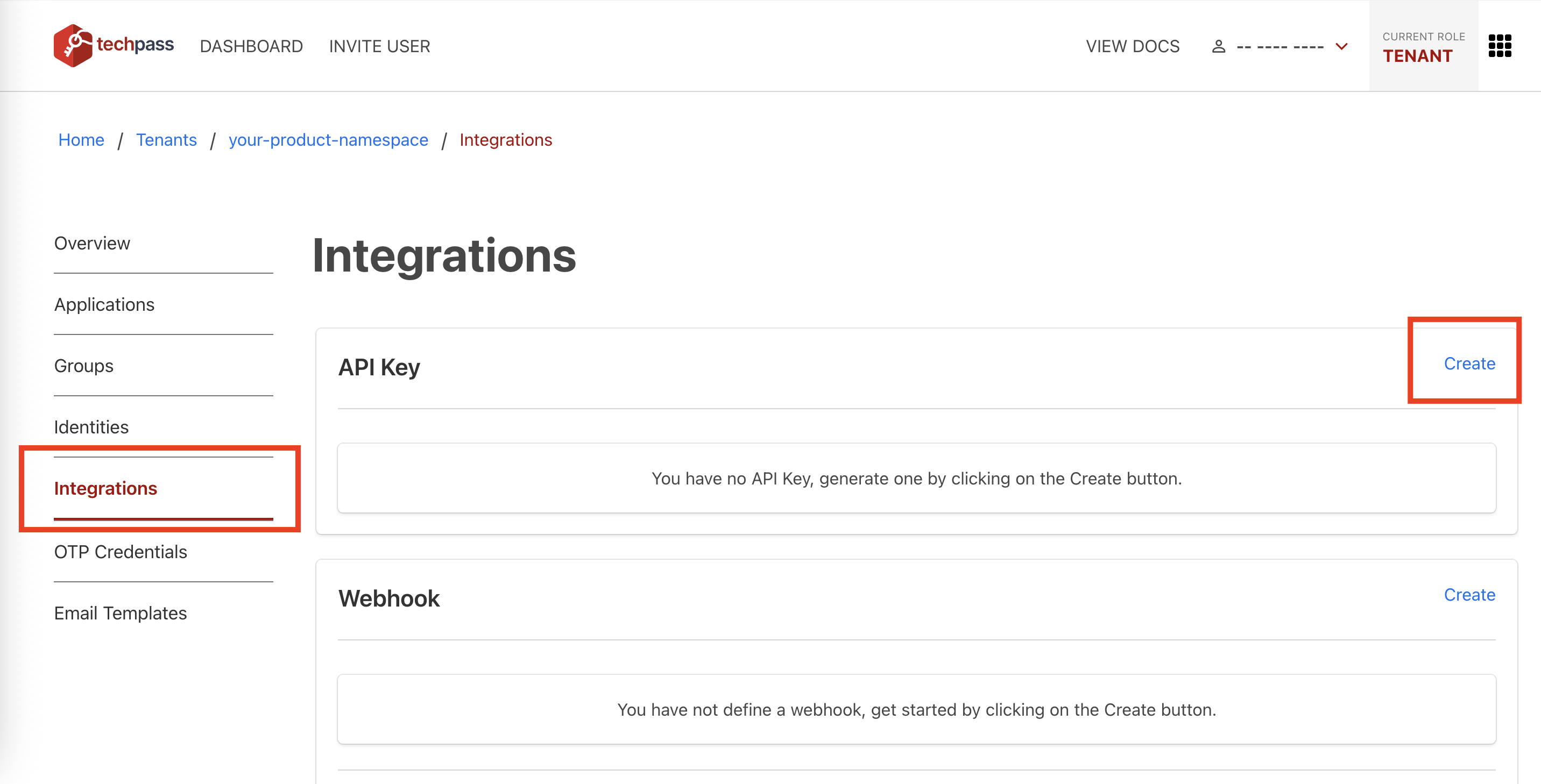
Create a new API key and take note of the API key name after it is created.
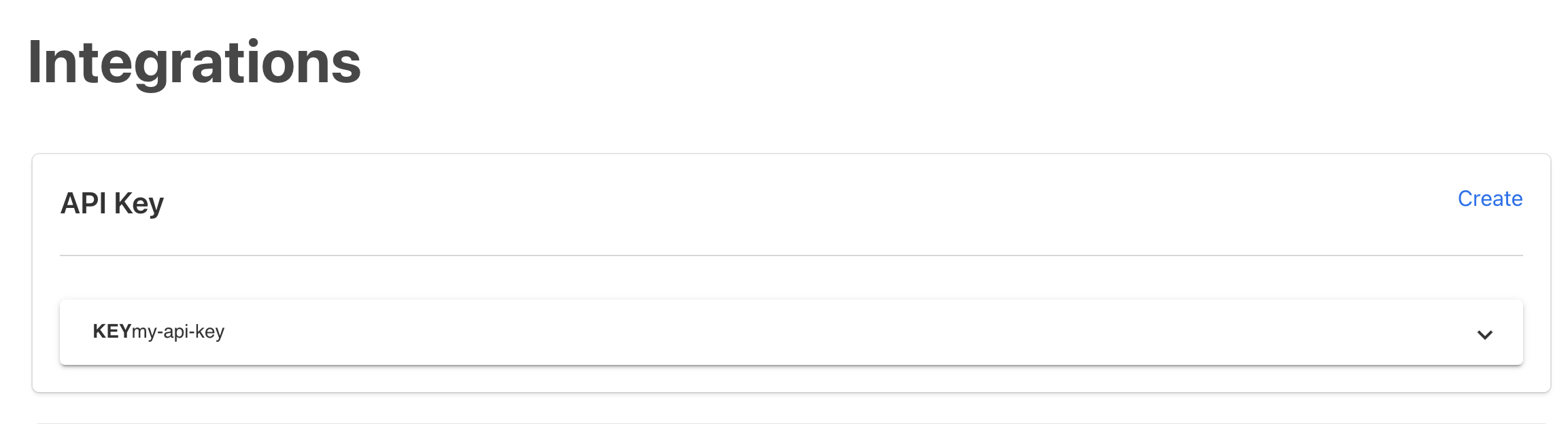
Step 2: Add the API key name to your product
Follow the steps to update your product.
On the update product page, enter your API key name in the designated form field.
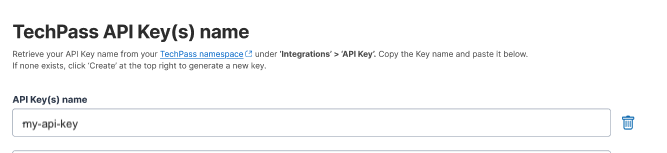
Save your changes.
What happens next
Once your API key is registered:
- You can refer to the guide on how to send API requests.
- You can access the list of available Common Services.
