OpenAPI specification
To onboard to the Common API service, prepare your OpenAPI specification document and commit it to the following GitLab repository:
🔗 Console OpenAPI specs repository
Define API scopes
When preparing your OpenAPI document, you may group your endpoints into API scopes. These scopes are used to manage API key access — agencies will select specific scopes when creating API keys, and those keys will only allow access to APIs under the selected scopes.
💡 API scopes are implemented using OpenAPI tags.
Each tag you define represents a scope, and each endpoint in your OpenAPI spec should be tagged accordingly. Tags must follow this naming convention:<alphabet>[.<alphabet>]{0,4} — between 1 to 5 segments, separated by dots.
📄 Tags example
{
"openapi": "some version",
...
"tags": [
{
"name": "Admin.Read",
"description": "Admin - read operations"
},
{
"name": "Users.Read",
"description": "Users - read operations"
},
{
"name": "Users.Write",
"description": "Users - write operations"
},
{
"name": "Health.Read",
"description": "Health check endpoints"
}
],
...
}
📄 Paths example with tag usage
{
"openapi": "some version",
...
"paths": {
"/users": {
"get": {
"tags": [
"Users.Read",
"Admin.Read"
],
...
},
},
...
},
...
}💡 Use multiple tags on an endpoint if it should be accessible via more than one scope.
Commit your OpenAPI specification
Check if your product folder already exists in the repository.
If it exists, commit your OpenAPI file inside the folder.
If it does not exist, create a folder named after your product ID, then commit the OpenAPI file inside it.
⚠️ Ensure your file follows a valid OpenAPI structure and includes the required tags before committing.
Register your OpenAPI specification URL in Console
Step 1: Log in to Console
- Go to Console
- Switch to Product view in the sidebar.
If you do not see the Product view, contact the Console team.

Step 2: Open the Common API configuration page
- Go to the Products page.
- Click on your product.
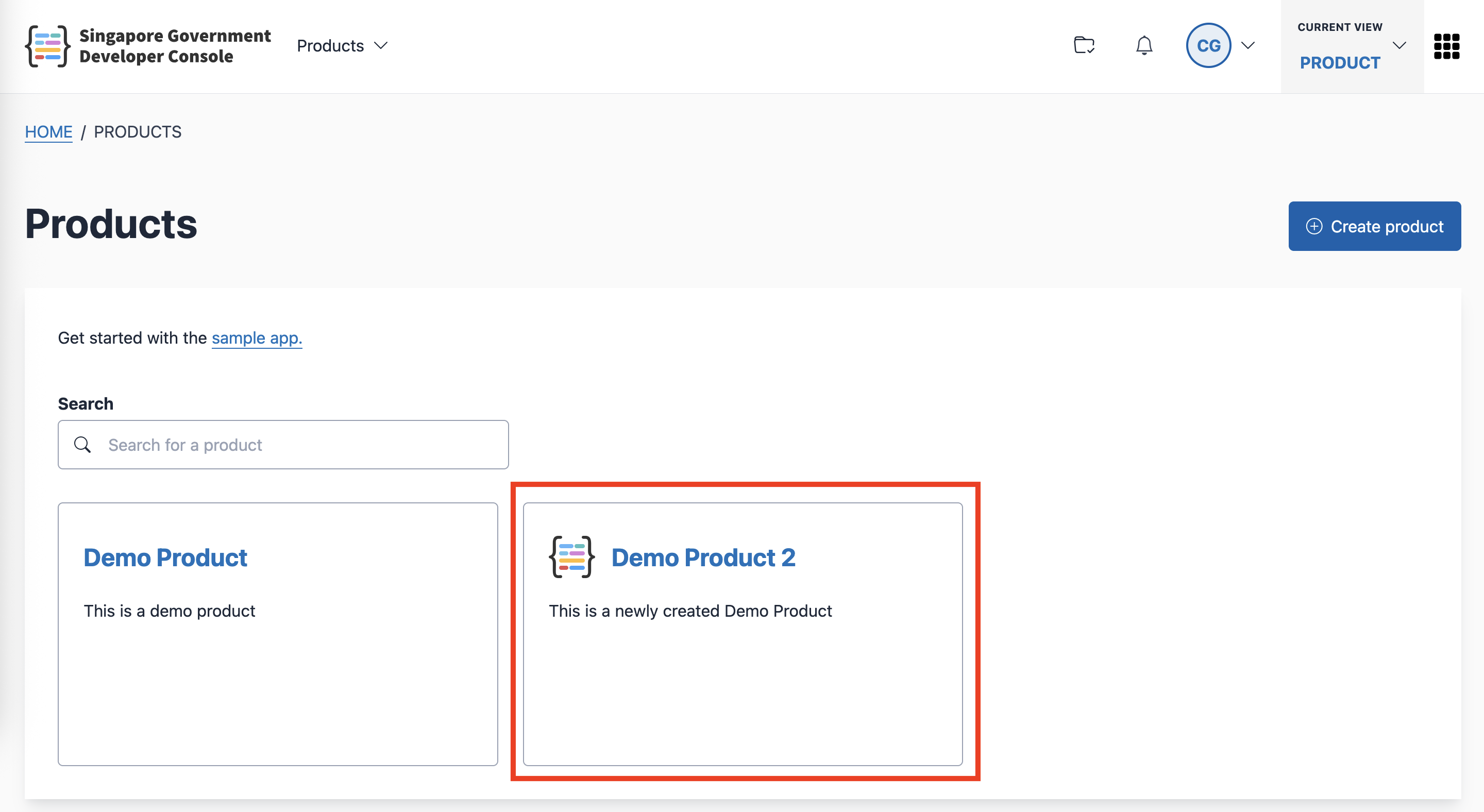
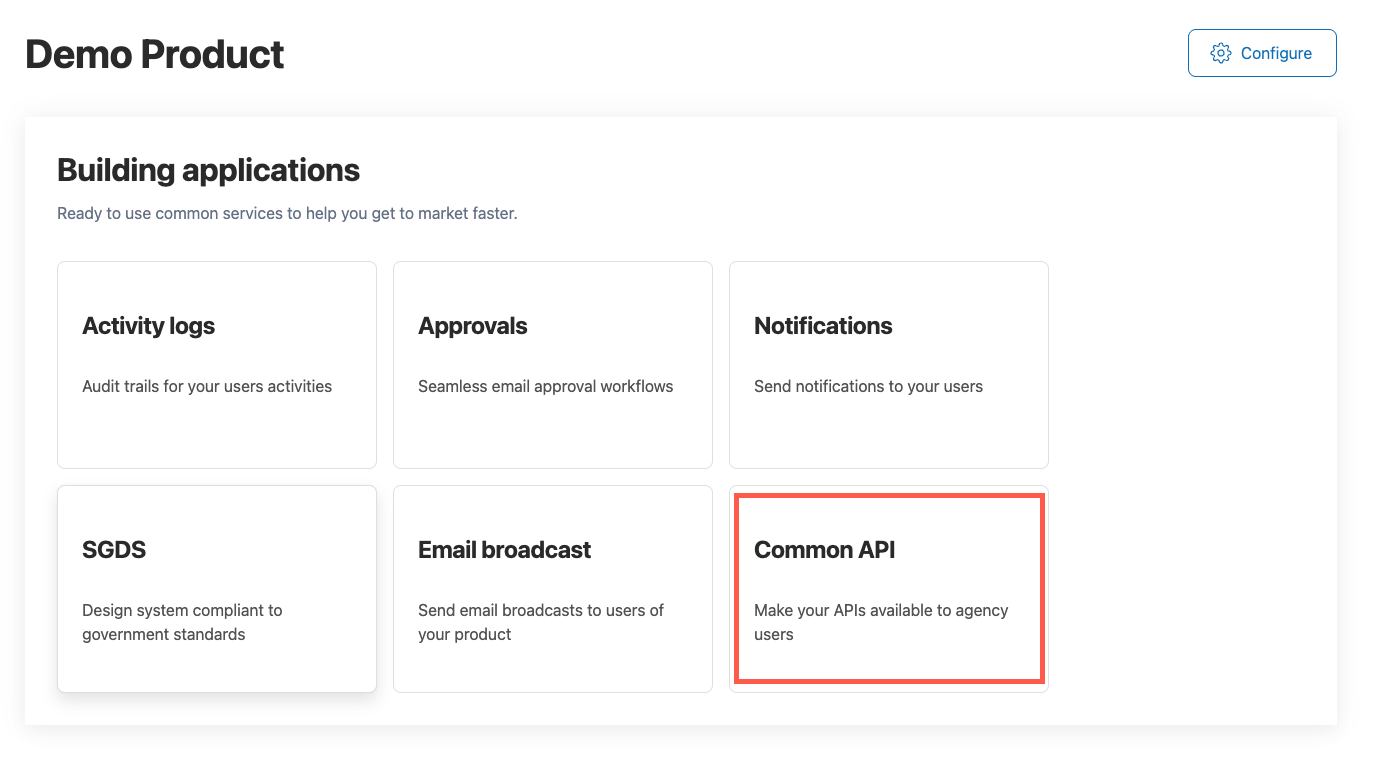
Step 3: Configure your Common API Service settings
The Common API Service page allows you to:
- Register your OpenAPI spec URL
- Declare supported account types
- Deploy (ingest) your APIs
- Generate and manage your validation secret
1. Select supported account types
Under Account type, select the account type(s) your product supports for API access.
For example:
- Subscription
You may select one or more account types as applicable to your product.
2. Enter your OpenAPI spec URL
- In GitLab, locate your committed OpenAPI file.
- Copy the file path in the following format:
<branch name>/<product id>/<file name>
Example:
main/sample-app/openapi.json- Paste the file path into the URL field.
- Click Deploy to load and parse the specification.
You must click Deploy to ingest and register your APIs in Console.
3. Deploy your APIs
After entering or updating your OpenAPI spec URL:
- Click Deploy.
- Wait for Console to load and parse the specification.
Your APIs will only be registered after a successful deployment.
Validation secret
The Validation secret is used to verify that API calls originate from Common API Service.
To generate or regenerate the validation secret:
- Go to to the Validation Secret section.

- If a secret already exists:
- Click the refresh icon to regenerate a new secret.
Regenerating the secret invalidates the previous one immediately.
- Click the refresh icon to regenerate a new secret.
- Click the copy icon to copy the secret.
- Store the secret securely in your backend configuration.
Do not expose the validation secret in frontend applications or public repositories.
For implementation details, refer to the
Validate requests guide.
