Activity service
⚠️ Important
This service is designed for logging user activity only.
Do not send system logs, error logs, or backend events to the Activity service.You must configure activity types before sending logs.
Overview
The Activity service allows you to track user activity within your product.
It supports audit and compliance requirements by logging user-initiated activities.
Activity logs are viewable and downloadable from the Console portal.
Activity types
Before using the service, configure activity types for your product.
Each activity type includes:
- A label (For example:
sampleapp.activity.log) - A message template with placeholders
- An optional description
You can configure activity types via the Console Portal or the Activity service API.
Example
| Key | Example |
|---|---|
| Label | sampleapp.activity.log |
| Description | Activity type for sample application demo |
| Message template | {metadata.initiatedBy} triggered sample app activity log at {metadata.ts} with data1: {data.data1} and data2: {data.data2}. |
For setup instructions, see Activity types.
Use the service
To start using the Activity service:
- Set up your API key
- Send requests using the Activity service API
Create activity logs
You can create activity logs by sending a request to the Activity service API.
For detailed API definitions, see API specifications.
Sample request
To create an activity log for your product, you can use the API provided by the Activity Service. For more information on how to use the API, check out the API Specifications. Below is a sample request body that can be sent to the Activity Service to create an activity log.
{
"metadata": {
"kind": "sampleapp.activity.log",
"ts": "2025-02-04T02:01:50Z",
"initiatedBy": "chun_teck_goh@hive.gov.sg"
"subscription": {"id": "<Techbiz Subscription ID>"}
},
"data": {
"data1": "dev console",
"data2": "is awesome",
"data3": "not shown in message"
}
}Note:
initiatedBycan be a user email, Techpass UPN, orapp: <Techpass app ID>if the log is triggered by a service.- The
dataobject can contain any custom fields.- Placeholders in the message template are replaced by values in the request. For example, the final message would be
chun_teck_goh@hive.gov.sg triggered sample app activity log at 2025-02-04T02:01:50Z with data1: dev console and data2: is awesome.
View Activity logs
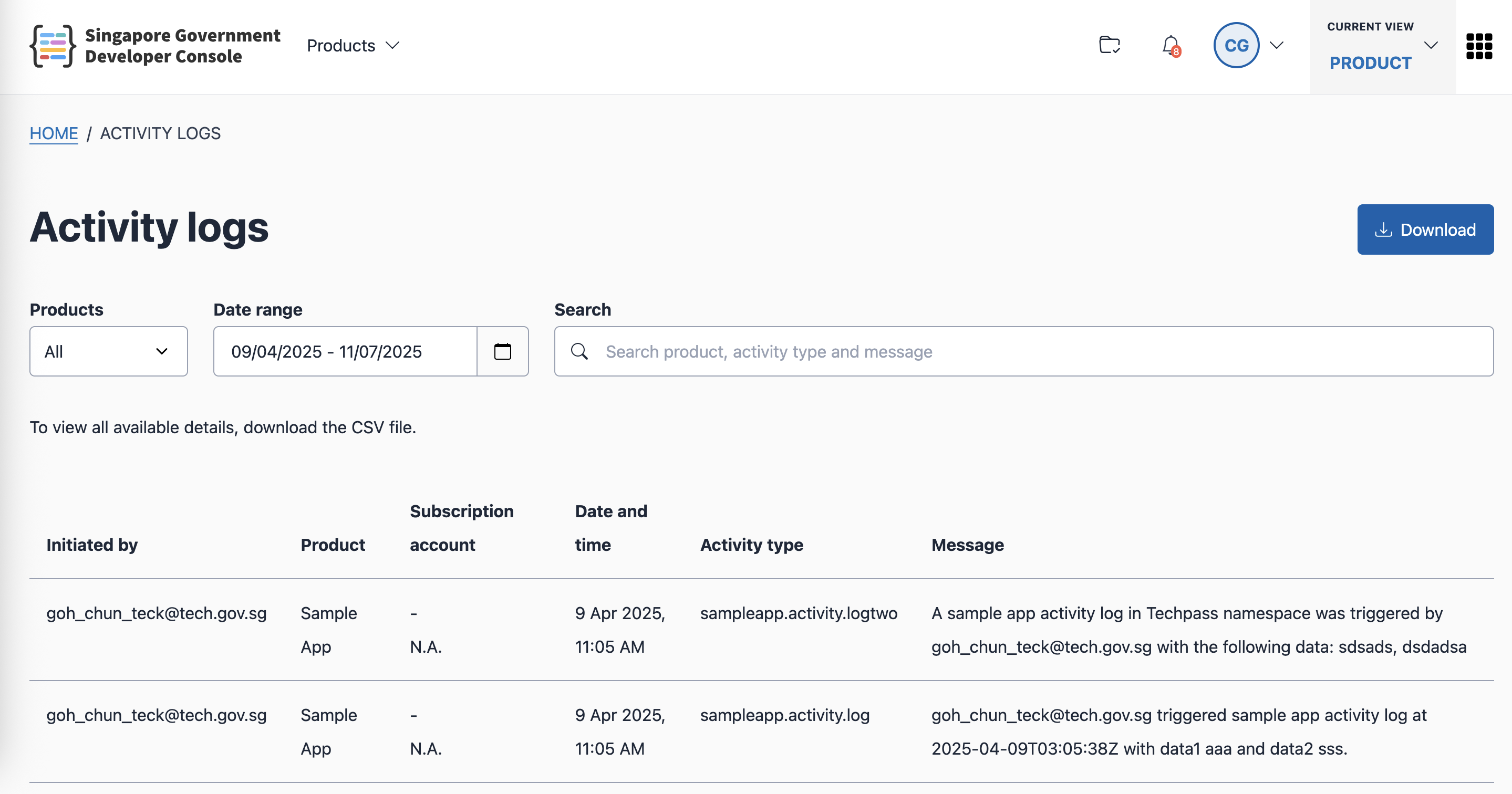
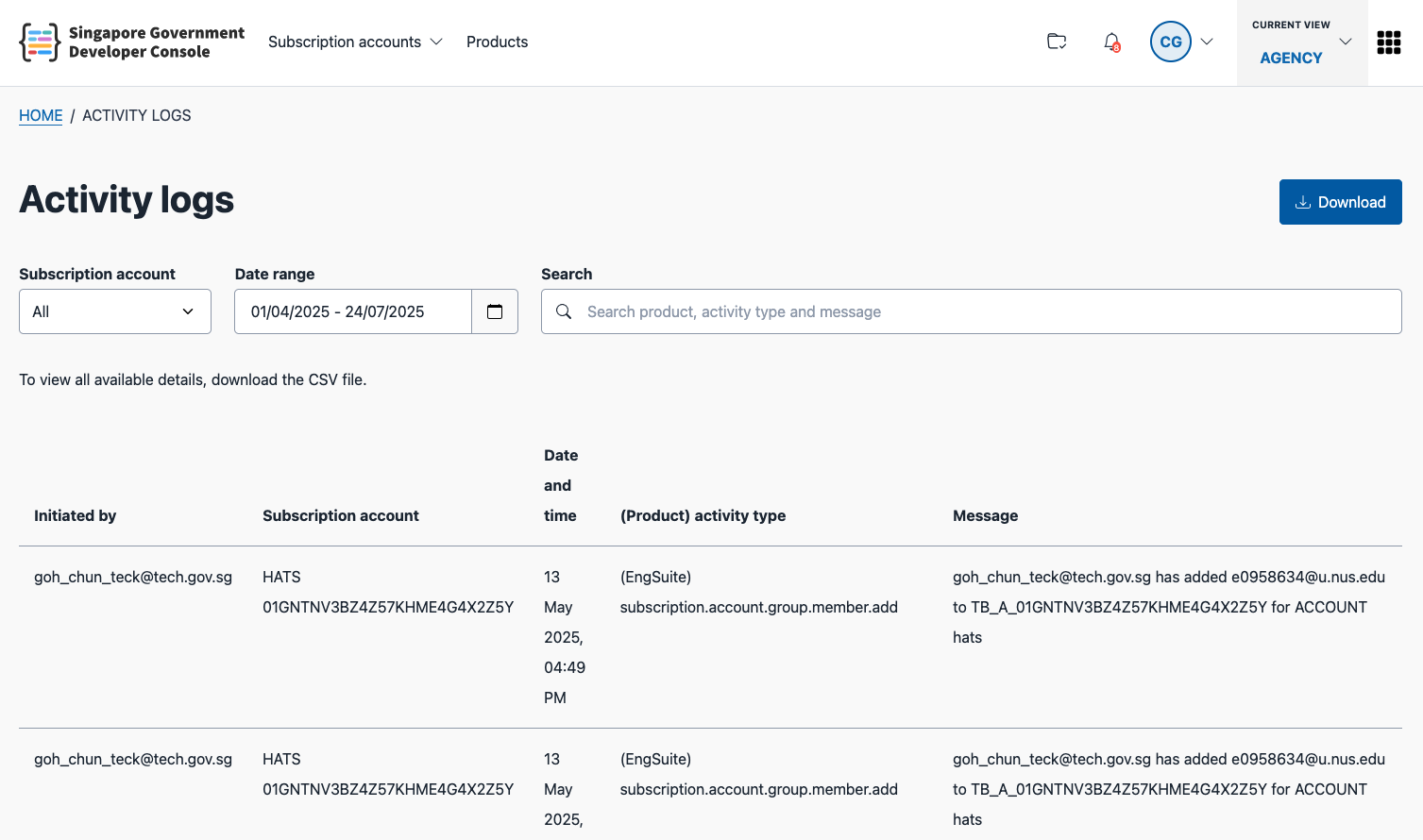
You can view activity logs in the Console portal.
If you have the Product admin or Product Ops role, you can view the activity logs for your products:
If you are a Tenant manager or Tenant admin you can view a consolidated log view across all products in your subscription:
Download Activity logs
You can download logs as CSV files for analysis or reporting.
Note: If the number of logs is large, the download may take some time to complete.
API specifications
Staging environment: https://docs.developer.tech.gov.sg/docs/console-services-apis-stg/#tag/Activity-Service
Production environment: https://docs.developer.tech.gov.sg/docs/console-services-apis/#tag/Activity-Service
