Validate requests
This guide explains how to validate API requests sent from Console to your product.
Console handles authentication using API keys. You must still validate that the request originated from Console and has not been tampered with.
Authentication
Authentication is handled by Console. Agencies call your APIs through Console, and Console includes a valid API key in each request.
You do not need to perform authentication in your backend.
💡 You must still validate that the request came from Console and has not been modified.
Validate request source
To verify that a request was sent from Console, each request includes a signature header:DC-CommonAPI-Signature. This header contains a timestamp and a hash generated using HMAC-SHA256.
Console signs the request using a validation secret assigned to your product.
You must compute and compare this signature to ensure request integrity.
Generate your validation secret
Follow the steps below to view or generate your product’s validation secret.
Step 1: Log in to Console
- Go to Console
- Switch to Product view in the sidebar.
If you do not see the Product view, contact the Console team.

Step 2: Open the Common API configuration page
- Visit the Products page.
- Click your product.
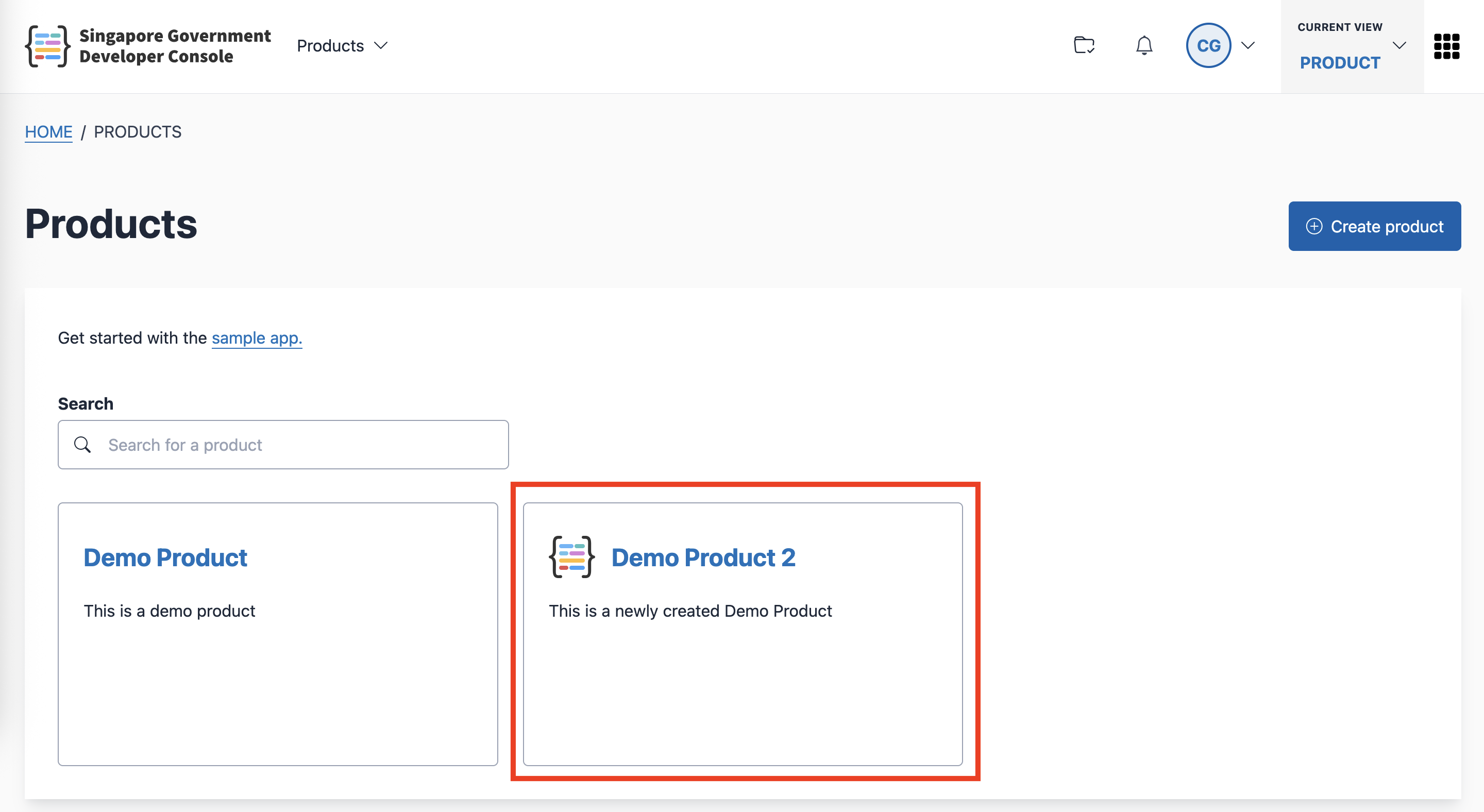
- Click the Common API card.
Step 3: View or generate your validation secret
On the CommonAPI Service configuration page, you can view or manage your validation secret.
- If no secret exists, click Generate.
- If a secret exists, it appears as a hidden value with a Regenerate button.
A confirmation modal appears before regenerating the secret.
Validate the request signature
Each request includes this header:
"DC-CommonAPI-Signature": t=<timestamp>,v=<signature_hash>You must:
- Check the timestamp is recent (within 2 minutes)
- Compute your own HMAC-SHA256 signature
- Compare it with the signature in the header
If the timestamps differ by more than 2 minutes, or the signature does not match, reject the request.
🔧 Pseudocode for signature validation
//pseudocode
method = req.httpMethod
path = req.path
reqBody = req.body
// extract timestamp and signature from header
signatureHeader = req.headers['DC-CommonAPI-Signature'];
timeKv, signatureKv = signatureHeader.split(',')
_, timestamp = timeKv.split('=')
_, signature = signatureKv.split('=')
timeReceived = time.Now()
// If more than 2 min, treat as replay attack and ignore it
if (timeReceived - timestamp > 120) {
return
}
// compute and compare signature
payload = `${timestamp}:${method.toUpperCase()}:${path}:${reqBody || ''}`; // use colon as a delimiter
computedSignature = crypto.createHmac("sha256", validationSecret).update(payload).digest("hex")
if (signature != computedSignature) {
return
}Request signing rules
timestamp: Unix epoch timestamp (in seconds).
For example:1752476116method: Uppercase HTTP verb.
For example:GET,POST,PATCH,PUT,DELETE,OPTIONS,HEADpath: The proxied path as defined in your OpenAPI specification.
For example, if the full URL is:https://commonapi.console.developer.tech.gov.sg/stackops/health
Then the path is:/healthAdditional rules:
- Must start with
/ - If the path contains parameters (for example:
/products/123), use it as-is — do not replace or sanitise - Ignore query parameters. For example:
/products?name=abc→/products
- Must start with
request_body_string: The request body represented as a string.
- For JSON: use the raw JSON string
- For binary data: use a Base64-encoded byte string
⚠️ Signature mismatches or a timestamp drift of more than 2 minutes should result in rejecting the request.
Extra request metadata
In addition to the signature, Console includes extra metadata in the request headers:
| Header | Description |
|---|---|
DC-CommonAPI-KeyName |
Name of the API key used |
DC-CommonAPI-AppRoles |
List of scopes the API key has access to |
DC-CommonAPI-AppID |
TechPass App ID linked to the API key |
DC-CommonAPI-SourceIP |
Original source IP address |
DC-CommonAPI-RequestID |
AWS Request ID |
DC-CommonAPI-AccountID |
New. The Account ID associated with the API key. |
DC-CommonAPI-AccountType |
New. Indicates the type of account. One of: gcc, sub, usr. |
DC-CommonAPI-SubscriptionID |
Deprecated soon. Previously used to identify the subscription. |
⚠️ Deprecation notice
DC-CommonAPI-SubscriptionIDwill be deprecated in the coming months.
Products should migrate to the new headers —DC-CommonAPI-AccountIDandDC-CommonAPI-AccountType.
💡 You may use these headers for logging, authorisation, or debugging.
