Common session management
Overview
The <console-navbar> provides common session management for all web applications integrated into Console. Login and logout functionality is already built into the navbar, so you do not need to implement it in your web application.
Session ID
After logging in through the navbar, a cookie (dev.con.sid.local) will be present in the browser. This cookie holds the session ID and is tied to the Console domain (for example, console.developer.gov.sg).
When your web application sends requests to your backend server, this session ID cookie is included in each request. You can extract the session ID from the cookie on your backend.
Use the session ID to fetch session details via the Session service to retrieve user information such as email, name, and application roles.
Session extension
As the user navigates between pages in the Console portal—including your web application or others—the session is automatically extended. No additional implementation is needed on your part.
If your backend server fetches session details via the Session service, the session will also be extended. Note: There is a maximum session lifetime of 2 hours. Once this limit is reached, the session will no longer extend.
Session countdown
When the session is about to expire, a modal appears over your web application to inform the user. If the user chooses to stay logged in, the session is extended and the modal closes.
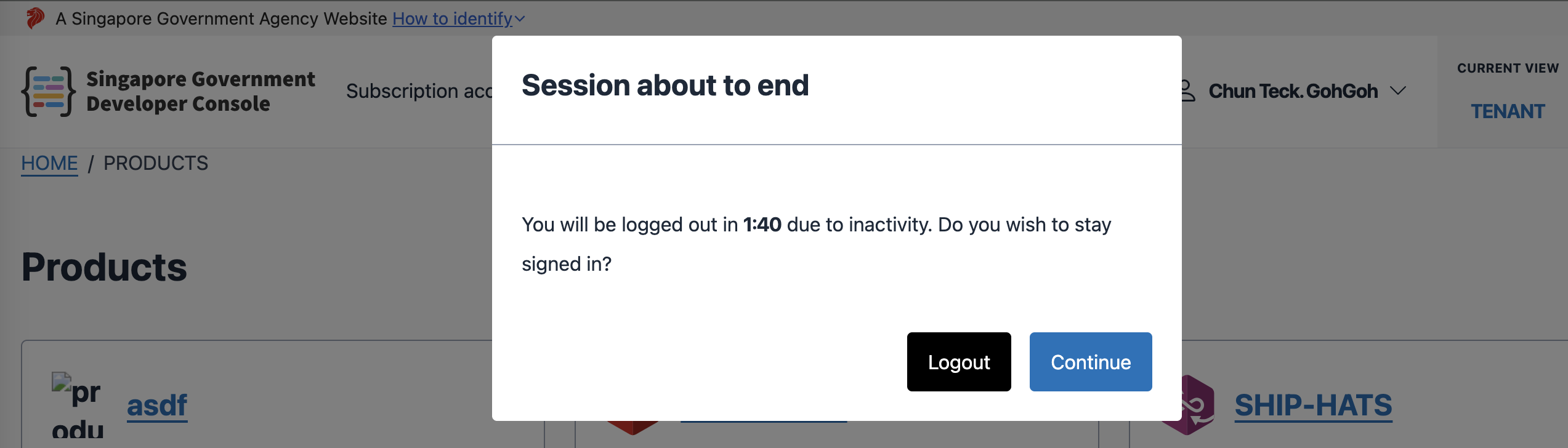
Session timeout
When the session times out, a modal appears informing the user to log in again. After logging in, the user is redirected to the original page.

Restricted access
If a user accesses your web application without being authenticated, a restricted access modal will appear to prompt login. After logging in, the user is redirected to the original page.

Note: Your backend is responsible for determining what to display on unauthenticated pages (for example, a “Forbidden” message or a blank screen).
