Landing Zone service
Overview
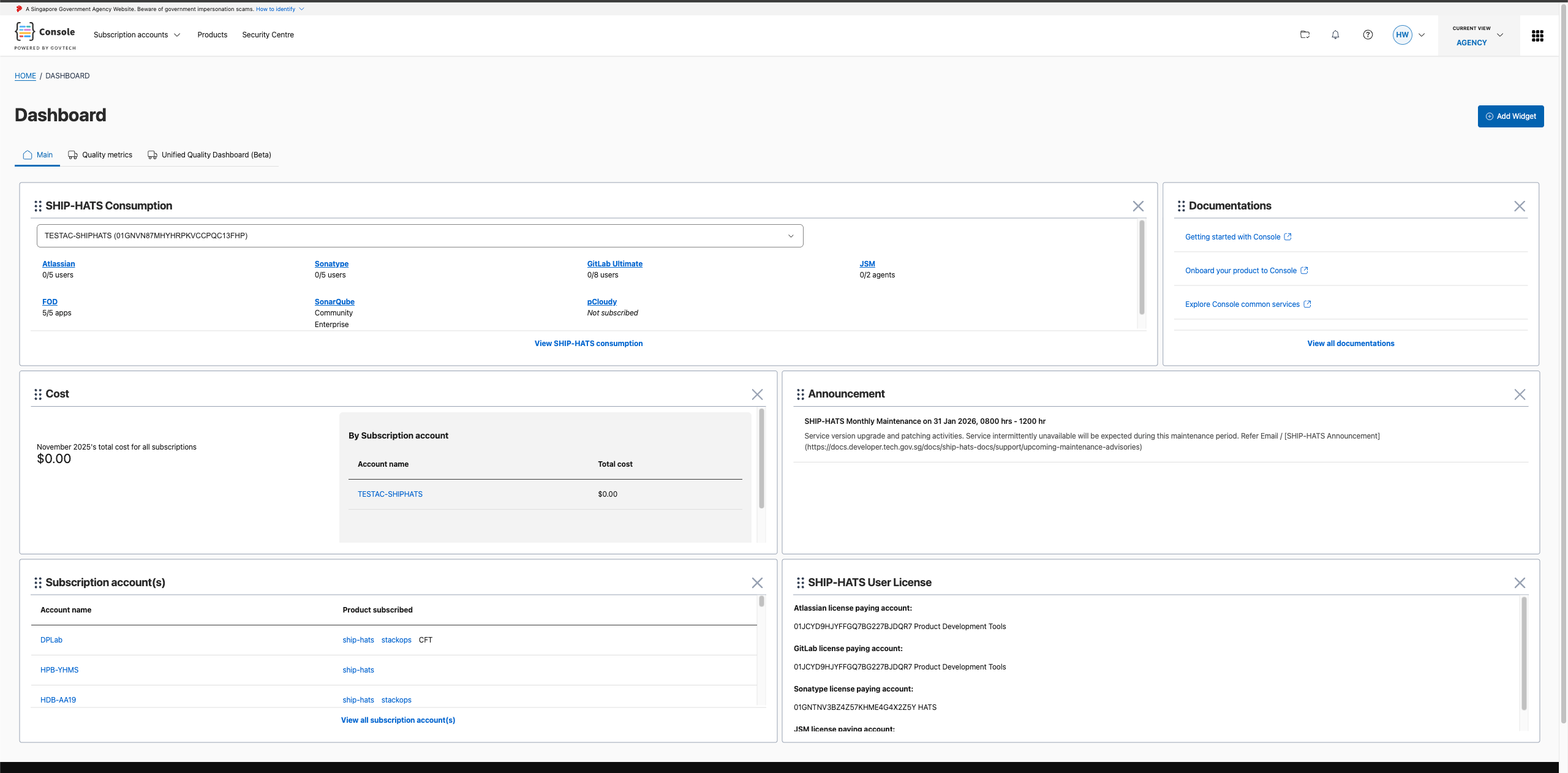
The Landing Zone service provides a personalized, modular dashboard experience post-login that consolidates insights and tools from all connected product portals. It streamlines workflows by reducing the need to switch between portals, boosting user productivity and engagement from the moment they log in.
Problem statement
The Landing Zone framework addresses the need for a unified post-login experience:
- Provides a personalized, modular dashboard experience post-login
- Consolidates insights and tools from all connected product portals
- Streamlines workflows by reducing the need to switch between portals
- Boosts user productivity and engagement from the moment they log in
Key features
- Modular dashboard: Customizable widget-based interface
- Portal consolidation: Single view for insights from multiple product portals
- Personalization: Tailored content based on user preferences and permissions
- Productivity tools: Quick access to frequently used features and workflows
- Collaboration & efficiency: Engineers from different products can co-develop widgets using a shared framework, reducing duplication of effort while maintaining autonomy
- Scalability & extensibility: The base template allows for standardized widget development, making it easy to integrate new products without redesigning the landing page
High-level architecture
How it works
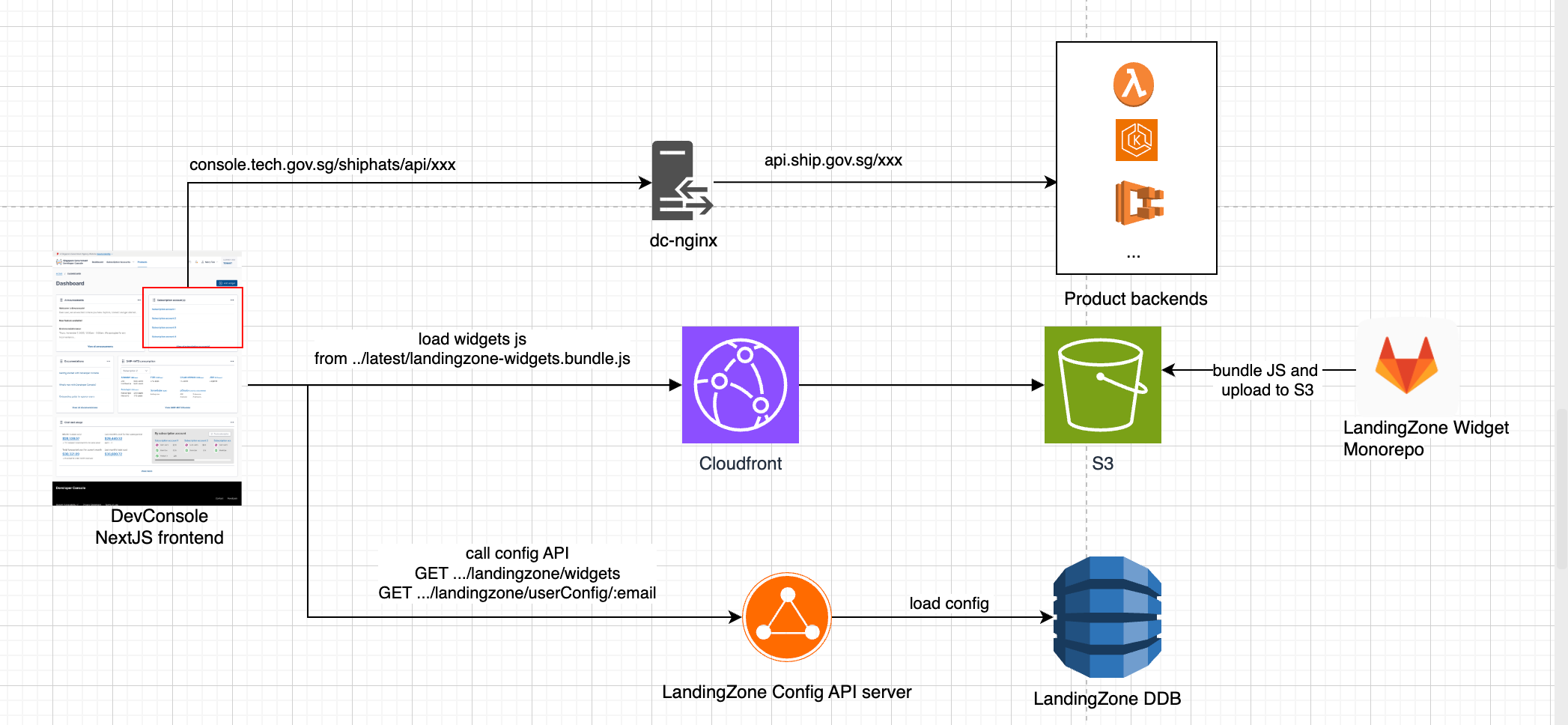
The Landing Zone consists of two main components:
Landing Zone Core - The main application hosted on Console that:
- Loads widget bundles from S3
- Manages widget configuration and layout
- Handles user preferences and personalization
- Provides the dashboard interface
Widgets - Modular web components that:
- Are built using Lit framework
- Live in a separate repository
- Get bundled and deployed to S3
- Are dynamically loaded by the Landing Zone Core
Contributing widgets
Product teams can contribute widgets to display their product’s information on the Landing Zone dashboard.
Learn how to contribute to widgets for detailed instructions on:
- Setting up the development environment
- Creating and testing widgets
- Submitting contributions
- API configuration requirements
Support
For questions or assistance:
- Slack: #console
- Widget Repository: dev-console-landingzone-widgets
