Create Jira projects
Subscription Admins (SAs) and Project Admins (PAs) can create and manage Jira projects.
Prerequisites
Ensure the following:
- You are a Subscription Admin (SA) for the subscription, or a Project Admin (PA) for a SHIP-HATS project within the subscription.
- Your subscription includes Atlassian (Jira & Confluence).
See View tools included in a SHIP-HATS subscription. - At least one SHIP-HATS project exists in the subscription.
See View SHIP-HATS projects. - At least one Project Admin has an Atlassian (Jira & Confluence) licence.
Steps
In Console, go to Products > SHIP-HATS, and select the required subscription to open the Workspace.
For detailed steps, see Access Workspace.
Click Tools > Jira.
Select the SHIP-HATS project for which you want to create the Jira project.
Existing Jira projects for the project (if any) are displayed.
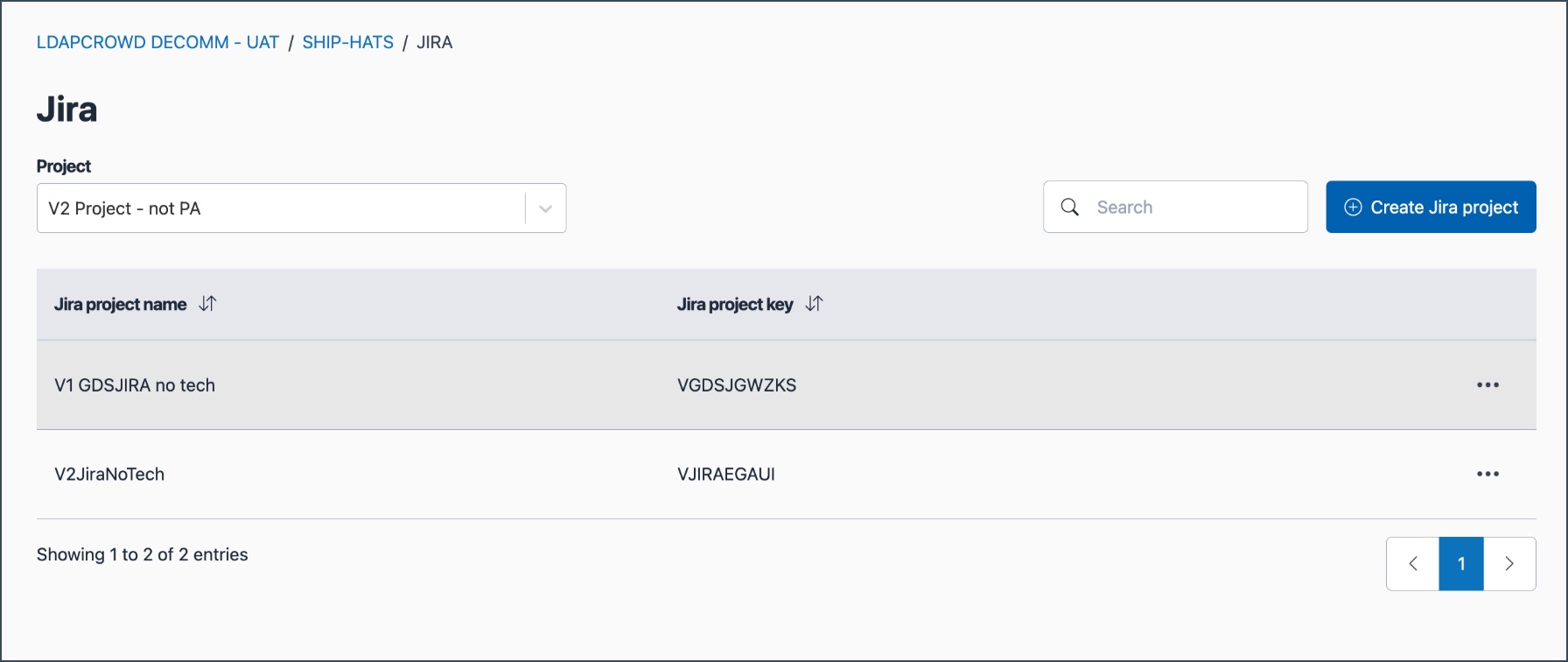
Click Create Jira project.
Enter the required details.
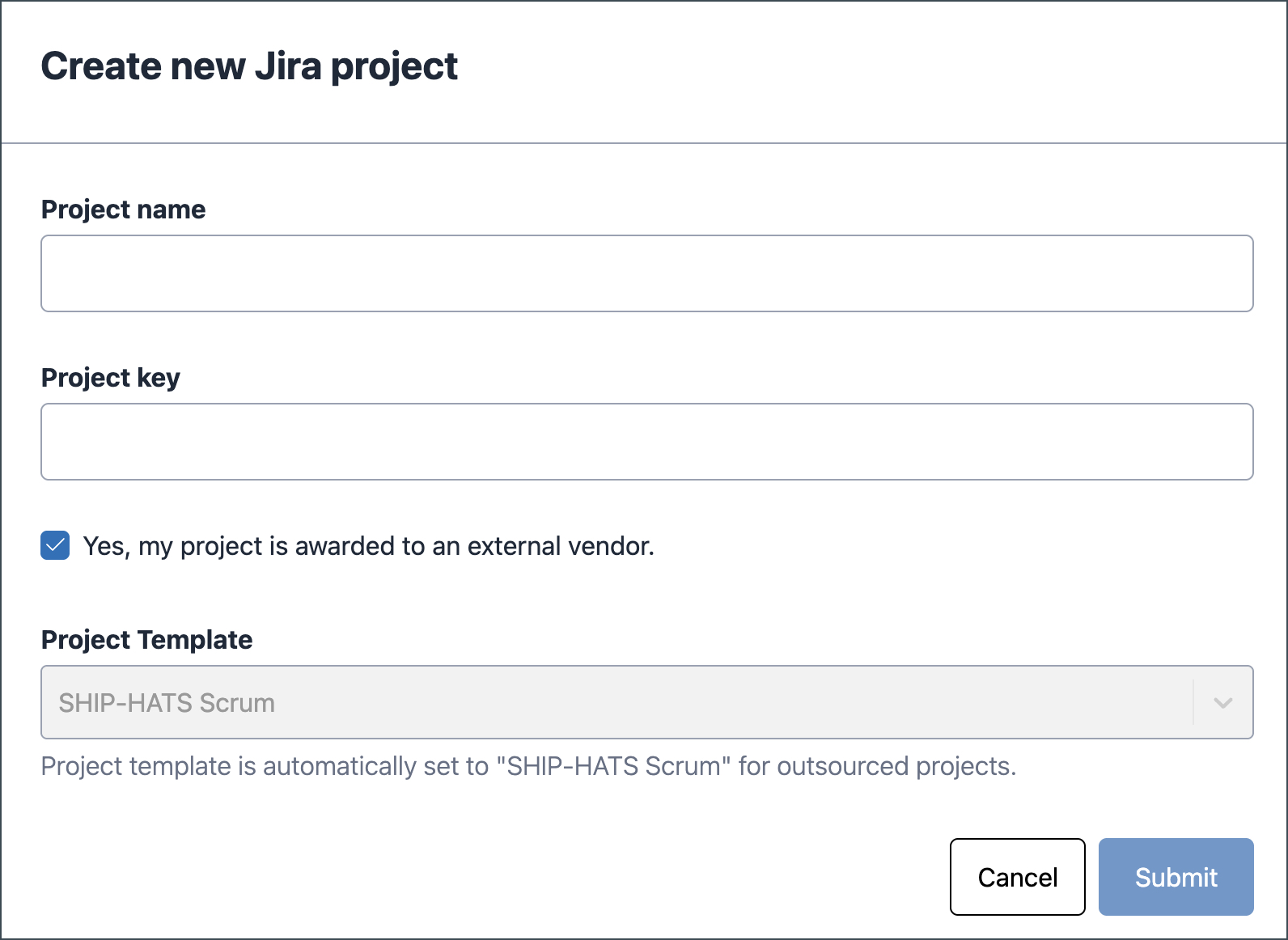
Field Description Project name Specify a meaningful name for the Jira project. Project key Enter a unique key that:
- Starts with a letter (A–Z)
- Contains only uppercase letters (A–Z) and numbers (0–9)Project template Select the template that best matches your project workflow. See Jira project templates. Project template behaviour depends on your agency type:
If your agency is Then GovTech-managed agency The option Yes, my project is awarded to an external vendor is selected by default and the SHIP-HATS Scrum template is assigned. Clear this option if the project is not vendor-managed and choose another template. Other agencies The Scrum template is selected by default. You can choose Kanban, Scrum, Bug tracking, or SHIP-HATS Scrum. GovTech The SHIP-HATS Scrum template is not available. ⚠️ The project template cannot be changed after creation. To use a different template, create a new Jira project.
Click Submit.
The newly created Jira project appears under the selected SHIP-HATS project.
If an issue occurs during creation, Submit is temporarily disabled and a support ticket is raised automatically. Once resolved, you can proceed.
