Data classification levels
All Jira spaces must have a data classification that reflects the sensitivity of the content stored. Jira space admins are responsible for ensuring classifications are accurate and kept up to date.
Summary of classification changes
| Effective date | Change | Applicable for |
|---|---|---|
| March 2025 | Initial Org Default set to CONFIDENTIAL CLOUD-ELIGIBLE (CCE) – SENSITIVE-NORMAL | All spaces |
| February 2026 | NON-SENSITIVE introduced as additional sensitivity option for CCE, RESTRICTED and OFFICIAL (CLOSED). OFFICIAL (OPEN) supports NON-SENSITIVE only. |
All spaces |
| 01 April 2026 | The organisational default classification will be RESTRICTED – SENSITIVE-NORMAL. | All spaces |
Available classification levels
The following classification levels are supported for Jira spaces under SHIP-HATS.
| Security classification | Sensitivity classification |
|---|---|
| CONFIDENTIAL CLOUD-ELIGIBLE (CCE) | - NON-SENSITIVE - SENSITIVE-NORMAL |
| RESTRICTED | - NON-SENSITIVE - SENSITIVE-NORMAL |
| OFFICIAL (CLOSED) | - NON-SENSITIVE - SENSITIVE-NORMAL |
| OFFICIAL (OPEN) | - NON-SENSITIVE |
Action recommended before 31 March 2026
Step 1: Identify your current classification
Go to your Jira space.
In the sidebar, next to your space name, select More actions (•••).
Select Space settings.
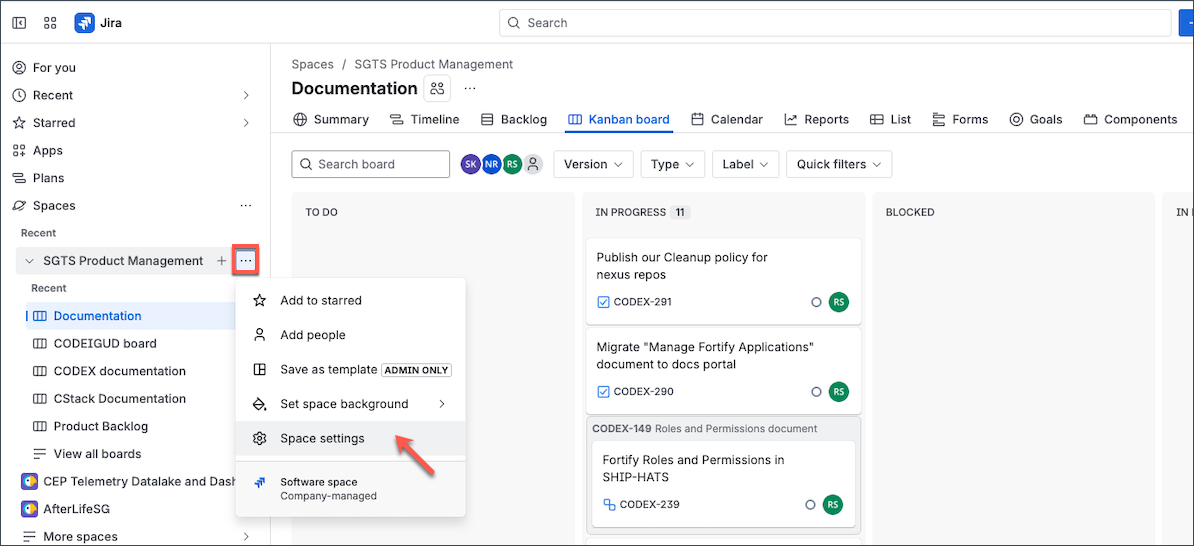
Select Data classification.
Under Project default classification level, view which option is selected.
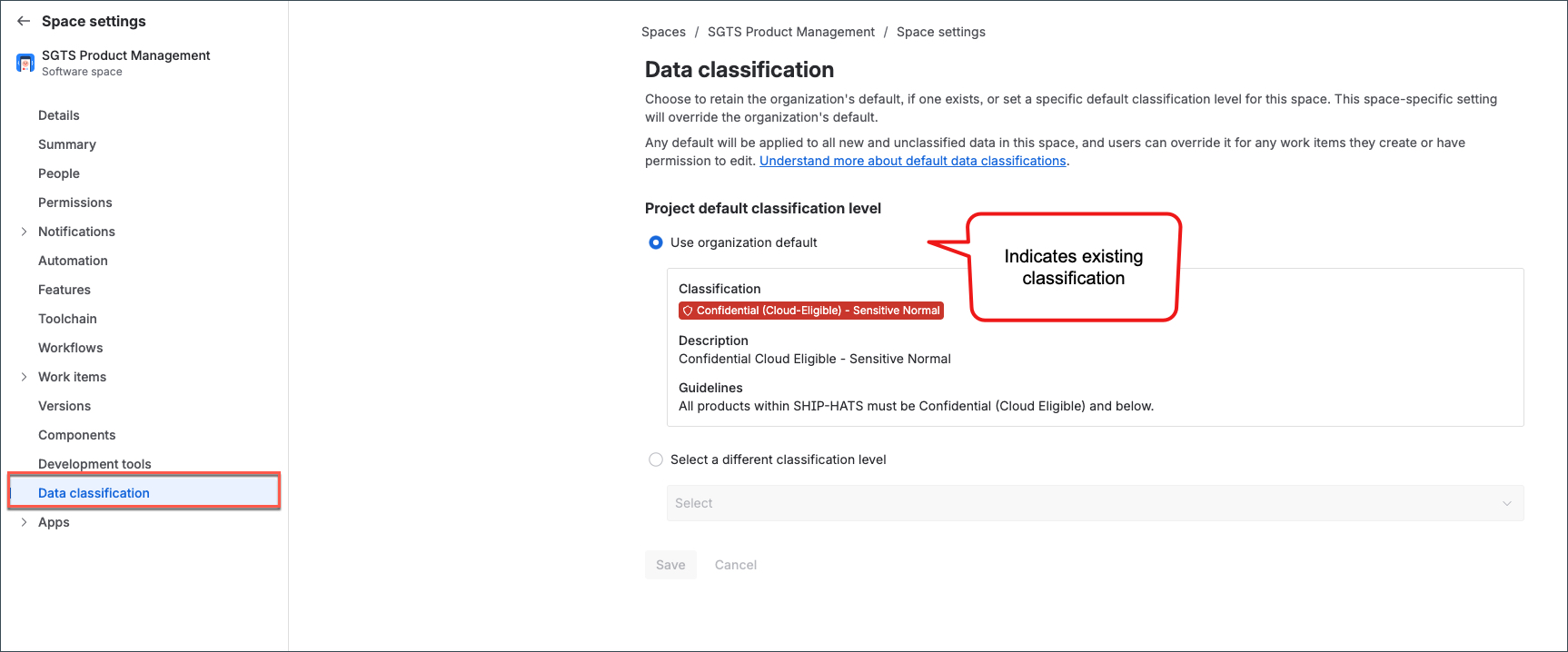
It should be either one of the following:
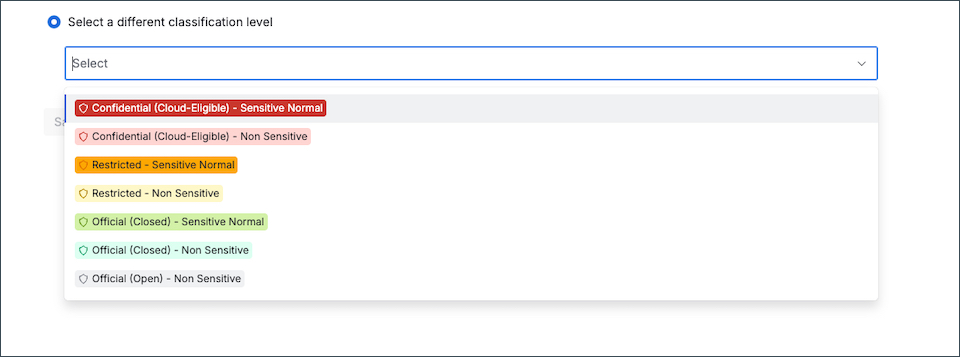
Select a different classification level — one of the classifications is explicitly selected.
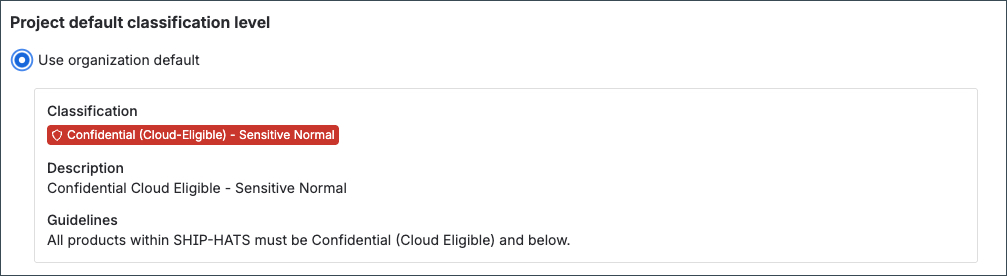
Use organization default — Confidential Cloud Eligible – Sensitive Normal.
Step 2: How to interpret what you see
| Option selected | What it means | Impact on 01 April 2026 | Action required |
|---|---|---|---|
| Use organization default - Confidential Cloud Eligible – Sensitive Normal | Space inherits organisational default | Automatically updated to Use organization default - RESTRICTED – Sensitive Normal | Modify classification before 31 March 2026 if you do not want the update |
| Select a different classification level — one of the classifications is explicitly selected. | Classification explicitly set by a Space Admin | No automatic change | No action required |
Example – Impact of organisational default update
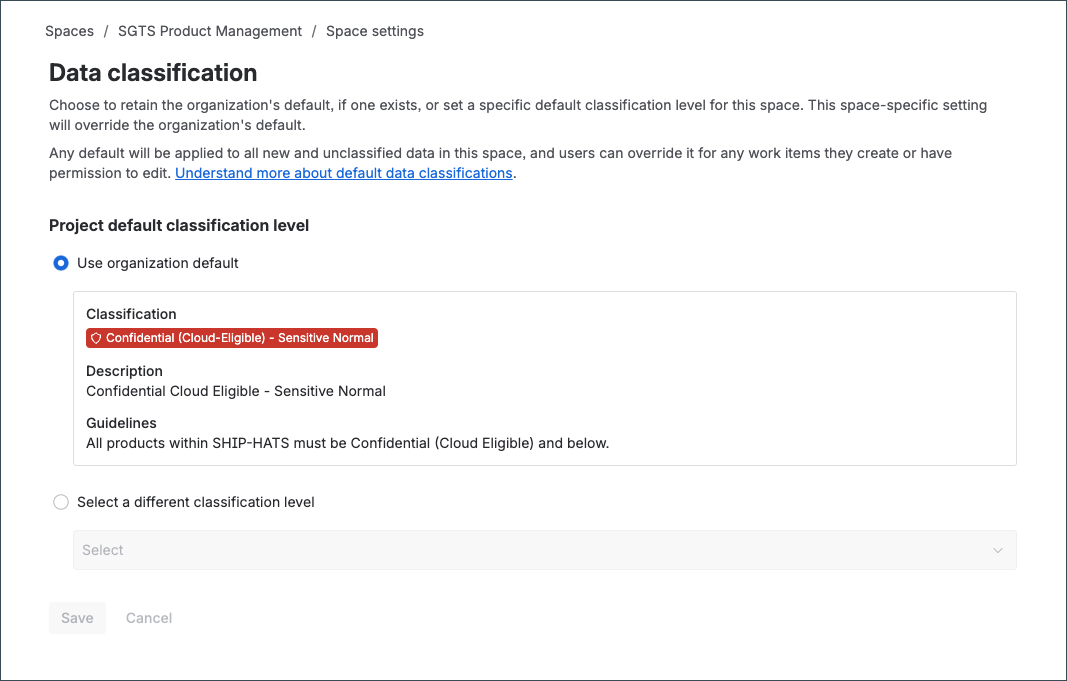
Before 01 April 2026
Classification inherited from organisational default, appears as:
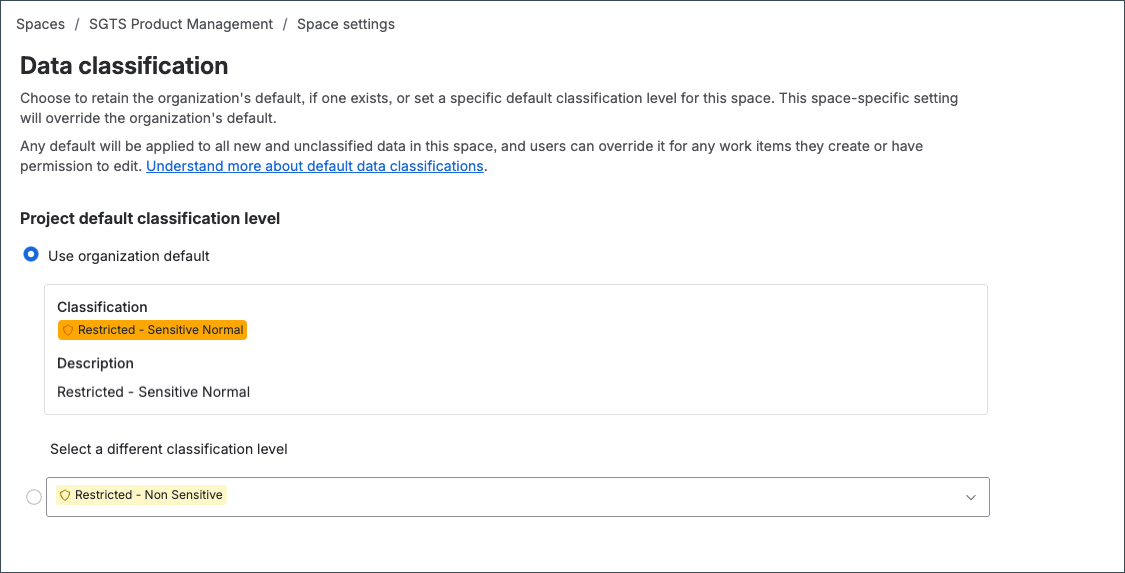
Effective 01 April 2026
Spaces classified as Use organization default – CONFIDENTIAL (Cloud-Eligible) – Sensitive Normal
reflect the updated organisational default:
Use organization default – RESTRICTED – Sensitive Normal
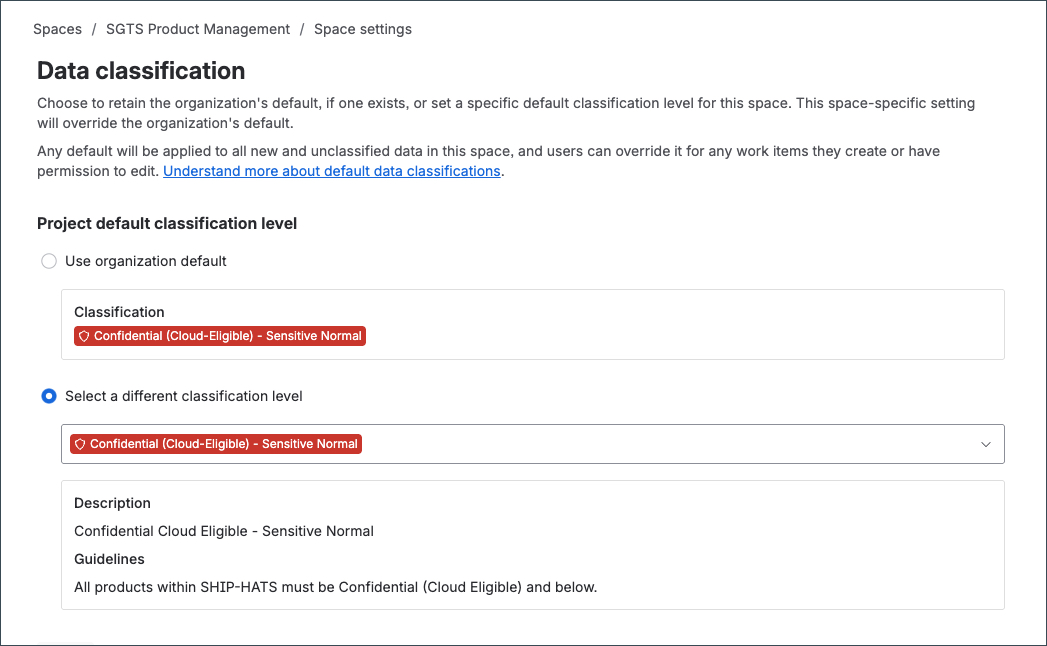
Example – No automatic change
If the space classification is explicitly set (not inherited from organisational default), no automatic update applies on 01 April 2026.
Step 3: Modify the classification (if required)
If the current classification does not reflect the sensitivity of your content, refer to:
