Pricing calculator
The Pricing calculator in TechBiz allows subscription administrators to estimate costs by selecting products, plans, and quantities, providing a detailed breakdown before finalising subscriptions.
When to use the pricing calculator
You may want to generate a cost estimate if you are:
- Subscribing to Central Products
- Exploring Central Products
This Pricing calculator is designed to provide you with a quick and accurate estimation of subscription costs.
Note: For StackOps, you can refer to the official pricing documentation.
For other products such as APEX and CFT, pricing details may not be publicly available. Please check the Pricing calculator in the TechBiz portal for the most up-to-date pricing.
Ways to generate a cost estimate
There are two ways to generate a cost estimate:
1. Using the Pricing Calculator from the left navigation bar
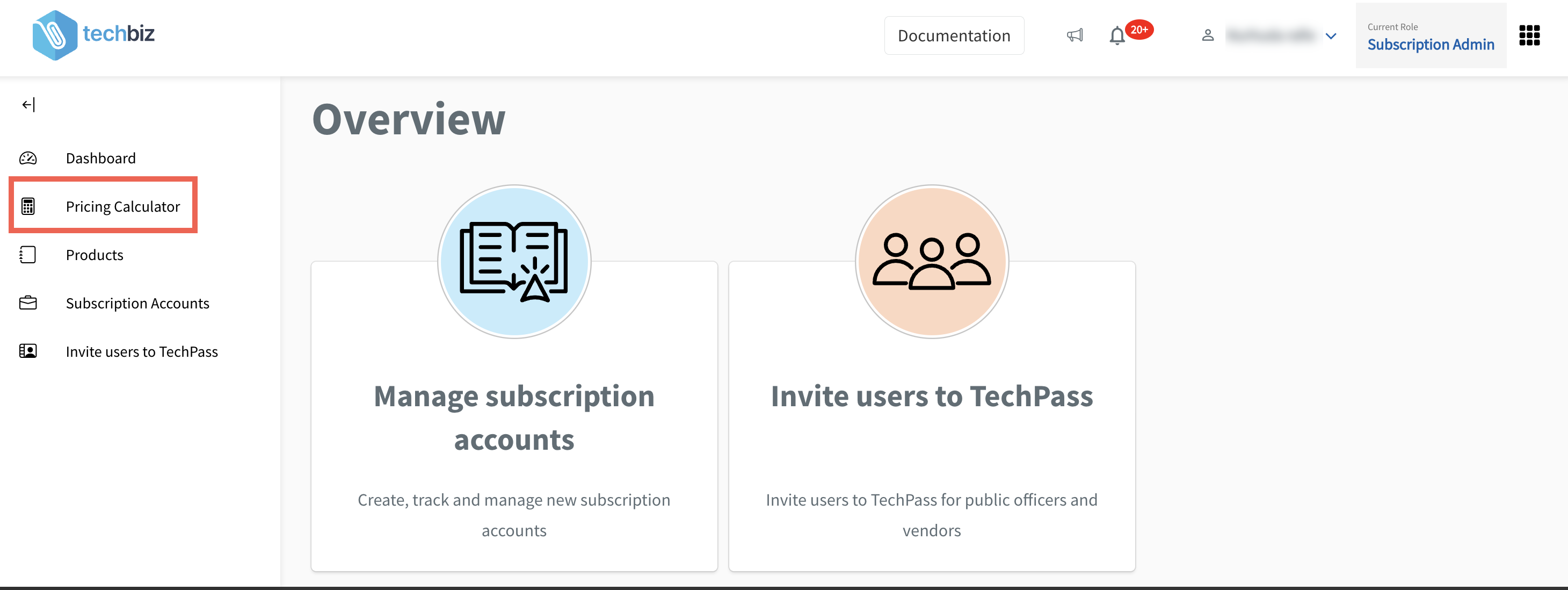
From the left left navigation menu, select Pricing Calculator.
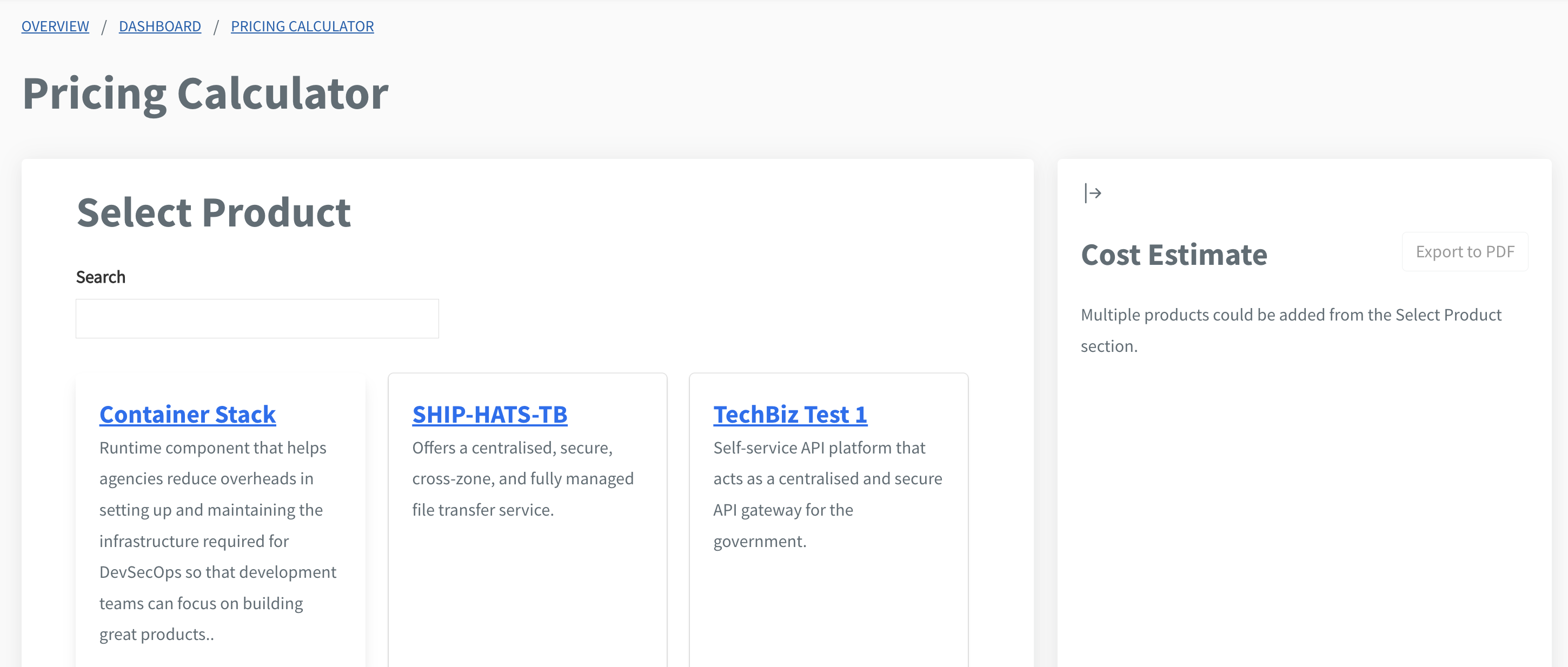
On the Select Product page, choose the product you want to estimate.
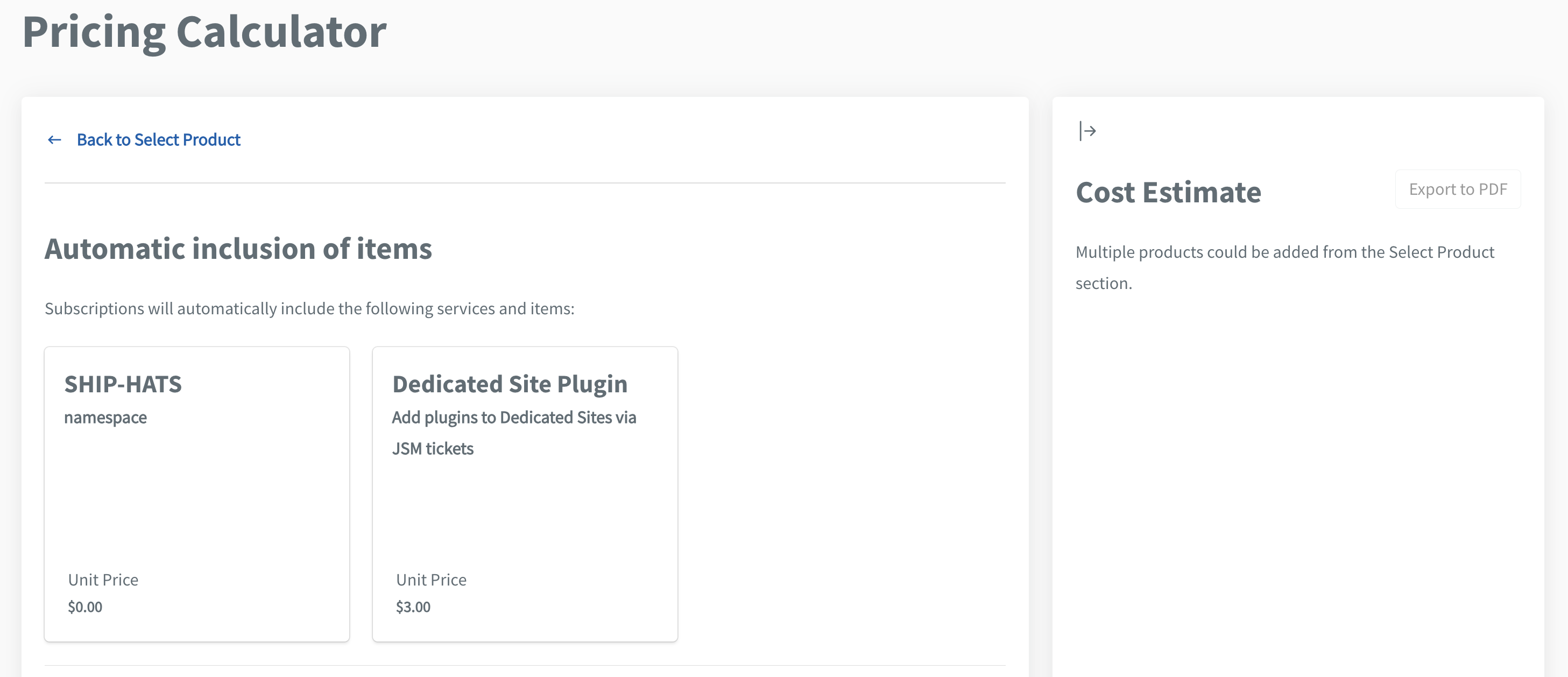
Review the automatically included items.
Select the desired plan(s) and quantity.
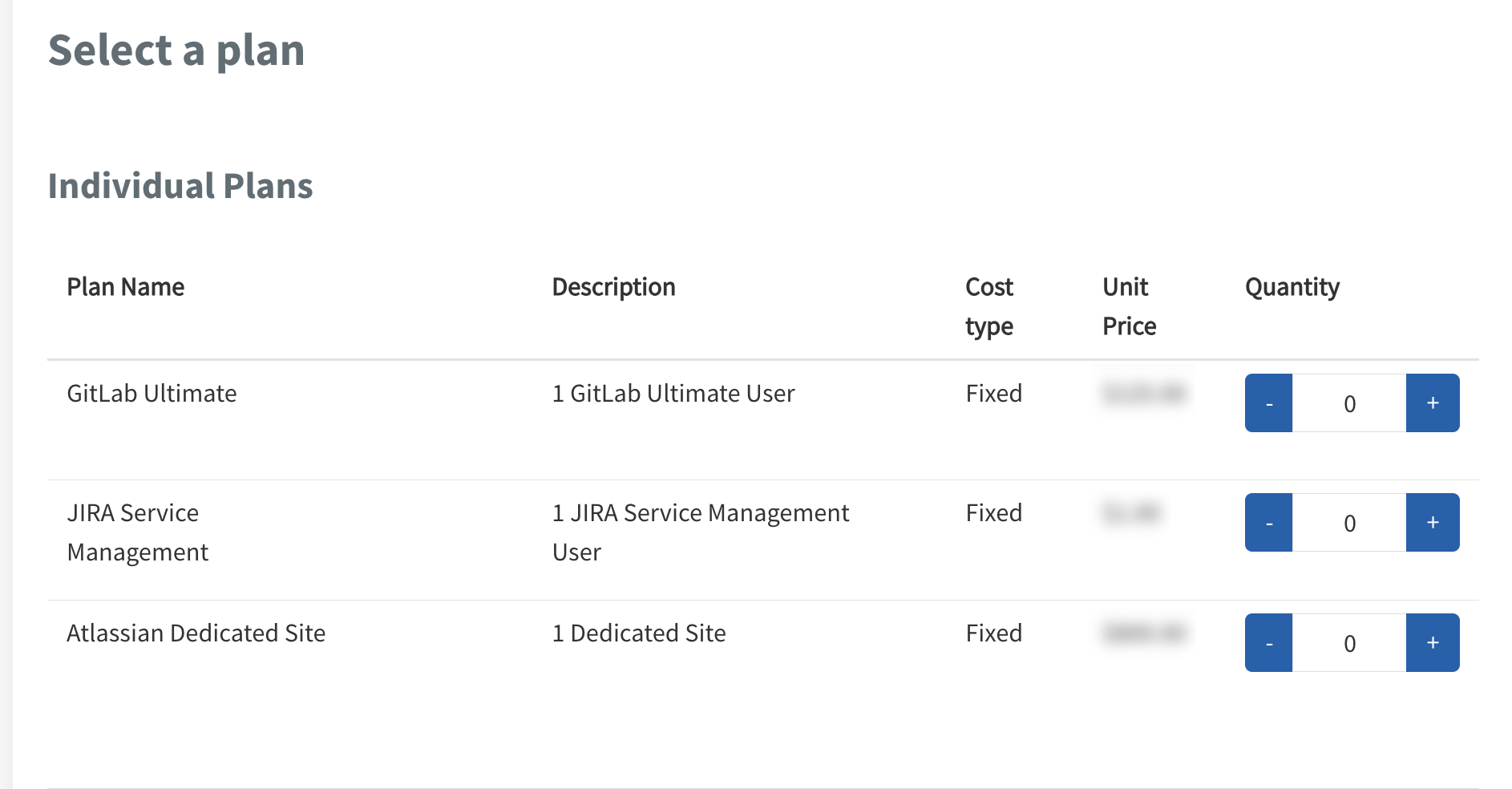
Add-ons can be selected after choosing a plan.
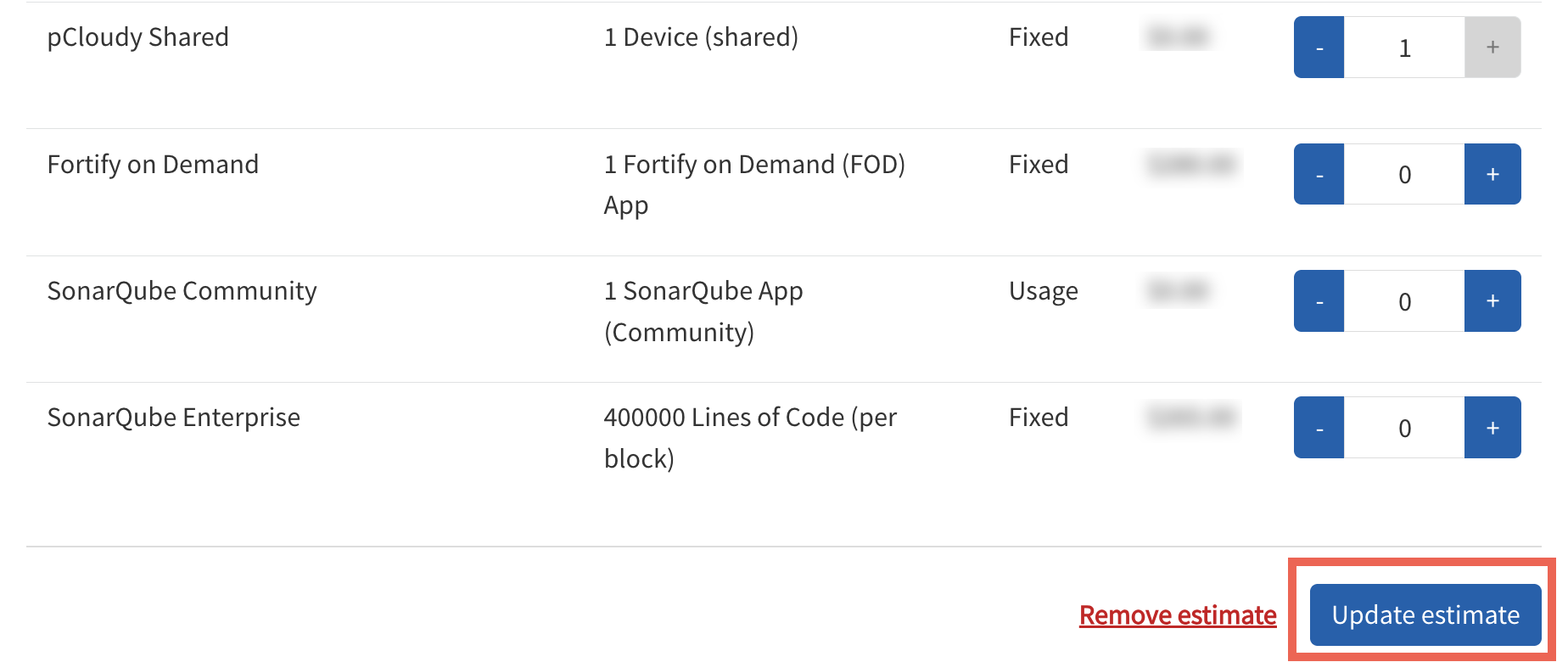
The estimated cost will appear in the Cost Estimate panel on the right.
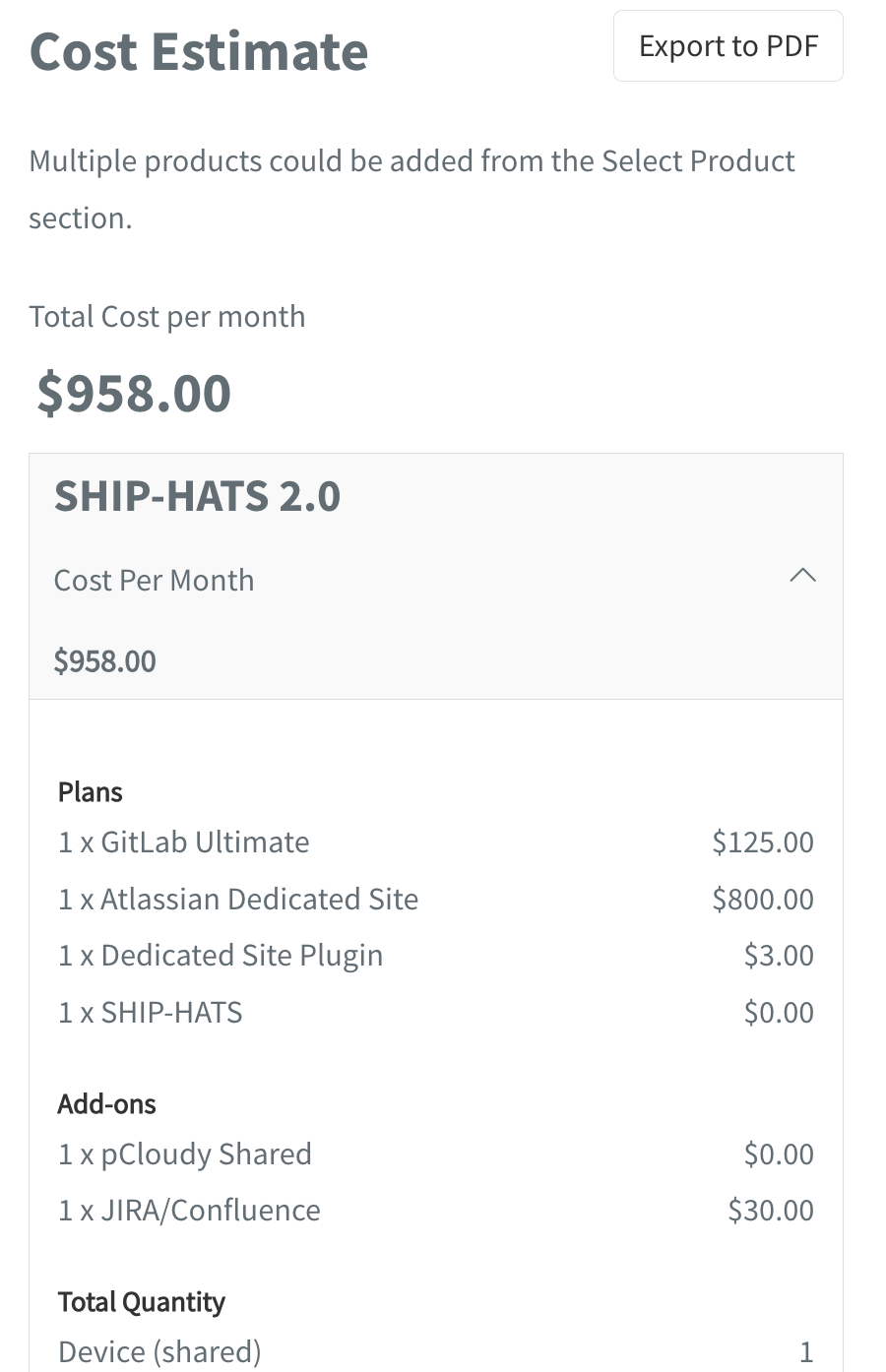
Tip: You can export the cost estimate as a PDF by clicking Export to PDF.
2. Using the Create Subscription Account flow
- Go to Create subscription account.
- Under Select products, choose the required product(s).
- Continue to the Select plan(s) step. The Cost Estimate panel on the right will display the monthly estimate.
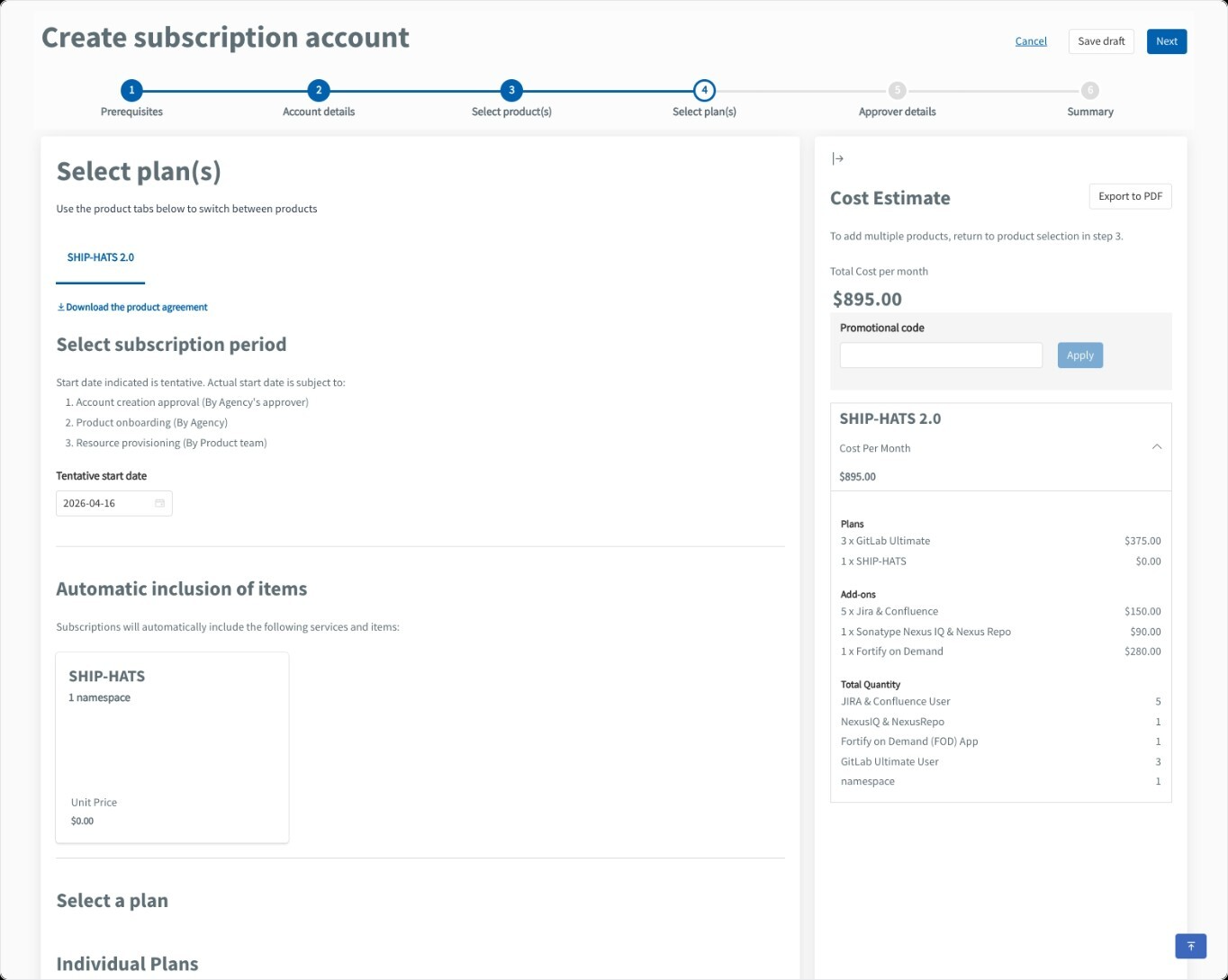
You can either explore costs quickly via the Pricing Calculator or generate an estimate as part of the Create subscription account workflow.
