Generate preliminary invoice
The preliminary invoice provides an interim snapshot of billing details, offering insight before the finalisation of the bill. It now supports both APEX and CFT billing formats.
The preliminary invoice and the official invoice will both reflect a consolidated total for all products included under a single subscription.
Charges for ad-hoc professional services and SHIP-HATS JSM plugins are reflected in the following month’s preliminary invoice, after the services have been delivered or activated.
Important: Raise disputes by the 14th of the month in which you receive the invoice. Disputes raised after this date may not be processed in the same billing cycle.
To access this information, follow these steps:
- From the left navigation menu, click Subscription Accounts.
- Select the required TechBiz account.
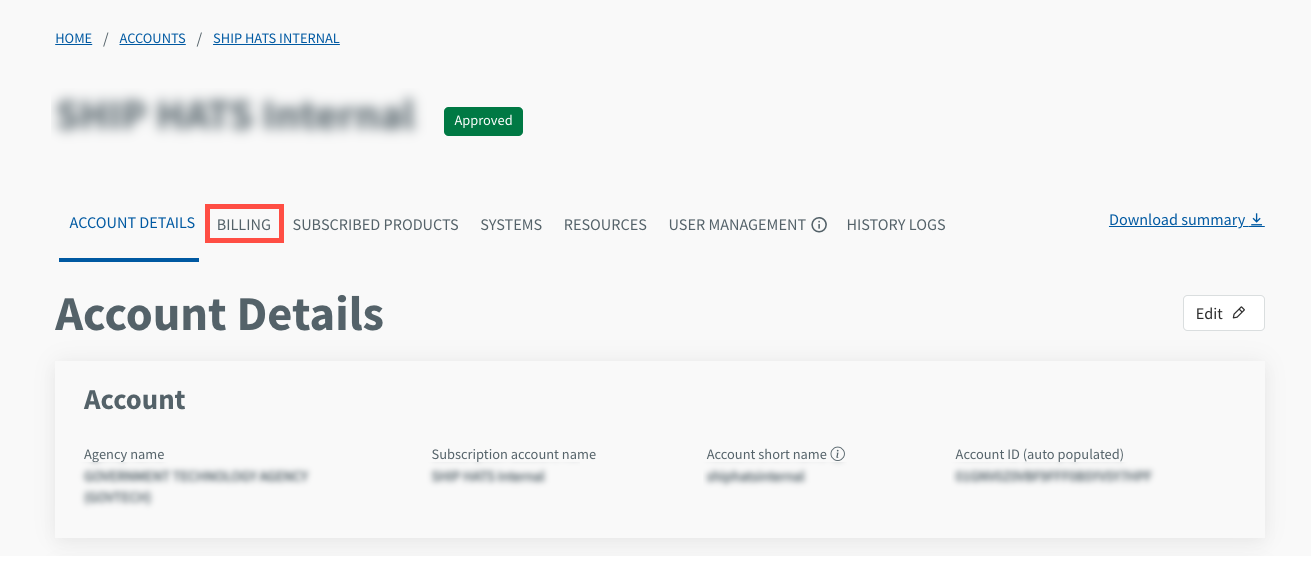
- Click Billing.
- Scroll to Preliminary invoice.
- Choose the required month to view and click the download icon to save the preliminary invoice.
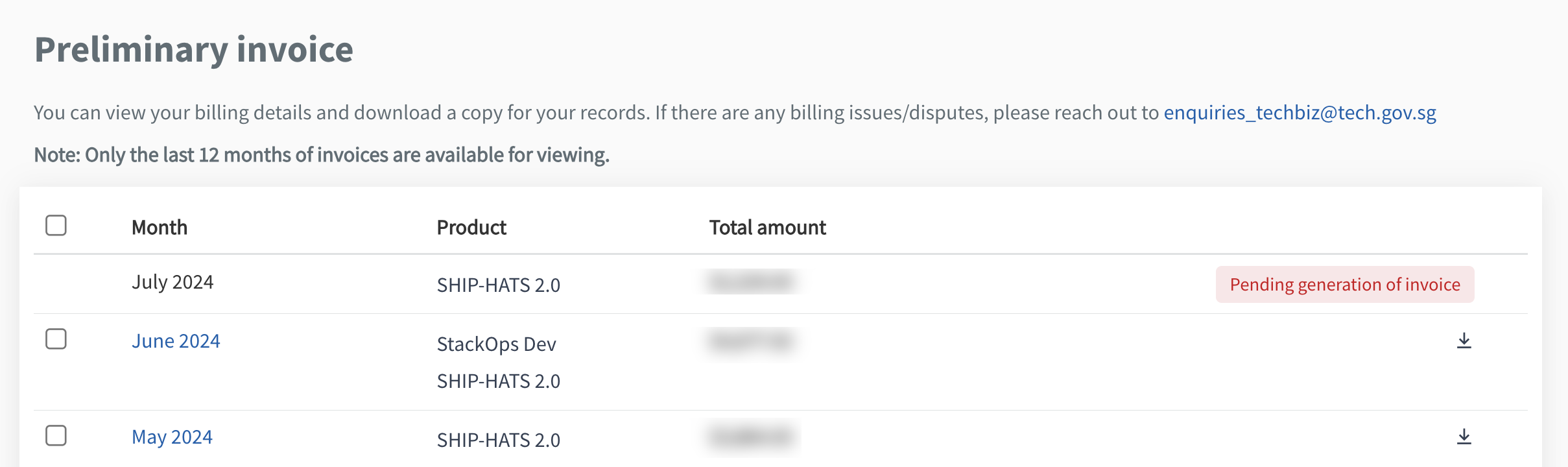
Note: Only the last 12 months of invoices are available for viewing.
For an overview of how preliminary invoices fit into the overall billing cycle, see Billing process.
