View activity logs
You can now view a full history of account-related actions under the new Activity logs section. This helps Subscription Admins better track requests and actions made on TechBiz.
What is shown in the Activity logs
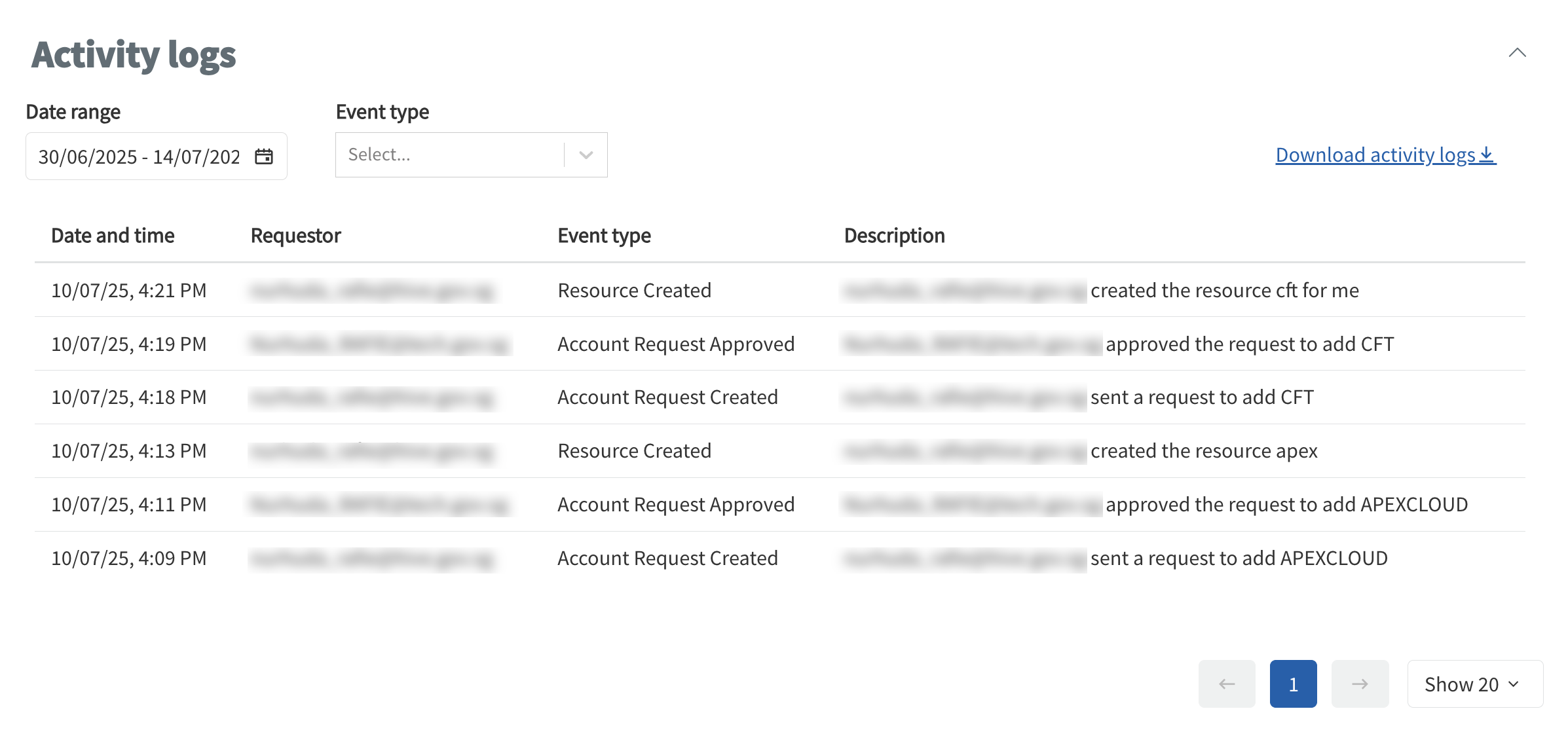
The Activity logs provide a detailed breakdown of events related to your subscription account. Each log entry includes:
- Date and time of the action
- Requestor email address
- Event type (for example, account created, resource updated)
- Description of the action taken
Types of tracked activity
Some examples of tracked actions include:
- Sending or approving an account request
- Creating a resource (for example, APEX or CFT)
- Updates made by TechBiz users
Enhanced visibility
Each entry now also shows:
- Who initiated the action (requestor)
- Who approved the request (if applicable)
This makes it easier to trace changes and ensure proper governance across users and systems.
How to access the logs
- Go to the Documentation section of your subscription account.
- Select the History logs tab.
- Scroll to the Activity logs section.
You can also choose a date range or filter by event type to narrow the results.
