Create Nexus repositories
Subscription Admins (SAs) and Project Admins (PAs) can create Nexus repositories for a SHIP-HATS project by submitting a Service Request (SR).
Nexus repositories are provisioned by the SHIP-HATS team after the request is reviewed and approved.
Prerequisites
Ensure the following:
- You are a Subscription Admin (SA) for the subscription, or a Project Admin (PA) for a SHIP-HATS project within the subscription.
- Your subscription includes Nexus Repository. To verify this, see View tools included in a SHIP-HATS subscription.
- At least one SHIP-HATS project exists in the subscription. For steps to confirm this, see View SHIP-HATS projects.
- Repository users are organised in User groups under this subscription. See Create user groups.
Steps
In Console, go to Products > SHIP-HATS, and select the required subscription to open the Workspace.
For detailed steps, see Access Workspace.
Click Tools > Nexus Repo.
Select the SHIP-HATS project for which you want to create the repository.
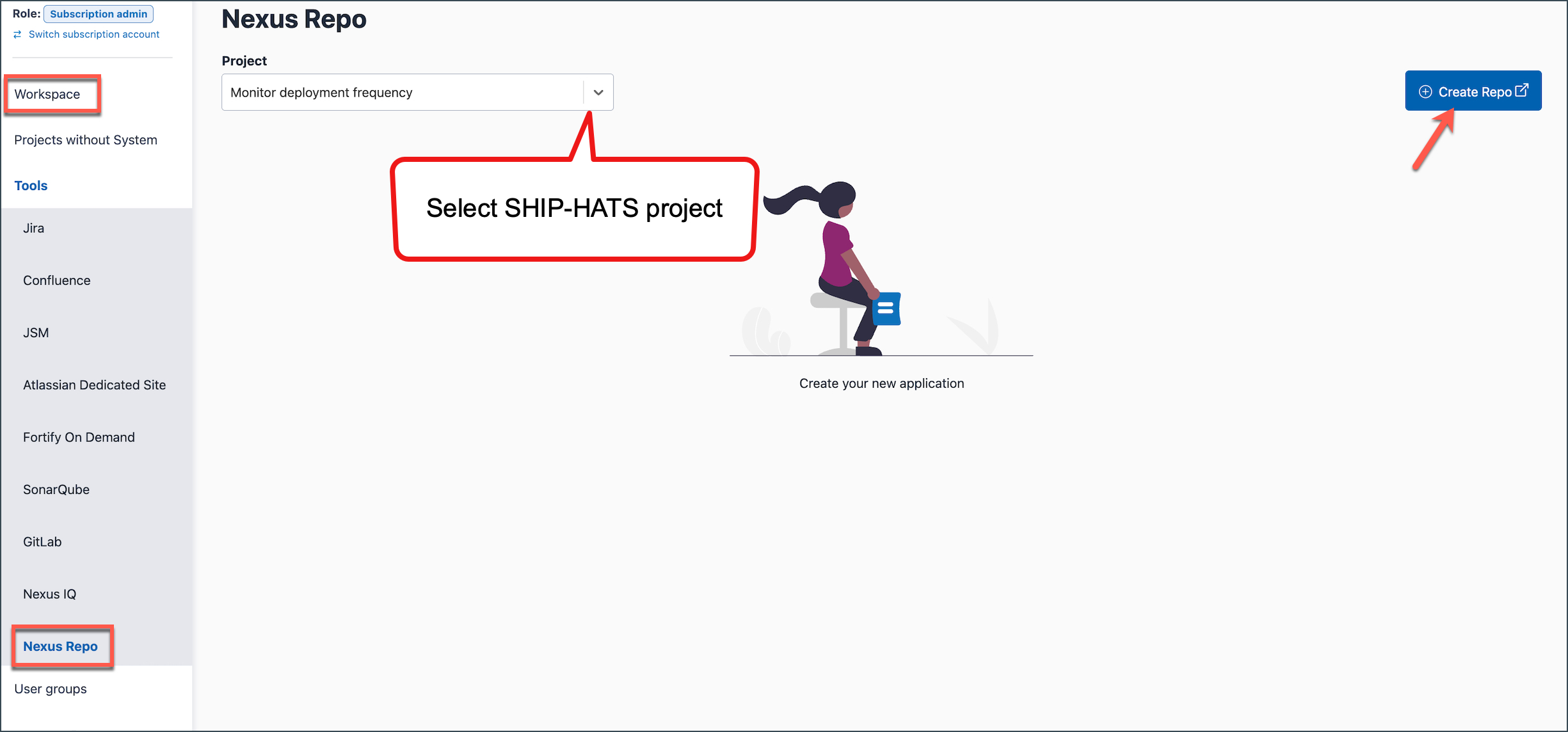
Click Create Repo.
You will be redirected to the SHIP-HATS Service Desk.
Provide the following information in the service request:
| Information | Description |
|---|---|
| Agency name | Name of the agency requesting the repository. |
| Subscription name | Name of the SHIP-HATS subscription. |
| Subscription number | Subscription identifier displayed in Console. |
| SHIP-HATS project name | Project where the repository will be created. |
| Project owner name | Owner responsible for the repository. |
| Repository name | Unique name for the repository. |
| User group(s) | User groups that should be granted access to the repository. |
Additional information may be required depending on the repository type:
- Proxy repository – Provide the remote storage URL.
- Group repository – Provide the existing repository names to include in the group.
For more information about repository types, see
Repository types (proxy, hosted, and group).
- Submit the service request.
What happens next
- The SHIP-HATS team reviews the request.
- Once approved, the Nexus repository is provisioned.
- Users in the specified user groups can access the repository.
- The repository becomes available in Console under Tools > Nexus Repo.
