Provision Sonatype - Nexus Repo licence
Subscription Admins (SAs) and Technical Admins (TAs) can provision Sonatype licences to users using Console. You can provision a licence to a single user or multiple users using batch upload.
Sonatype licences grant access to both Nexus Repository and Nexus IQ.
In this documentation, Sonatype refers to Nexus Repository and Nexus IQ licences unless stated otherwise.
Prerequisites
Ensure the following:
- You are a Subscription Admin (SA) or Technical Admin (TA).
- Sonatype is included in your SHIP-HATS subscription.
See Subscribe to Nexus Repository or Subscribe to Nexus IQ. - Sufficient Sonatype licences are available for provisioning.
- The user has an active TechPass account.
Things to note before you begin
- A user can hold only one Sonatype licence in SHIP-HATS.
- If a user already holds a Sonatype licence under another SHIP-HATS subscription, Console prevents duplicate provisioning.
- In this case, a Subscription Admin (SA) or Project Admin (PA) can add the user to the required Nexus IQ applications, repositories, or user groups.
- Users without an active TechPass account will not appear in search results for licence provisioning.
Steps
Log in to Console.
Access the required subscription account.
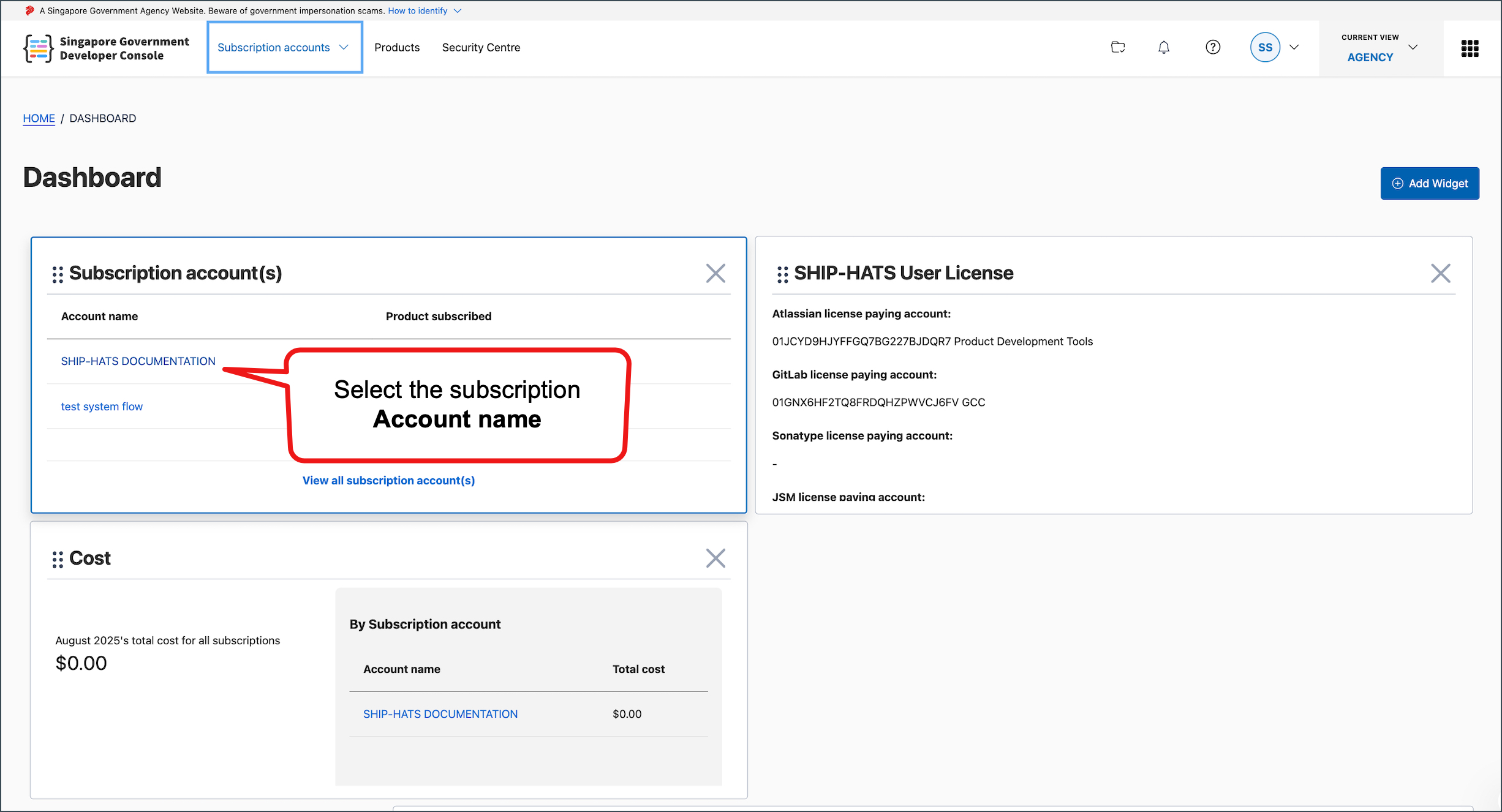
For detailed steps, see View subscription accounts.
Go to User Management > Sonatype.
Click the down arrow next to Sonatype.
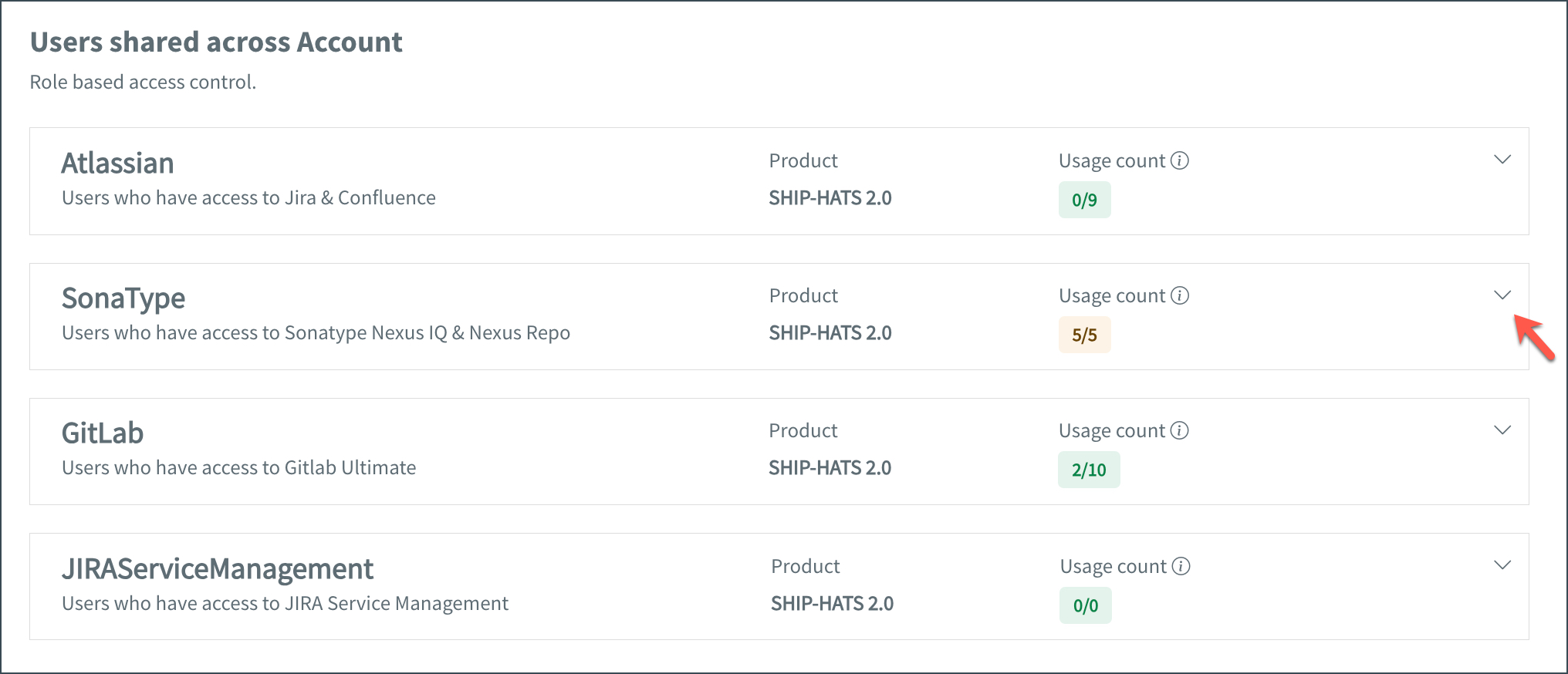
Check the licence Usage count.
For example,0/9means 0 licences are in use and 9 are available.If sufficient licences are available, click Manage.

⚠️ If licence quota is reached
If there are no available licences:
- Increase the licence quantity in your subscription. See Update licences or units. In this page, select the Update licences or units tab.
- Then return to this page to provision licences to users.
Choose one of the following options:
Click Add users.
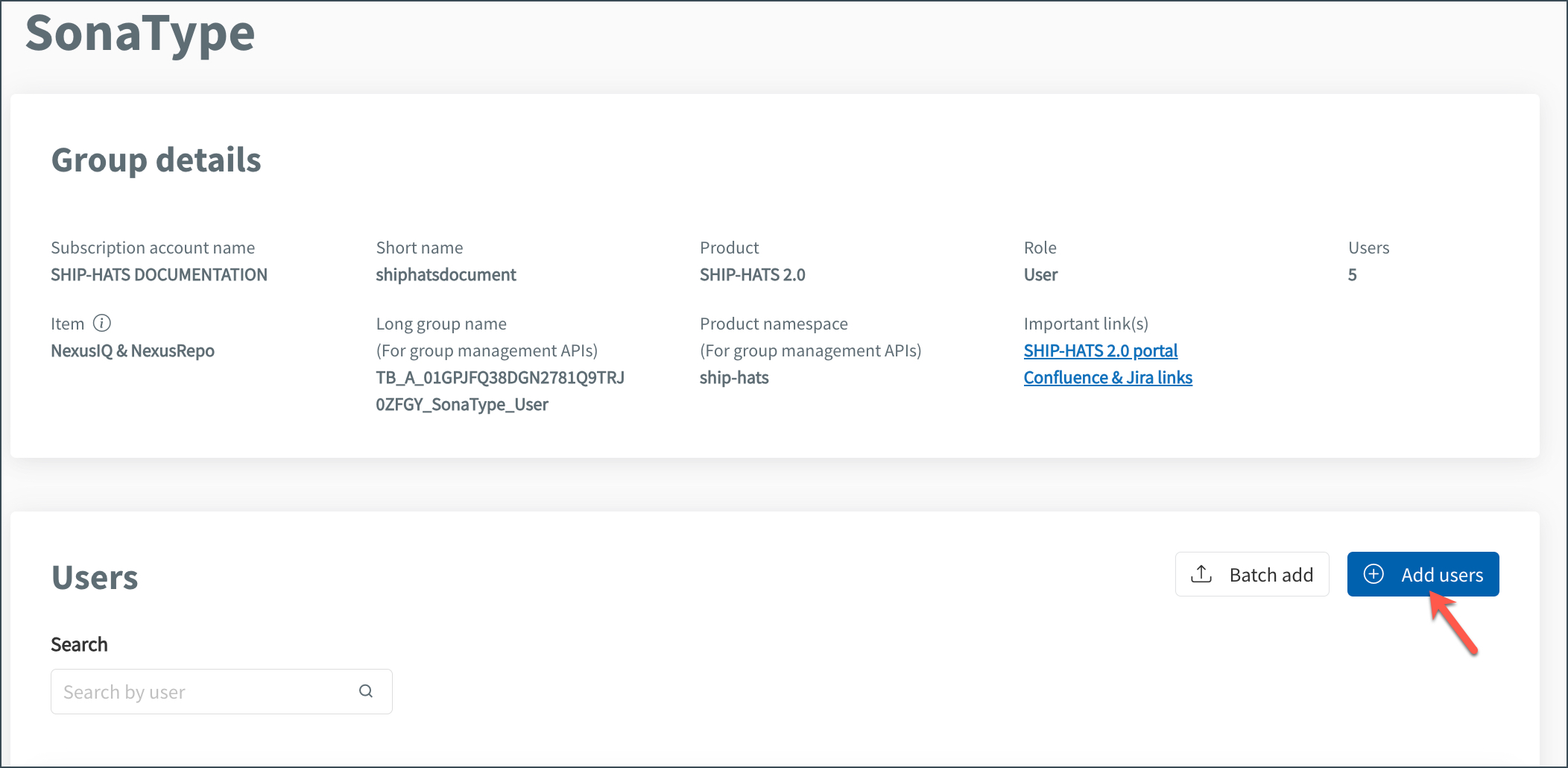
Use the Search box to find the user by name or email linked to their TechPass account.
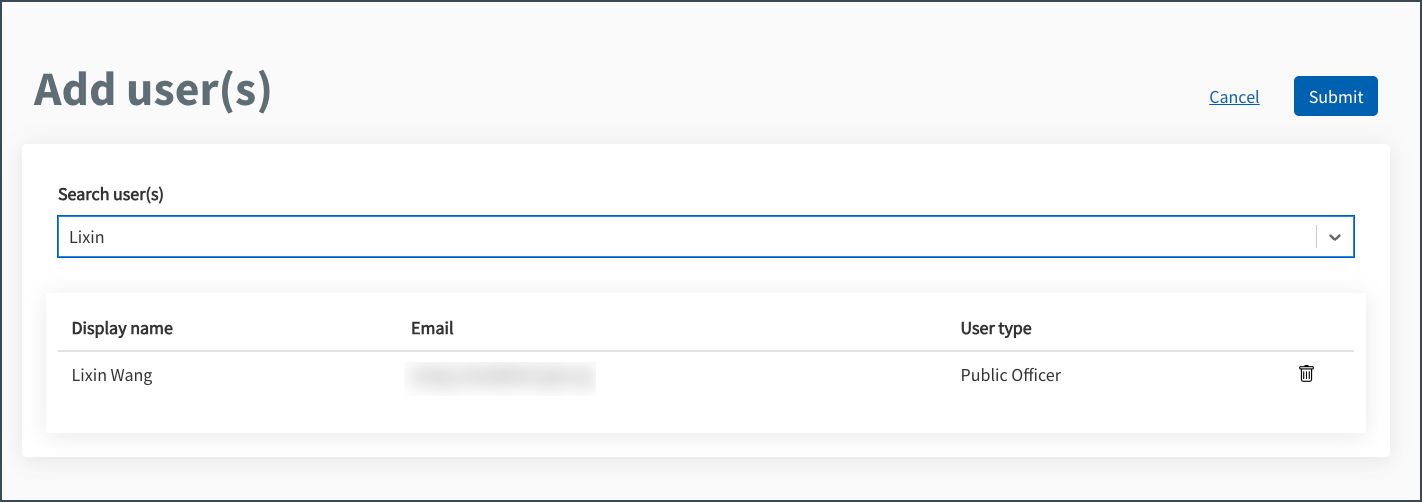
Click Submit.
Confirm the provisioning when prompted.
Users who already hold this licence cannot be assigned another licence.
Click Batch add.
Download the template.
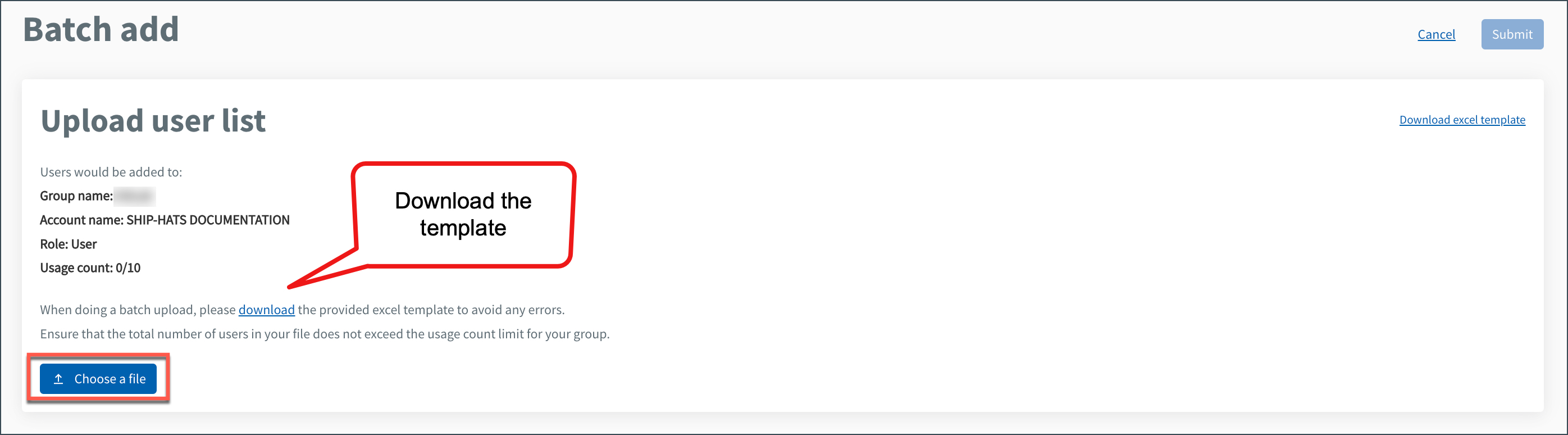
Enter the TechPass email address of the users.
Ensure:
- The total number of users does not exceed the available licence count.
- A maximum of 50 users can be added in one batch.
Upload the completed template.
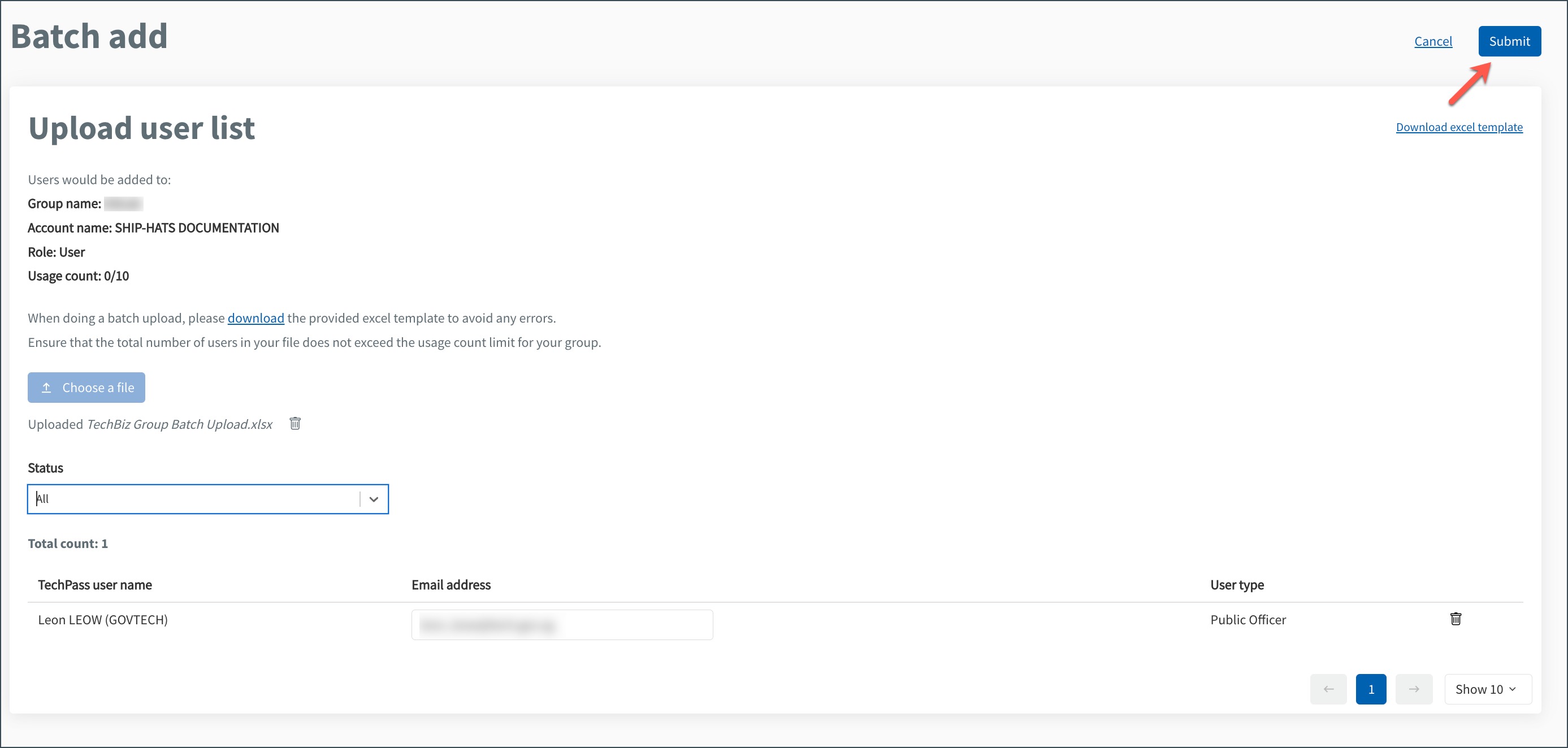
Click Submit.
Confirm the provisioning when prompted.
Users with this licence can access Nexus Repository and Nexus IQ platforms. once they are granted access to the relevant applications or repositories.
To access and manage Nexus IQ applications or Nexus repositories, users must be granted access to the relevant applications or repositories. See Nexus IQ access requirements and Nexus Repository access requirements.
💡 Tip: Regularly review licence usage to ensure sufficient licences are available.
Related topics
Alternatively, you can use TechBiz APIs to provision licences.
