Upload and organise artefacts
When you request for a new Nexus Repository in a specific format (e.g. maven, raw, python, npm), you can choose to upload and organise as per your requirement in many of the possible ways.
Following section shows two different ways to store your artefacts.
Option 1: Storing artefacts within one folder different version
You can store different applications or projects in the same repository by creating a folder.
As shown in the example image, in the raw repository ship-raw-test, artefacts are stored with different version in the following order: com/example/demo/0.0.1. Here, each folder (0.0.1 and 0.0.2) has been created to indicate different version.
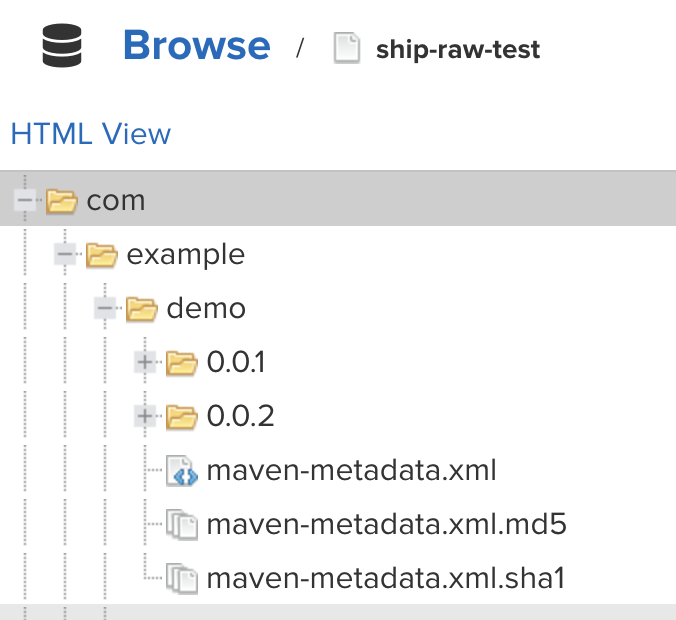
To create folders with different versions, you can use the following example command:
curl -v -u ${user}:${password} --upload-file ./test.txt https://nexus.ship.gov.sg/repository/ship-raw-test/com/example/demo/0.0.1Option 2: Creating multiple folders for each project
You can create multiple folders for each project. You can then create environment folders under each environment, you can create different folders for each application.
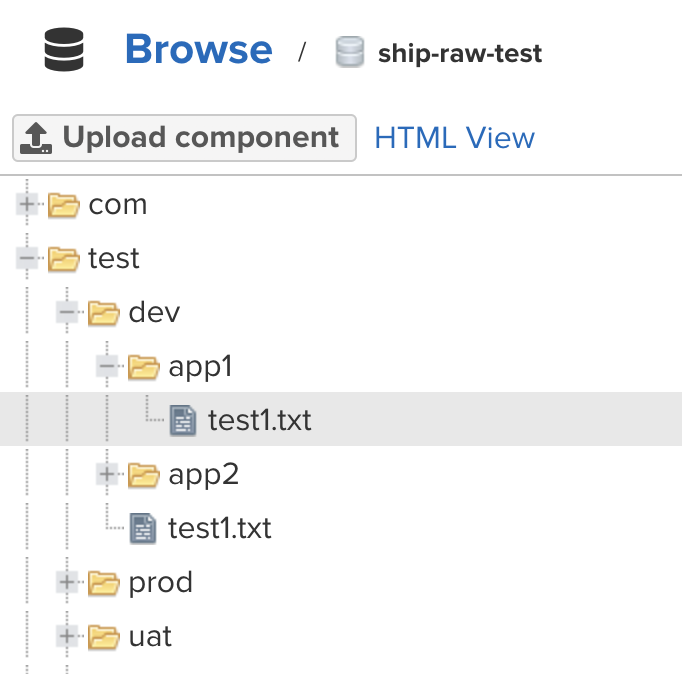
For example, in the below image, you can see that under test project, there are 3 environment folders (dev, uat, prod). In each environment folder, there are two applications (app1,app2). Under each application, you can further categorise and push/upload your files in different folders as per your requirement.
Raw repo
For the raw repository, use the following commands to upload:
curl -v -u ${user}:${password} --upload-file ./test.txt https://nexus.ship.gov.sg/repository/ship-raw-test/test/dev/app1/test.txtcurl -v -u ${user}:${password} --upload-file ./test.txt https://nexus.ship.gov.sg/repository/ship-raw-test/test/uat/app1/test.txtcurl -v -u ${user}:${password} --upload-file ./test.txt https://nexus.ship.gov.sg/repository/ship-raw-test/test/prod/app1/test.txtMaven
For maven repository, use the following commands to upload:
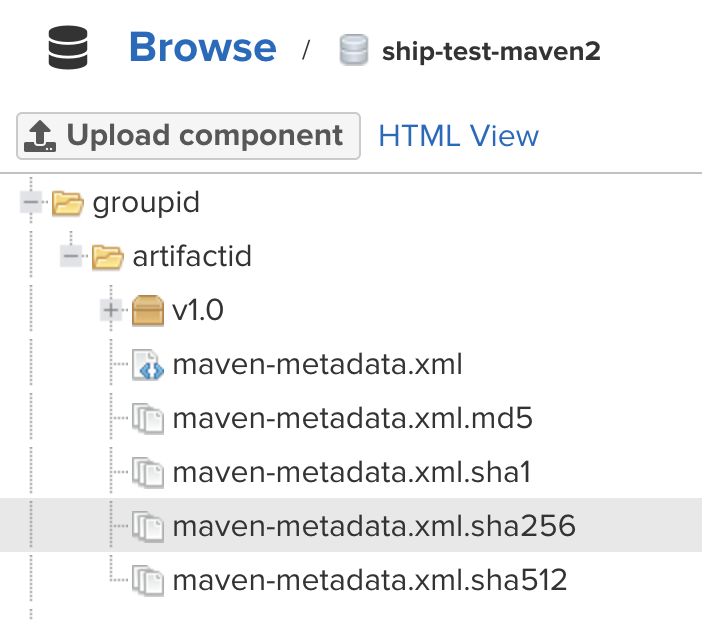
mvn deploy:deploy-file -DgroupId=my-groupId -DartifactId=artifactId -Dversion=0.0.1 -Dpackaging=json -Dfile=myfile.jar -DgeneratePom=true -DrepositoryId=my-DirectoryId -Durl=https://url-to-my-repo/mvn deploy:deploy-file -DgroupId=groupid -DartifactId=artifactId -Dversion=v1.0 -Dpackaging=text -Dfile=test.txt -DgeneratePom=true -DrepositoryId=my-DirectoryId -groupid Durl=https://nexus.ship.gov.sg/repository/ship-raw-maven2/The following image shows an example after using the above commands: